

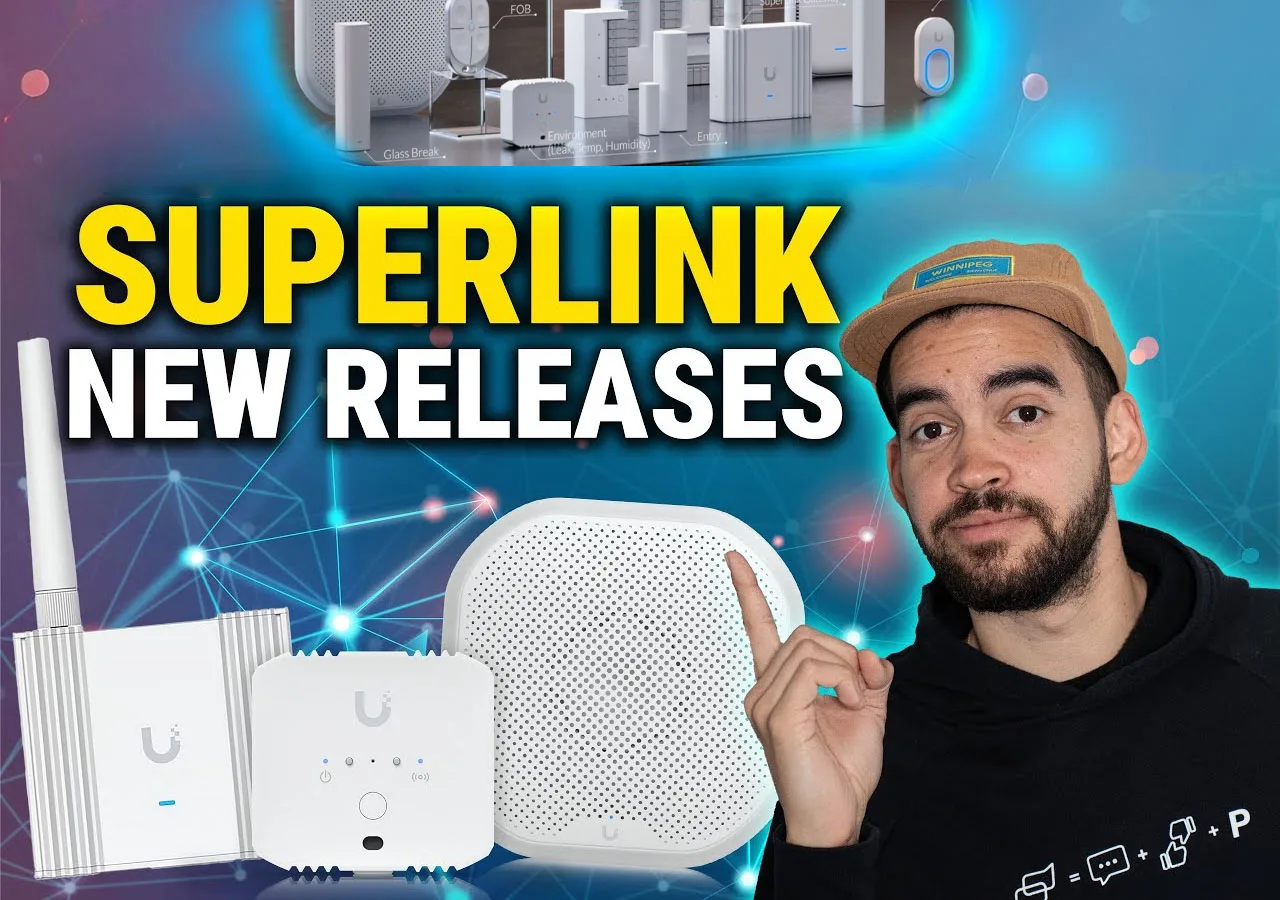
In this UniFi SuperLink session, we validated how three first-wave devices extend UniFi Protect beyond cameras: the SuperLink gateway, the Environmental Sensor, and the Siren PoE. We measured range, latency, and alarm behavior so integrators and DIY users can plan deployments with fewer surprises.
Where each device fits inside Protect
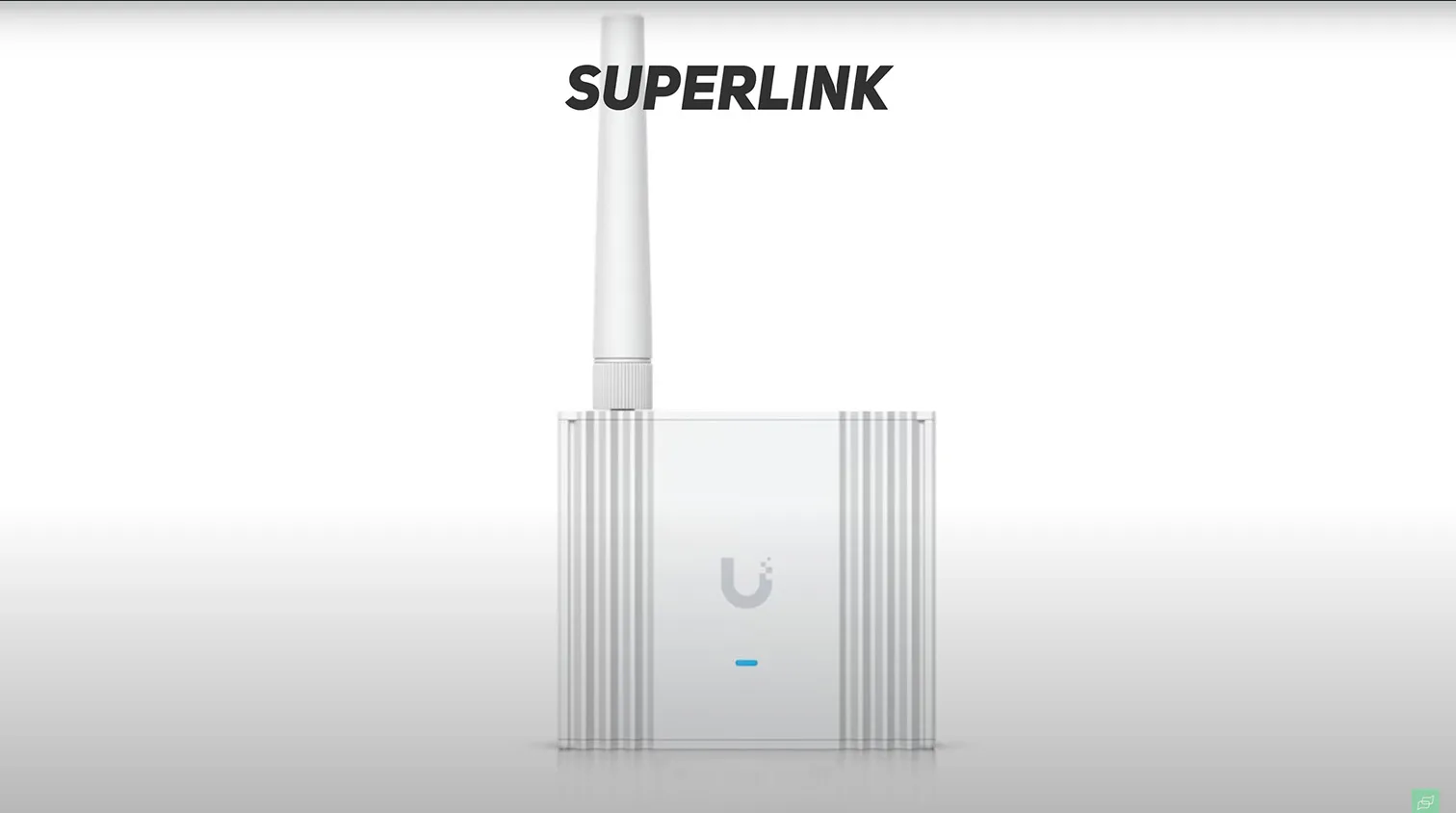
- SuperLink gateway. A long-range UniFi Protect gateway that links SuperLink sensors and UP-Sense (BLE) devices to a UniFi OS Console with low latency and extended battery life. It enables UniFi Protect extended coverage in sites where Bluetooth alone falls short.
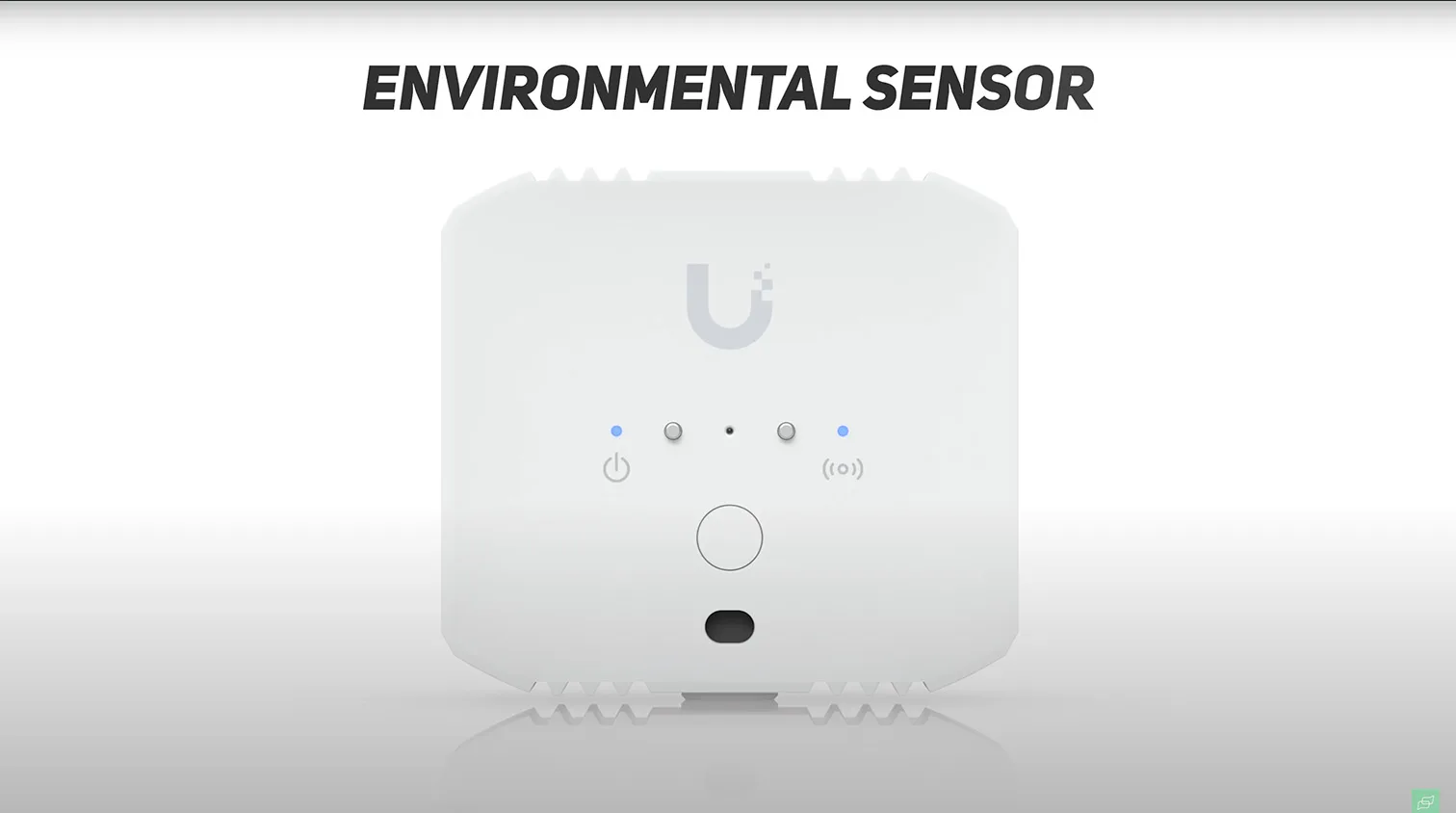
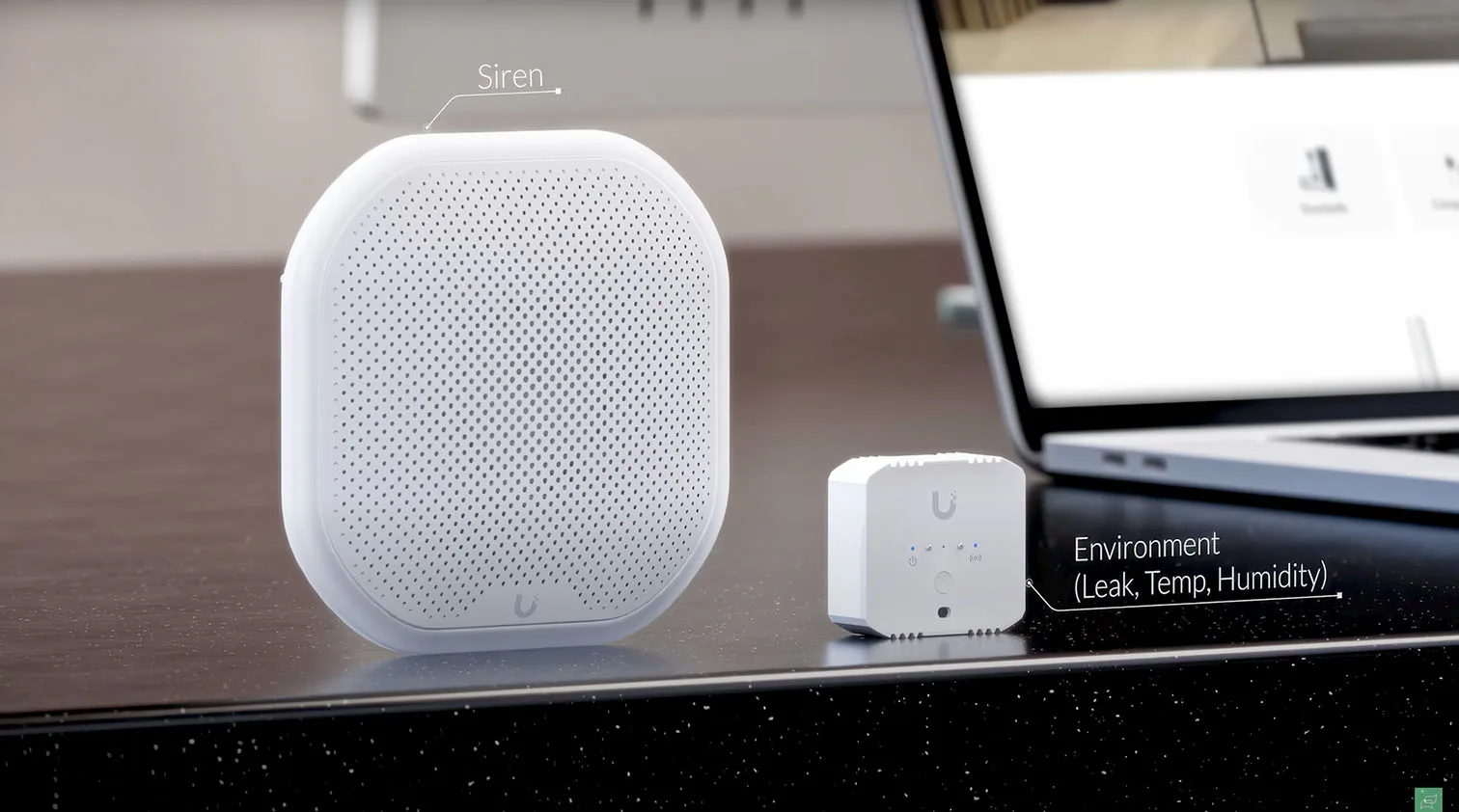
- Environmental Sensor. Sub-GHz sensor that tracks temperature, humidity, ambient light, plus front and rear water-leak contacts. Triggers can raise alarms, push notifications, and camera bookmarks.
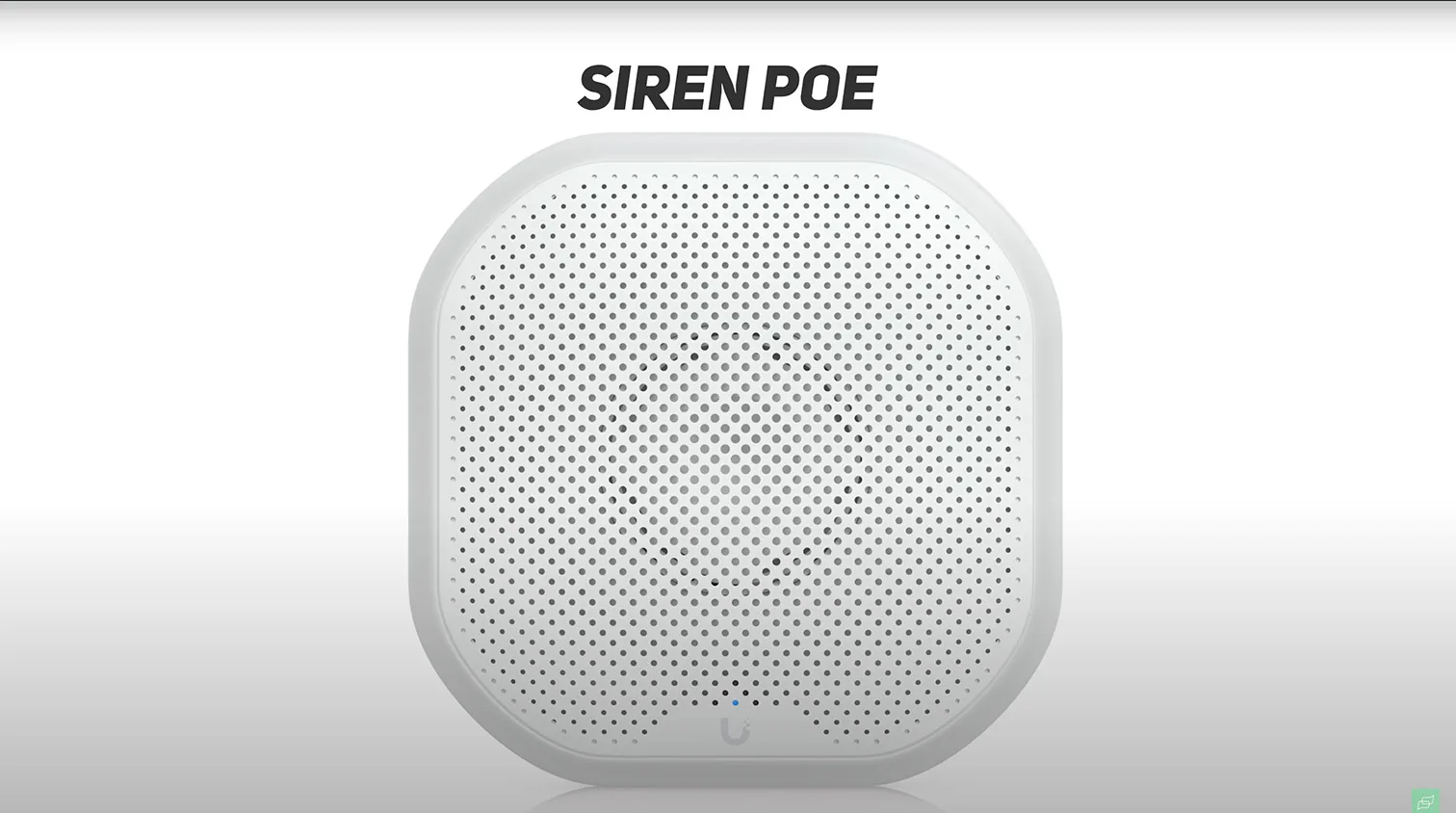
- Siren PoE. A native UniFi Protect alarm endpoint that does not require the gateway. Tie it directly to camera analytics or Environmental Sensor events via Alarm Manager.
1 / 4
Who benefits, and typical scenarios
Facilities with distributed risk points benefit most: server rooms and MDFs that need leak and temperature alerts, retail coolers and back rooms that need humidity thresholds, and warehouses where a single gateway can reach far-flung sensors. Homes gain a unified view for sump, laundry, and kitchen risks without juggling multiple apps.
What we looked for during validation
- Event-to-alarm latency in Protect
- Through-wall stability and outdoor line-of-sight behavior
- Practical commissioning flow, naming hygiene, and Alert Manager mapping
- How Safe Zones translate to fewer false alarms and faster incident triage
Hardware Walkthrough
We structured this UniFi SuperLink review around hands-on build quality, serviceability, and the exact UI controls you will touch on day one.
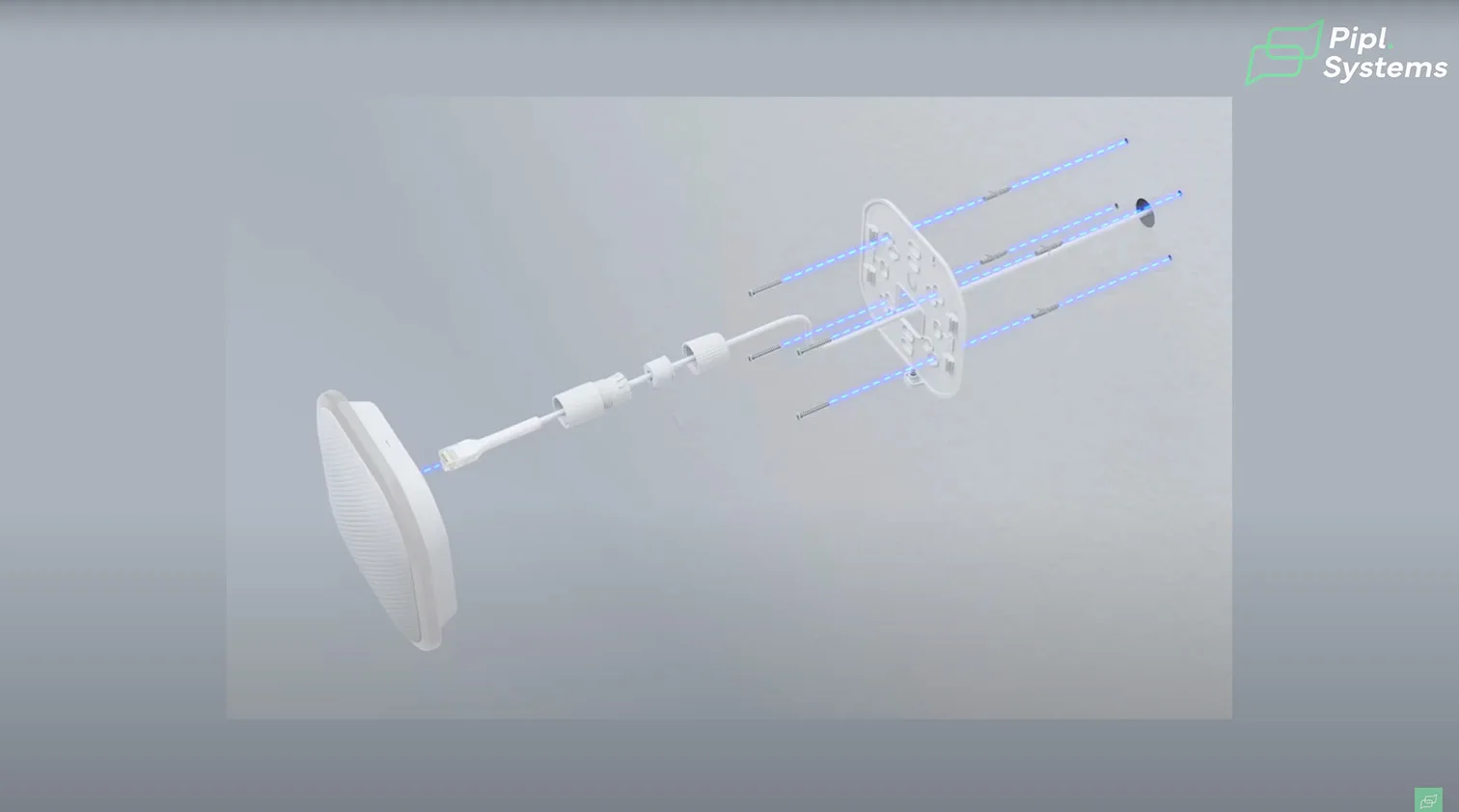
Siren PoE: design and installation details
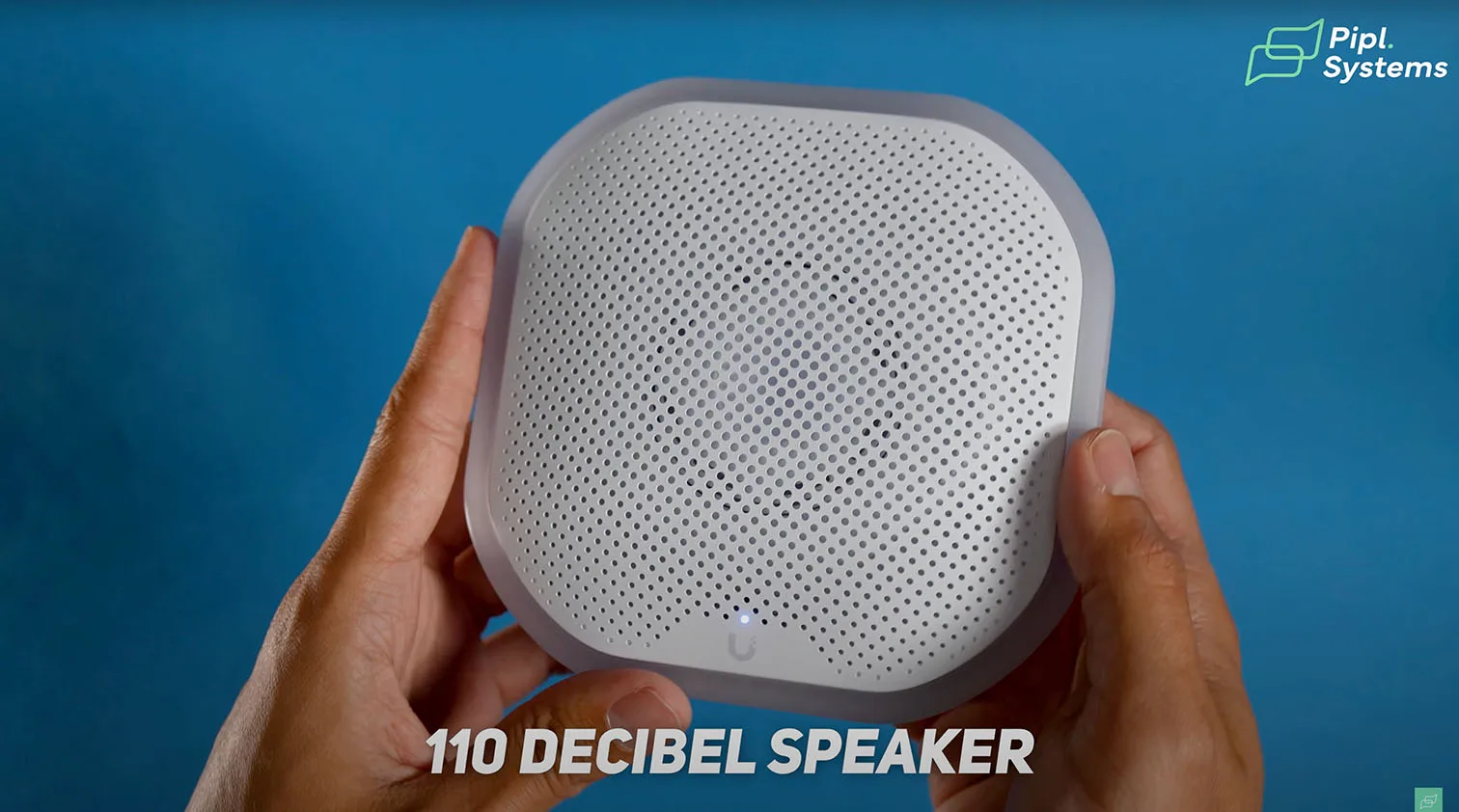
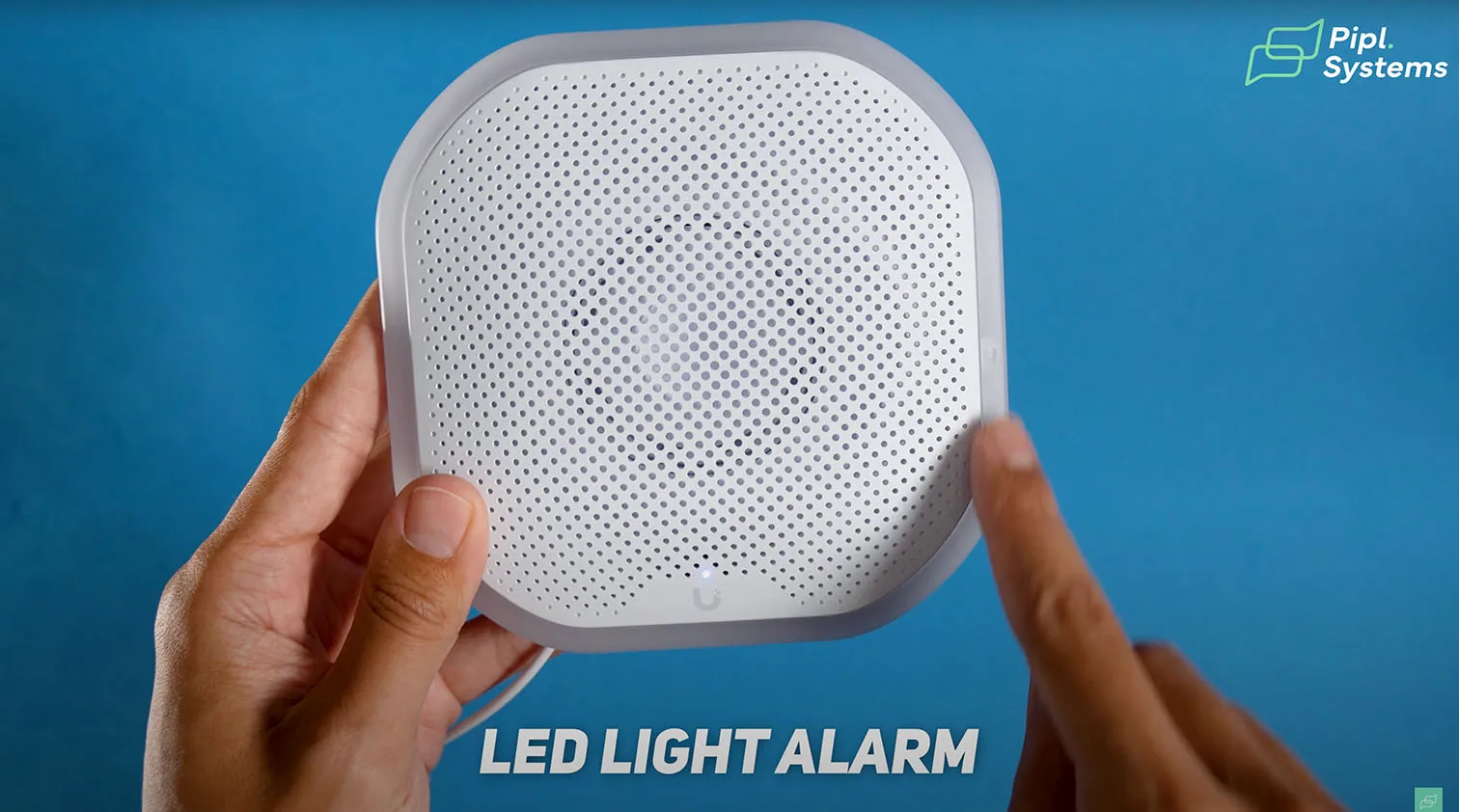
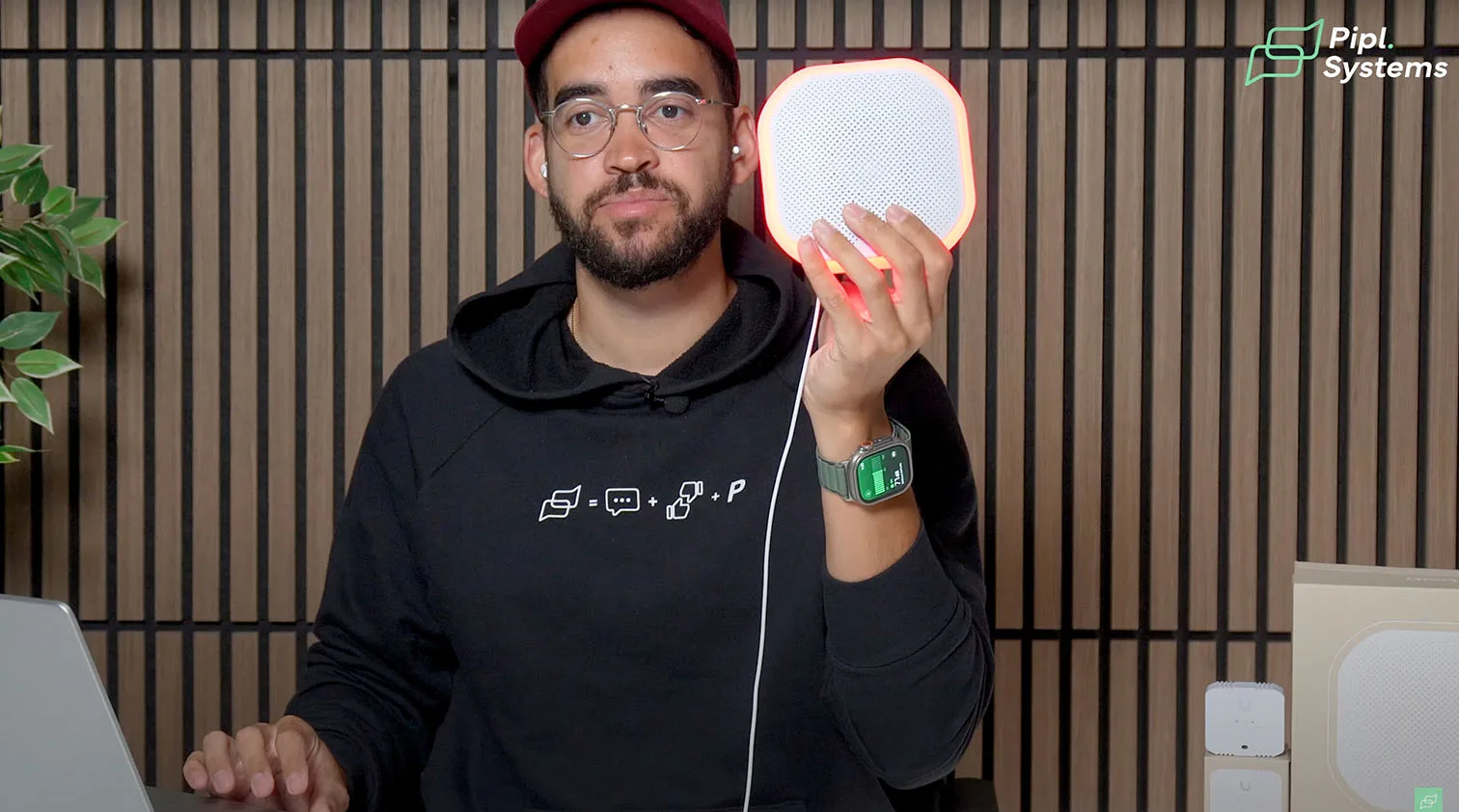
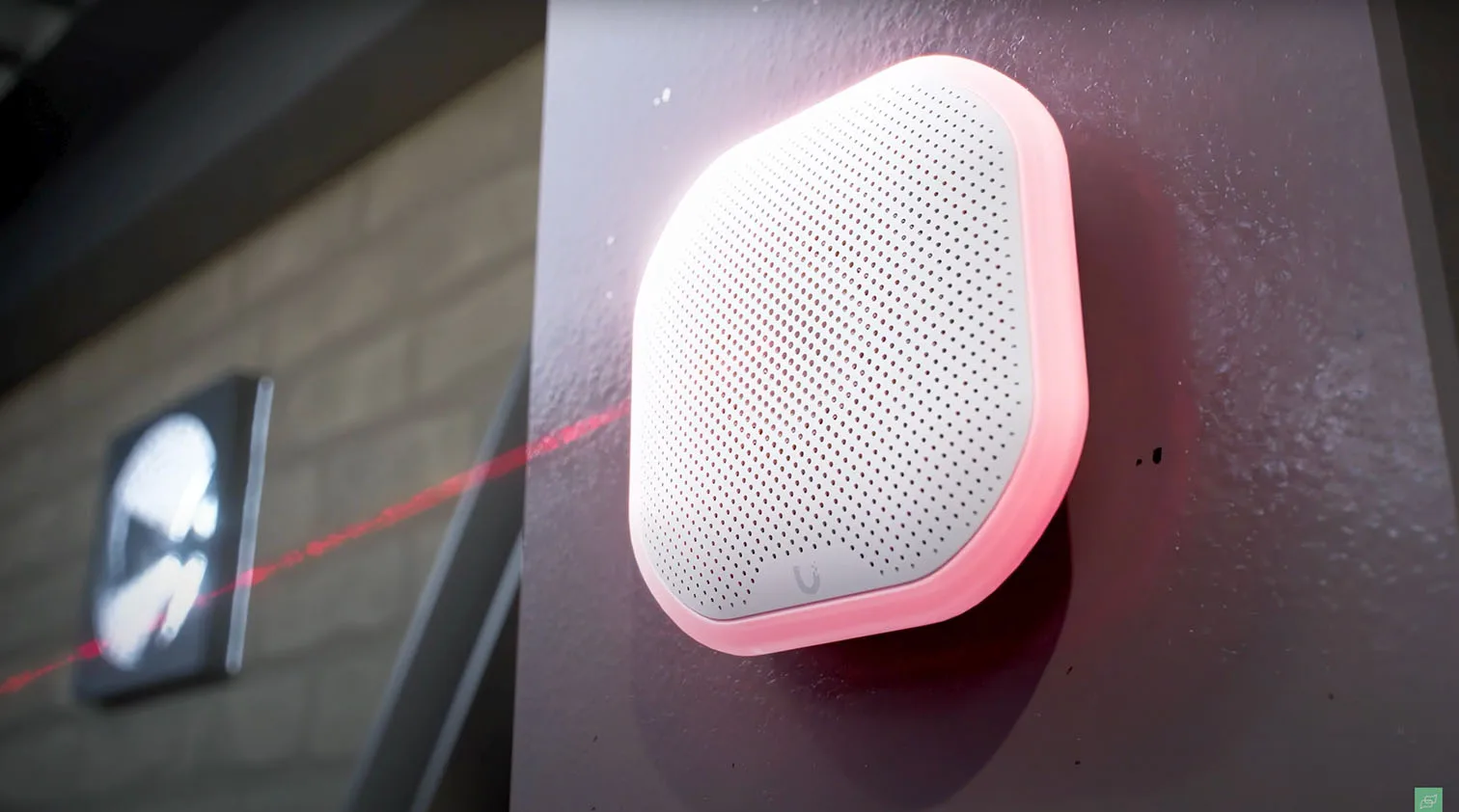
- Acoustics and signaling. 110 dB class driver, status indicator at the base, and a perimeter flash ring that pulses red during alarms.
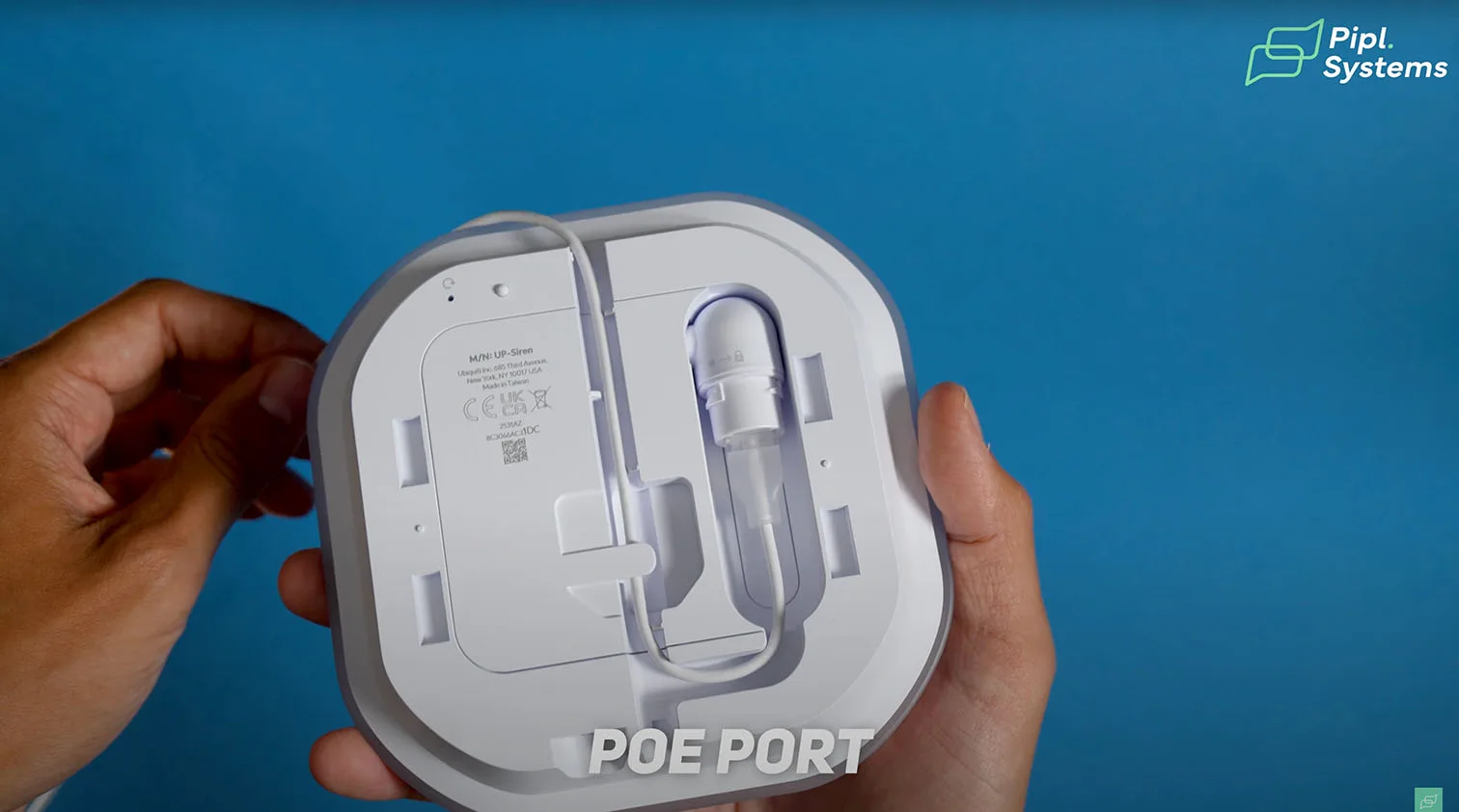
- Cable management. The PoE pigtail seats in a swivel path so you can route up or down while keeping strain relief secure.
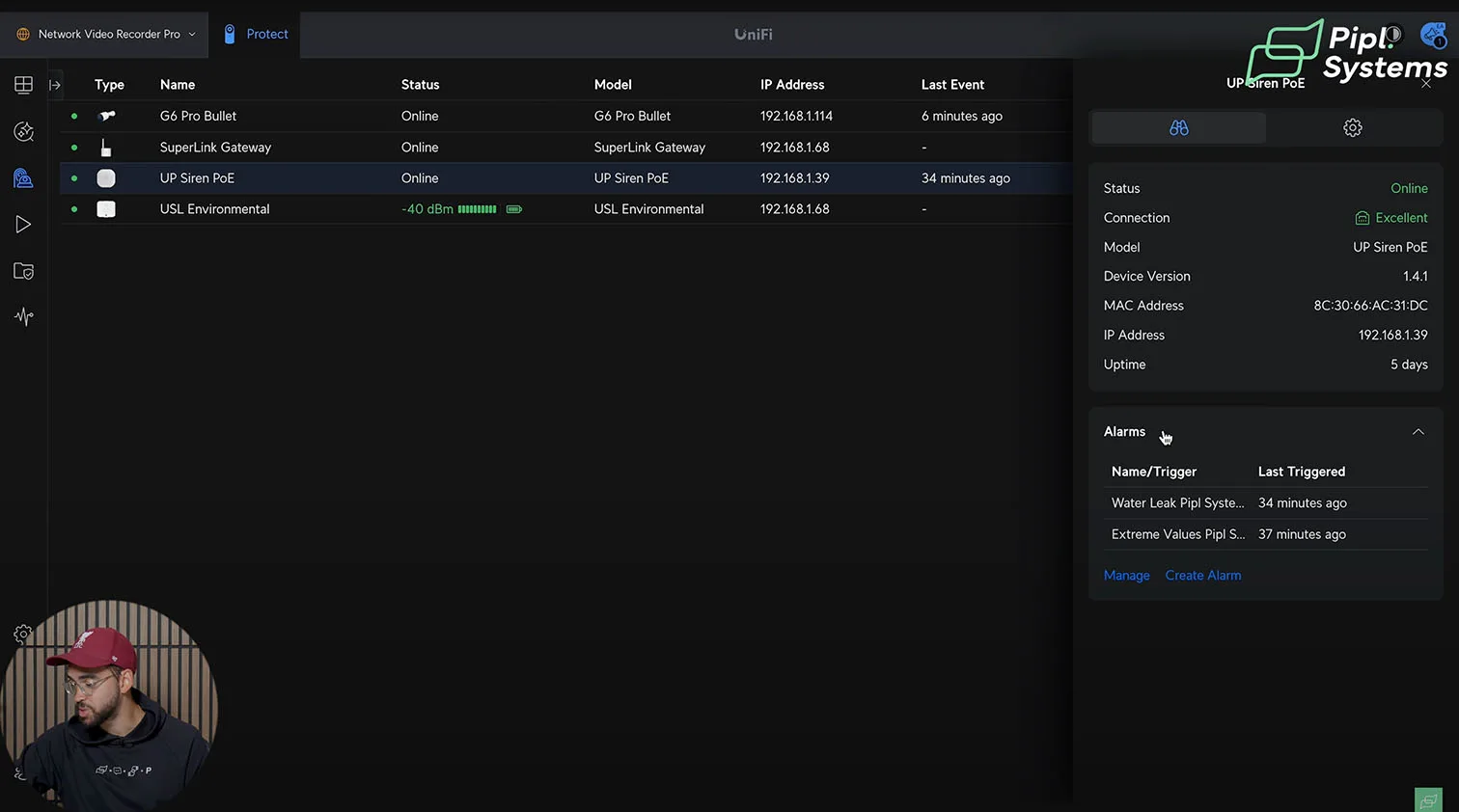
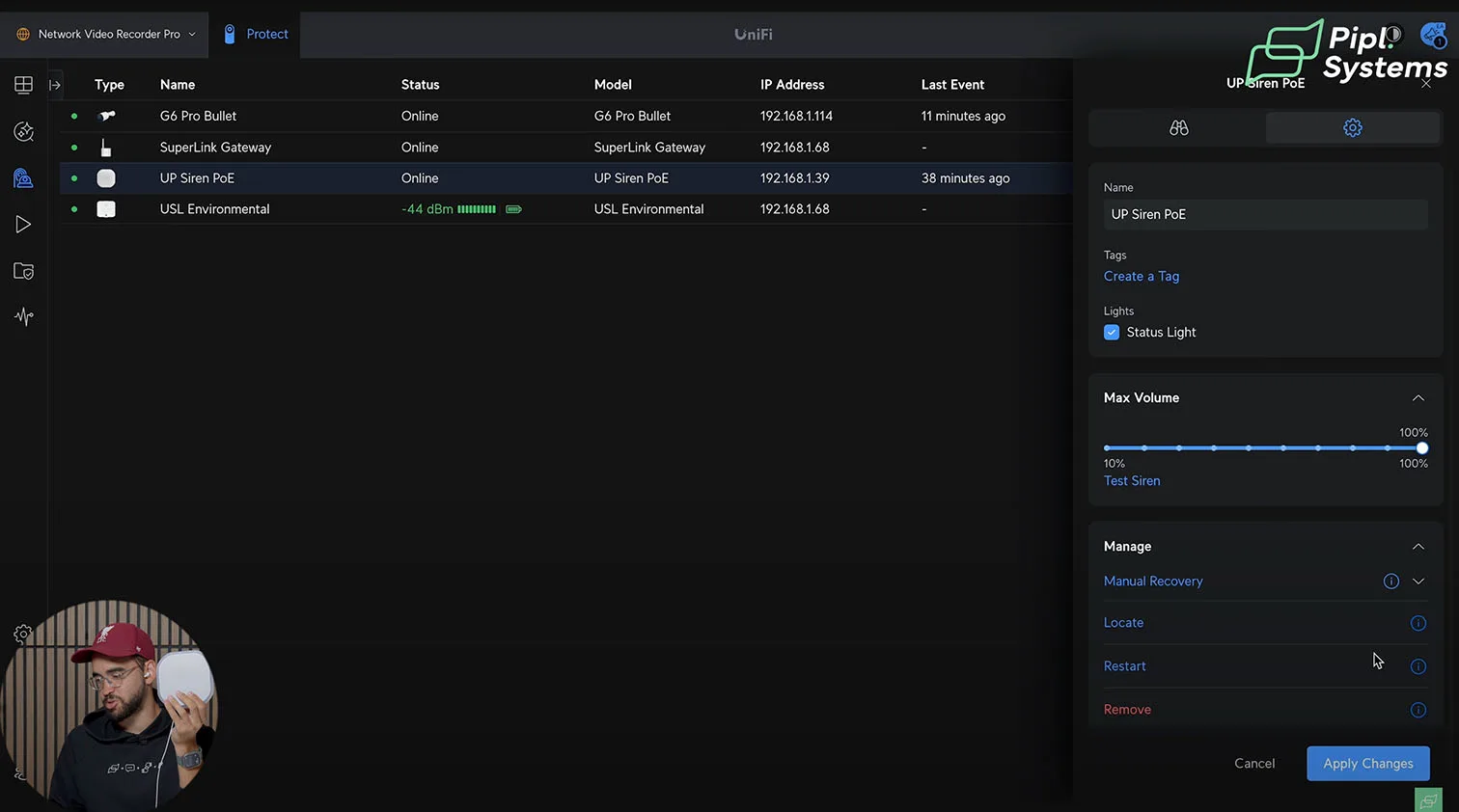
- Protect-native behavior. Adopt in Devices, set volume and light behavior, then attach triggers in Alarm Manager. You can map it to people or vehicle detections, LPR matches, or any sensor threshold.

1 / 5
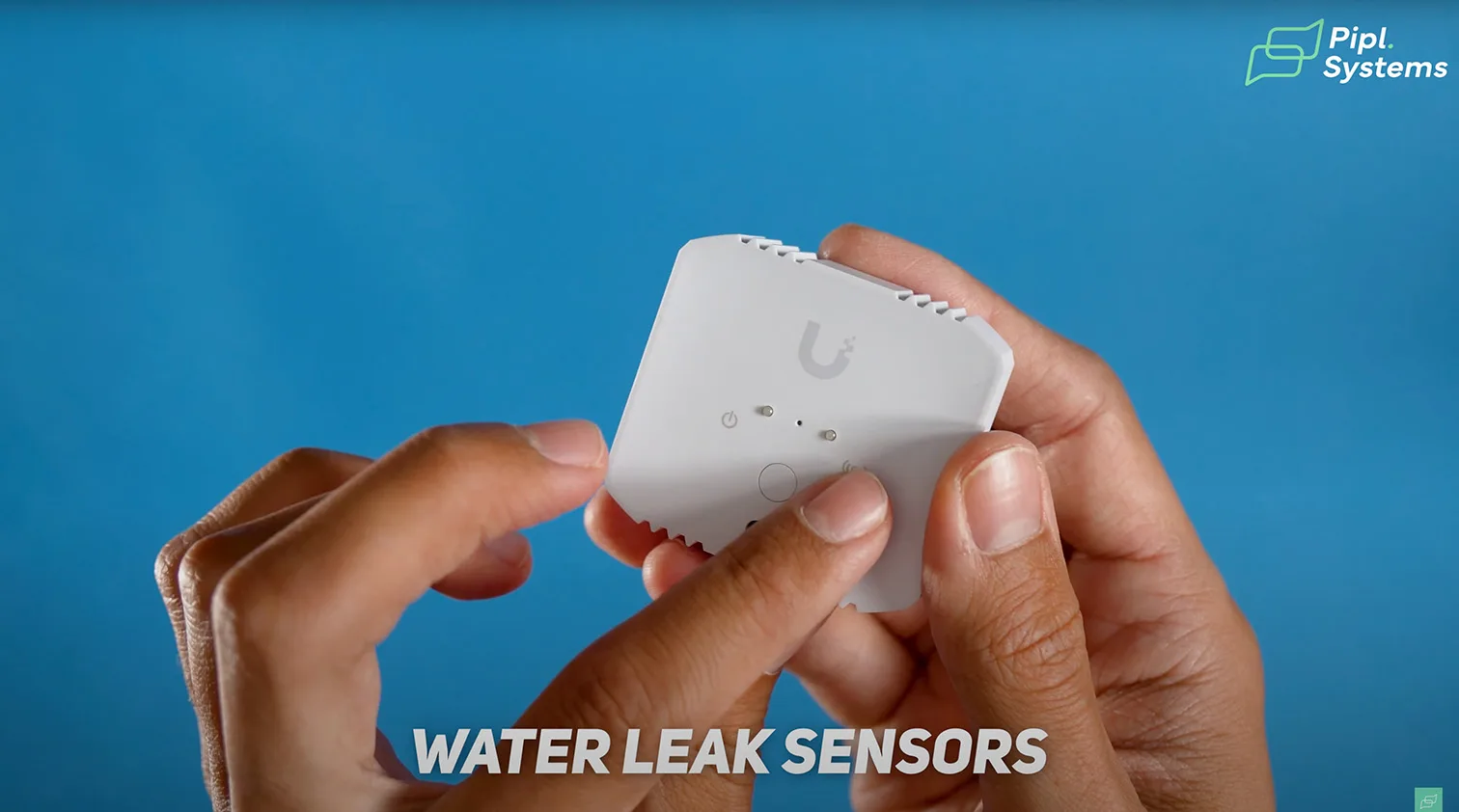
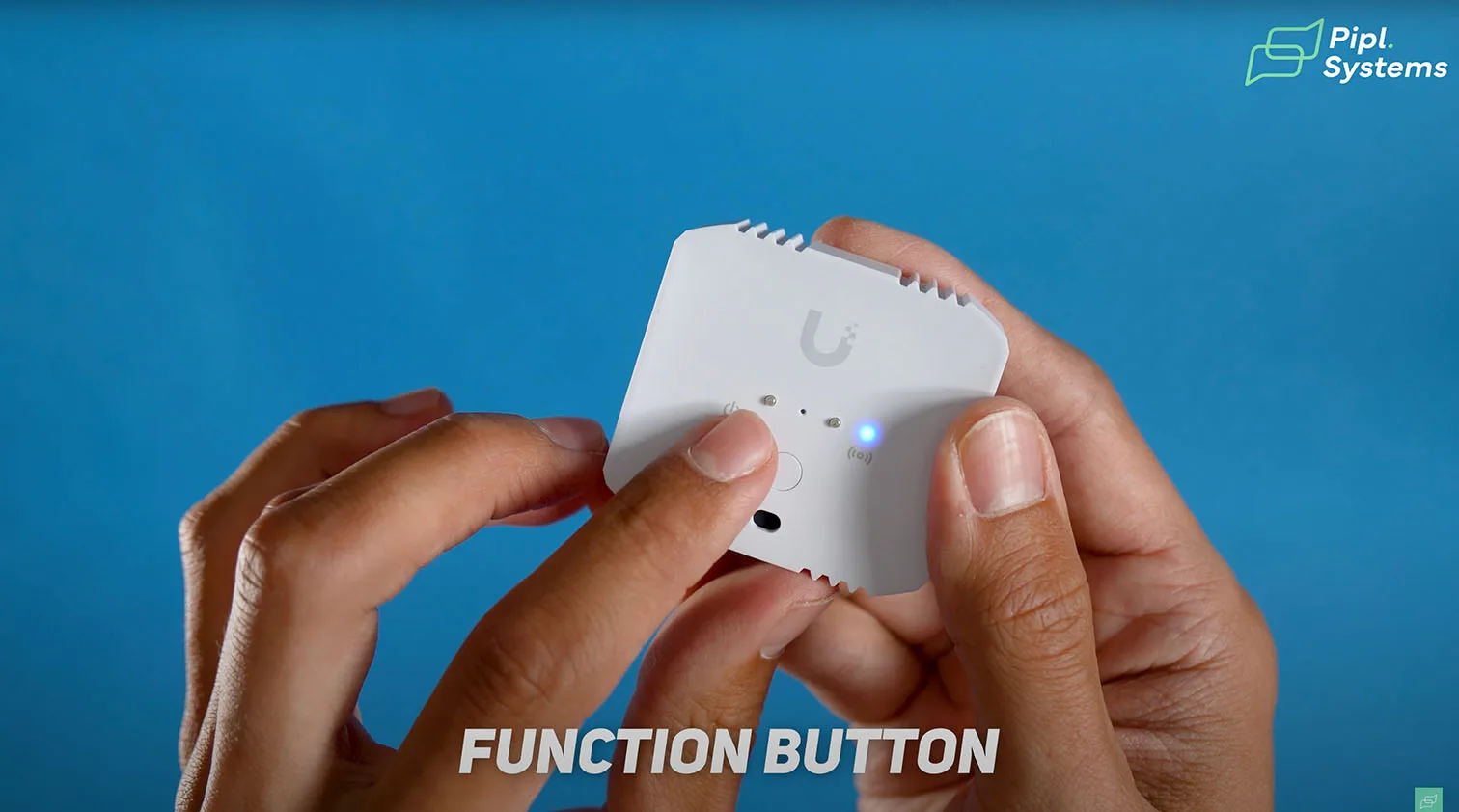
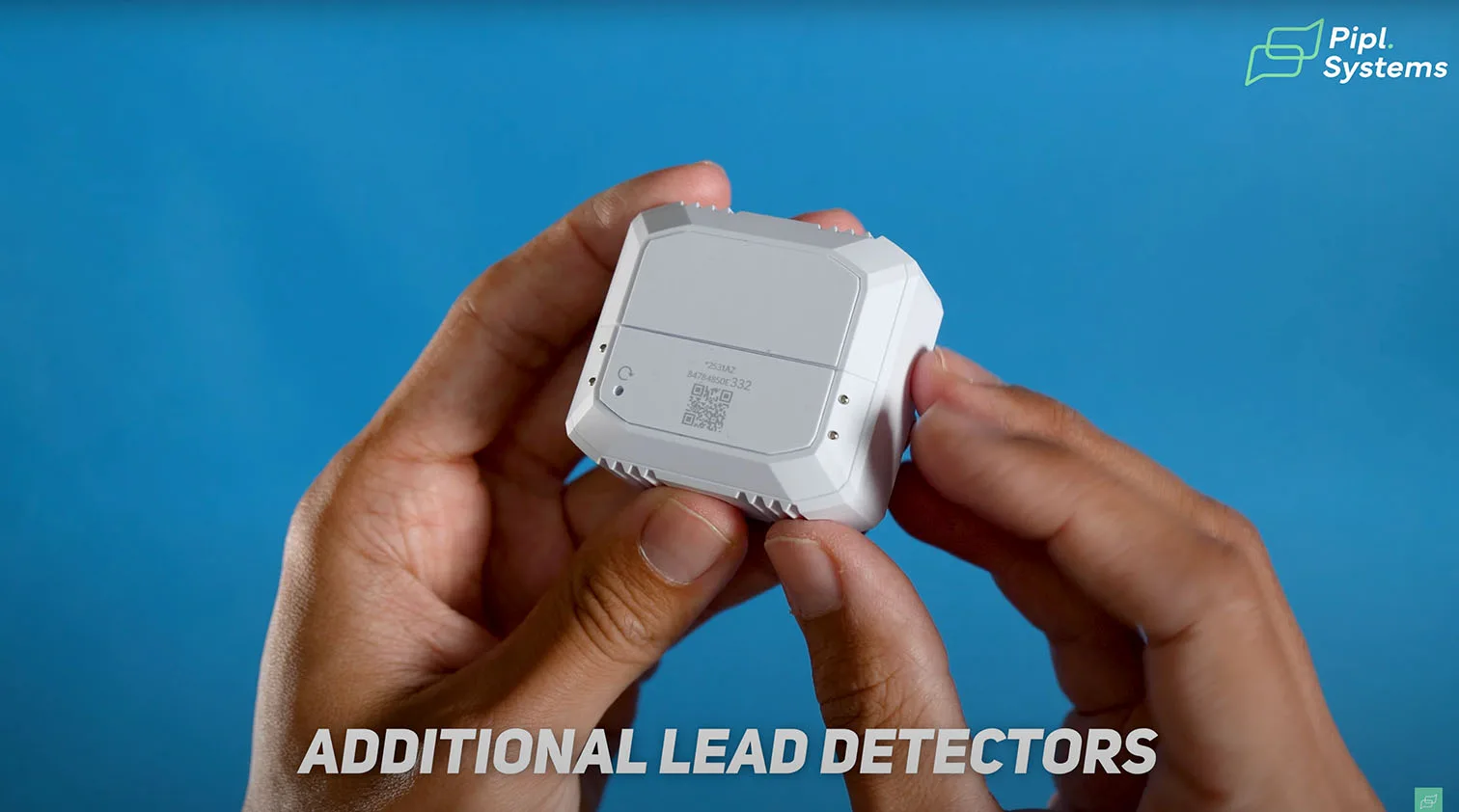
Environmental Sensor: sensors, pads, and controls
- Sensing array. Temperature, humidity, ambient light, plus dual water-leak pads on the face and back.
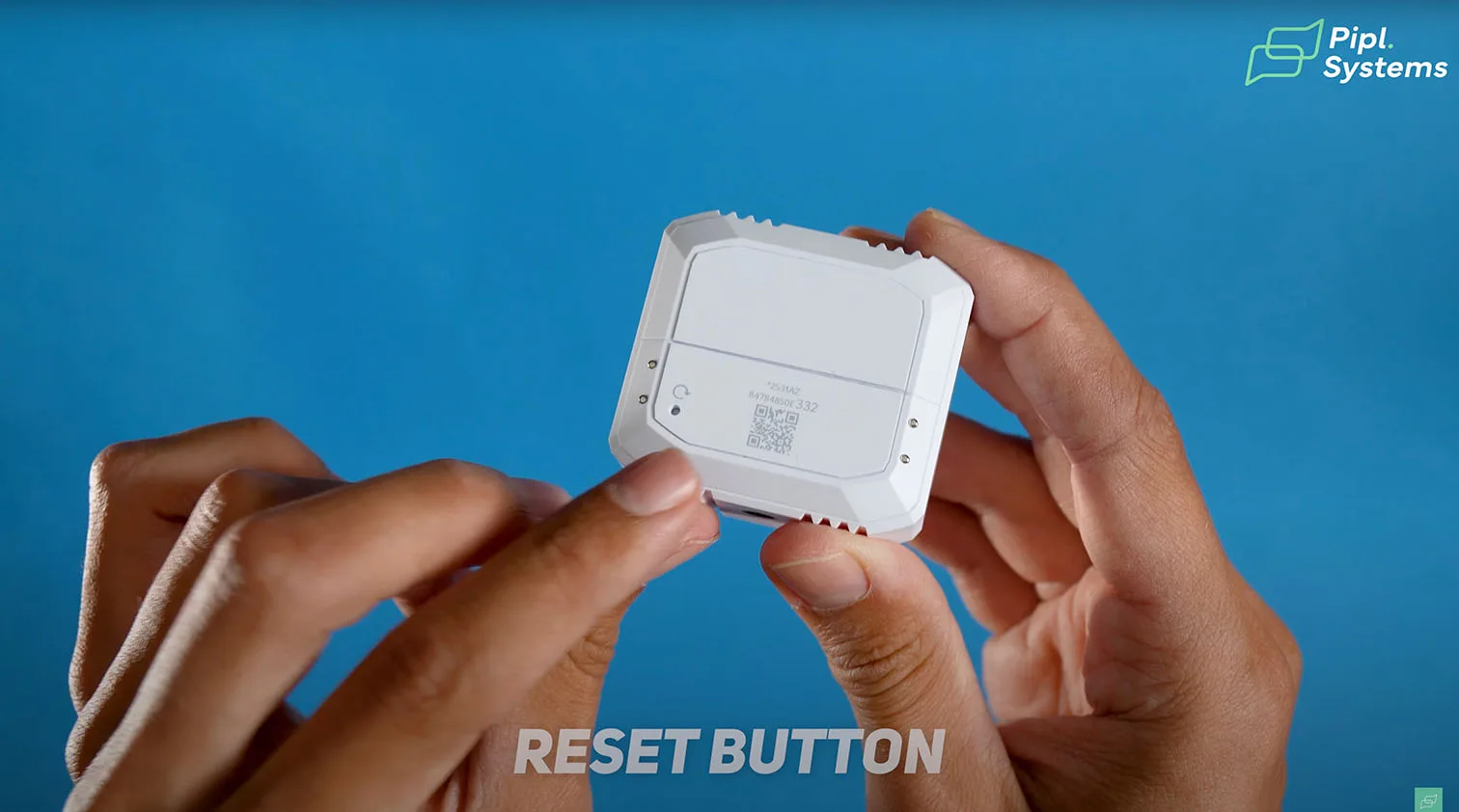
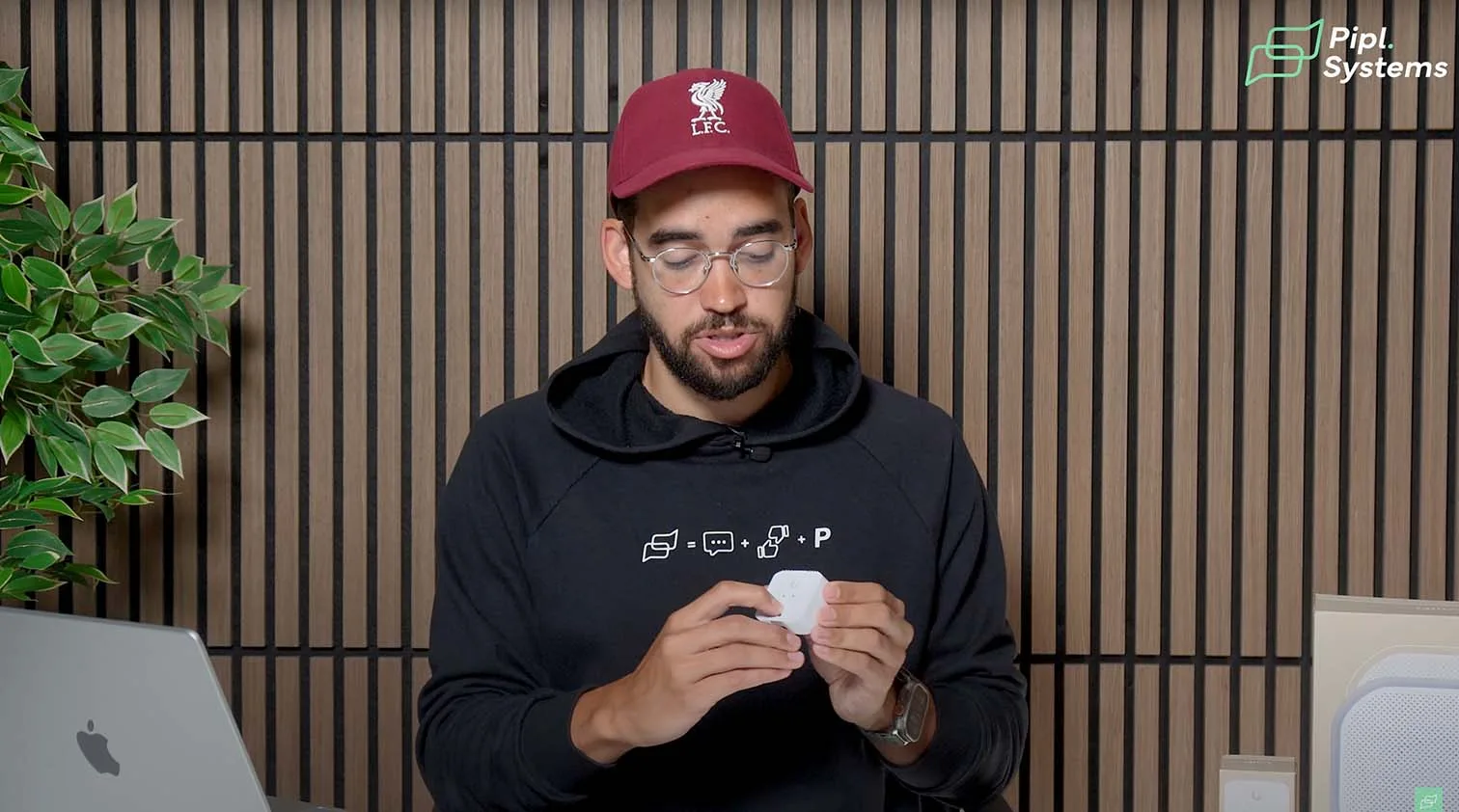
- Function button. Single press syncs or identifies the unit. In Protect, the paired tile highlights, which speeds bulk commissioning.
- Power and service. Sealed battery drawer with pull tab on first use. Event wake keeps latency low even when the periodic update interval is set longer for battery life.
1 / 4
SuperLink gateway: chassis, power, and mounts
- Form factor. Compact enclosure that works on a wall or DIN rail.
- Power options. PoE as primary, USB-C as fallback for locations without Ethernet power.
- Radios. Sub-GHz SuperLink wireless protocol for long reach, plus Bluetooth for UP-Sense (BLE) devices. This mix is what turns it into a long-range UniFi Protect gateway for mixed estates.
Indicators and controls in practice
- Identify and verify. Press the Environmental Sensor’s function button to flash LEDs and highlight the device in the UI so you always know which unit you hold.
- Quiet zones. Disable the Siren’s status light where discretion matters. Keep volume profiles per site and time window to avoid nuisance alarms.
Mounting and commissioning tips
- Mount the SuperLink gateway high and central to minimize obstructions.
- Name devices with site and room prefixes to keep Alarm Manager rules readable.
- Start sensors with conservative Safe Zones, then tune thresholds after a week of baseline data.
Test Plan and Method
What we measured
In our evaluation, we focused on three main factors:
- Alarm latency from sensor trigger to siren and push notification
- Signal integrity across walls and distance using UniFi SuperLink wireless protocol
- Battery-saving behavior when changing update frequency settings
We also observed how quickly the sensor wakes from a low-power state to deliver an alarm even with long reporting intervals.
Lab and field conditions
Tests were conducted in a mixed-construction office to simulate attenuation and outdoors in direct line of sight. Events and alarms were logged in UniFi Protect System Log and verified against Sensor Manager graphs. Alarm Manager was used to map triggers and validate system behavior under controlled scenarios.
Replication steps you can follow
- Enroll the SuperLink gateway and Environmental Sensor into Protect
- Add the Siren PoE directly, no gateway required
- Assign clear names for alarms and devices by zone
- Configure Safe Zones for temperature, humidity, and lux, then fine-tune after one week
- Validate latency by triggering a test event and checking both siren reaction and push notification
Quick test checklist
| Item | Goal | Pass criteria |
|---|---|---|
| Sensor-to-siren alarm path | Validate end-to-end | Siren and push arrive promptly and appear in Protect logs |
| Through-wall signal | Verify robustness | Identify and sync work from test points without dropouts |
| Safe Zone tuning | Reduce nuisance alerts | Alarms occur only when values leave the defined ranges |
| Event wake | Confirm responsiveness | Alarm fires even with long telemetry intervals |
Siren PoE Inside Protect
Configuration path and alarm mapping
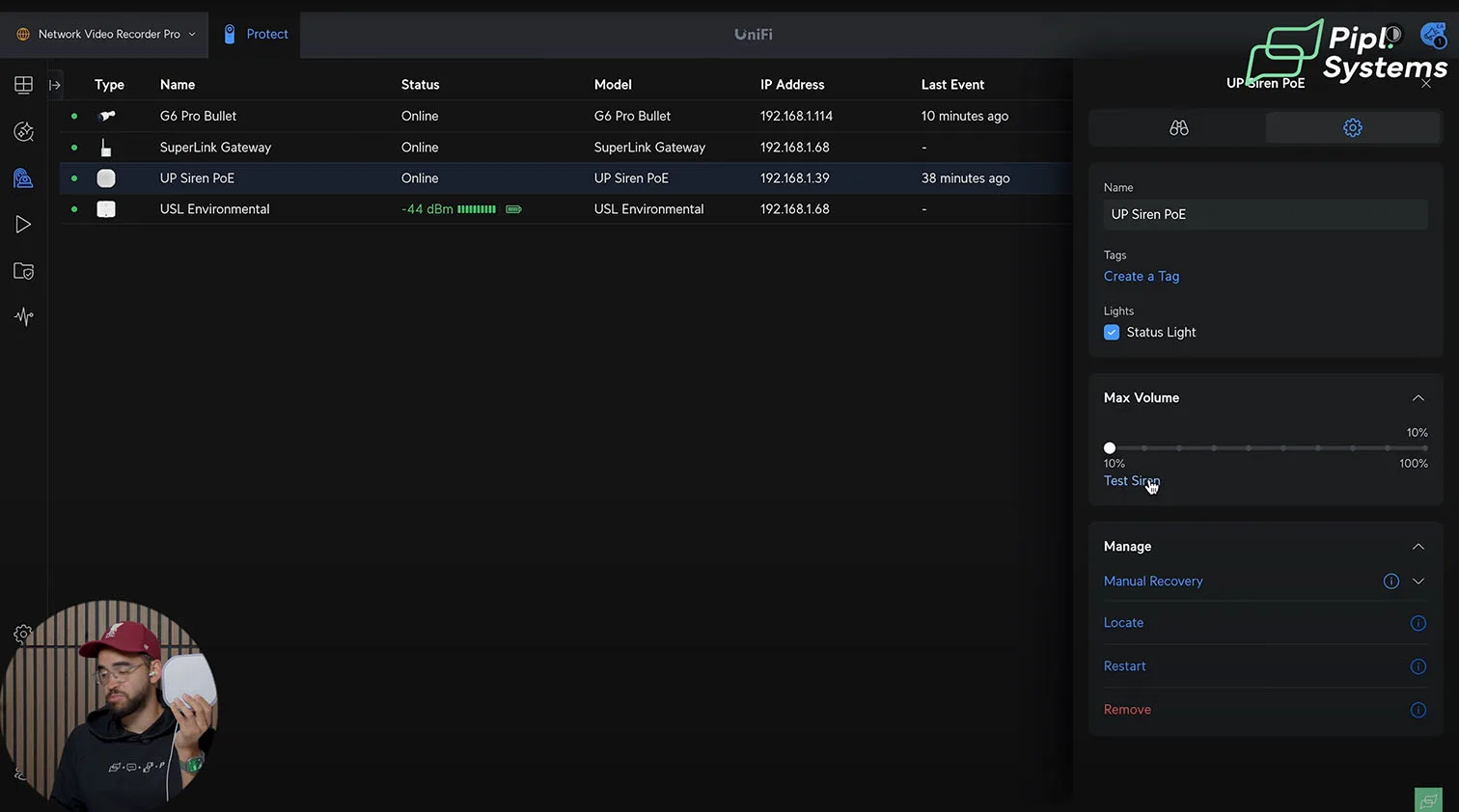
Siren PoE is configured in Protect under Devices. Volume and LED settings are adjusted in the Siren menu, while Alarm Manager allows mapping triggers from sensors or cameras. Best practice is to name alarms clearly, such as “Leak – Storage Room,” to keep complex deployments organized.
Volume and visibility tests
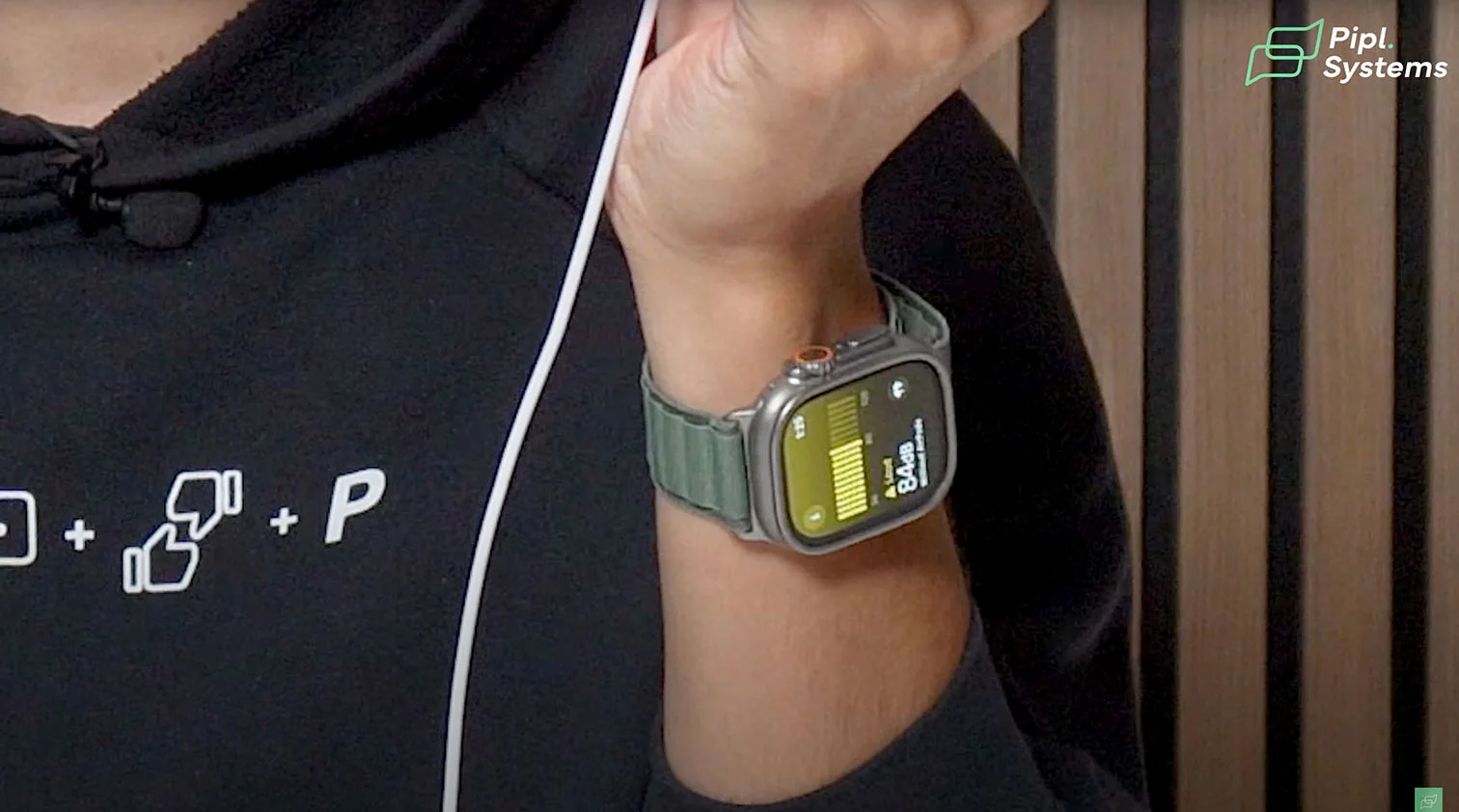
- At 10 percent power we measured around 84 dB at close range
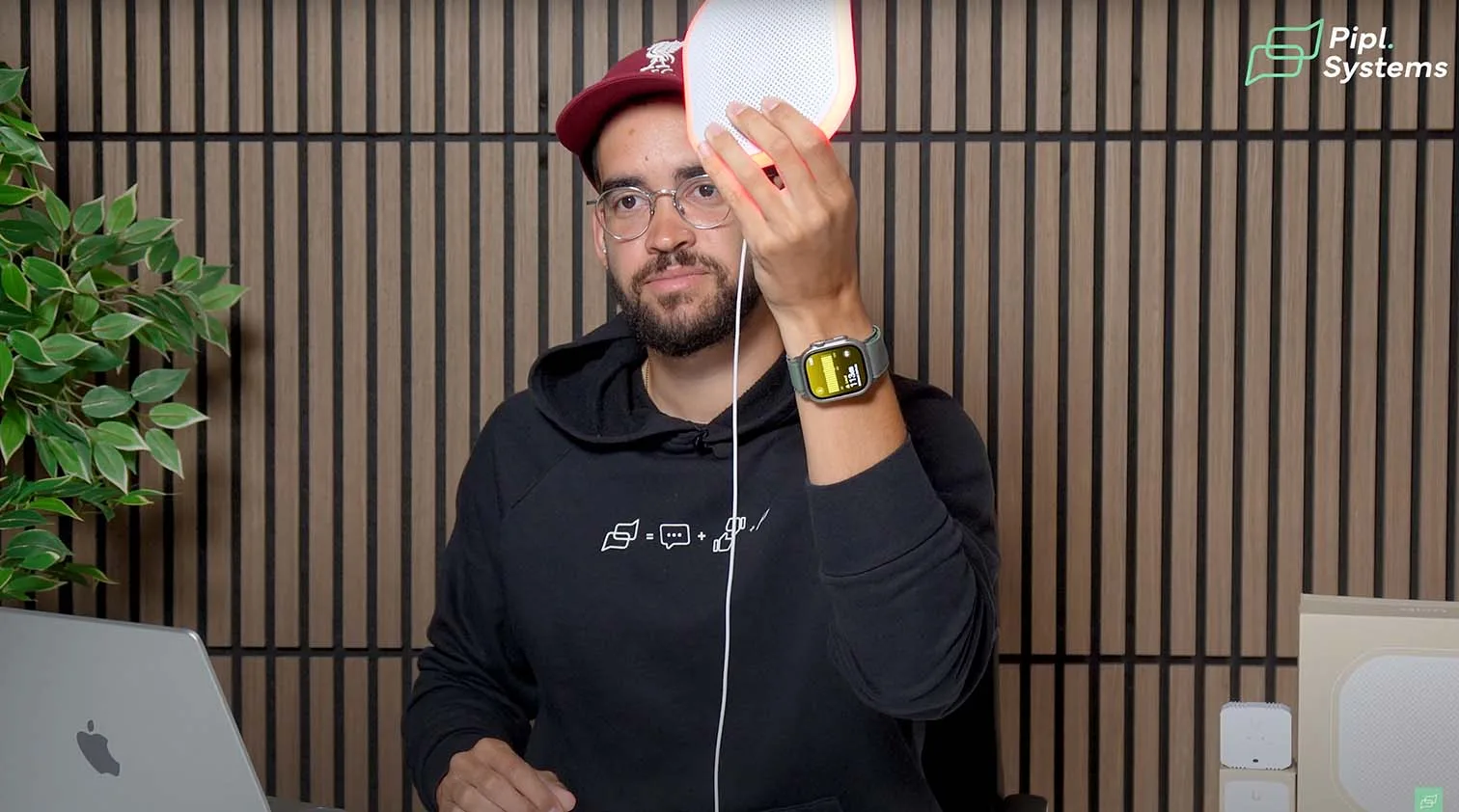
- At 100 percent output it reached between 110 and 114 dB, comparable to a rock concert or jackhammer
- The red perimeter flash ring is visible in recordings and enhances both deterrence and post-event review
| Volume level | Measured SPL | Context |
|---|---|---|
| 10% | ~84 dB | Enough for indoor offices or shops |
| 100% | 110–114 dB | Extremely loud, suitable for large facilities |
1 / 6
Camera-driven use cases
- License plate or face recognition can trigger the siren only on specific matches
- Perimeter rules can raise the siren after hours if a person is detected inside a defined zone
- Environmental Sensor events, such as leaks, can be linked with siren alerts for combined security and facility protection
This flexibility makes Siren PoE not just a noise generator but a core part of a smart alarm system inside UniFi Protect.
Environmental Sensor Setup with SuperLink
Pairing workflow in Protect
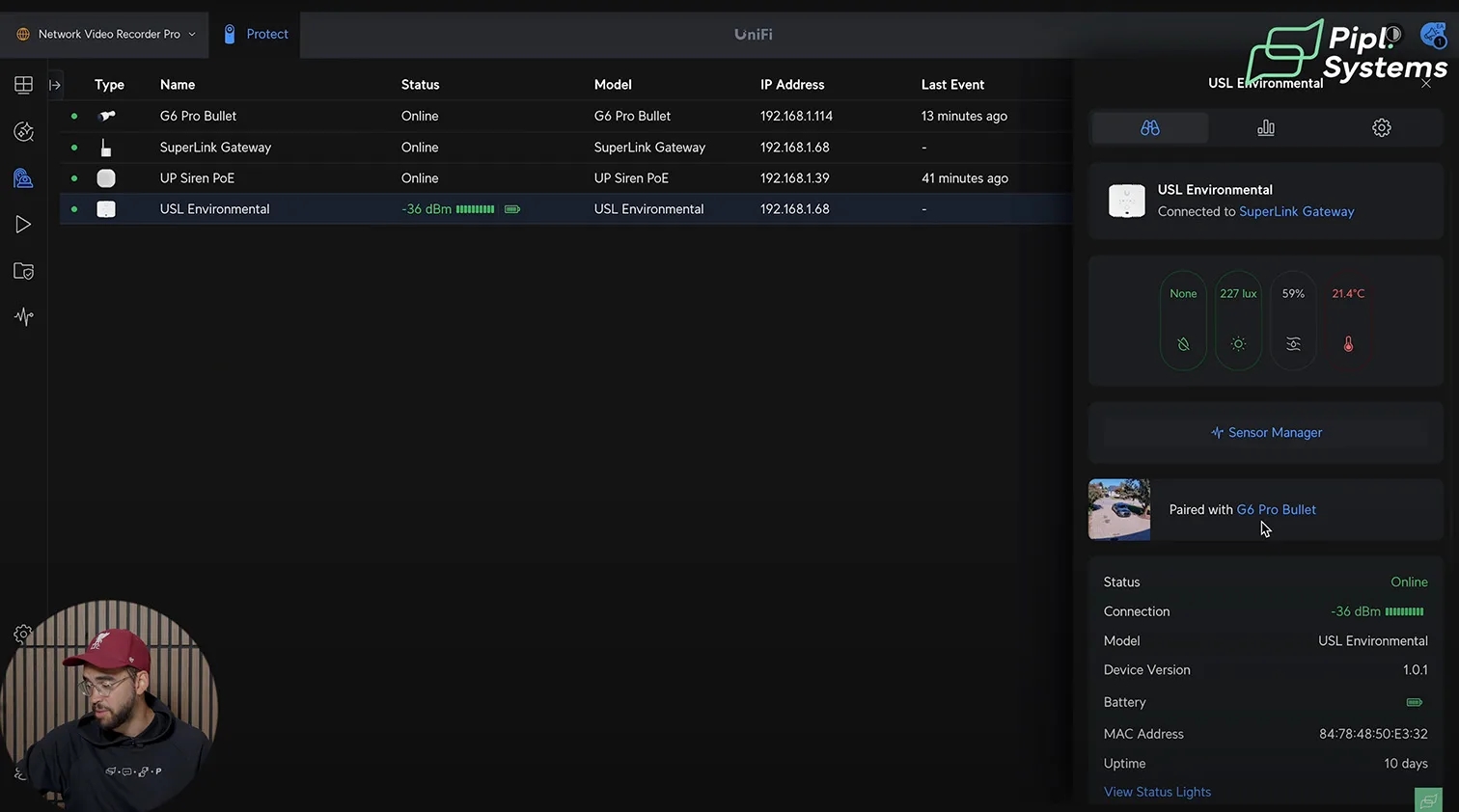
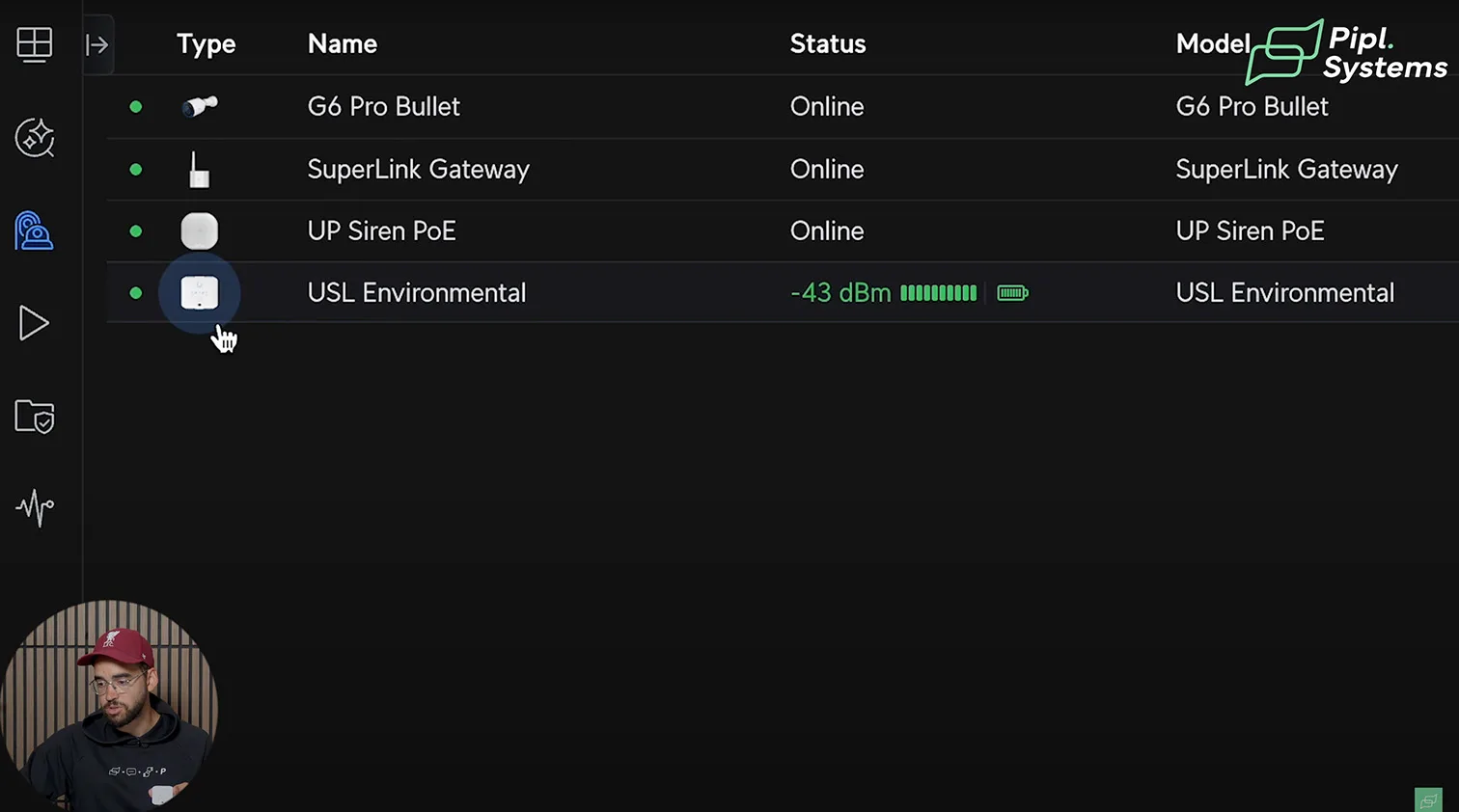
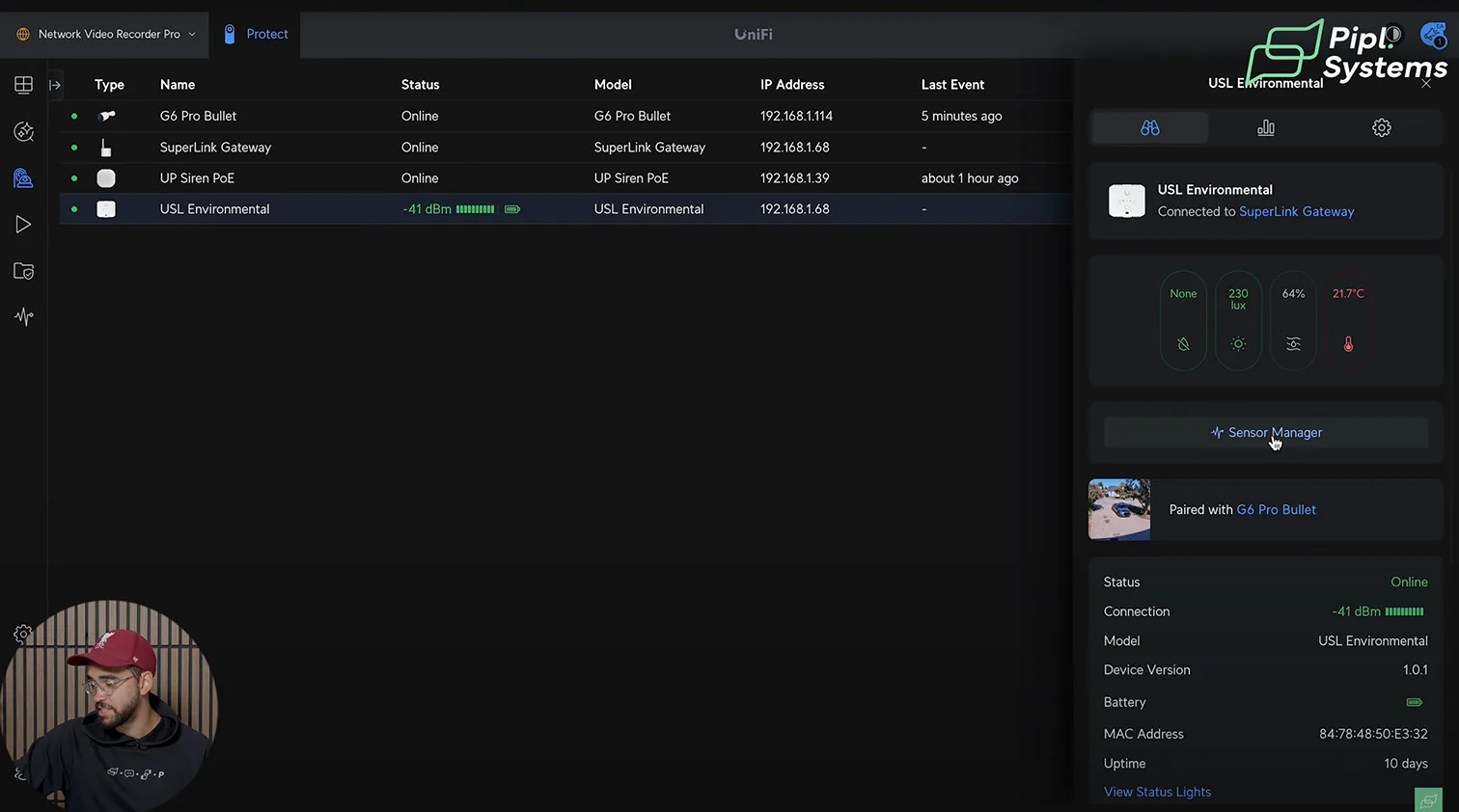
The fastest way to bring the Environmental Sensor online is inside Protect: Devices → SuperLink gateway → Adopt → Add Environmental Sensor, then press the sensor’s function button. Within seconds, the tile appears with live temperature, humidity, lux, and leak states. If you manage multiple sensors, a single press triggers Identify so the paired tile glows in the UI during audits.
- SuperLink gateway handles enrollment for sub-GHz SuperLink sensors and UP-Sense (BLE) devices
- Siren PoE does not require the gateway and enrolls directly in Protect
- Use clear zone names before you start mass adoption to simplify Alarm Manager mapping
1 / 3
Core detection channels
Each Environmental Sensor monitors five inputs out of the box:
- Leak, front pads: single-drop sensitivity and fast recovery after drying
- Leak, rear pads: added contact points for floor or wall mounting scenarios
- Temperature: continuous readings for safe-zone policy checks
- Humidity: fine-grained tracking for condensation risk and comfort ranges
- Ambient light (lux): practical for light-level alarms and after-hours policies
Field notes from commissioning
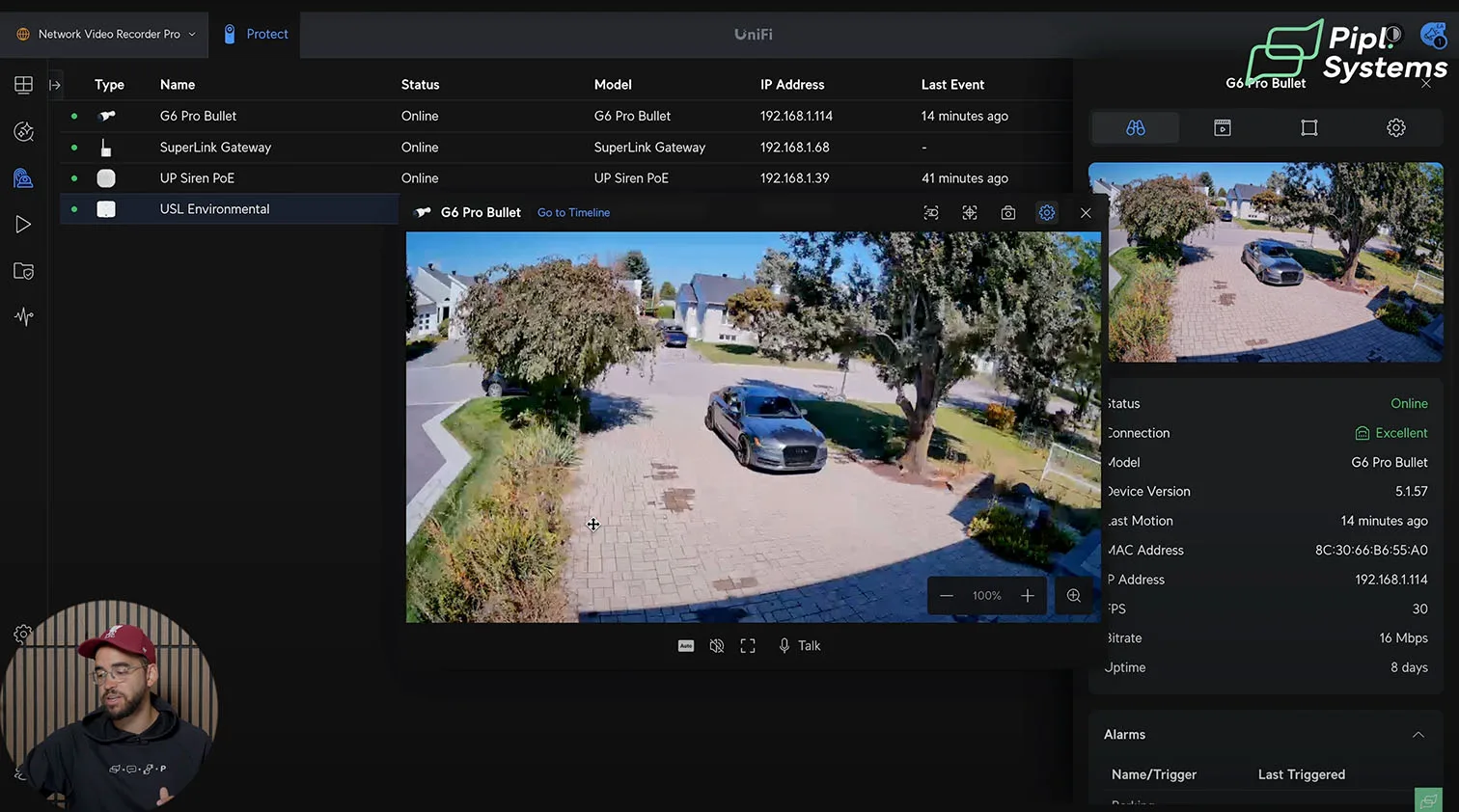
In controlled tests, the device reacted in under a second to both light and leak changes, even when telemetry reporting was set to longer intervals. Pairing a nearby Protect camera to the sensor’s location speeds triage: tap the push alert, review the linked feed, and decide whether to escalate. During bulk rollouts, the Identify press saves time by visually confirming which physical unit you’re configuring in the app.
Sensor Data, Safe Zones, and Battery Strategy
Safe-zone thresholds and alerting
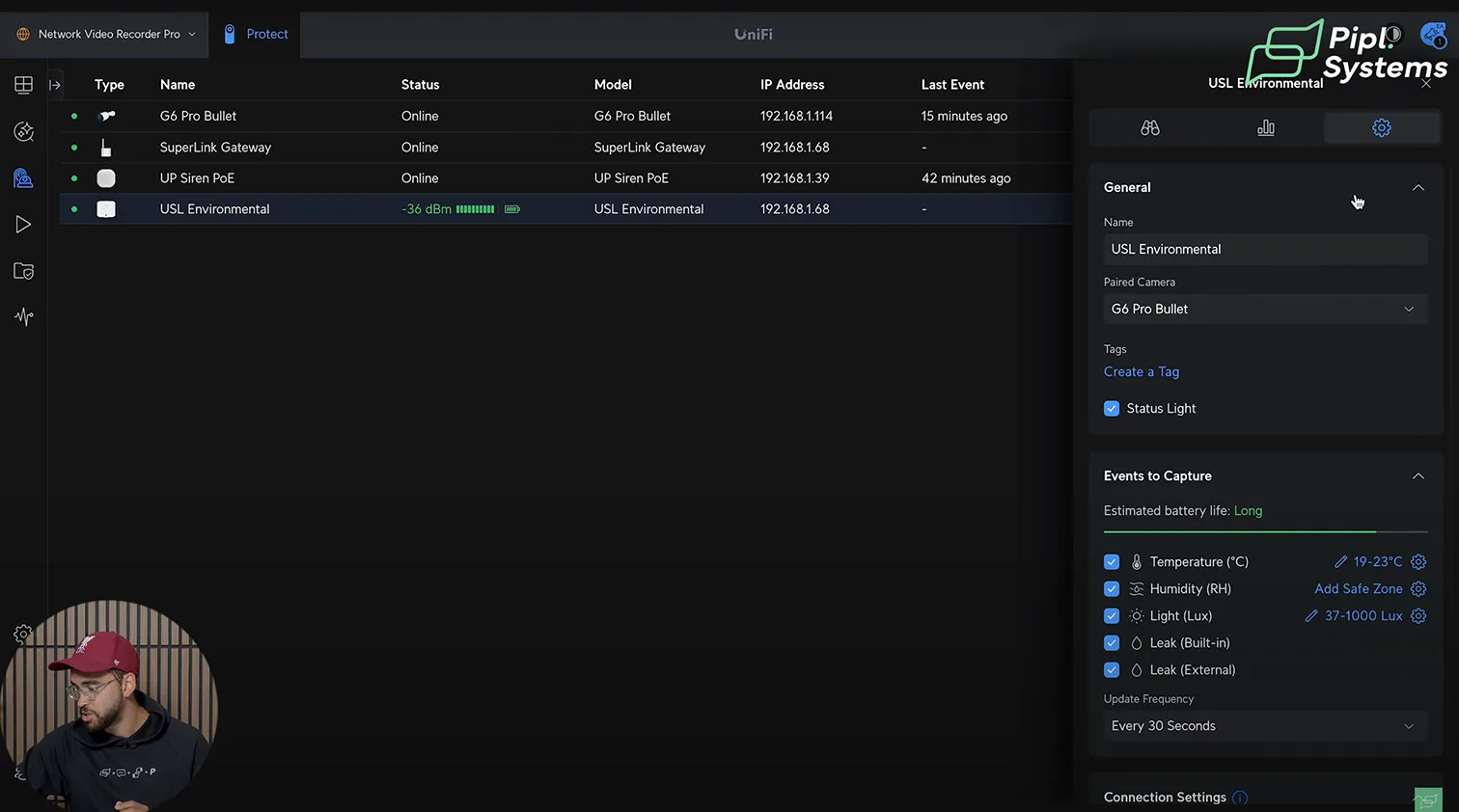
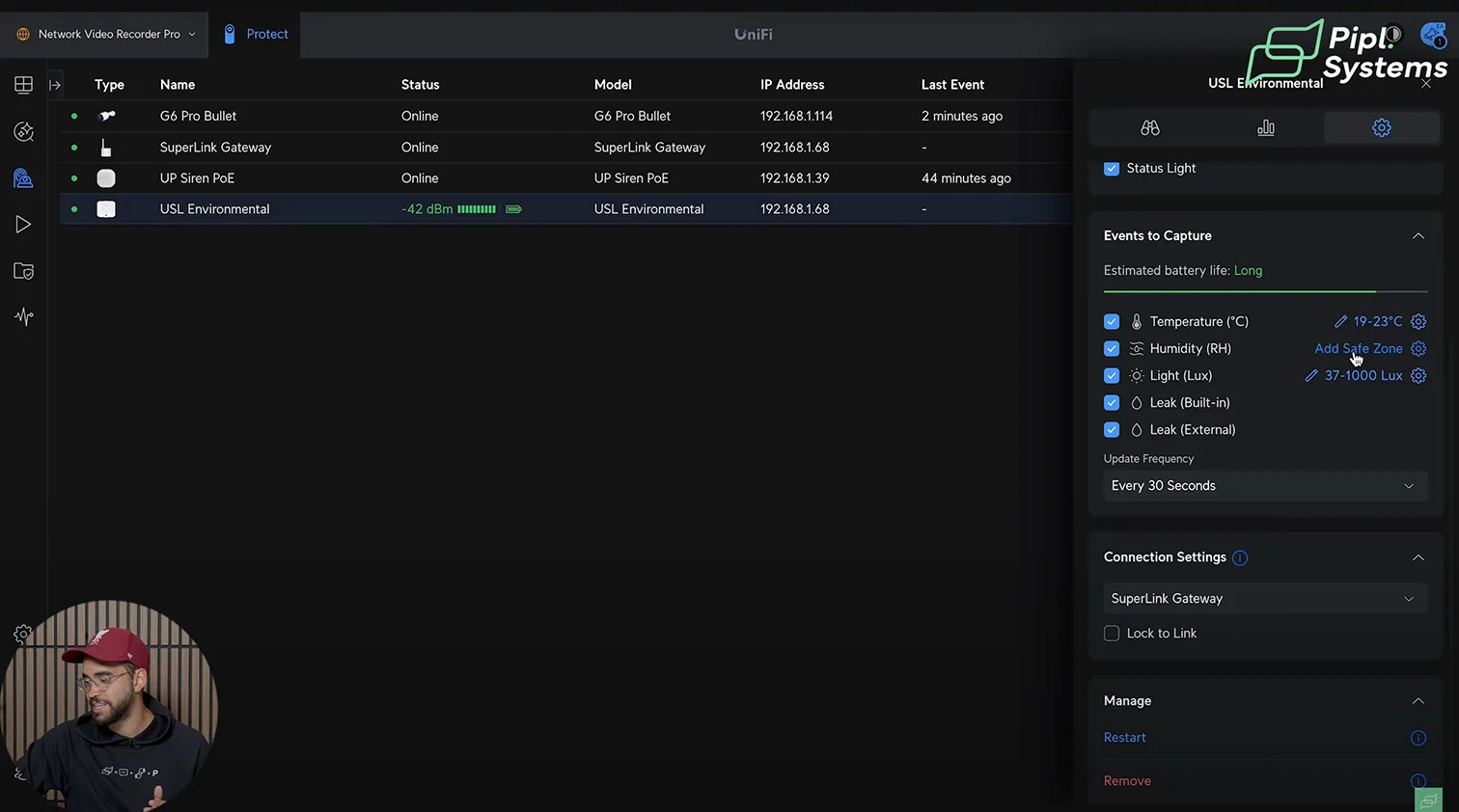
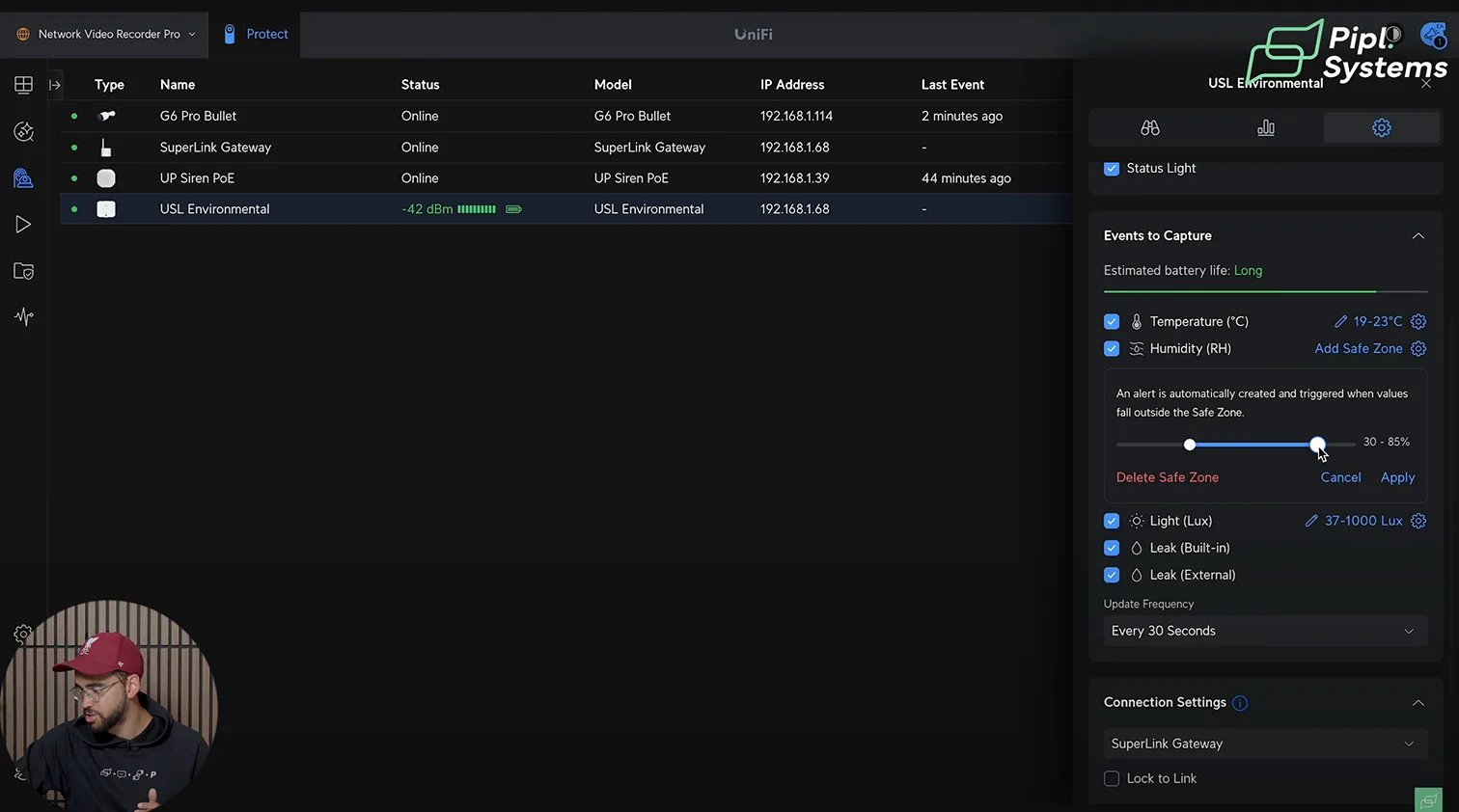
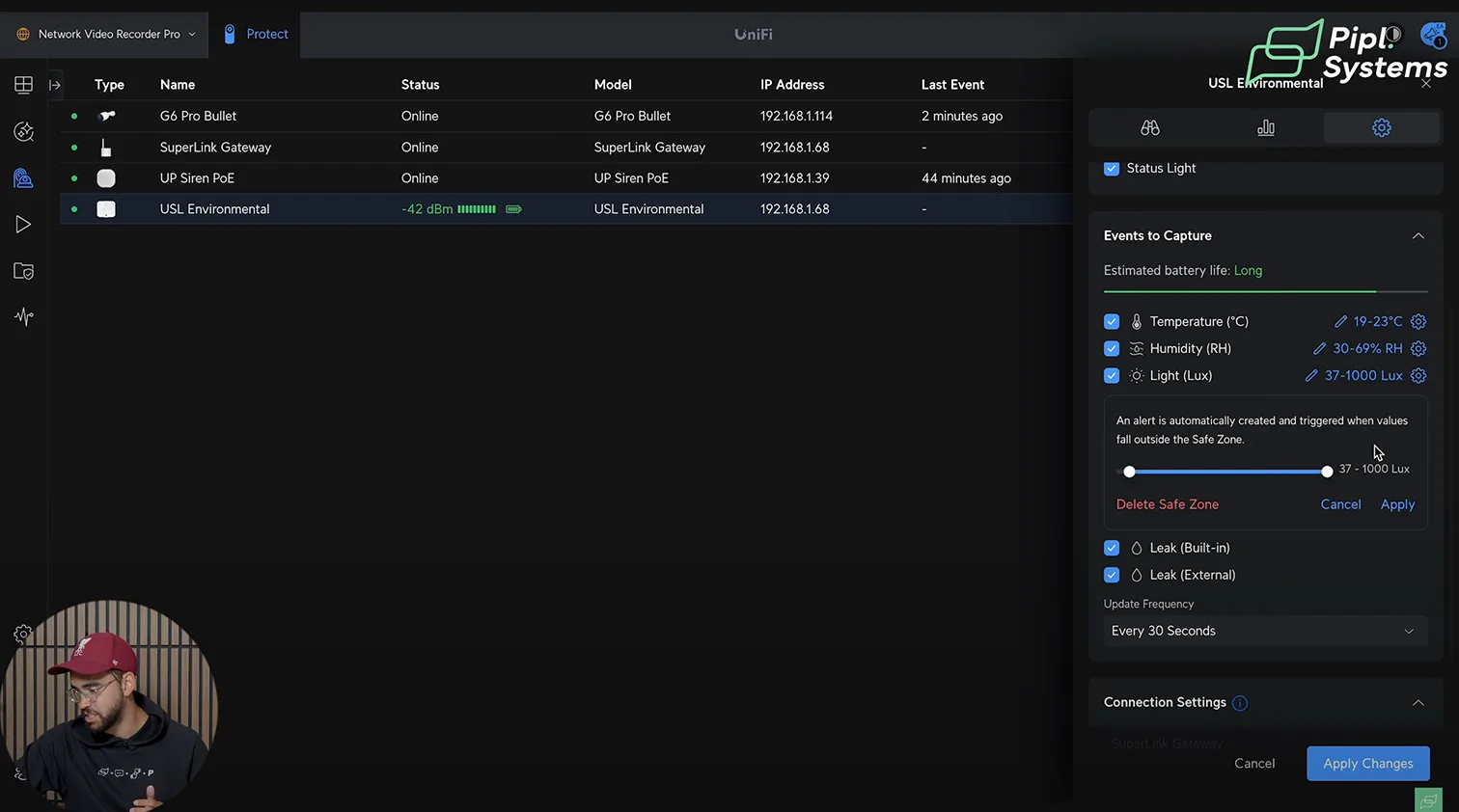
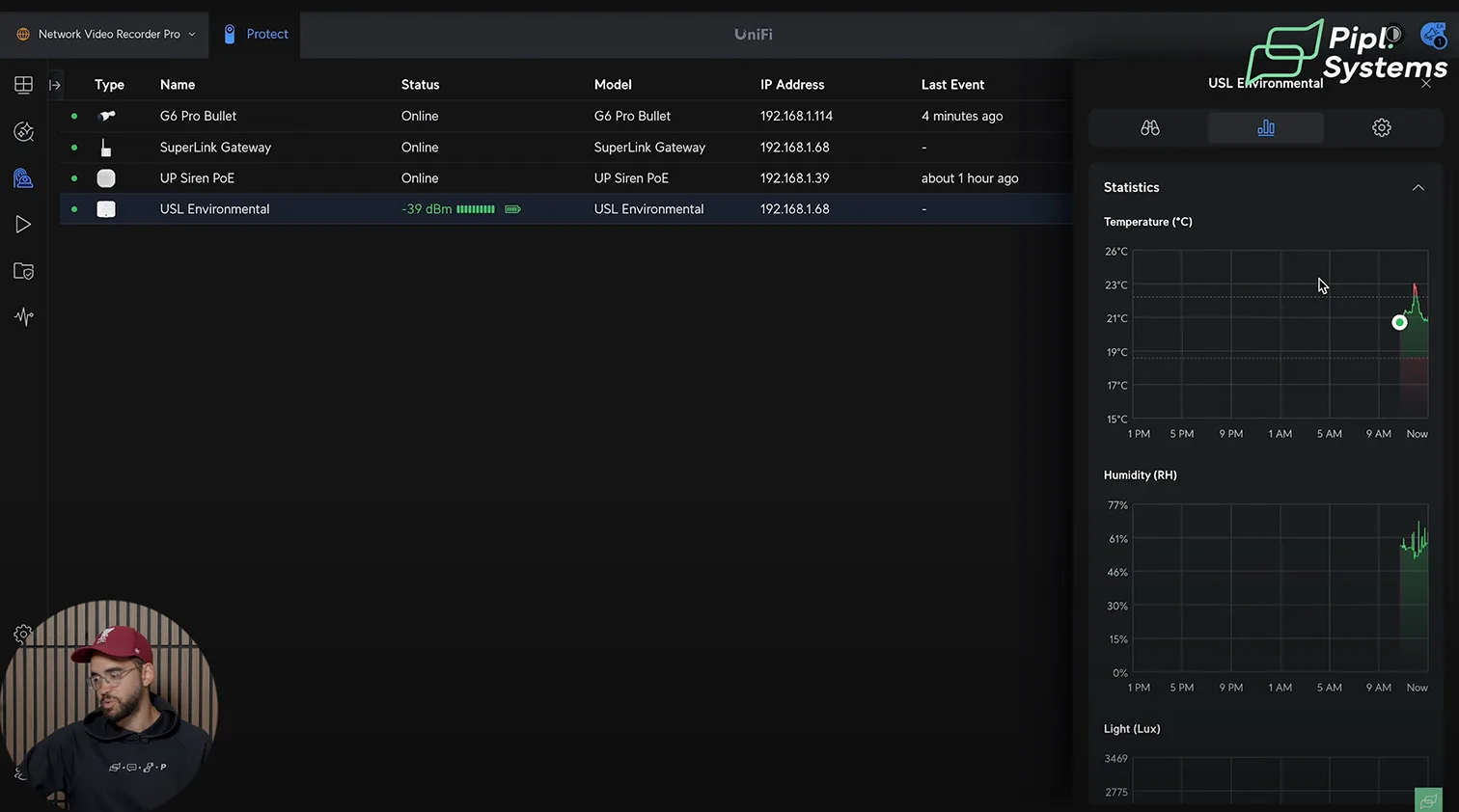
Safe Zones define acceptable bands for temperature, humidity, and lux. Protect raises an alarm when a channel leaves its band, logs the event, and can trigger Siren PoE or camera bookmarks.
- Temperature: 19–22 °C (66–72 °F)
- Relative humidity: 35–55%
- Lux: tune to the site’s baseline after a one-week trend
| Channel | Example safe zone | Common use case |
|---|---|---|
| Temperature | 19–22 °C | Server rooms, offices, retail backrooms |
| Humidity | 35–55% | Inventory protection, mold prevention |
| Lux | Site baseline ±X | After-hours intrusion and light anomalies |
Tip: Start conservative, then refine bands using Sensor Manager trends and the System Log to eliminate nuisance alerts.
1 / 9
Battery life vs refresh-rate tradeoffs
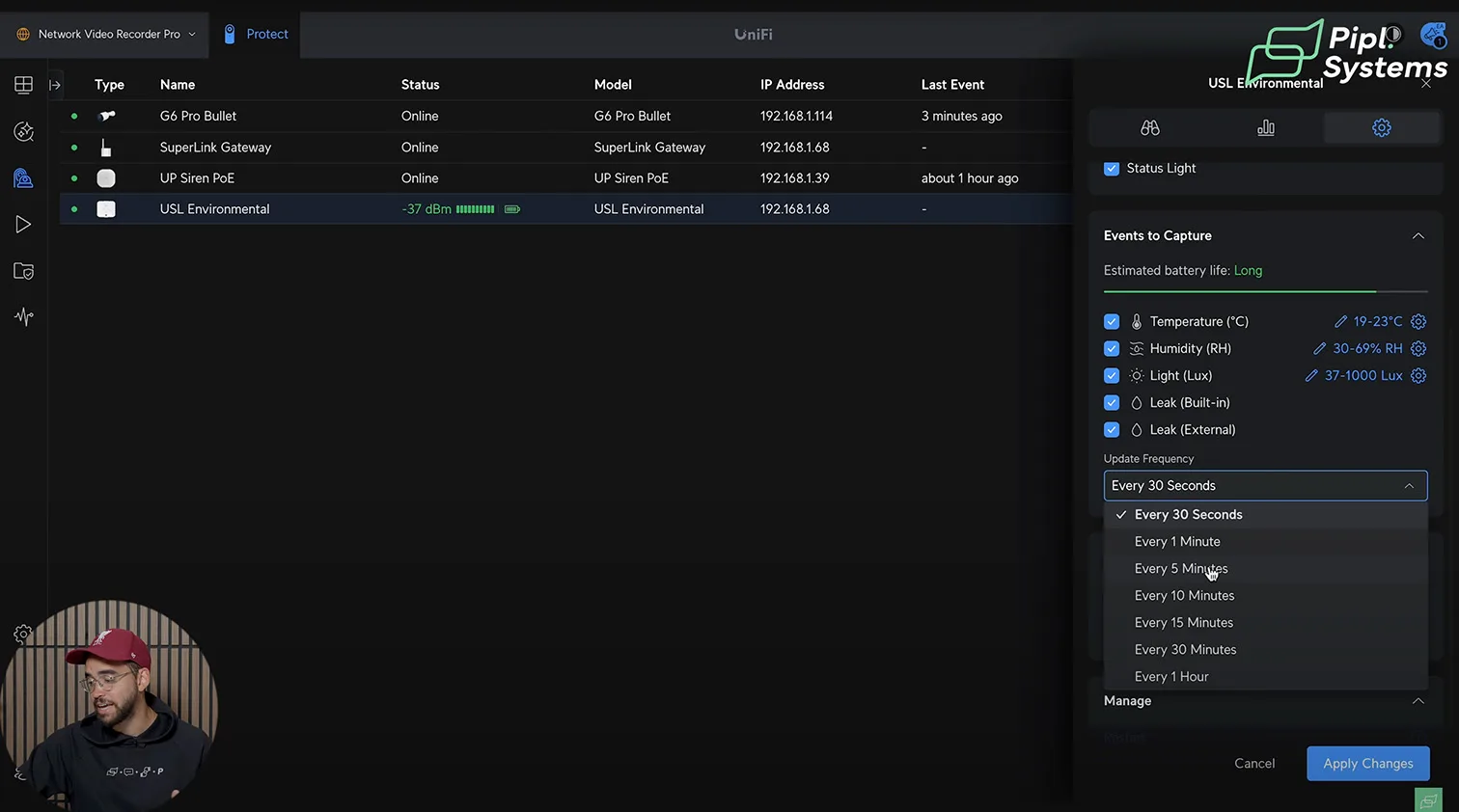
SuperLink’s low-latency path ensures alarms fire immediately, even when routine telemetry updates are spaced out for longevity. Use these starting points:
- 30-second updates: best trend fidelity for commissioning and diagnostics; higher battery usage
- 1–5-minute updates: balanced profile for most sites; aligns with multi-year battery targets
- 10-minute updates: long-haul deployments where only exception alerts matter
Regardless of the interval, alarm events wake the device and propagate instantly to the gateway, and Protect push notifications.
Operational workflow that scales
- Define Safe Zones per room, not per building, to reflect micro-climates
- Map sensor alarms in Alarm Manager to named responses, for example, “Leak – Storage A → Siren PoE + Camera Bookmark”
- Use Identify during audits, then export Sensor Manager graphs monthly to validate thresholds and demonstrate compliance to stakeholders
Sensor Manager and Alarm Orchestration
Alarm topology in Protect
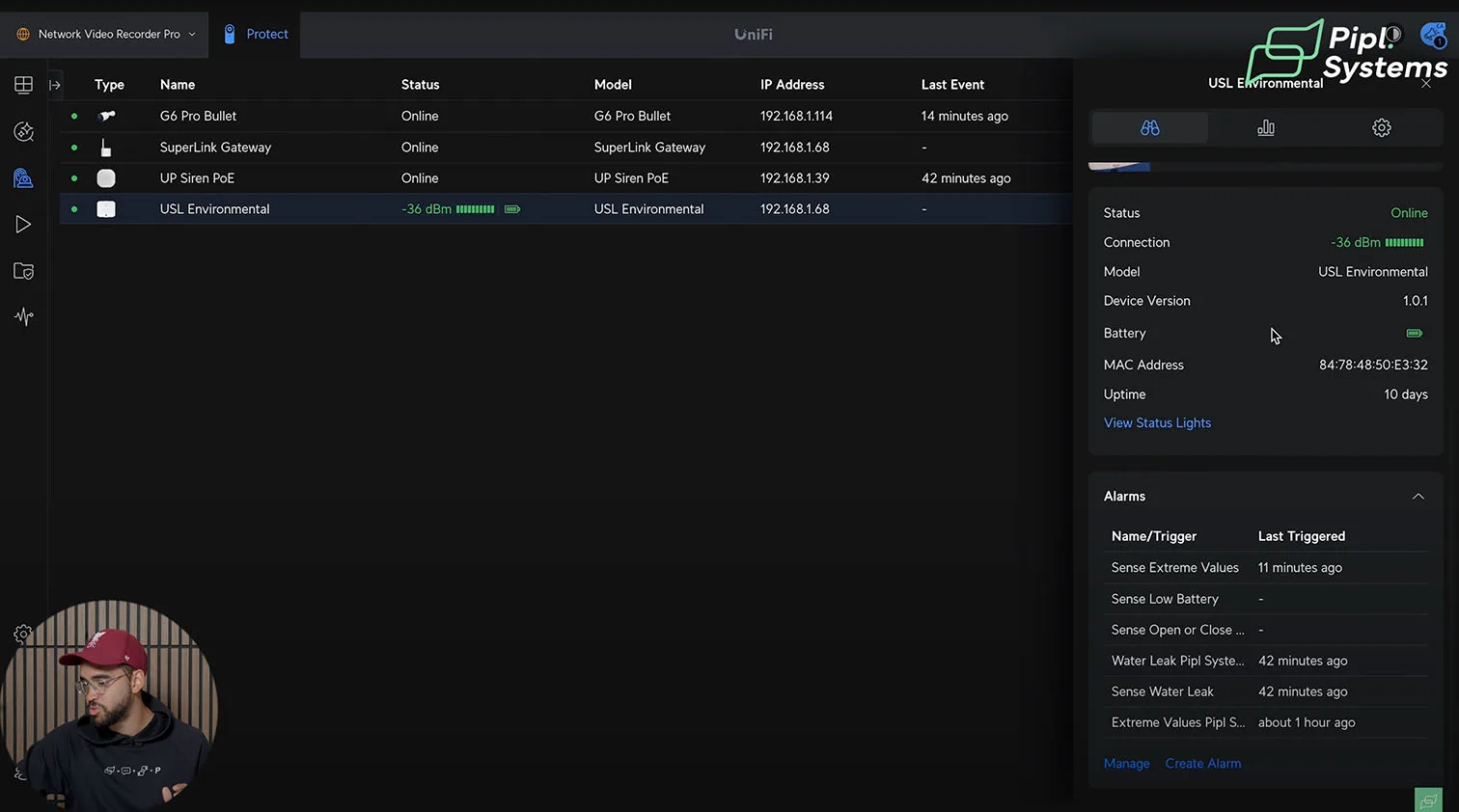
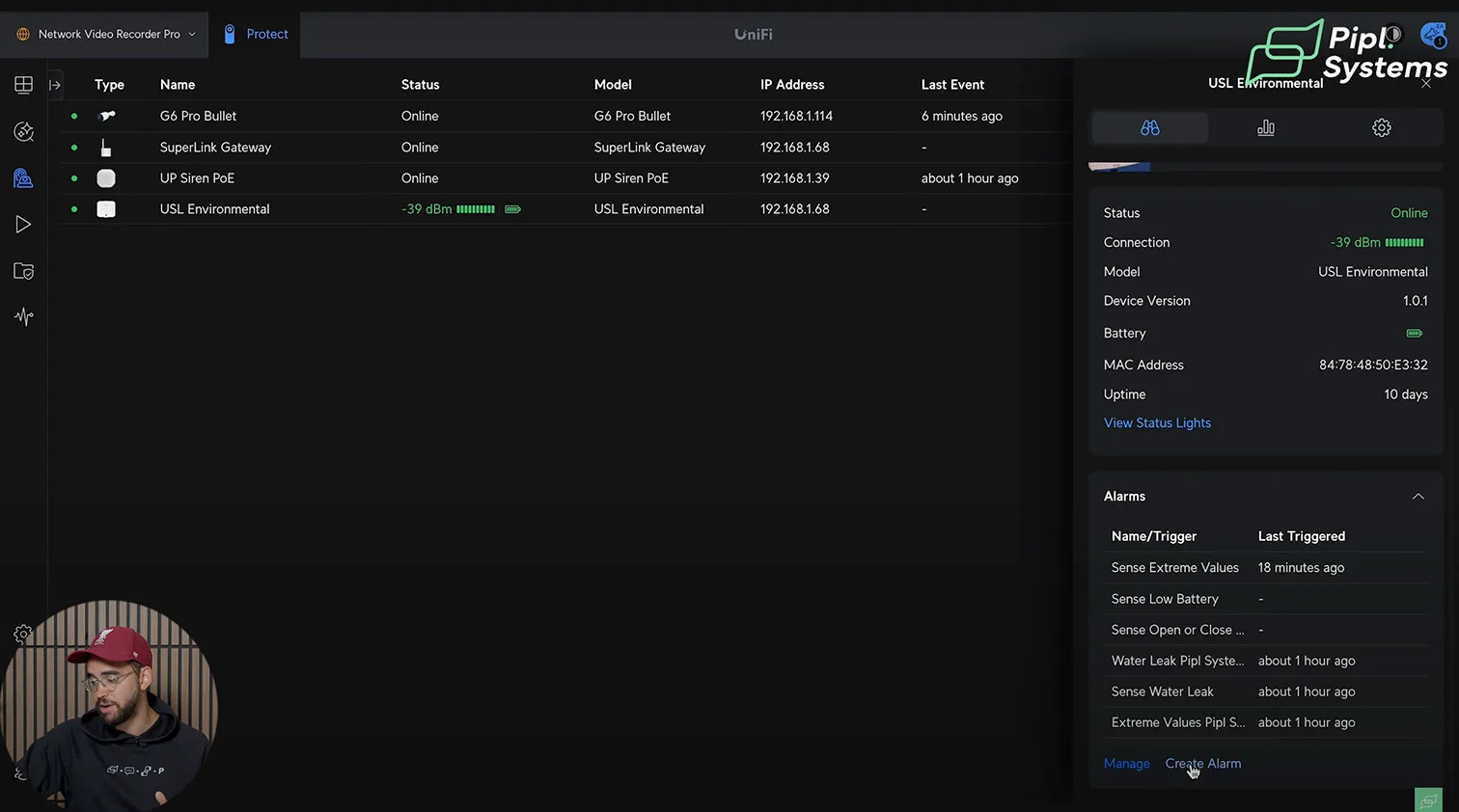
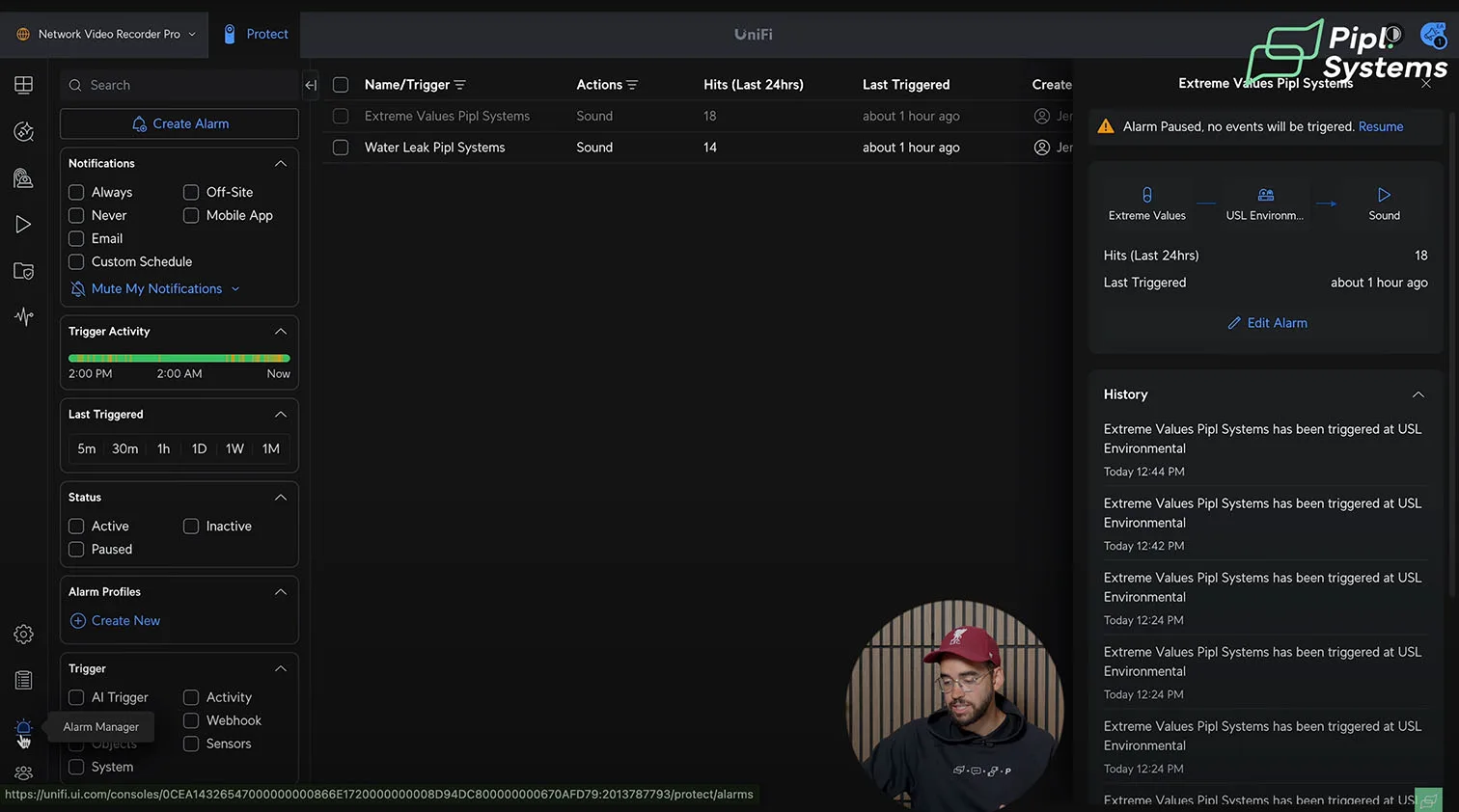
Alarm Manager is where UniFi Protect SuperLink comes together. Create rules that bind SuperLink sensors, Protect cameras, and the Siren PoE into one response path. For example, map extreme humidity or temperature from an Environmental Sensor to a mobile push, a brief siren pulse, and a bookmark on the nearest camera. After-hours light dips in a normally lit corridor can fire a short siren burst and call a webhook to nudge building lighting.
- Route events from SuperLink sensors through the SuperLink gateway, then into Alarm Manager.
- Keep Siren PoE independent when needed. It enrolls directly in Protect and can react to camera analytics, LPR matches, or face profiles without the gateway.
- Name alarms before scaling. Clear labels shorten incident review time.

1 / 6
| Trigger source | Alarm action set | Notes |
|---|---|---|
| Humidity above safe zone | Push notification, camera bookmark, siren 1–2 s | Use a conservative band at commissioning |
| Temperature below safe zone | Push, webhook to BMS/HVAC, siren off | Avoid audible alarms for gradual drifts |
| Lux below baseline after hours | Push, siren 1 s, camera bookmark | Works well with entrance or corridor cameras |
| Leak detected (front or rear pads) | Push high priority, siren 3–5 s, camera bookmark, webhook | Consider auto-calling on-call rotation via webhook |
If you are new to Protect, skim the workflow in our UniFi Protect Guide for Beginners. It covers device enrollment, camera pairing, and the UI paths you will touch while building alarm logic.
System feedback and logs
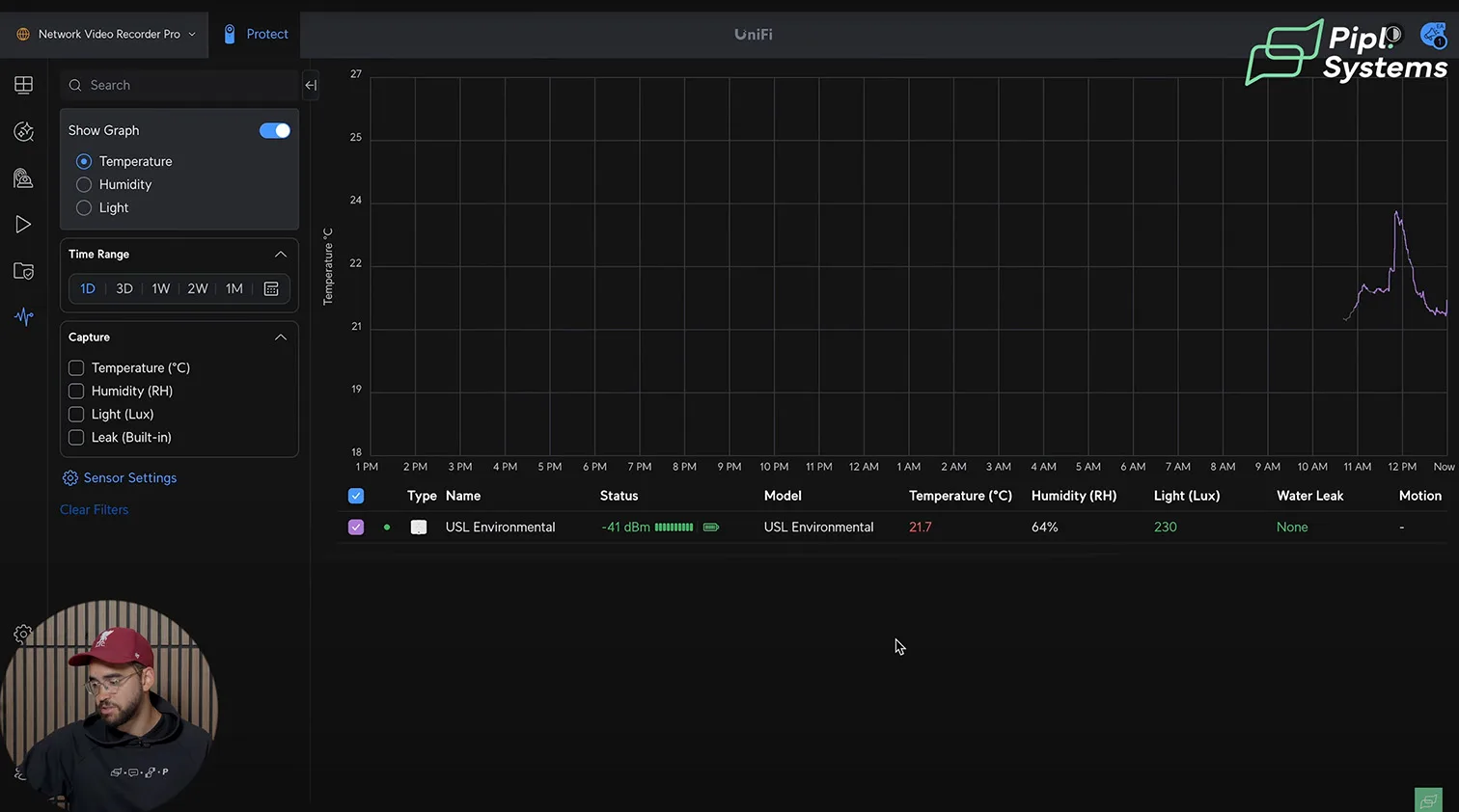
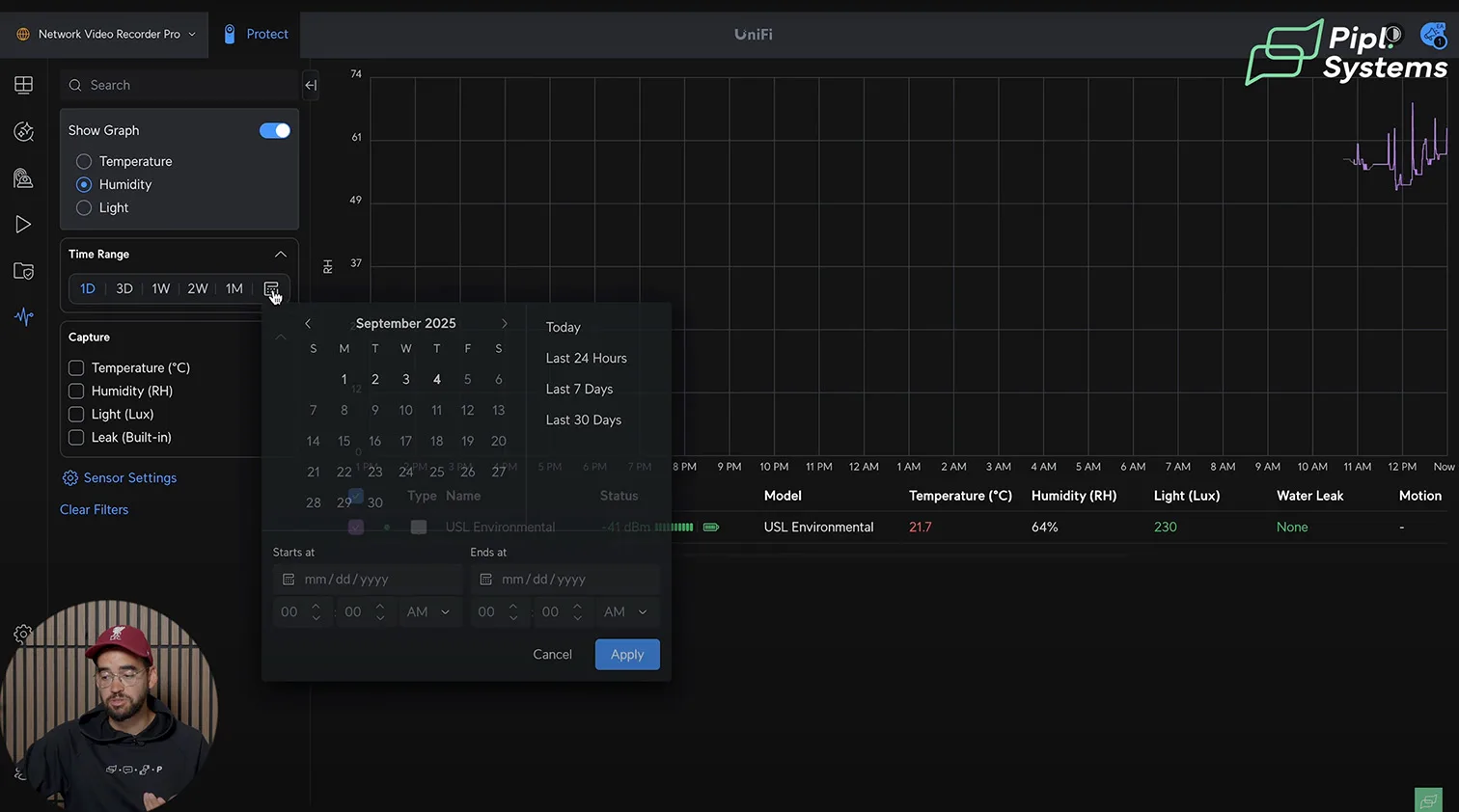
Sensor Manager gives a wide view of live values, trend graphs, and historical alarms. The System Log records the cause and duration of each trigger, so you can verify whether a spike crossed your Safe Zone for two seconds or thirty.
Use short, consistent names so logs read cleanly:
- Env-Studio-Humidity-High
- Env-Office-Temp-Low
- Corridor-1-Lux-Dip
During audits, use Identify to glow the target sensor in the UI, then export trend graphs monthly to validate thresholds and eliminate nuisance alarms.
Light and Leak Demo Results
Single-drop sensitivity
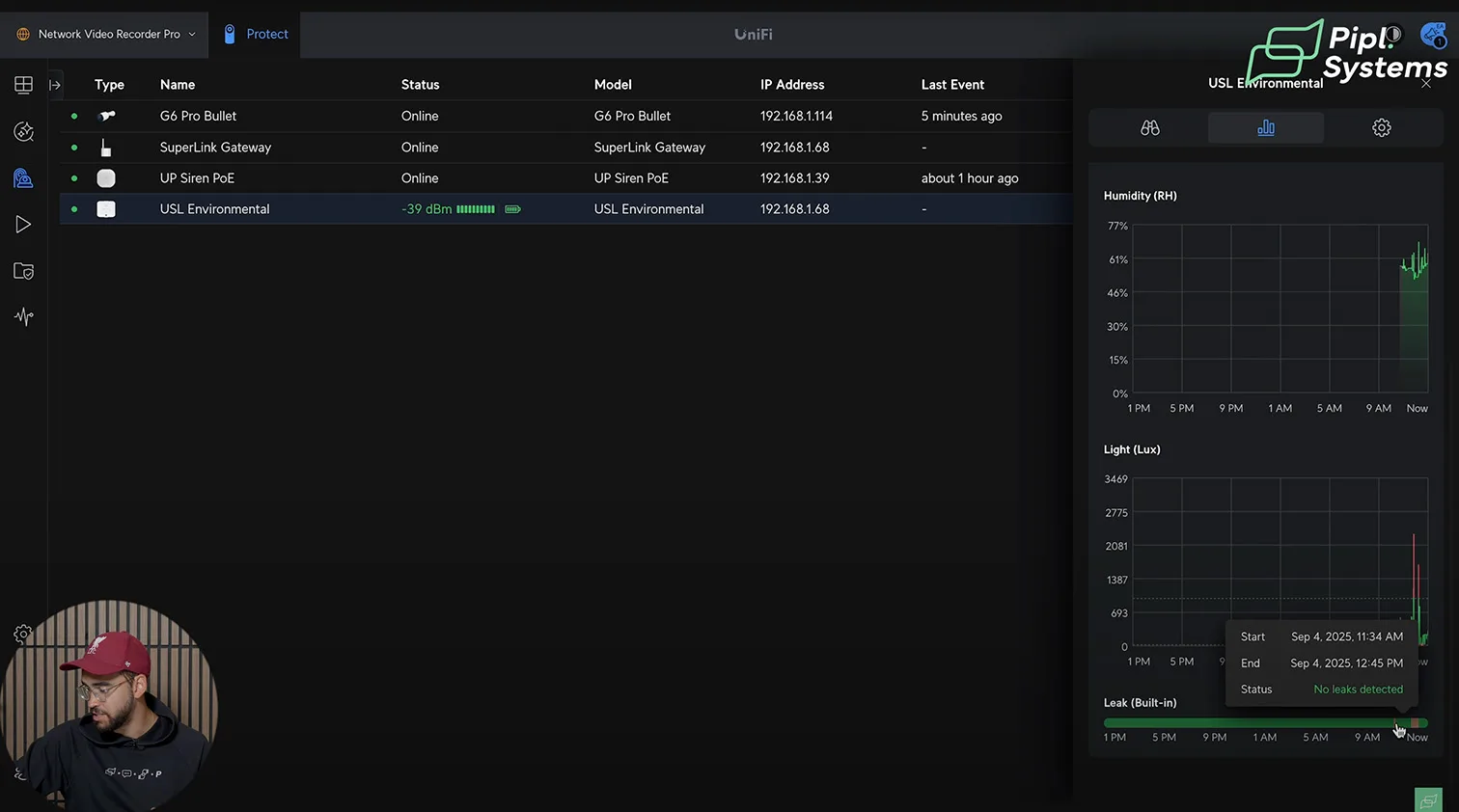
A fingertip-sized drop on the front leak pads fired the alarm in well under a second. Protect highlighted the event, updated the live lux and leak states, and plotted the excursion on the timeline. This quick response held even when routine telemetry updates were set to multi-minute intervals, which is a typical UniFi Protect sensor's power-saving profile.
Full-immersion behavior and recovery
Submerging the sensor produced repeated alarms until the water was cleared. After drying, the device returned to nominal readings, and the System Log captured total leak duration for reporting. For wet environments, consider mounting with the rear pads accessible and keep a lint-free cloth on-site for rapid recovery.
Practical thresholds and escalations
Start with broad Safe Zones, then tighten bands based on a week of trend data. For leak alarms, map a longer siren pulse and a camera bookmark so first responders can verify conditions in seconds. For light anomalies, keep siren pulses short to avoid noise fatigue while still flagging the event on recorded video.
If you expect to scale beyond a handful of sensors and cameras, your choice of controller matters. See How to Choose Your Ubiquiti UniFi OS Console. It outlines controller capacity, storage, and the tradeoffs that affect larger SuperLink setups.
Range and Reliability
Through-wall and outdoor checks
With the SuperLink gateway installed indoors, we maintained stable updates through several interior walls in a mixed-construction office. Telemetry changes, like a quick lux spike when the Environmental Sensor was exposed to direct sun, reflected in the Protect UI almost immediately. Outside, line-of-sight checks hundreds of feet from the building continued to show strong connectivity and prompt state changes. The takeaway is clear: the sub-GHz SuperLink wireless protocol handles typical small-to-mid facility obstructions well, and it remains responsive at longer outdoor distances.
What long-range really means for planning
Ubiquiti positions the system for long-range UniFi Protect gateway use cases, up to multi-kilometer line-of-sight. Real sites vary. Mount the UniFi SuperLink gateway high and central, away from dense obstructions like concrete cores, elevator shafts, and metal shelving. In large warehouses or spread-out campuses, plan additional gateways rather than pushing the physical limits.
| Site type | Typical obstacles | Planning guidance |
|---|---|---|
| Office floor, mixed walls | Drywall, glass, server racks | One centrally mounted SuperLink gateway often covers a full floor. |
| Retail with backroom | Coolers, metal shelves, signage | Favor ceiling or high-wall mounts; add a second gateway for the stockroom. |
| Warehouse | Concrete block, pallet racks | Use multiple gateways per zone or aisle bank, then overlap coverage. |
| Outdoor yard or lot | Vehicles, fences, light poles | Line-of-sight performs well; elevate the gateway to clear parked vehicles. |
If you plan to route sensor events into third-party monitoring or AI guardrails, see our practical playbook on alarm pipelines with Protect and CHEKT. It shows how to translate Environmental Sensor conditions into actionable alarms that operators will actually use.
Final Assessment
Strengths
Unified workflow is the standout. Cameras, sirens, and sensors all live inside UniFi Protect, which means one place for alarms, exports, and tuning. Triggers feel low latency, so the system fits secure wireless monitoring solution needs where seconds matter. Install flexibility also helps: the SuperLink gateway accepts PoE as primary power with USB-C fallback, and its form factor works on walls or DIN rail. Safe Zones convert raw temperature and humidity into policy, which is what facilities and retail teams actually need.
- Consistent UI and logs across devices
- Fast event-to-alarm paths for leaks, light anomalies, and camera analytics
- PoE SuperLink device power, USB-C backup, wall or DIN rail mounting options
- Safe Zones that turn drifting environment values into clear actions
Limitations and considerations
We would like inline overlays for temp, humidity, and lux on paired camera views, and visual alarm markers on trend charts, not only in logs. Sub-GHz and BLE both exist in the stack, so the scope devices and UniFi SuperLink vs Bluetooth sensors roles are clear before you commission. Treat the 2 km figure as a best-case outdoor scenario, then validate coverage during walk tests in your actual building.
- Add gateways for dense or sprawling facilities rather than stretching a single hop
- Define naming conventions for alarms and sensors up front
- Verify battery-life settings against needed refresh fidelity during pilots
Where UniFi SuperLink fits in a broader UniFi build
SuperLink slots cleanly into Protect for environmental and leak sensing, while Siren PoE covers audible signaling without requiring the gateway. If you are also deploying access control, plan your response policies across both systems so door logic and alarms play well together. Our UniFi Access 3.0 overview outlines how to align roles, schedules, and responses in multi-site environments.
SuperLink Gateway: Specs, Roles, Deployment
What the gateway adds to Protect
The SuperLink gateway extends UniFi Protect beyond cameras by acting as a long-range UniFi Protect gateway for sub-GHz sensors while also hosting a Bluetooth 5.2 radio for UP-Sense (BLE) devices. In typical builds, you’ll adopt it to your UniFi OS Console via PoE, then bring sensors online during SuperLink setup. The result is UniFi Protect extended coverage for sites where Wi-Fi or BLE alone can’t reach.
Technical snapshot
| Attribute | Detail |
|---|---|
| Model | UP-SuperLink |
| Radios | SuperLink sub-GHz (proprietary), Bluetooth 5.2 (BLE) |
| Power | PoE primary; USB-C 5 V, 1 A optional |
| Max power draw | 3.4 W |
| Ethernet | 10/100 MbE RJ45 |
| Antenna gain | SuperLink 1 dBi; Bluetooth 3 dBi |
| Max TX power | SuperLink 27 dBm; Bluetooth 10 dBm |
| Client capacity | SuperLink up to 96; BLE up to 7 |
| Mounting | Wall mount security gateway or DIN rail mount gateway |
| Materials | Polycarbonate, aluminum alloy |
| Dimensions | 159.3 × 81.9 × 26 mm (w/ antenna) |
| Operating range | 0 to 40 °C; 10–90% RH, non-condensing |
| Compliance | FCC, IC, CE; NDAA compliant UniFi device |
| Management | UniFi Protect (web, iOS, Android) |
Placement and range planning
Mount high and central to reduce shadowing from concrete cores, elevator shafts, and racked metal. Treat the 2 km line-of-sight figure as an outdoor best case; real facilities vary. For large warehouses or multi-building campuses, it’s better to stage multiple SuperLink gateways than ride the physical limits of a single hop.
Security and fleet hygiene
Adopt under a dedicated Site in UniFi Protect, tag devices by zone, and name alarms consistently. SuperLink sensors and UP-Sense (BLE) devices can coexist; use SuperLink for long-range, low-bitrate telemetry and BLE for local accessories or short-hop inputs.
Environmental Sensor: Telemetry, Alarms, Battery Behavior
What it measures and how it behaves
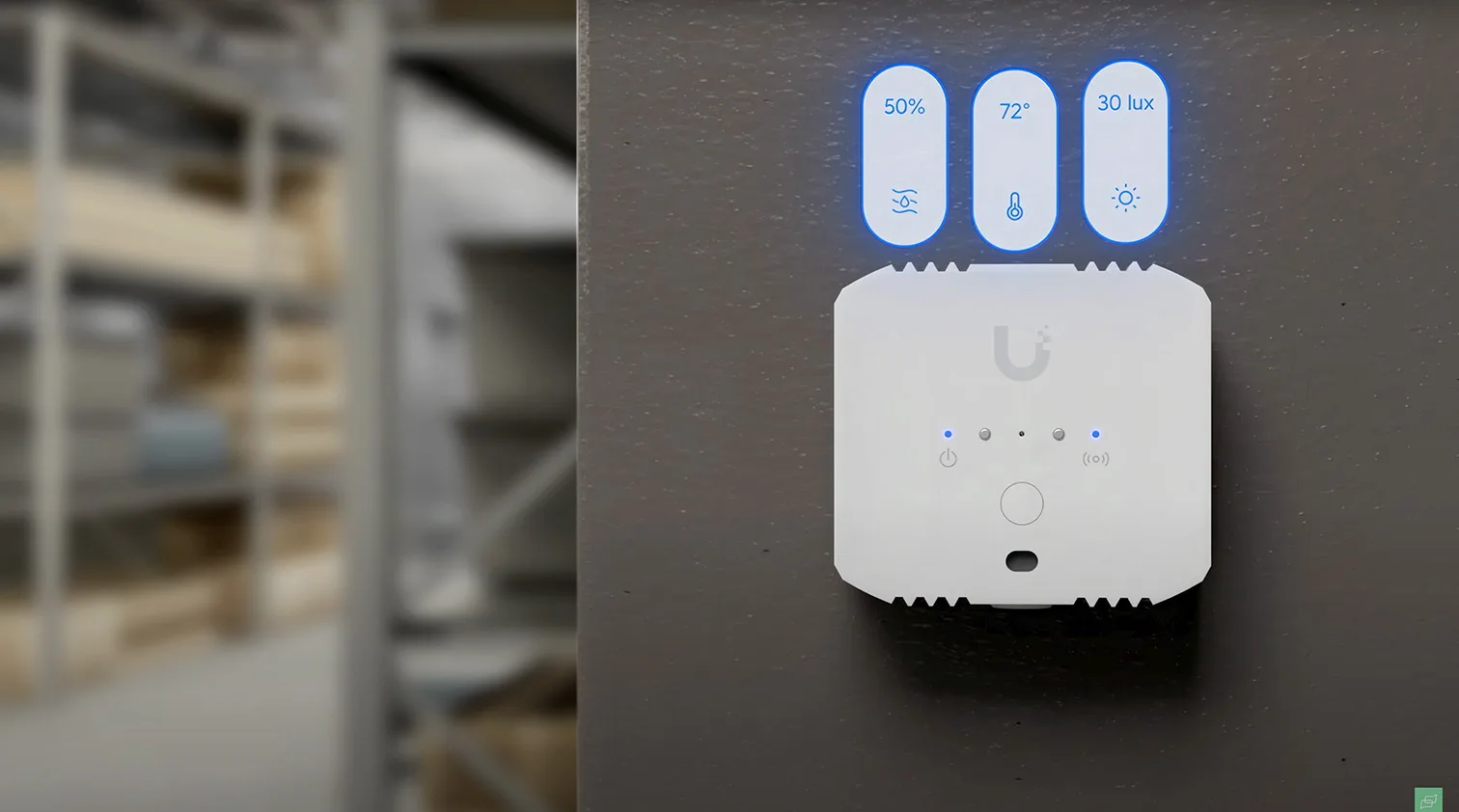
The Environmental Sensor brings temperature, humidity, ambient light, and water-leak detection into Protect. It supports both front and rear leak pads and fires alarms in under a second during events. You can pair it with nearby cameras so push notifications link directly to a relevant view.
Technical snapshot
| Attribute | Detail |
|---|---|
| Model | USL-Environmental |
| Sensors | Temperature, humidity, ambient light, water leak (front/rear pads) |
| Connectivity | SuperLink (proprietary sub-GHz) |
| Power | CR123A lithium battery (3 V) |
| Battery life | Up to 6 years (with longer update intervals) |
| Update interval | User-selectable; frequent updates shorten battery life |
| Aux input | 3.5 mm jack for external leak probe |
| Radio | 915.6–927.6 MHz (US); 865.1–869.5 MHz (EU) |
| Max TX power | 14 dBm; antenna gain 0 dBi |
| Range (LoS) | Up to 2 km (environment-dependent) |
| Weatherproofing | IPX5 |
| Mounting | Adhesive, magnet, or screw mount (steel bracket) |
| Dimensions | 53 × 49 × 23.5 mm (device) |
| Operating range | −20 to 40 °C; 10–90% RH, non-condensing |
| Compliance | FCC, IC, CE; NDAA compliant |
Safe Zones and alerts
Define Safe Zones for temperature, humidity, and light so drifting values generate alarms, create System Log entries, and optionally drive the Siren PoE. For example, a 19–22 °C band can protect sensitive storage. The Identify button highlights the device in the UI, which helps during audits or bulk commissioning.
Battery versus refresh tuning
Frequent refresh (for example, every 30 seconds) provides tight trend lines and near real-time charts, but draws down the cell faster. Five-minute intervals are a practical default for extended battery life security sensors. Regardless of update interval, event wake remains fast for low-latency security sensors behavior, so leaks and threshold excursions still alert immediately.
Placement tips
Put sensors near sumps, HVAC air handlers, server racks, and retail coolers. For leak monitoring, ensure both front and rear pads can contact water. Avoid direct sun on the light sensor unless you intend to use lux as a tamper or lighting proxy signal.
Siren PoE: Audible/Visual Endpoint Inside Protect
What it does in the stack
Siren PoE is a native UniFi Protect endpoint that doesn’t require the SuperLink gateway. Use Alarm Manager to map triggers from UniFi Protect sensors, Environmental Sensor events, person/vehicle detections, and even LPR or face matches. This makes it a clean deterrence layer for doors, hallways, and public-facing areas.
Technical snapshot
| Attribute | Detail |
|---|---|
| Model | UP-Siren |
| Acoustic output | Up to roughly 110–114 dB (lab measured in close proximity) |
| Visual signaling | Red perimeter flash ring plus status LED (R/G/B/W) |
| Power | PoE; max 5 W |
| Ethernet | 10/100 MbE RJ45 |
| Controls | Volume, brightness, status LED on/off; tamper switch; reset |
| Weatherproofing | IP56 |
| Mounting | Wall or ceiling plate (included) |
| Dimensions | 139.9 × 139.9 × 35 mm |
| Operating range | −30 to 50 °C; 5–90% RH, non-condensing |
| Compliance | FCC, IC, CE; NDAA compliant |
| Management | UniFi Protect (web, iOS, Android) |
Integration patterns
Map the siren to off-hours perimeter detections, water-leak events, or critical environment excursions. In camera-driven scenarios, use smart zones and schedules to avoid nuisance alarms. For scene visibility, the red ring reads clearly in recorded footage and provides instant on-site context during live response.
Placement and deterrence
Install at entries and high-visibility corridors. In mixed-use floors, tune volume and LED brightness to avoid overspill into quiet zones. For exterior installs, IP56 weatherproofing supports covered entries and breezeways; keep network cabling protected and strain-relieved using the included mounting plate.
SuperLink Setup: Field-Ready Playbook
Site planning and recommended placements
Place the SuperLink gateway high and central to maximize UniFi Protect extended coverage and reduce shadowing from concrete, steel racks, or elevator cores. Position Environmental Sensors at risk points such as sumps, HVAC drip pans, server racks, walk-in coolers, and storefront thresholds. Install Siren PoE near entries and along high-visibility corridors so alarms double as deterrence and visual guidance for responders.
Quick placement table
| Device | Best location | Why it matters |
|---|---|---|
| SuperLink gateway | High, central wall or DIN rail in network closet | Improves sub-GHz line penetration and roaming for SuperLink sensors |
| Environmental Sensor | Near water sources, temperature-critical storage, or dark corridors | Faster leak detection and actionable Safe Zones for temp, humidity, and lux |
| Siren PoE | Main entrance, rear door, hallway chokepoints | Clear audible cue and red ring visible on video and to on-site staff |
Adoption and device mapping
Adopt the SuperLink gateway to your UniFi OS Console over PoE, then add SuperLink sensors from Devices. Use consistent naming and tags so multi-building sites remain readable during incidents. A simple pattern that scales well is Site-Zone-Device-Index, for example, DC1-Floor2-Env-03. Map Siren PoE in Alarm Manager to both camera analytics and Environmental Sensor events so alerts are unified regardless of source.
Alarm logic patterns that work
Create Safe Zones for temperature, humidity, and ambient light. Tie excursions directly to push notifications, a short siren pulse, and an automatic bookmark on the nearest camera. For after-hours lighting anomalies, trigger a siren chirp and an outbound webhook to your building system. This keeps responses proportional and prevents alarm fatigue.
Commissioning checklist
• Verify gateway placement with a quick walk test, watching live lux and humidity updates per sensor• Calibrate Safe Zones during normal business conditions, not during maintenance cycles• Pair at least one nearby camera to each sensor for instant video context in notifications• Set Siren PoE volume and LED brightness appropriate to the space before arming policies• Document your Alarm Manager rules and store them with the site’s network diagram
Troubleshooting and radio hygiene
If a sensor shows intermittent updates, move it away from large metal objects, raise the gateway height, or add a second SuperLink gateway. Keep Bluetooth security sensors for short-hop accessories and reserve SuperLink sensors for long-range, low-latency telemetry so each radio does the job it was designed for.
FAQ – UniFi Protect SuperLink
Do I need the SuperLink gateway for Siren PoE?
No. Siren PoE is a native UniFi Protect endpoint and can pair with cameras and Alarm Manager without the gateway.
What powers the SuperLink gateway?
PoE is the primary power method. USB-C 5V is available where PoE isn’t practical, which helps during pilot installations and temporary staging.
Can SuperLink and Bluetooth sensors coexist?
Yes. UP-Sense devices connect over Bluetooth, while SuperLink sensors use a sub-GHz link for range and battery efficiency. You can run both within the same UniFi Protect deployment.
How far can SuperLink go in real sites?
Ubiquiti positions the system for long-range line-of-sight, but walls and RF noise reduce usable distance indoors. Mount the gateway high, survey coverage during commissioning, and add additional gateways for large floors or multi-building campuses.
Is SuperLink secure and compliant?
It is designed with end-to-end encryption and is offered as an NDAA-compliant UniFi device option for regulated environments.
SuperLink vs Bluetooth at a glance?
| Scenario | Use SuperLink sensors | Use Bluetooth devices |
|---|---|---|
| Warehouse aisles, back-of-house coolers | Preferred for range and penetration | Backup or very short-range accessories |
| Mixed construction offices | Strong choice where walls vary by density | Good for deskside or room-scale inputs |
| Battery life priority | Works well with extended intervals and fast event wake | Acceptable for low-duty accessories |
What affects battery life on the Environmental Sensor?
Frequent chart refresh improves visual trends but shortens battery life. Five-minute intervals are a solid default. Event wake remains fast for alarms regardless of the scheduled update rate.
How should I name devices and alarms?
Use a consistent, human-readable pattern that encodes site, zone, and function, for example, HQ-Retail-Env-02 and Alarm-HQ-Retail-Humidity-High. Clear names speed incident review and reduce mistakes during handoffs.
Pick up your UniFi products via our affiliate link — and support Pipl Systems.
Affiliate disclosure: we earn a small commission at no extra cost to you. It helps us keep creating content.
Request a Quote from a Security Integrator
Tell us about your project and we will connect you with the right certified integrator.