

An inside look at eufy's New York showcase, with the practical differences between TrackLight Cam S1, Video Doorbell S4, Window Camera E10, SoloCam E50 and eufyCam E52.
Sponsored by Anker eufy. This article contains affiliate links. Pipl Systems may earn a commission if you purchase through them.
Shop the eufy lineup
Find the camera for your coverage area. Check current pricing and availability at eufy’s official store.
Affiliate links: Pipl Systems may earn a commission if you purchase through these links.
 Check price ↗
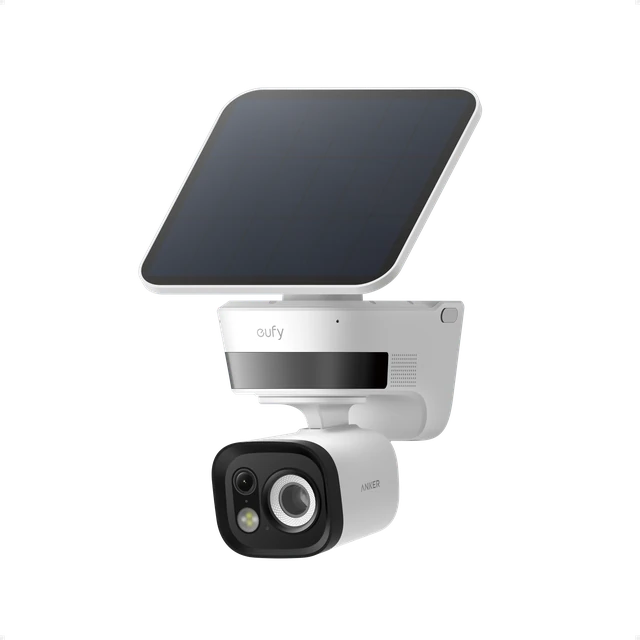
eufy TrackLight Cam S1
Tracking light & active deterrence
 Check price ↗
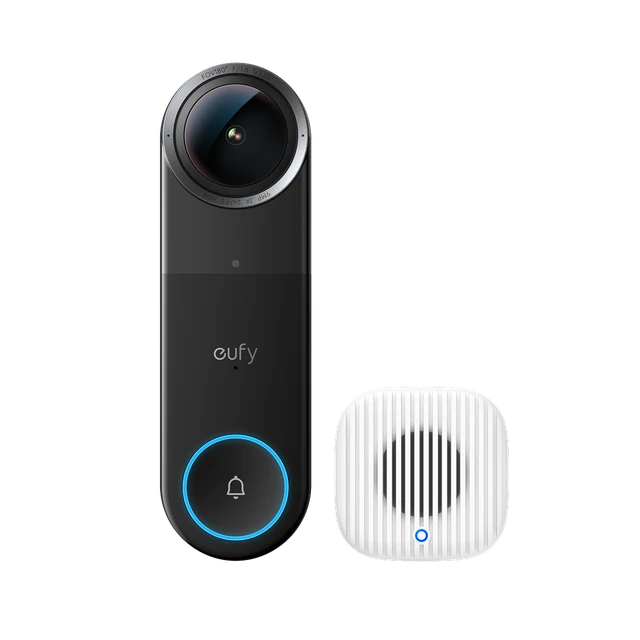
eufy Video Doorbell S4
With Chime 2 · Front-door monitoring
 Check price ↗
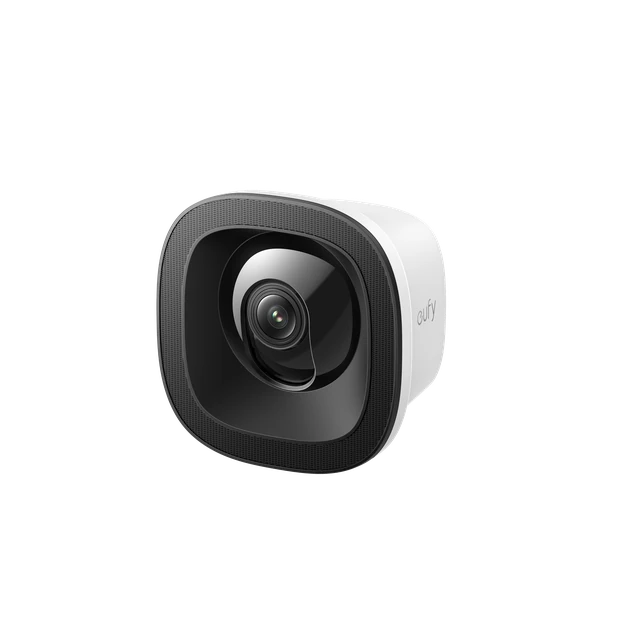
eufy Window Camera E10
Outdoor views from inside
 Check price ↗
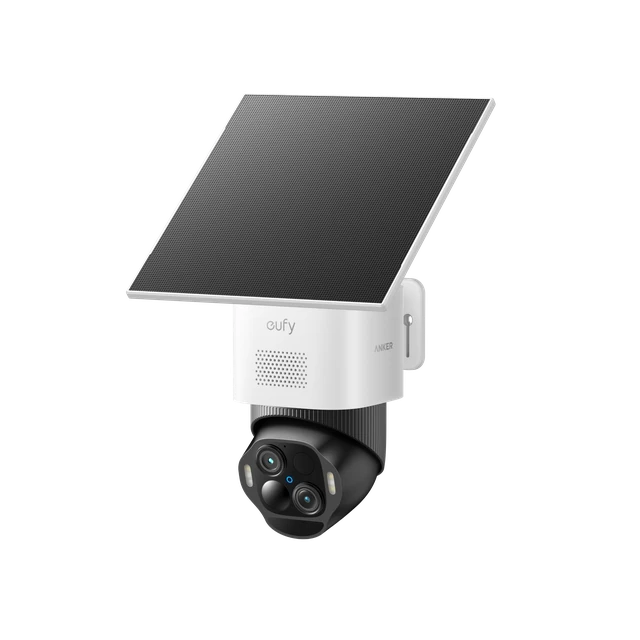
eufy SoloCam E50
Outdoor perimeter monitoring
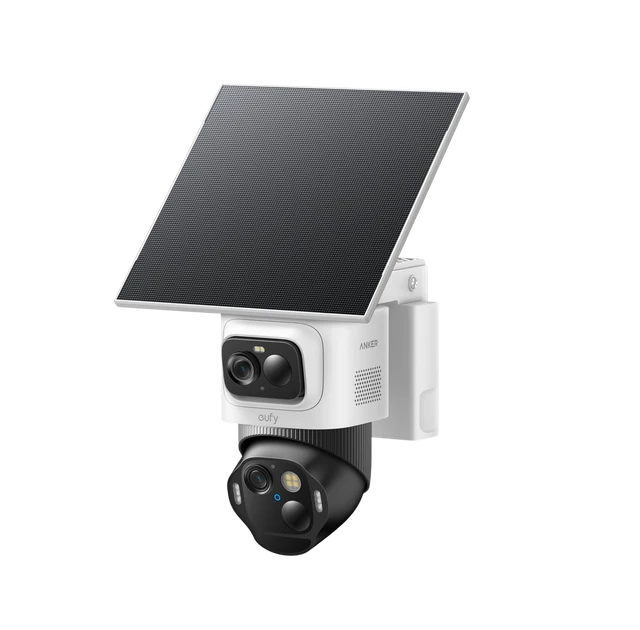 Check price ↗
eufyCam E52
Wide views & close-up tracking
A doorbell camera sees whoever reaches your entrance. A layered security system starts watching earlier: at the driveway, across the yard and along the approach to your home. That is the idea behind the eufy Edge 5.0 Yard Protection System.
Pipl Systems attended Anker eufy's Fall Media Showcase in New York to explore that approach. Our accompanying video examines five new devices, the role of HomeBase S380 and the shift toward active deterrence. This article carries that discussion into a practical guide, supplemented by current US product documentation. It covers the announcement and design intent; field performance remains the next reporting step.
What eufy Edge 5.0 is designed to do
Edge 5.0 is a coordinated product lineup and a property-protection concept. Each camera has a different job: watch the boundary, retain a broad view of the yard, follow an approaching person, illuminate the approach or monitor outside from an indoor window.
The sequence matters. Detection notices an event. Classification helps distinguish a person from other movement. Tracking keeps attention on that person. Active deterrence adds a visible or audible response. Those are separate functions, and their usefulness depends on placement and configuration.
eufy frames the lineup around “Proactive Detection Beyond the Door” on its official lineup page. The idea is to extend coverage across the yard, front door and windows. For your home, the practical question is how those layers fit together: which approach routes each camera can see, where coverage overlaps and what fences, landscaping or viewing angles leave out of sight.
For example, a camera aimed at a front walkway may provide little useful coverage of a side gate. The first installation decision is where a person could approach and when you want to know about it. Buying every model is not a substitute for answering that question.
Watch the Pipl Systems overview
Video chapters
Runtime: 10:45
Two approaches to watching the yard
SoloCam E50: wider awareness and a closer look
The eufy SoloCam E50 combines two 4K lenses on a motorized pan-and-tilt body. One provides a wide view; the other offers a closer look using up to 12× hybrid zoom. The video places it toward the perimeter, where earlier detection could give you more time to respond.
It combines radar and passive infrared, or PIR, detection, and includes a spotlight, two-way audio and a 5W solar panel. These are tools for detection, visibility and communication. They do not establish a measured false-alarm rate or guarantee that every visitor will be detected.
Two details in eufy's current E50 FAQ deserve attention: E50 does not support 24/7 recording, and dual-screen viewing and downloads top out at 2K, while single-screen mode supports 4K. A dual-lens specification does not mean every viewing mode delivers two simultaneous 4K streams.
Solar charging also needs a suitable location. Consider where the camera sees the approach and where the panel receives sunlight; those may be different places.
eufyCam E52: keep the overview while following the event
The eufyCam E52 separates those jobs physically. Its upper camera has a fixed wide-angle view, while its lower pan-tilt-zoom, or PTZ, camera follows a detected subject. The advantage described in the video is continuity of context: the broader scene remains visible as the moving camera concentrates on the event.
The official E52 overview specifies a 2K upper camera and a 4K lower camera. Treat it as a mixed-resolution system, not dual 4K. That distinction matters when comparing it with E50: E52 prioritizes an independently fixed overview, while E50 combines two lenses on a moving body.
Choose between them by the view you need to preserve. If following a person would turn your only useful view away from another entrance, the E52 design addresses a different coverage problem.
Light the approach and follow the visitor
TrackLight Cam S1: make detection visible
The eufy TrackLight Cam S1 is a 4K PTZ camera with dual-radar detection. Its distinctive feature is a directional light that follows the tracked person and adjusts its beam. The video explains the contrast between welcome lighting for a recognized family member and a deterrence response for a possible threat.
Responses include the tracking light, warning lights and a siren rated by eufy at up to 105 dB. A siren rating describes the equipment; it does not prove that an intruder will leave. The useful distinction is that the system can visibly react while an event is still unfolding.
eufy's official S1 specifications and FAQ also distinguishes motion-triggered lighting from continuous recording. Always-on lighting is not supported. Continuous video requires direct power, and recording needs a microSD card or compatible storage device. Google Home works directly; Apple Home requires HomeBase 3.
For your installation, decide which area should trigger a response and which ordinary activity should remain undisturbed. A delivery, a family arrival and a person lingering by a side entrance call for different treatment. That is a configuration objective, not a claim that the camera can reliably infer intent.
Detailed description
The manufacturer graphic shows detection, recognition and response, with a directional tracking light, warning lights and a siren as illustrated responses. The article explains their scope and configuration limits.
Video Doorbell S4: keep the person in view
The eufy Video Doorbell S4 with Chime 2 brings the approach closer to the entrance. Its panoramic 180° horizontal and vertical view and 9MP, 3K image give it a broad starting frame. OmniTrack™ AI Tracking and Auto-Framing help follow moving people and adjust their framing as they approach.
This is a different benefit from a wide field of view alone. A wide image establishes context; automatic framing directs your attention within it. VR Mode offers another way to explore the panoramic view in the eufy app.
Check the installation requirements before ordering. The official S4 overview uses existing doorbell wiring supplying 16–24V AC at 10–40VA. Its backup battery is for outages, not everyday battery operation. Apple Home support requires HomeBase 3, and VR Mode and OmniTrack are unavailable through that integration.
Compatibility with a smart-home platform therefore does not mean every eufy app feature transfers into that platform.
Window Camera E10: outdoor coverage from inside
The eufy Window Camera E10 is designed for a different installation constraint. It attaches to the inside of a window and looks outdoors, making it relevant when an apartment, condo or rental does not offer a practical exterior mounting location.
The video identifies the obvious challenge: reflections from glass, especially after dark. E10 uses an anti-reflection design, records at 2.5K, supports color night vision and uses plug-in power for continuous recording.
The official E10 specifications and FAQ adds a useful qualification: slight edge glare may remain with extra-thick double- or triple-pane glass. It also specifies microSD storage up to 256GB, sold separately, and notes that outdoor two-way audio depends on the glass and insulation.
That makes the window part of the installation, not just a mounting surface. Before treating this as your only outdoor view, check the sightline, indoor lighting and nighttime image at the exact window you intend to use. As the presenter says in the video, real-world nighttime testing is still needed. The announcement alone does not resolve that question.
HomeBase S380, local storage and Local AI Agent
The video connects the devices through HomeBase S380 and discusses eufy's emphasis on local storage and sensitive-data processing. HomeBase S380, also called HomeBase 3, provides expandable local storage and BionicMind™ AI features. Check the exact camera and firmware requirements for the functions you plan to use.
Local storage is a meaningful ownership choice, but it is only one part of the system. Where recordings live, where analysis runs, and what remote viewing or notifications need are different questions. Do not infer complete internet independence from the word local.
That broader view aligns with the National Institute of Standards and Technology's consumer IoT profile, published September 20, 2022. NIST frames its recommendations as cybersecurity outcomes that are intended to apply to the entire IoT product.
The NIST publication supplies a useful evaluation principle, not a certification or endorsement of these eufy models.
The presenter also discusses Local AI Agent as part of eufy's direction: a system that could select a notification, light, voice warning or siren response according to an event. Keep that discussion separate from a claim that buying HomeBase S380 enables every agent function on all five cameras. eufy's PoE NVR documentation explicitly describes an NVR Local AI Agent; supported hardware and available functions must be checked per system.
Detailed description
The manufacturer graphic shows three stages: detect a person; assess the situation using person, vehicle, property and time context; then notify, turn on a light, play a voice warning or activate a siren. These are illustrated options, not verified universal capabilities of HomeBase S380 or all five cameras.
The underlying change is important even with those distinctions: residential security is moving toward detection and response. In the video's comparison, commercial systems also serve operational needs such as employee access, visitor management and customer traffic analytics. Those examples describe the professional market, not features established for this five-camera lineup.
Choose for the property, then verify the details
Use this lineup as a set of options for specific coverage problems. E50 suits a perimeter-focused tracking role; E52 preserves a fixed overview alongside tracking; S1 adds directional lighting; S4 concentrates on the entrance; E10 provides an indoor mounting alternative for an outdoor view.
| Device | Imaging layout | Listed price | Order status / estimated shipping |
|---|---|---|---|
| TrackLight Cam S1 | 4K PTZ with tracking light | $299.99 | Preorder / end of October 2026 |
| Video Doorbell S4 with Chime 2 | 9MP / 3K panoramic | $299.99 | Preorder / end of October 2026 |
| Window Camera E10 | 2.5K through-window view | $79.99 | Preorder / mid-November 2026 |
| SoloCam E50 | Two 4K lenses; mode limits apply | $229.99 | Add to Cart / shipping estimate not displayed |
| eufyCam E52 | 2K fixed view + 4K PTZ | $269.99 | Preorder / end of October 2026 |
Sources: the five official model pages linked above. Prices exclude any additional storage, hub or installation costs and may change. Estimated shipping is not a delivery guarantee.
Before buying, check mounting access, power, recording mode, storage, network coverage and the smart-home features you actually need. If you are comparing broader approaches, our overview of home security brands provides additional context. For installation planning, you can explore the Pipl Systems integrator directory and confirm an individual provider's residential and eufy experience.
Our next reporting step follows the video's stated plan: visit real homes in Canada and the United States, speak with homeowners and examine installation, everyday use and limitations. That would test the questions a showcase cannot answer, including nighttime tracking, unwanted alerts, window glare and performance at the edges of the property.
For now, Edge 5.0 offers a clear design proposition: watch earlier and add an appropriate response before someone reaches the home. Whether that is the right setup for you depends on the coverage and behavior you can achieve at your own property. More installation and technology explainers are available in our security guides.
Explore the five eufy devices featured in this article
Affiliate links: Pipl Systems may earn a commission if you purchase through these links.
eufy TrackLight Cam S1
View at eufyeufy Video Doorbell S4 with Chime 2
View at eufyeufy Window Camera E10
View at eufyeufy SoloCam E50
View at eufyeufyCam E52
View at eufyPractical questions about eufy Edge 5.0
Do you need all five devices?
Choose devices for the areas and installation constraints you need to cover. The coordinated concept does not establish that every property needs every model.
Does every model record continuously?
No. E50 explicitly does not support 24/7 video. S1 requires direct power for continuous recording. E10 and the wired S4 advertise continuous recording. Confirm storage and the exact recording behavior of your chosen configuration, including E52, before purchase.
Which models support Apple Home?
The current S1 and S4 documentation specifies Apple Home support through HomeBase 3. E10 explicitly does not support Apple HomeKit. Do not assume support for the other models or full eufy app functionality through Apple Home.
Does local storage mean there are no subscriptions?
Local recording can avoid a recurring cloud-storage charge. Optional cloud storage and other services are separate purchases; E10's specification lists an optional cloud subscription. Check the feature and service you want rather than treating “no monthly fee” as a promise covering everything.
Has Pipl Systems tested these cameras in homes?
This coverage is based on the New York showcase, the accompanying video and current documentation. The video describes planned residential visits. It does not present completed household performance tests for this lineup.