

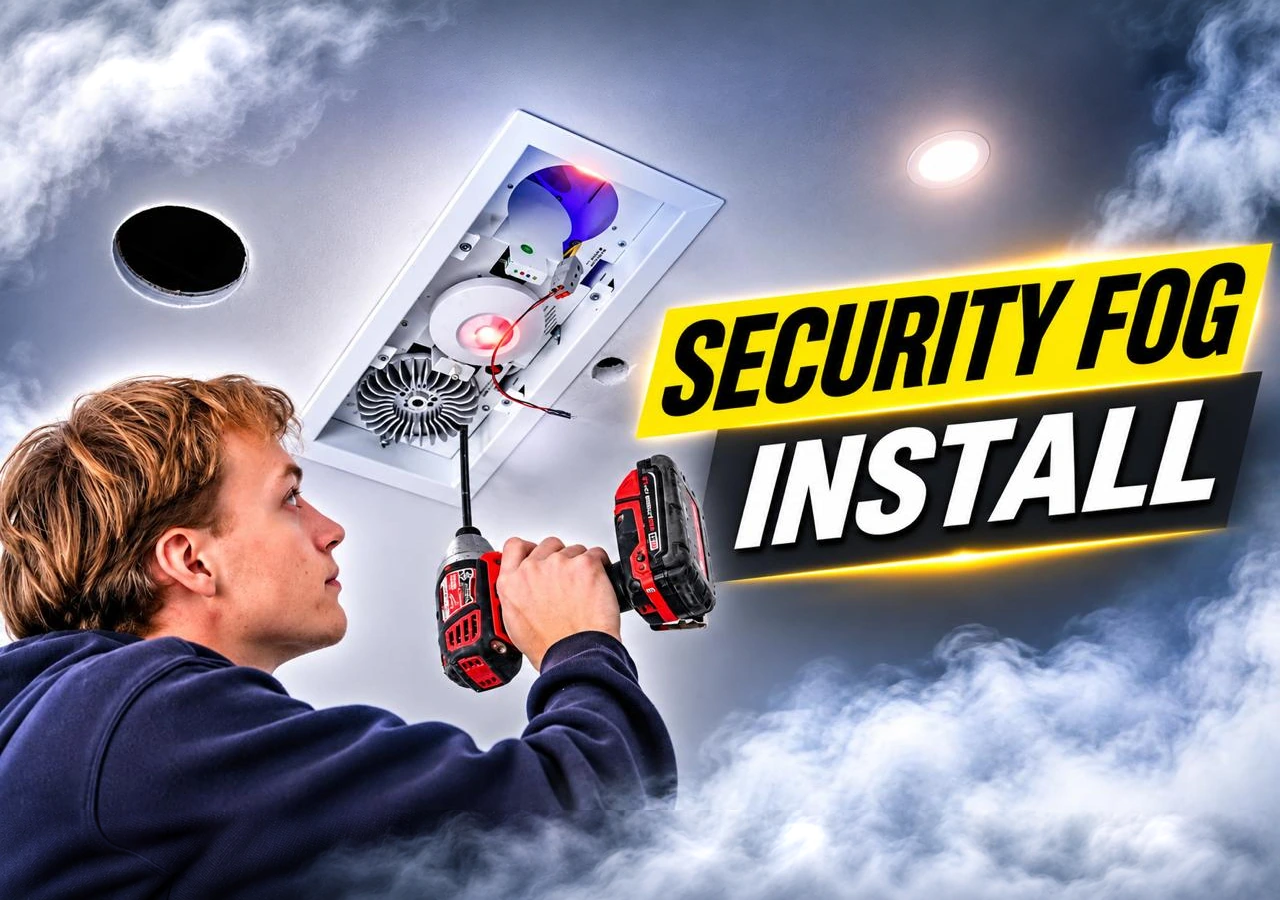
Cameras and alarms help detect and verify a break-in. Security fog adds an on-site response: a dense cloud that makes it harder for an intruder to locate and remove valuables while help is on the way.
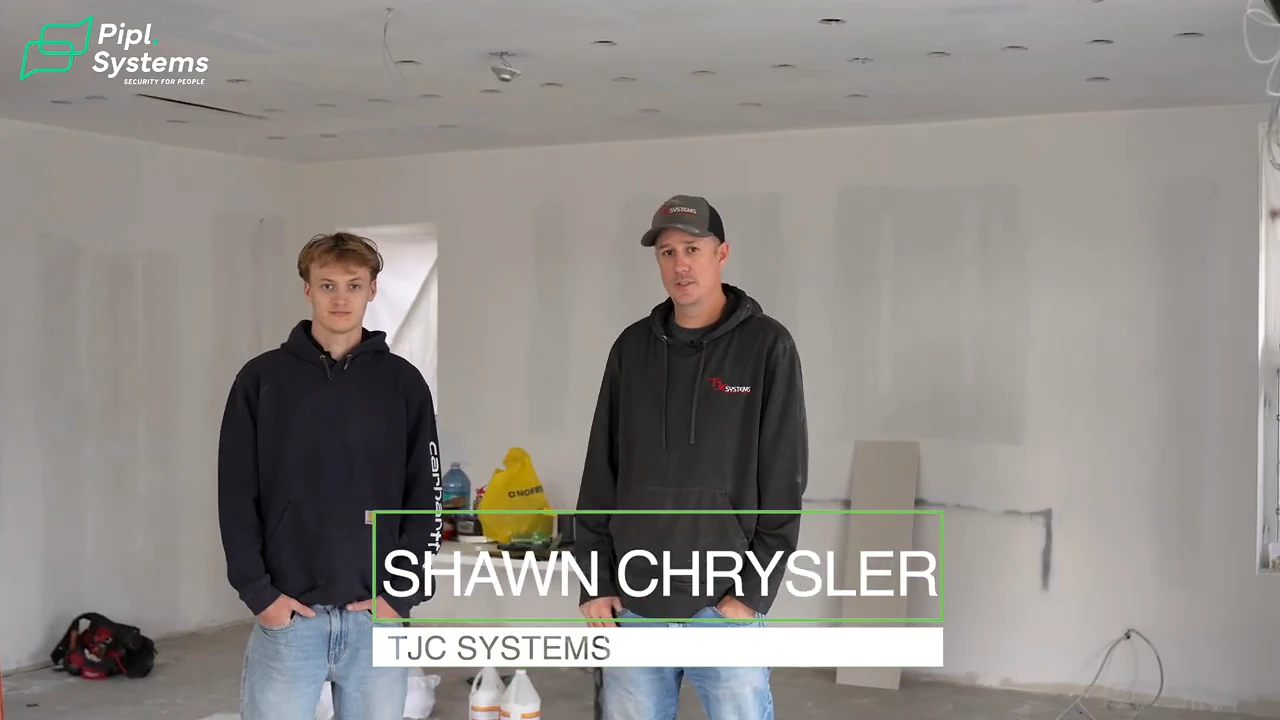
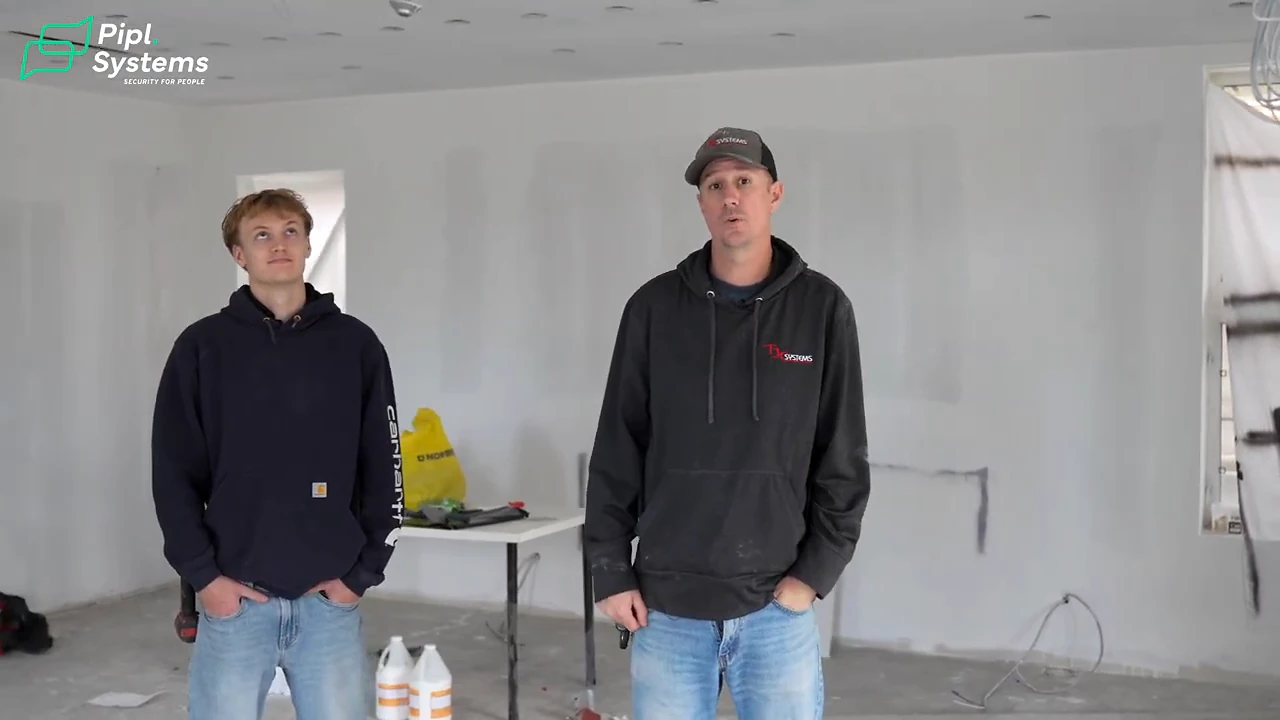
We joined Shawn Chrysler and Spencer from TJC Systems at a future jewelry store in the King City–Vaughan area of the Greater Toronto Area. They showed us how two ceiling-mounted Phantom Fog units fit into the store’s protection plan, how the cartridges are installed, and how activation can work with an alarm or panic button.
This jewelry store security fog case study explains the decisions behind that response: which areas to protect, how activation is controlled, what the installation test checks, and how to plan for occupants, valuables and service after a discharge.
Considering security fog for your property? Explore Phantom Fog equipment and installation options through Pipl Systems. Tell us your city, property type and main concern so we can help you work through equipment choices and installation requirements.
Video chapters · 6:48
Installation stage: This visit covered unit assembly and an LED simulation of activation, without releasing fog. The store’s alarm panel was still pending, with final integration and joint testing planned after its installation.
Why GTA Retailers Are Looking Beyond Cameras and Alarms
Business owners want protection that can act during an intrusion. In research published on April 8, 2026, the CFIB business survey reported that 49% of Canadian small-business respondents were concerned about their own safety and that of staff and customers. The finding comes from its October 2025 survey. For a jeweler, turning that concern into a plan starts with the entrances, display stock and back-room valuables.
A recent local incident illustrates the need to plan beyond the entrance. CityNews Toronto reported that a vehicle crashed into a midtown jewelry store on November 26, 2026, and suspects took merchandise before leaving in another vehicle. For a security design, the critical interval is between a breach and access to stock: perimeter protection should delay entry, while the interior response should make the theft harder to continue.
Assess the consequences of that interval for your business: exposed inventory, damaged display cases, repairs, time closed and the people present. A useful proposal explains which areas need protection and how detection, activation and coverage work together during the incident.
| Loss scenario | What fog is designed to do | Installation priority |
|---|---|---|
| After-hours entry through a storefront, door or window | Obscure the view of display stock and the route to valuables after entry. | Coordinate confirmed alarm activation with coverage of the relevant stock area. |
| A smash-and-grab while staff or customers are present | Disrupt the clear view needed to select and remove merchandise after activation. | Plan trained panic-button use, occupant procedures and usable escape routes together. |
| Entry toward a back room containing valuable stock | Reduce visibility in the selected back-room zone. | Assess that room separately, including doors, partitions, ceiling height and air movement. |
The purpose of this assessment is a clear protection plan for the valuables. In the installation below, TJC Systems selected two zones: the front entrance and a back-room area. Each zone needs suitable coverage and an activation sequence that can interrupt access to stock early in the intrusion.
What Security Fog Adds to a Layered Protection Plan
Security fog, also called security smoke or a fog security system, rapidly reduces visibility in a defined area. Its purpose is to interrupt the intruder’s ability to find stock, identify valuable items and continue stealing inside the protected zone.
A layered design gives each security measure a clear job. Doors, glazing and locks resist entry. An intrusion alarm detects and signals an event. Cameras support verification and evidence. Monitoring and emergency arrangements organize the response. Fog adds an intervention inside that sequence, with coverage and activation planned around the property and its occupants.
Security fog is recognized in insurance risk-management guidance. RSA’s January 2025 security risk guide describes fogging as a way to hinder further access into a protected area and lists it among measures for cash and high-value goods, including jewelry. This is a practical role within a layered design: reduce an intruder’s ability to continue after entry, alongside measures that resist, detect and report the intrusion.
How Insurers and Retailers Use Security Fog
RiskSTOP’s security fog guidance identifies jewelers and other high-value retailers as suitable applications, especially for smash-and-grab exposure. It describes fog as an intervention that reduces theft opportunities by obscuring visibility. Its assessment priorities include deployment speed, room volume, alarm integration, maintenance and post-activation cleanup.
“rapidly impair an intruder’s ability to steal”
RiskSTOP, Security Fog Devices, core objective; reviewed November 28, 2026.
There is also a documented retailer outcome. In its January 2021 Co-op evidence to the UK Parliament, the retailer described a shop burgled four times in 2018. After a fog cannon was installed, it activated during a later attempted burglary and the offenders left empty-handed. Co-op specified that these units operated out of hours.
That case shows the outcome a store owner wants from an on-site intervention: interrupt access to merchandise after entry. For a new project, translate that objective into protected zones, activation rules and a demonstrated handover. Pipl Systems can help you explore adding security fog to your existing protection and connect with suitable independent installation specialists.
Front Entrance and Back-Room Coverage
The store’s protection plan includes two ceiling-mounted, two-cartridge units. One sits just inside the front entrance; the other serves the meeting-room area near the back door. The plan is to connect both units to the intrusion alarm and panic buttons.
Your installer should assess room volume, ceiling height, partitions, air movement, likely entry routes and the position of people and exits. These factors determine placement and output. An open retail floor and a back room divided by doors may need different coverage arrangements.
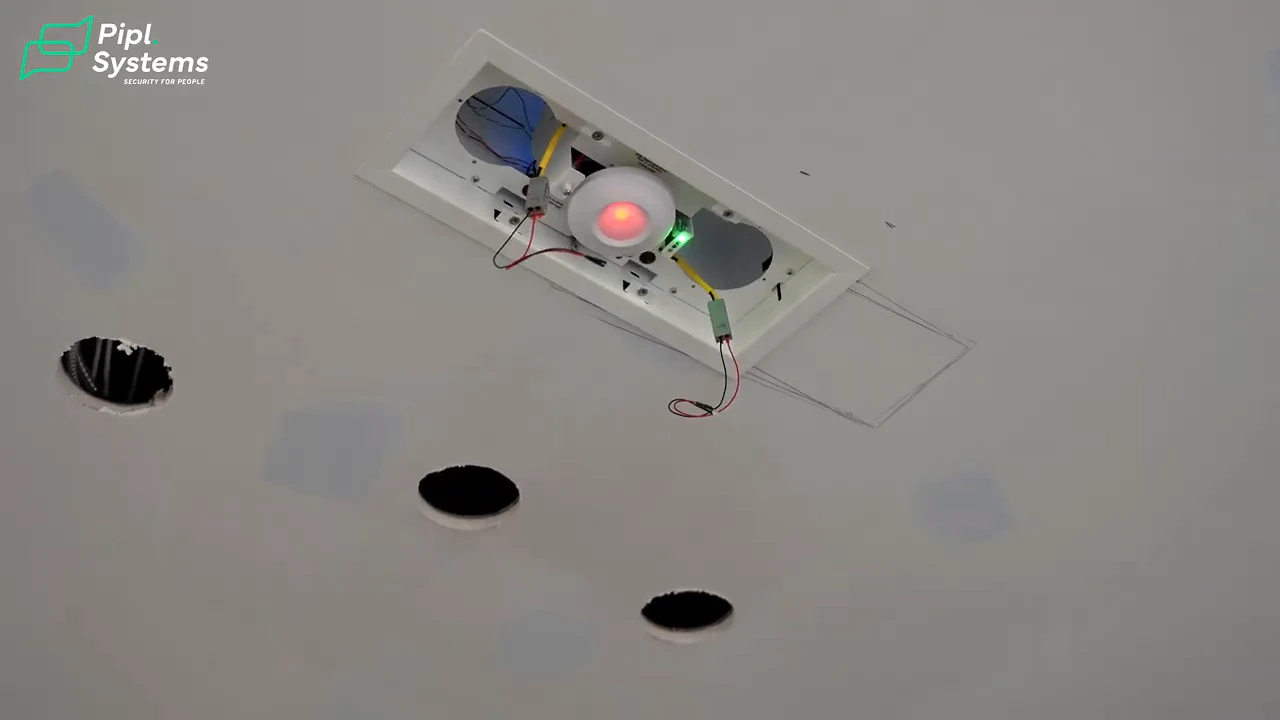
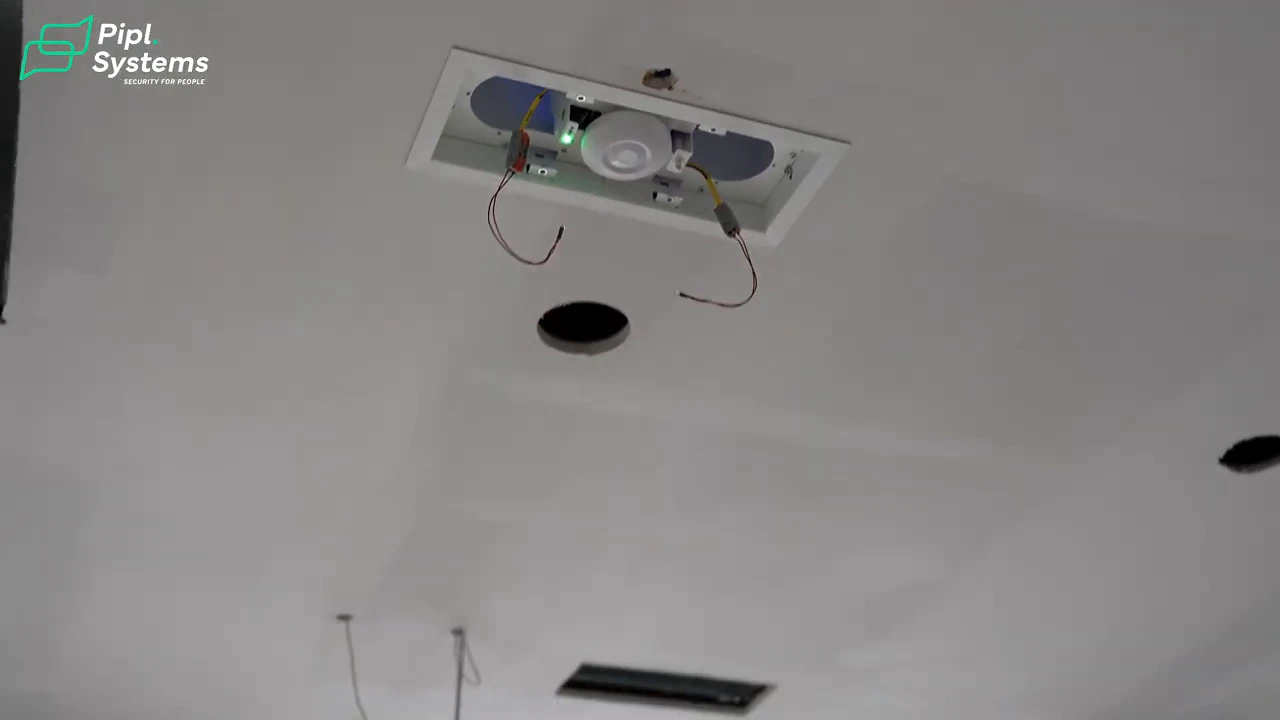
The front unit is recessed into the ceiling. The open housing shows the two-cartridge arrangement.
1 / 2
How the Fog Cartridges Work
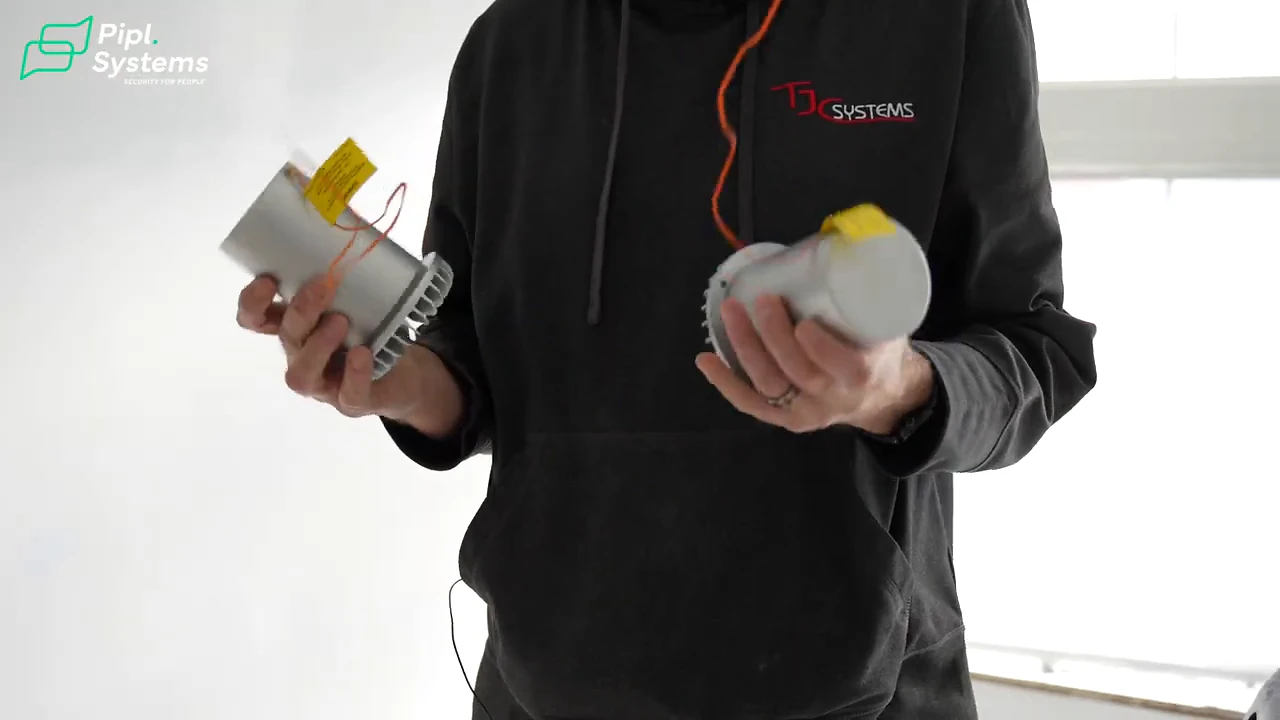
Each ceiling-mounted Phantom Fog unit in this installation uses two replaceable Compressed Particle Module (CPM) cartridges to generate a dense particulate cloud. Enforcer’s CPM description explains how this cartridge-based approach operates without a continuously heated reservoir of fog fluid.
According to Shawn, the team demonstrated fog at the premises during the wiring stage, roughly four months before the installation visit. He recalls about two hours for the facility to clear and very little cleanup. His experience helps identify practical handover questions: how to ventilate the space, when it can be reoccupied and what cleanup to plan for the property.
Power Supply and Alarm Wiring
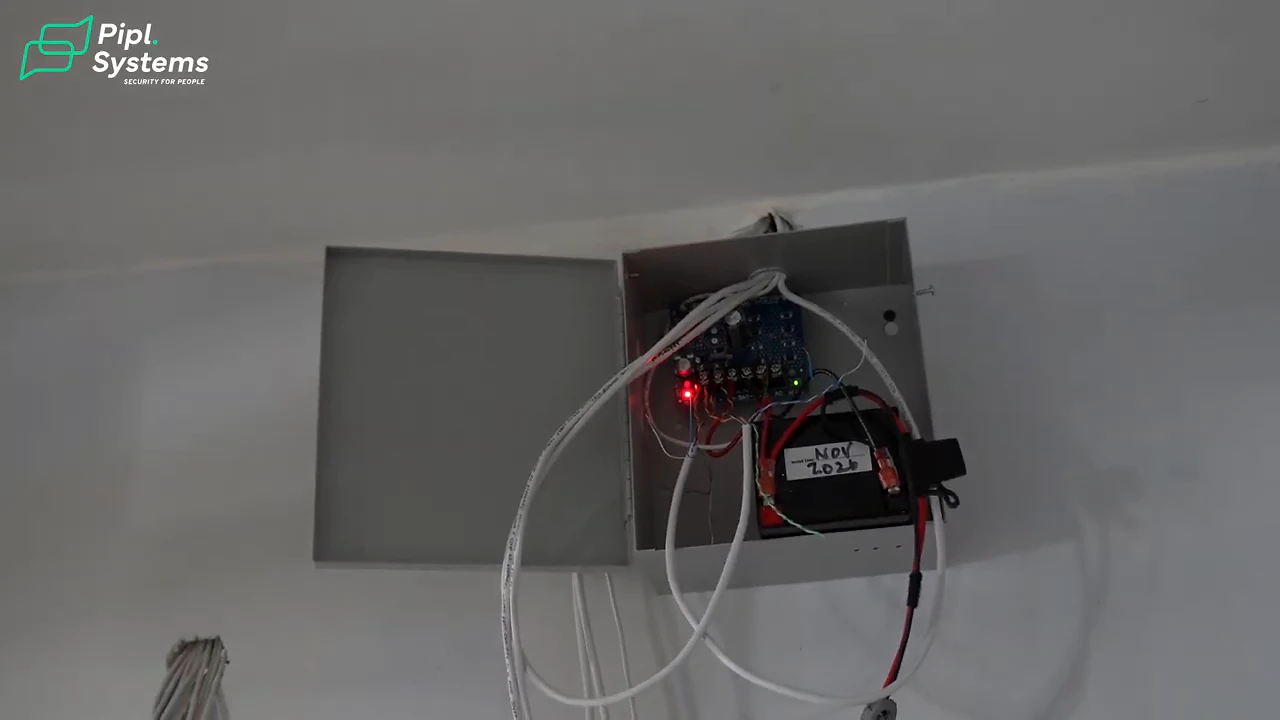
TJC Systems installed a separate 12-volt power supply and battery for the fog equipment. The store’s alarm panel had not yet arrived, so the final alarm connection remained pending at the time of this visit.
Plan power and activation separately. The supply and battery keep the equipment ready; the programmed control logic determines when it operates. Have the installer calculate the connected load and specify the backup runtime as part of commissioning.
Testing Activation With LEDs
TJC Systems tested activation with two small LEDs in place of the cartridges. When Spencer operated the test control, the lights indicated the outputs that would activate the cartridges. Shawn also explained the service indication associated with used canisters.
The LED test checks the activation outputs and control path without discharging cartridges into the unfinished store. After an actual discharge, a dealer restores readiness by replacing the spent cartridges and checking the system. Include that service procedure in the handover.
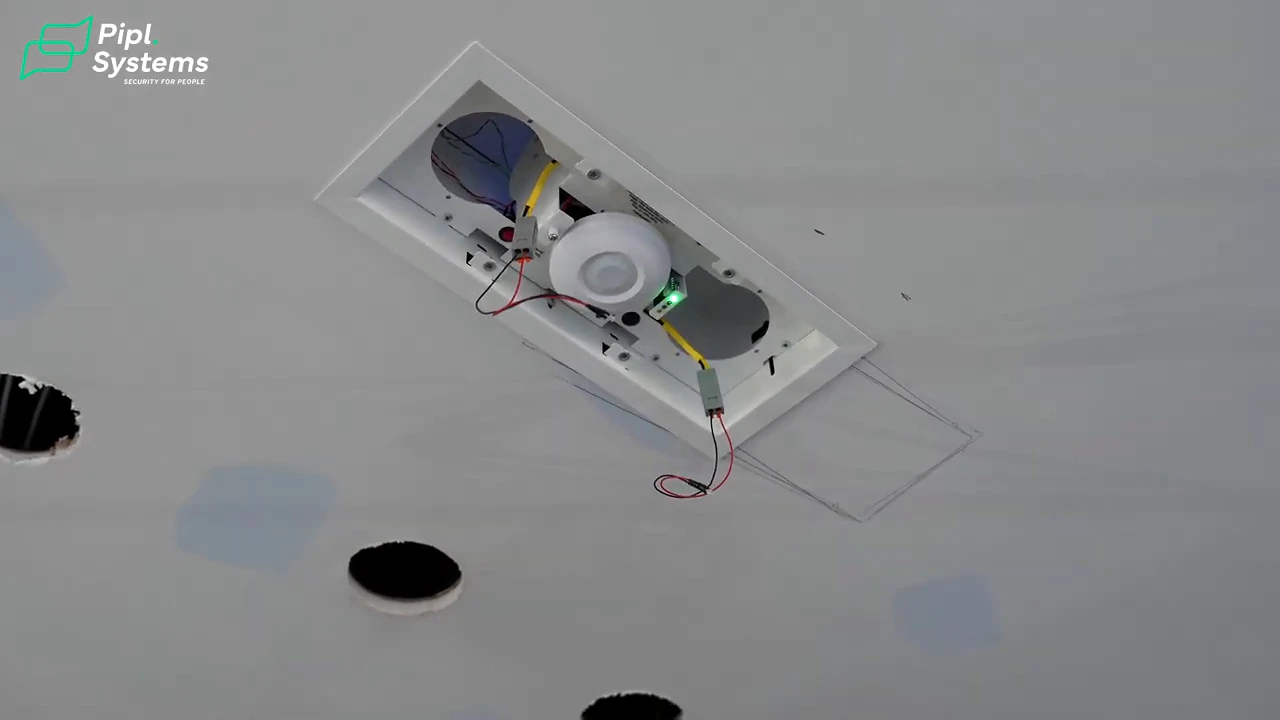
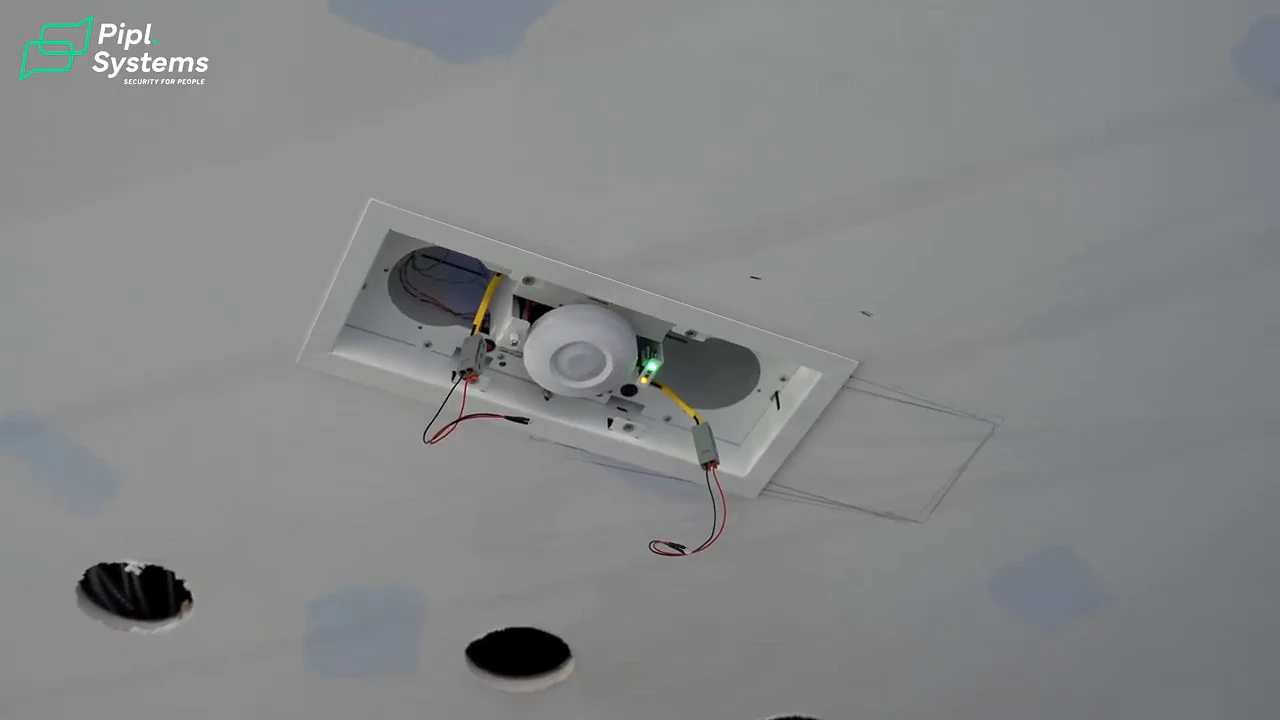
Test LEDs stand in for the cartridges during the activation demonstration; no fog is discharged in this test.
1 / 2
Installing and Comparing Cartridges
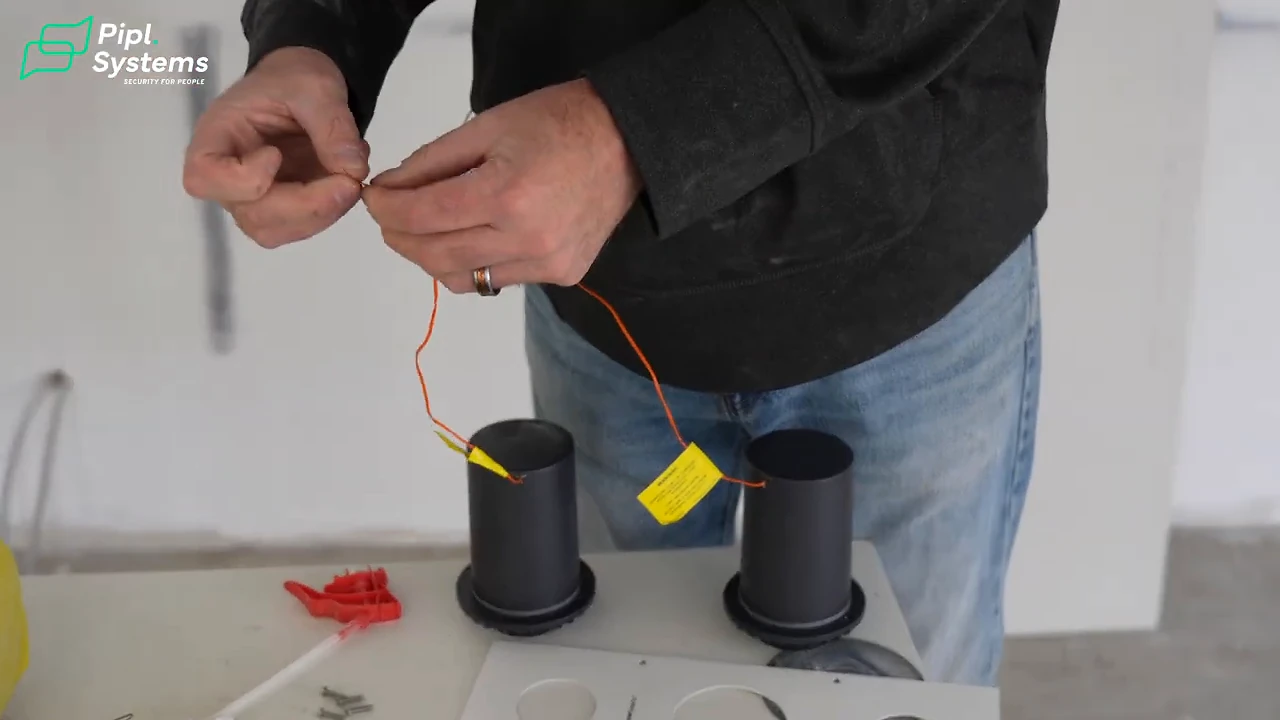
After preparing the connectors, the team replaced the LED test components with operational cartridges. Shawn described a difference between cartridge generations: about 10–15 seconds of discharge for the earlier version and about five seconds for the newer one.
For a room he describes as roughly 20 by 20 feet, with a ceiling a little over 8½ feet high, Shawn estimates that two newer cartridges could reduce visibility to an extremely low level in around 10–15 seconds. These are his estimates for that room and cartridge generation. Cartridge discharge time and the time to obscure the protected space are separate design considerations.
Have the proposal identify the exact cartridge generation, specified coverage and test method for your property. This gives you a clear basis for checking that the chosen equipment suits the room volume and intended activation sequence.
Final Assembly and Reset
For final assembly, Spencer followed the isolation and reset sequence described by Shawn, removed the LED test components, installed the cartridges and closed the ceiling housing. The finished cover integrates with the ceiling while retaining its outlets and indicator.
A trained installer should carry out this work using the exact equipment instructions. The manufacturer’s CPM installation guide specifies handling and service precautions, including those for hot cartridges after activation.
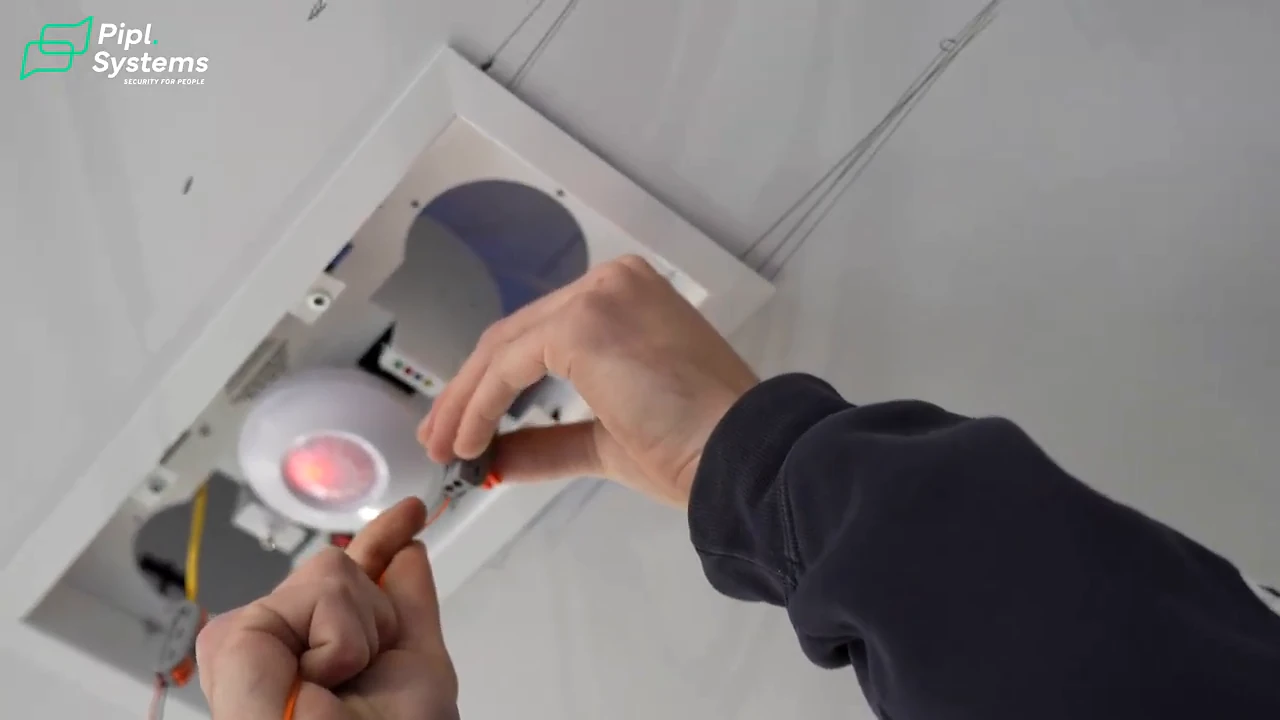
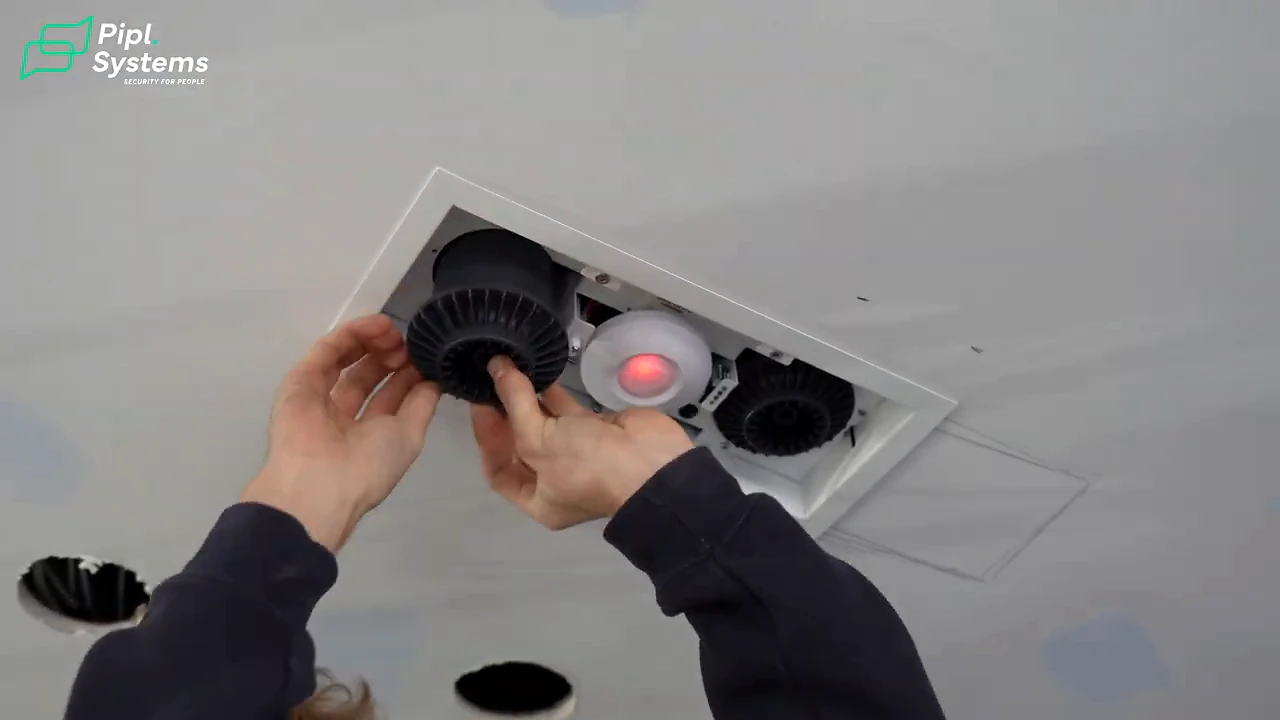
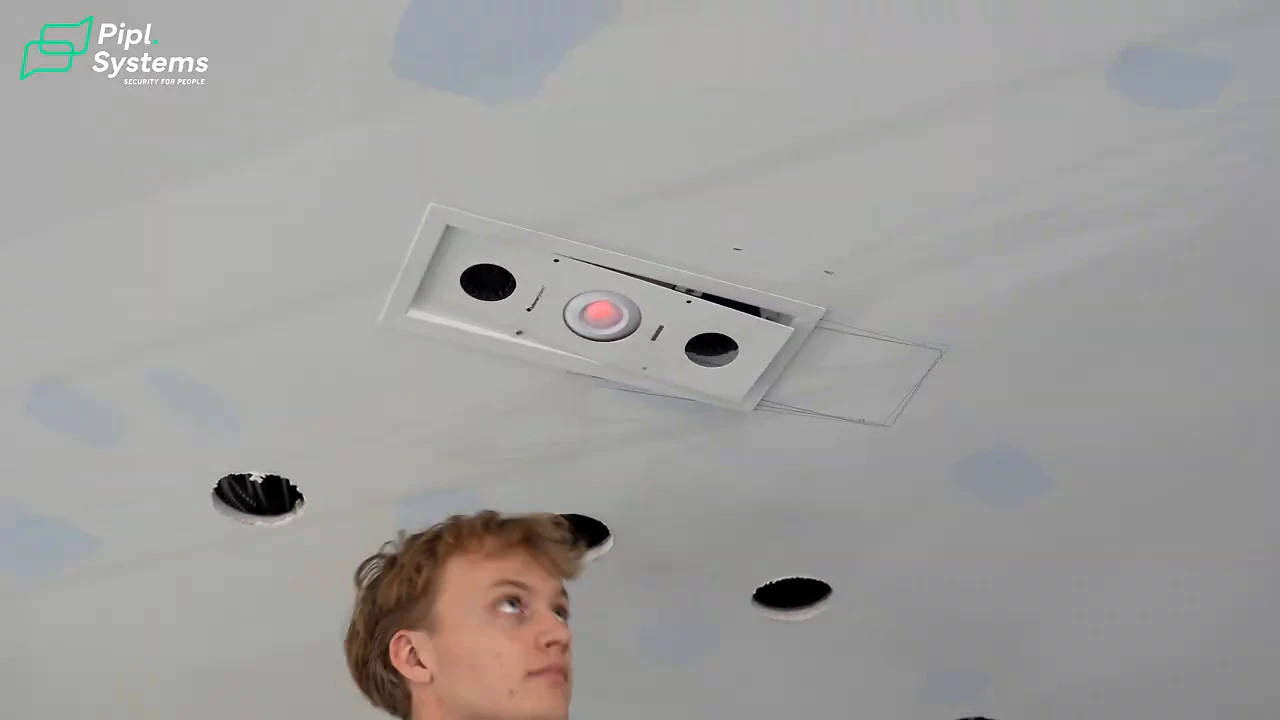
Spencer prepares the ceiling-mounted unit for its operational cartridges after the simulated test.
1 / 3
Alarm Integration, Panic Buttons and Remote Activation
Final alarm integration remained pending at the time of filming. According to Shawn, the owner uses one alarm company for several stores. TJC Systems planned to coordinate with that company once its panel was installed, then work together to integrate and test the complete arrangement.
Shawn identifies DSC, Honeywell, Qolsys, Ajax and Paradox as examples of alarm platforms that can be used in an integration. He also describes standalone button activation and a camera-triggered arrangement through suitable inputs and outputs. For your project, the installer needs to confirm the exact panel, interface and activation rules.
| Method | What it can do | What must be resolved |
|---|---|---|
| Intrusion-alarm activation | Respond to the configured alarm condition in the protected zone. | Arming state, confirmation logic, faults, false alarms and monitoring procedures. |
| Panic button | Allow a trained person to request activation. | Who may activate it, when occupants are present, and what staff should do next. |
| Remote activation | Allow authorized activation through a supported, configured control path. | Verification, permissions, connectivity, loss of communications and a documented response plan. |
| Camera or analytics event | Supply an event to a compatible control interface. | Exact hardware outputs or approved interface, event reliability and safeguards against an unwanted discharge. |
Enforcer lists remote activation among its CPM capabilities. Ask the provider to demonstrate the controls selected for your installation, including user permissions, armed and disarmed behavior, fault reporting, and what happens if power or communications fail.
Safety, Jewelry and Post-Activation Cleanup
Enforcer describes CPM emissions as non-toxic, non-corrosive and non-greasy, with a small amount of dust possible after activation. The manufacturer also notes possible irritation of the eyes, nose and throat. These characteristics make material compatibility, occupant needs and post-activation procedures part of the installation assessment.
Before commissioning, have the installer review the current Safety Data Sheet and cartridge instructions with you. Tell the provider about respiratory sensitivities, children, pets or other occupant needs so the protected zones and response procedures can be planned accordingly.
The CPM cartridge design eliminates a liquid fog-fluid tank and continuous reservoir heating. For a jewelry store, review exposed stock, watches, electronics and sensitive finishes with the supplier, and obtain written material-compatibility and cleanup guidance. Include artwork, food or other sensitive items where relevant.
Shawn recalls “next to no cleanup” after the earlier on-site demonstration. Plan for ventilation, any necessary dust removal and replacement cartridges so the property can return to service after an activation.
Plan for staff, customers and emergency responders as well as the protected assets. Keep escape routes usable, agree on activation rules and train staff on what to do next. Coordinate any interaction with smoke detection and fire response with the responsible professionals, while keeping all life-safety equipment operational.
What Homeowners and Other GTA Businesses Can Take From This Case
For a home, assess entrances, garages and private collections in the context of everyday occupancy. Family routines, occupied rooms, children and pets all affect which zones to protect and how activation should work. A residential layout needs its own assessment even when the equipment principles are similar.
A residential brief should identify the valuables to protect and when the selected areas are occupied. Automatic activation in an empty property and panic-button activation while a family is home need different operating rules. Have a qualified installer plan those rules around the protected zones and the occupants’ route to safety.
In Canada, self-defense and property protection are governed by conditions that include reasonableness in the circumstances under Criminal Code section 34 and section 35. Justice Canada explains that deadly force is not reasonable solely to defend property. For a fog installation, agree on appropriate activation procedures and obtain professional advice for unusual occupied-site or high-risk scenarios.
For projects in Toronto, Vaughan and King City, or elsewhere in York Region, describe the entry points, occupancy and assets you want to protect. Owners in Mississauga and Brampton in Peel, and in Oakville and Burlington, can start with the same information. Include room dimensions and details of the existing alarm if available so the provider can assess placement, activation and installation requirements.
For another application, see our Phantom Fog case study involving a luxury car collection. Our technical review and demonstration provides further background. This jewelry store project adds a closer look at equipment placement, installation and coordination with the alarm provider.
Cost, Service and the Questions to Ask Before You Buy
Installation cost depends on the areas to protect, equipment output, integration work and service requirements. Ask for an itemized estimate covering the site assessment, units and cartridges, power and battery provision, alarm or camera interfaces, installation, commissioning and user training.
Include ongoing costs in the comparison: replacement cartridges, technician visits after activation, routine checks, battery replacement, monitoring and any remote-control subscription. Specify whether you need permanent protection, a temporary deployment or ongoing maintenance so the provider can explain suitable equipment and service terms.
| Tell the provider | Why it matters |
|---|---|
| Your city, property type and whether people are present | Defines the site visit, occupant precautions and suitable local support. |
| What you want to protect and how someone might reach it | Helps assess protected zones and whether fog addresses the actual loss scenario. |
| Room dimensions, ceiling height, partitions and air movement | Informs output, unit placement and coverage verification. |
| Alarm panel, monitoring provider and camera system | Identifies interfaces, responsibility and the full commissioning test. |
| Preferred activation and service arrangements | Clarifies panic, automatic or remote operation, maintenance and post-discharge support. |
Questions About Jewelry Store Security Fog
How can security fog help during a robbery?
It can interrupt theft by rapidly reducing the clear view an intruder needs to identify and remove valuables. Prompt activation and suitable coverage are central to that response. For occupied premises, staff procedures and safe escape remain part of the protection plan.
Is this the same as a theatrical fog machine?
No. The Phantom Fog installation uses a security system with replaceable CPM cartridges, controlled activation and defined installation and service requirements. A theatrical fog machine is not a substitute for equipment designed and configured for intrusion response.
Can it work with an existing alarm or panic button?
Alarm-triggered and standalone panic-button activation are configurations described by Shawn. Your installer should confirm the exact panel and interface, program the activation rules and test the completed integration. In this store, that final step was planned after the alarm company installed its panel.
Can I activate it remotely?
Yes, when a supported remote-control path is installed and configured. Have the installer demonstrate the actual controls, user permissions and response to a communications failure as part of the handover.
Will it damage jewelry or leave a greasy film?
Enforcer describes CPM emissions as non-corrosive and non-greasy, with a small amount of dust possible after activation. Ask for written guidance covering your jewelry, finishes and other sensitive materials, together with ventilation and cleanup instructions.
Plan Your Security Fog Project With Pipl Systems
To plan protection for your property, visit our Security Fog page and submit the project form. Tell us your city, property type, main concern and existing security equipment. That information gives us a starting point to help you explore coverage needs, equipment options and the right installation and service support.
Pipl Systems can help you work through the equipment options, clarify integration and service requirements, and connect with suitable independent installation specialists. We provide free initial project guidance. Your selected supplier or installer confirms the final scope, pricing, installation and maintenance arrangements.
You do not need to choose a model or prepare a technical specification before contacting us. Start with what you want to protect and the information you already have. Let us know whether you need a permanent installation, a temporary solution or ongoing support. We can help clarify the next step toward a project estimate.