

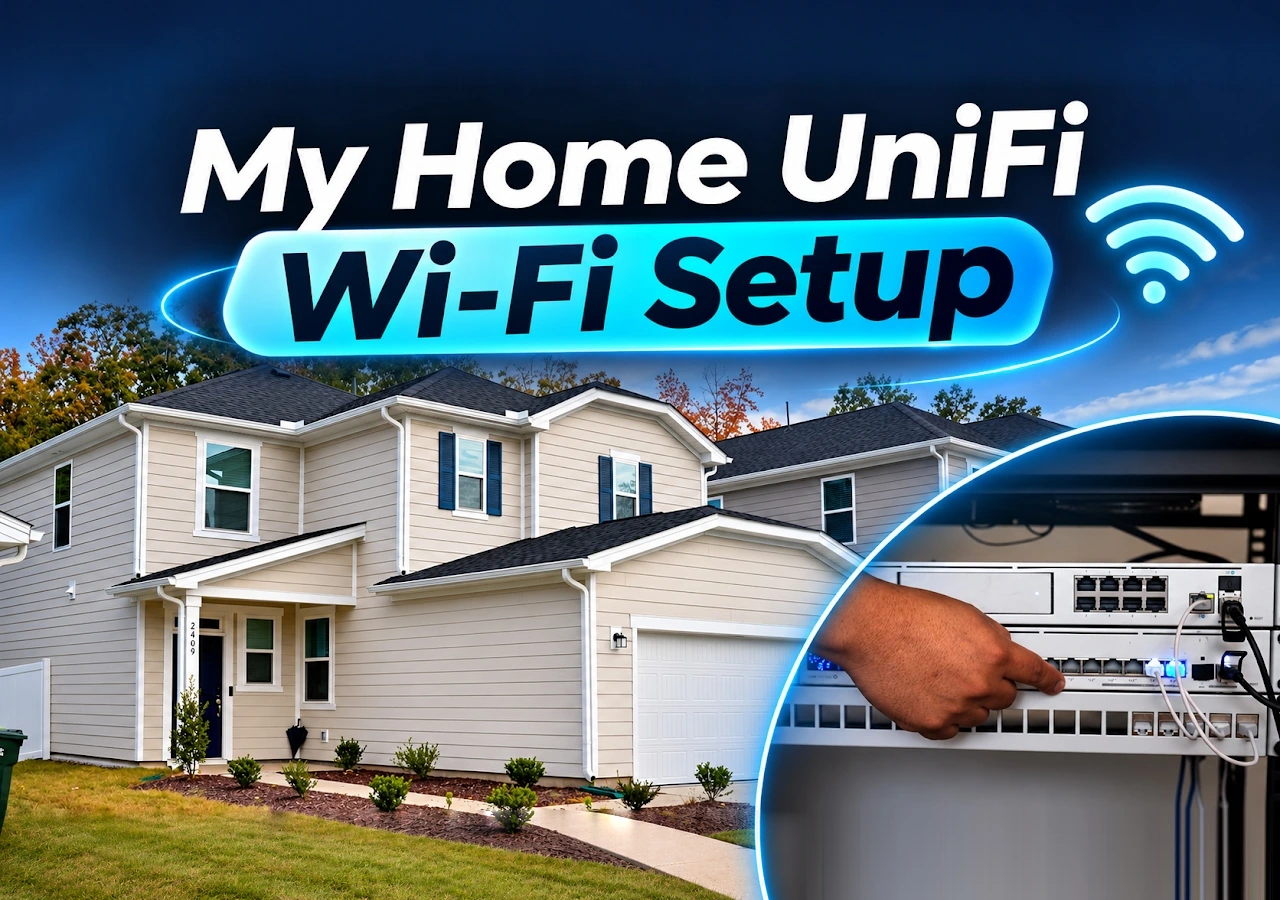
A two-story rental home, one useful Ethernet run to the living room and no practical route for a new upstairs data cable: that is the problem network engineer David Grillo had to solve. His UniFi home network setup combines a wired U7 Pro Wall downstairs with a U7 Pro upstairs, using a wireless uplink where new Ethernet was impractical.
The useful lesson goes beyond buying WiFi 7 access points. David separates the provider connection, local switching, access-point placement and camera network, then checks how those parts connect in UniFi Network. This walkthrough shows his actual design decisions, including reused rack equipment and a compromise on the second floor. It is a deployment case study, not a controlled whole-home speed test.
Watch David’s complete installation walkthrough. Select a chapter below to move within the same embedded player.
Video chapters · 11:26
The Home Coverage Problem Comes Before the Shopping List
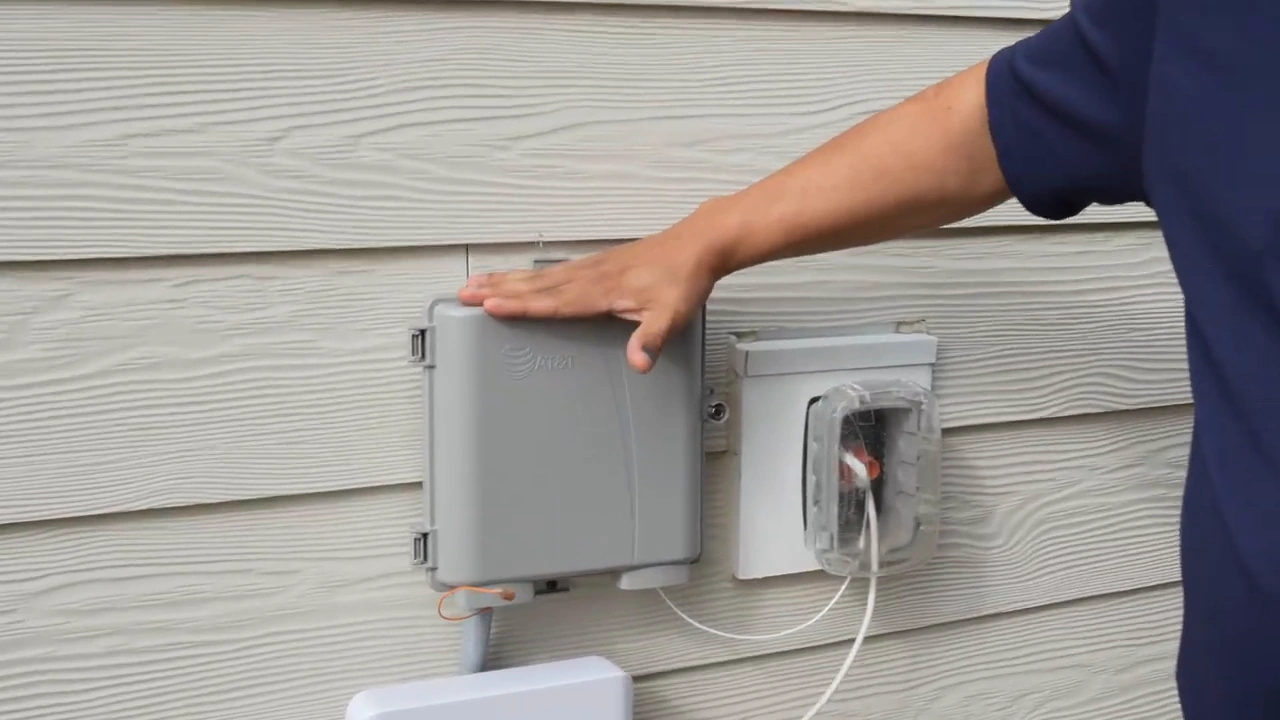
David’s home is in Raleigh, North Carolina. The provider equipment sits in a small laundry-room communications cabinet, while the rooms needing Wi-Fi extend across two floors. A fast fiber service cannot compensate for an access point in the wrong place or an unreliable connection between floors.
He already had an Ethernet run to the living room. That gave him a useful wired location for the downstairs access point, rather than forcing all wireless coverage to originate inside the provider cabinet. Upstairs, the situation was different: there was no existing data run where he wanted the second access point, and extensive rewiring was unattractive in a rental.
This is not an installation with no new wiring at all. David adds short connections to a nearby office rack and provides power to the upstairs access point. The constraint is avoiding a new Ethernet data backhaul between floors.
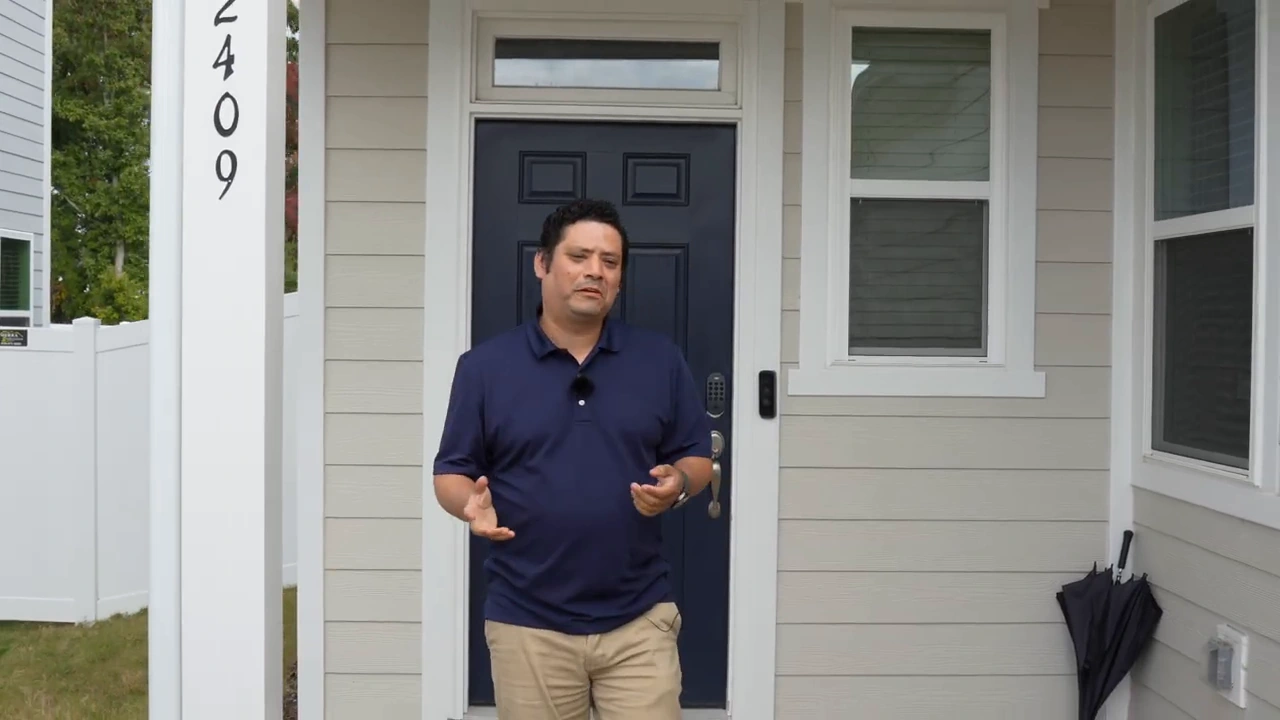
The starting point: a two-story rental home with limited existing Ethernet wiring.
1 / 2
The Network Path: AT&T Fiber, Gateway, Switch and Access Points
The connection starts with AT&T fiber outside the house and the provider gateway inside. David explains that he kept AT&T because of his previous experience and pricing. That is a personal service choice, not evidence that one fiber provider is better for every home. The exterior coaxial connection is not used in this deployment.
From the provider cabinet, Ethernet reaches the adjacent office rack. The UDM Pro provides the UniFi gateway platform, and the Pro Max 16 PoE handles the main wired connections and PoE devices. The living-room access point has a wired uplink; the upstairs access point reaches the network wirelessly through it.
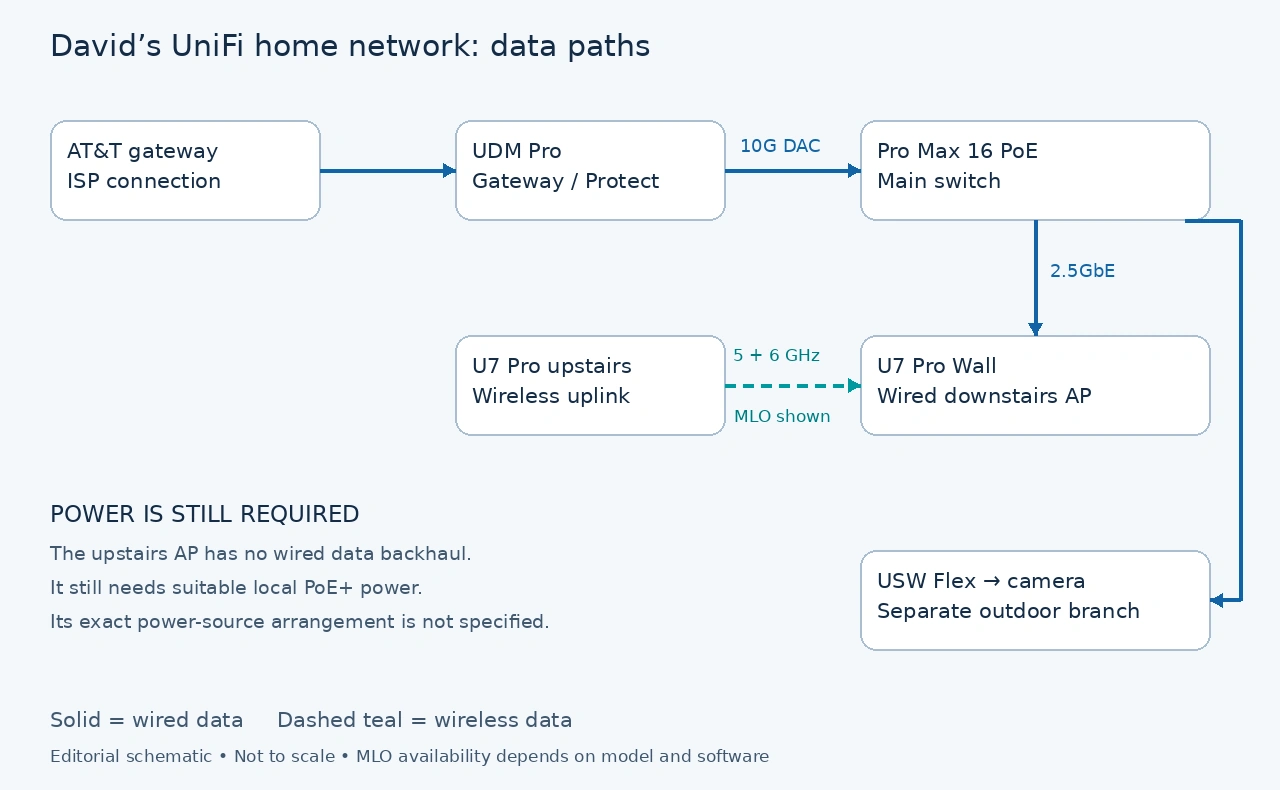
Keeping the provider gateway: the video does not establish the exact AT&T routing configuration. Do not infer that the optical connection plugs directly into the UDM Pro or that the provider gateway has been bypassed. AT&T documents IP Passthrough for supported gateways; that is a configuration to verify on the specific service and hardware, not an automatic instruction to remove ISP equipment.
What Each UniFi Device Does in This Installation
| Device | Role in the video | What matters when choosing |
|---|---|---|
| U7 Pro Wall | Wired downstairs access point and mesh parent for the upstairs AP. | WiFi 7, 2.4/5/6 GHz, 2.5GbE uplink and PoE+. Placement and a suitable wired feed come first. Specifications |
| U7 Pro | Upstairs access point using the wireless uplink shown in UniFi Network. | WiFi 7, 2.4/5/6 GHz, 2.5GbE port and PoE+. Wireless backhaul still needs local power and a suitable parent signal. Specifications |
| Dream Machine Pro | Gateway and UniFi application platform, with local camera recording capability. | Supports UniFi Network and Protect and has a 3.5-inch NVR drive bay. Match gateway capacity and storage to the project. Specifications |
| Pro Max 16 PoE | Main PoE switch connecting the rack and wired devices. | 12 × 1GbE PoE+ ports, 4 × 2.5GbE PoE++ ports and 2 × 10G SFP+ ports. The copper ports are not all 2.5GbE. Specifications |
| USW Flex | Outdoor switching for the camera branch shown beside the house. | Five 1GbE ports, with PoE input and four PoE+ outputs. The available output budget depends on the input power. Specifications |
| 10GbE SFP+ DAC and patch panel | Local gateway-to-switch uplink and organized cable termination. | The DAC is direct attach copper. The patch panel organizes connections; it is not another active switch. |
David later clarified that he already owned the rack, UDM Pro and switch and also uses the setup for a home lab and remote training. Reusing that equipment made sense for him. A reader starting from scratch should size the gateway, switch, recording and PoE budget for the actual job rather than treating this rack as the minimum requirement. Our guide to choosing a UniFi OS console explains the platform choices.
Using the Existing Cable for the Downstairs U7 Pro Wall
The U7 Pro Wall connects through the existing living-room Ethernet run. David places it to serve the living room, kitchen and entrance area, moving Wi-Fi coverage away from the confined ISP cabinet. The console later shows a 2.5GbE wired uplink for this access point.
The product name matters: this is the U7 Pro Wall, not the similarly named U7 In-Wall. Do not buy an access point on the assumption that every wall-style UniFi model has the same ports, mounting or switching features.
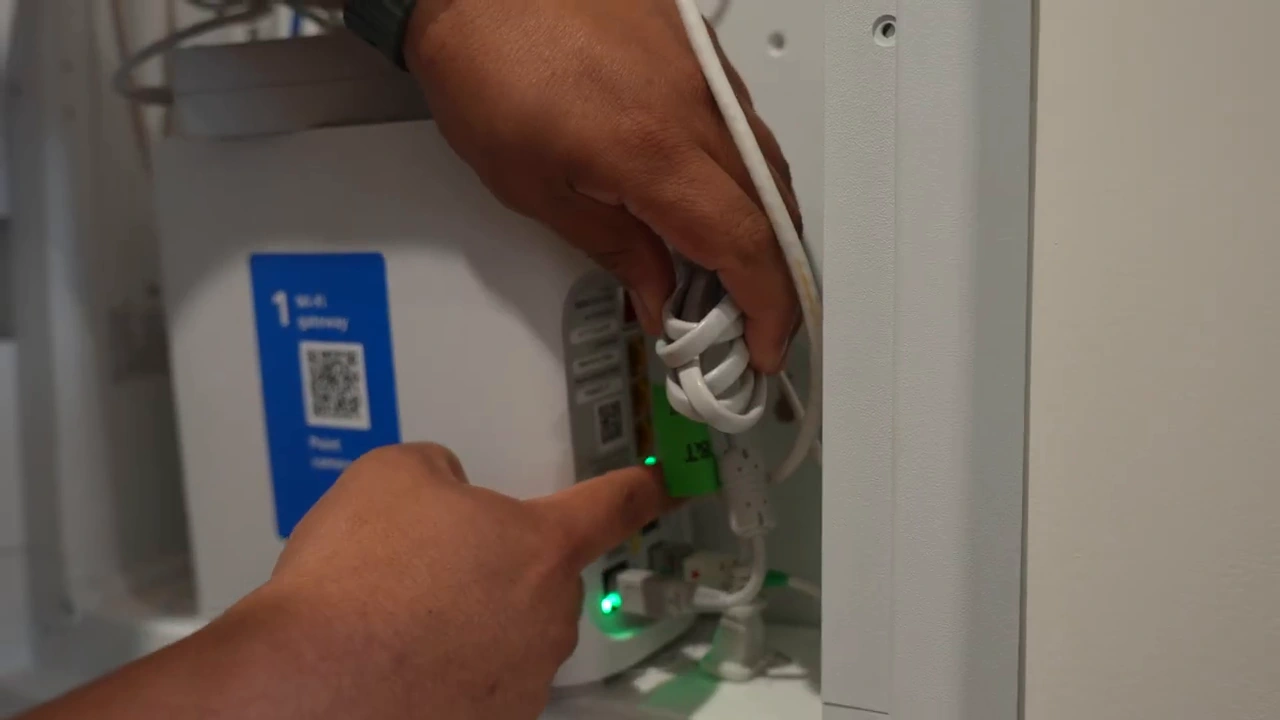
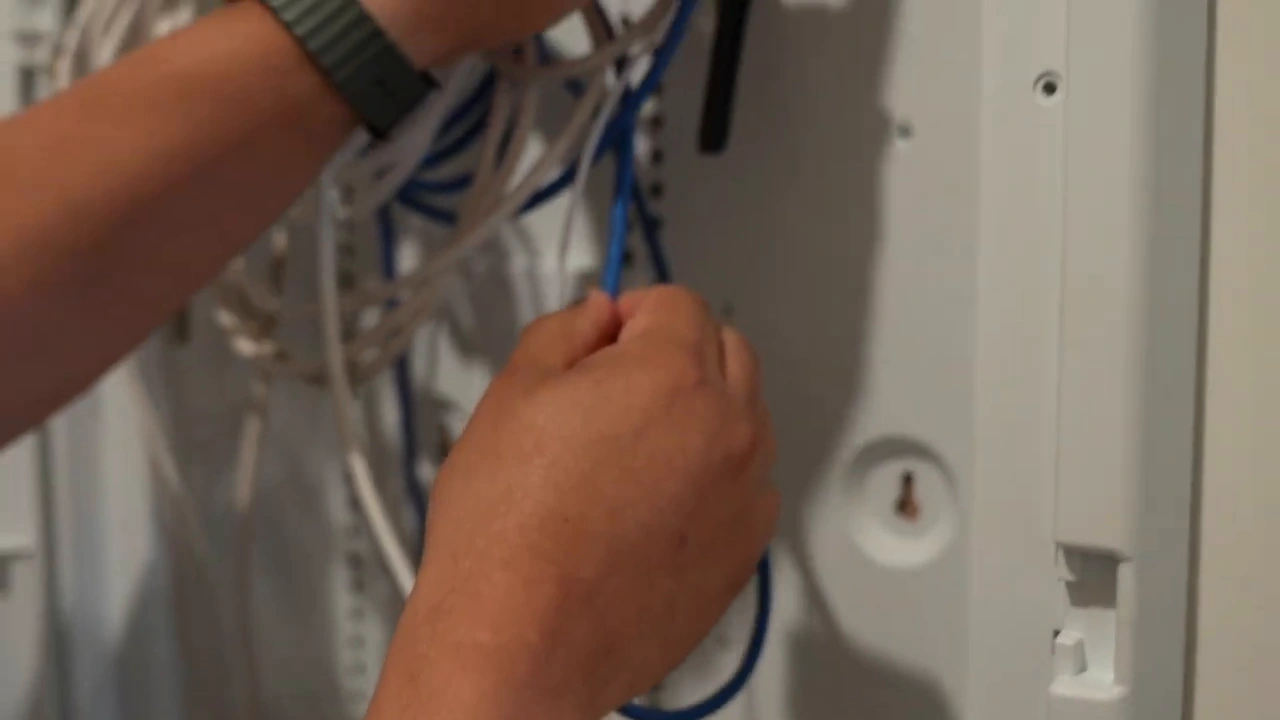
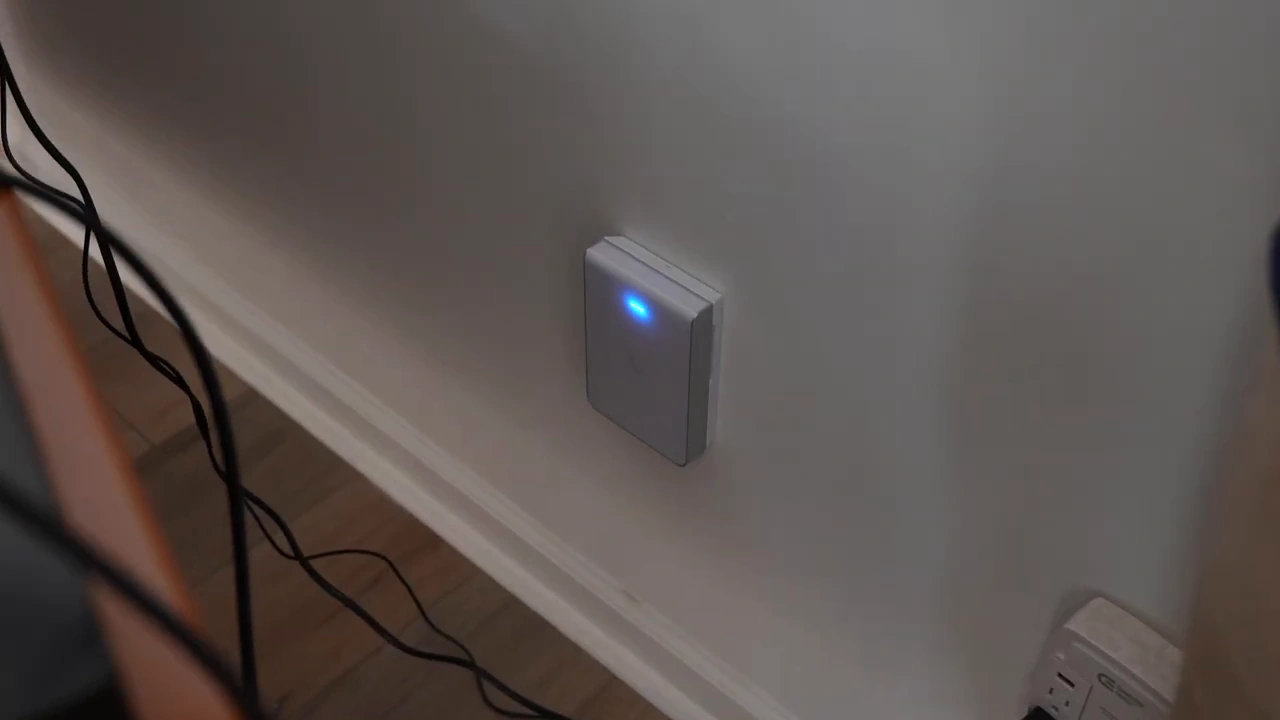
The ISP gateway sits in a small laundry-room cabinet; an existing Ethernet run reaches the living room.
1 / 3
For a similar project, check both ends of the existing run: where it terminates, the negotiated link speed and whether the selected PoE port can power the access point. A multi-gigabit port on an AP does not make every upstream connection multi-gigabit. The cabling, switch port and configuration must support the intended link.
Upstairs Coverage Without a New Ethernet Data Run
David installs a U7 Pro upstairs and uses the downstairs U7 Pro Wall as its wireless parent. This is the central compromise in the design: keep wired connectivity where the house already supports it and use mesh for the floor where a new data run is impractical.
The upstairs access point is not cable-free. David describes accessing the attic and fishing a wire for power. The walkthrough does not identify the exact injector or complete power arrangement, so it should not become a parts list for an assumed attic power installation. The U7 Pro needs suitable PoE+ power even when its data uplink is wireless.
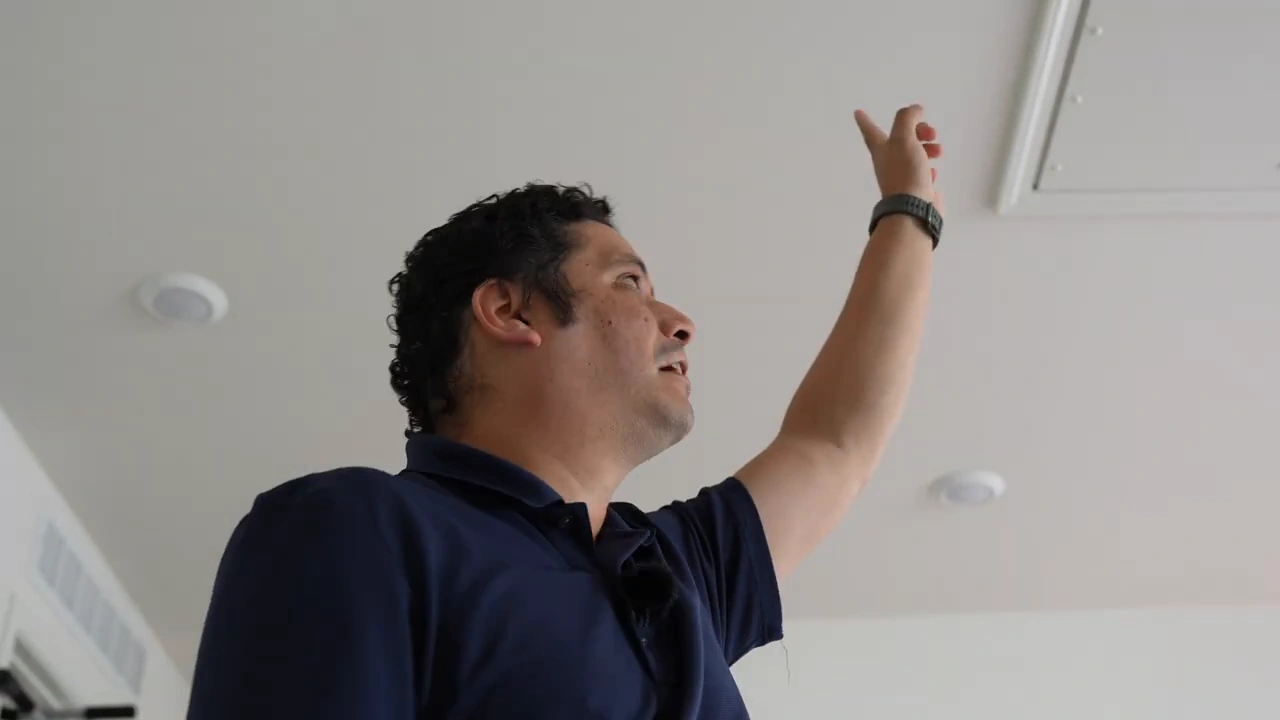
Choose a mesh location for two jobs: reaching the rooms that need coverage and maintaining a good connection back to the parent. Moving an AP into the very weakest coverage area can leave it with a weak uplink as well. Start with Ubiquiti’s wireless mesh planning guidance and verify the link in the actual building, rather than choosing a position solely because a coverage drawing looks complete.
What MLO Adds and What the Console Does Not Prove
In the recorded UniFi Network view, the upstairs U7 Pro shows a mesh connection to the U7 Pro Wall with 5 GHz and 6 GHz MLO statistics. MLO means Multi-Link Operation. It can use multiple radio links instead of relying on just one, subject to the capabilities and configuration of the participating devices.
“allows devices to transmit and receive data simultaneously over multiple links for increased throughput, reduced latency, and improved reliability”
Wi-Fi Alliance, describing MLO in its Wi-Fi CERTIFIED 7 announcement, January 8, 2024.
That explains the technology, not a guaranteed result in this house. The walkthrough shows an active configuration; it does not isolate MLO’s contribution through before-and-after client testing.
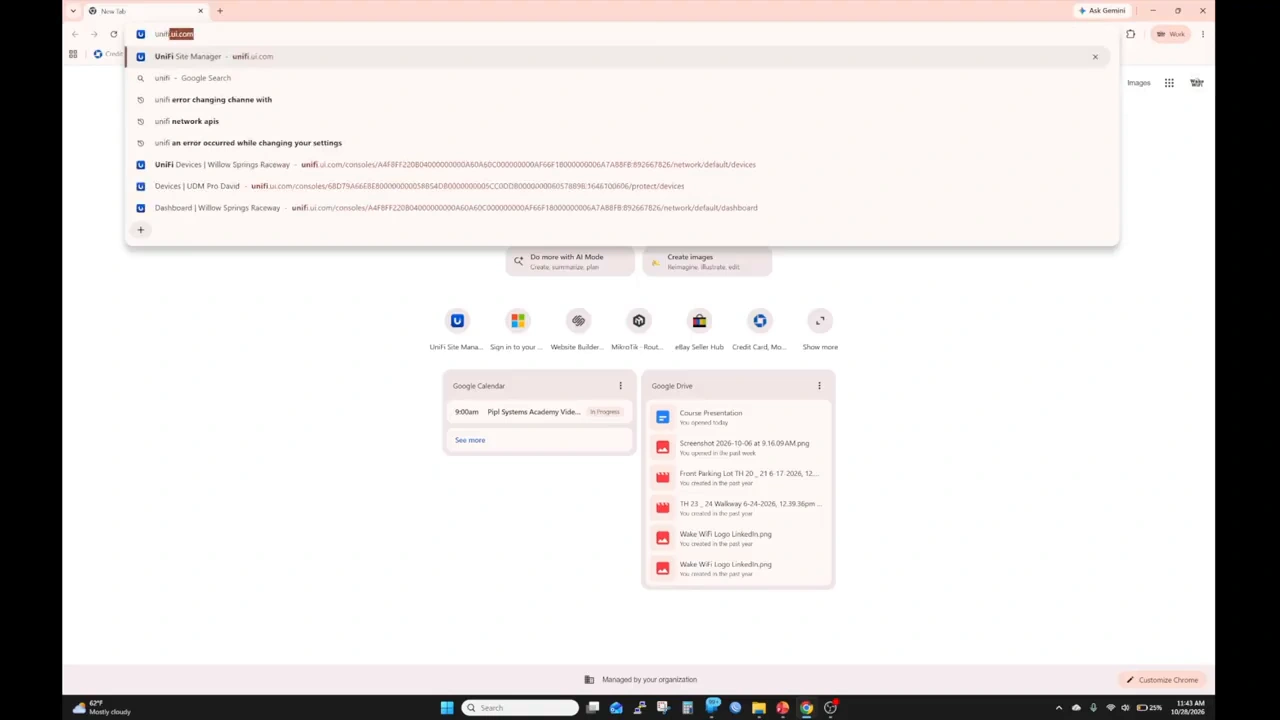
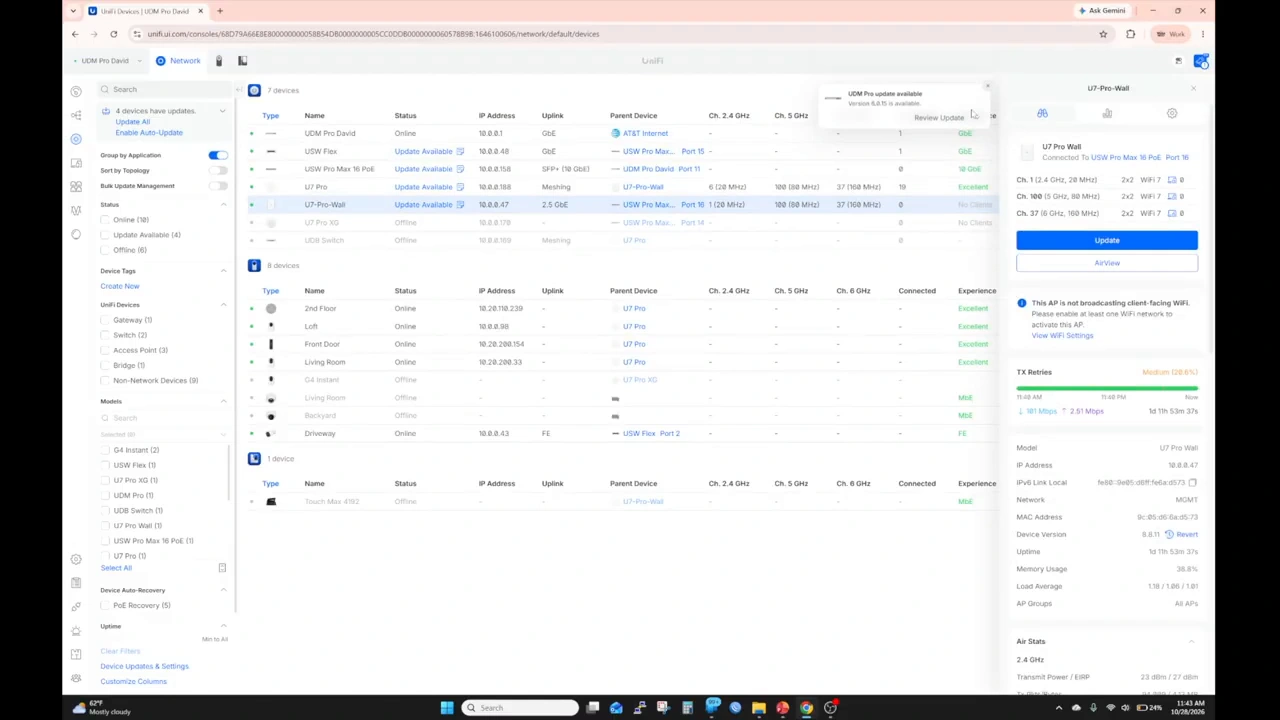
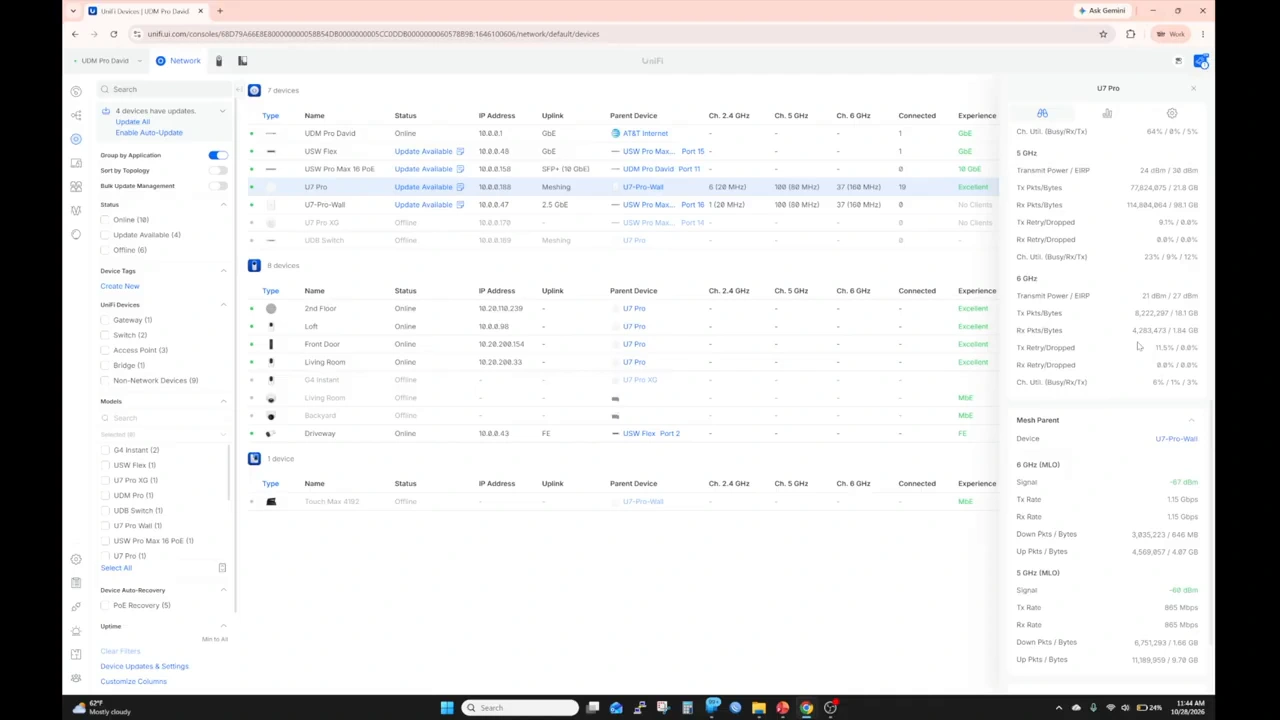
The UniFi Network console provides the device and uplink view used in the walkthrough. Enlarge the original frame to inspect the interface.
1 / 3
Check software support before copying the setup. Ubiquiti’s 8.8.14 release notes describe U7 mesh links using 5 GHz and 6 GHz MLO STR. At our November 16, 2026 review, the page was labeled Release Candidate, with a model-specific list promoted to Official/Stable; U7 Pro and U7 Pro Wall were not in that listed promotion. The video does not establish David’s exact firmware version or release channel. Confirm support for both AP models and the UniFi Network version before buying specifically for this mesh feature.
Also distinguish an AP-to-AP mesh uplink from MLO between an access point and a compatible client. They are different links. A WiFi 7 product label alone does not establish that every mesh or client combination exposes the same feature.
The video’s displayed rates change while David opens the console. Those are link statistics, not measured internet downloads. Adding the 5 GHz and 6 GHz figures together would not establish the speed a laptop can sustain through the upstairs AP. Client capability, radio conditions, channel use and the rest of the network still affect the result.
The Rack: A Copper DAC, PoE Switching and Camera Recording
Inside the office rack, a patch panel organizes the Ethernet connections. A 10GbE SFP+ direct attach copper (DAC) cable connects the UDM Pro to the Pro Max 16 PoE. David confirmed the DAC connection in the video comments.
An SFP+ port can accept different connection types; its presence does not make the attached cable optical fiber. Ubiquiti’s SFP module and DAC guidance explains that distinction. This is a fast local rack uplink, not a claim that David has a 10Gbps internet plan.
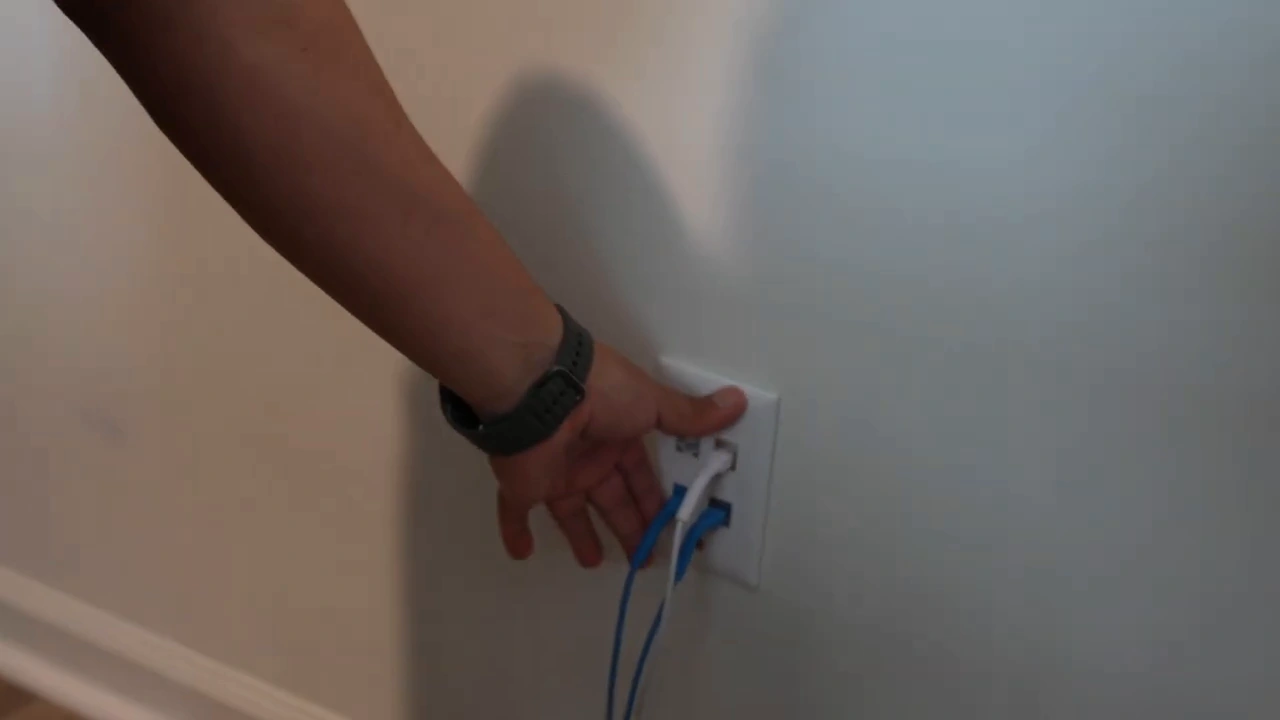
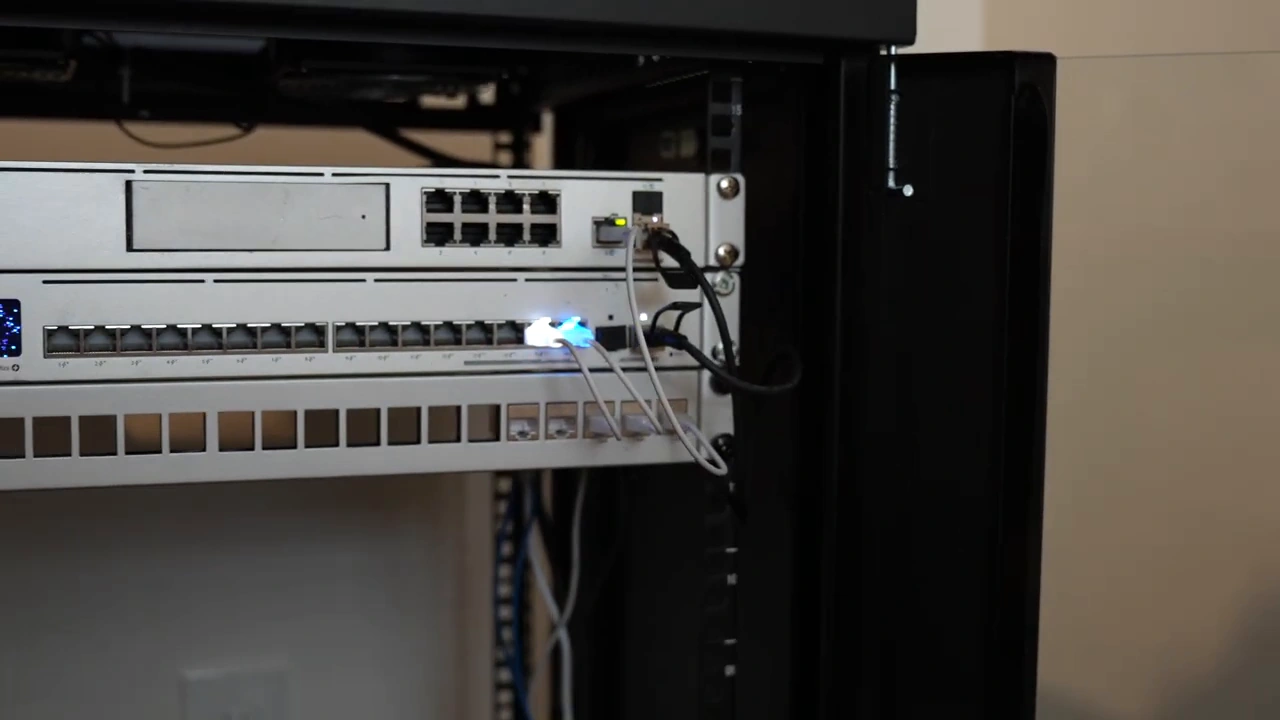
Short new Ethernet runs connect the nearby ISP cabinet and office rack. This installation is not entirely free of new cabling.
1 / 3
The switch powers and connects the relevant wired devices, including the downstairs AP and outdoor branch. David also uses the UDM Pro’s recording capability for UniFi cameras. Our UniFi Protect beginner’s guide covers how consoles, recording and cameras fit together if that is part of your project.
The rack supports more than Wi-Fi, but more equipment is not automatically a better home design. List the ports, power requirements, recording needs and expansion you actually expect. Then choose the smallest sensible architecture that meets them.
The Outdoor Flex Branch Is a Separate Installation Decision
Outside, David opens a Flex enclosure serving a camera. He mentions adding cameras and possibly outdoor Wi-Fi later; those are future plans, not devices already demonstrated as installed. The switch shown is a USW Flex, not a Flex 2.5G.
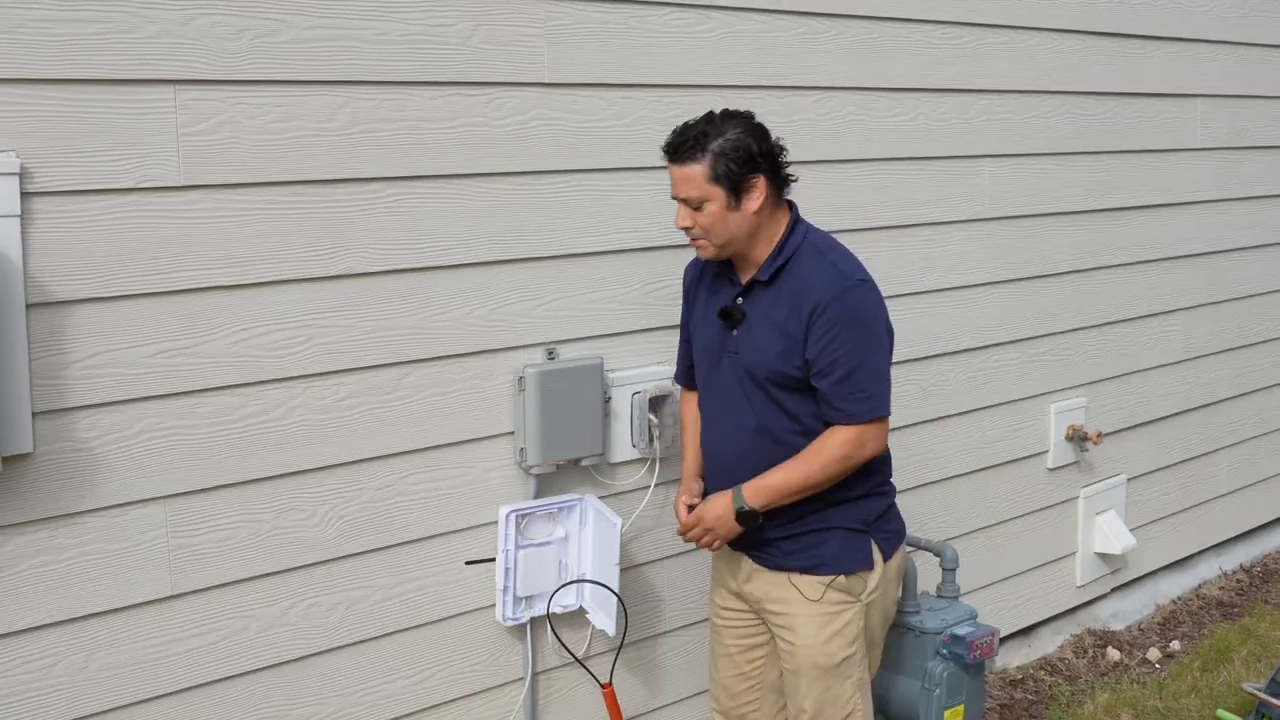
Viewers questioned the exposed mounting. David explained that the enclosure closure had been removed for filming and that the temporary mounting awaited landlord permission for a permanent installation. That clarification explains what appears in the video; it does not confirm that the later work has been completed.
For your own project, account for weather exposure, cable entry, physical access and secure mounting as well as the switch’s power budget. An accessible enclosure can be disconnected. A quiet neighborhood is not a replacement for a suitable installation.
How to Evaluate a Similar Home Network Before Buying
| Question | What to verify | Why it changes the design |
|---|---|---|
| Where can Ethernet already reach? | Trace existing runs, check termination and negotiated speeds. | A usable cable can make a wired AP possible without opening walls. |
| What can power each device? | Check AP requirements, per-port PoE capability and the switch’s total budget. | A wireless data uplink does not supply electrical power. |
| Can the upstairs AP reach its parent reliably? | Review signal and link stability at the intended mounting point. | Coverage for clients and backhaul quality must both be acceptable. |
| Does the required MLO mesh feature apply to these models? | Confirm AP firmware, Network version, regional availability and release channel. | WiFi 7 branding alone is not a complete compatibility check. |
| What performance does the household need? | Test a wired baseline, local transfers, upstairs client use and roaming. | Link-rate screenshots cannot replace end-to-end measurements. |
| Is this also a camera or lab network? | Count devices, storage needs and likely expansion. | David’s reused rack serves more than the two access points. |
“meshing really doesn’t surpass the performance of wiring”
David Grillo, 10:41 in the embedded walkthrough.
Wired backhaul remains the preferred option when a suitable run is practical. Mesh can solve a real physical constraint, as it does here, but it does not eliminate the need to test the result. Walk through the rooms and between floors with the devices the household actually uses. Separate Wi-Fi performance from the provider connection by comparing local-network behavior with internet tests.
Choose UniFi Equipment Around Your Wiring
Start with the access-point locations, uplink path and power budget. Then compare the relevant gateway, switch and AP specifications before ordering.
Learn the Skills Behind the Equipment Choices
The deployment is useful because David connects the physical installation to the network behind it. For installers and technicians, the next step is understanding how Ethernet, switching, addressing, routing and troubleshooting affect the finished system.
Systems Academy’s Practical Network Deployment & Troubleshooting training with David Grillo covers subjects including Ethernet, PoE and fiber, managed switches and VLANs, routing, NAT, firewall rules and practical troubleshooting. It is relevant to security installers, system integrators and IT technicians who need to build and diagnose real networks.
This is not presented as a UniFi certification course or a promise of a dedicated MLO lab. Check the current curriculum and delivery details for the session you plan to attend.
Build Practical Networking Skills with David Grillo
Explore the course topics, current dates and registration details at Systems Academy.
View Practical Network Deployment & Troubleshooting training
UniFi Home Network Setup: Common Questions
Do I need a UDM Pro for a UniFi home network?
Not necessarily. David reused a UDM Pro and rack equipment he already owned, including for camera recording and lab work. Choose a gateway and switch around your client load, applications, ports, PoE and storage requirements.
Can a U7 Pro work upstairs without Ethernet backhaul?
The video shows a U7 Pro using a wireless uplink to a U7 Pro Wall. The upstairs unit still needs suitable power. Check current mesh support for the exact models and software before relying on the same arrangement.
Does WiFi 7 mean my UniFi APs will automatically use MLO mesh?
No. Client MLO and AP-to-AP mesh MLO are different capabilities. Availability depends on the model, firmware, UniFi Network version, configuration and applicable region. Verify current release notes for both ends of the link.
Is the connection between the UDM Pro and switch fiber?
In this installation it is a 10GbE SFP+ direct attach copper cable, or DAC. David confirmed that correction in the comments. It is a local gateway-to-switch connection, not an indication of the internet plan speed.
Do the MLO rates in the console show real download speed?
They show wireless link statistics. They do not establish a client’s sustained transfer rate or internet download speed, and adding the displayed link rates is not a substitute for testing.
Does Systems Academy teach only UniFi Wi-Fi?
The linked Practical Network Deployment & Troubleshooting course covers broader network deployment and troubleshooting subjects. Review its current curriculum and session details rather than assuming it is a dedicated WiFi 7 or UniFi certification course.
Need Help Planning the Installation?
David’s setup demonstrates a useful approach: use existing Ethernet first, make the wireless compromise explicit and verify the connections in the controller. The right equipment follows those decisions.
If your project also involves cameras, outdoor cabling or a wider property, describe the existing wiring, coverage areas and recording requirements in the integrator request form below. Pipl Systems can help you connect with an appropriate professional. Our guide to choosing a security integrator provides questions to ask before committing to the work.