

1. Intro: The Problem with Night Vision in Security Cameras
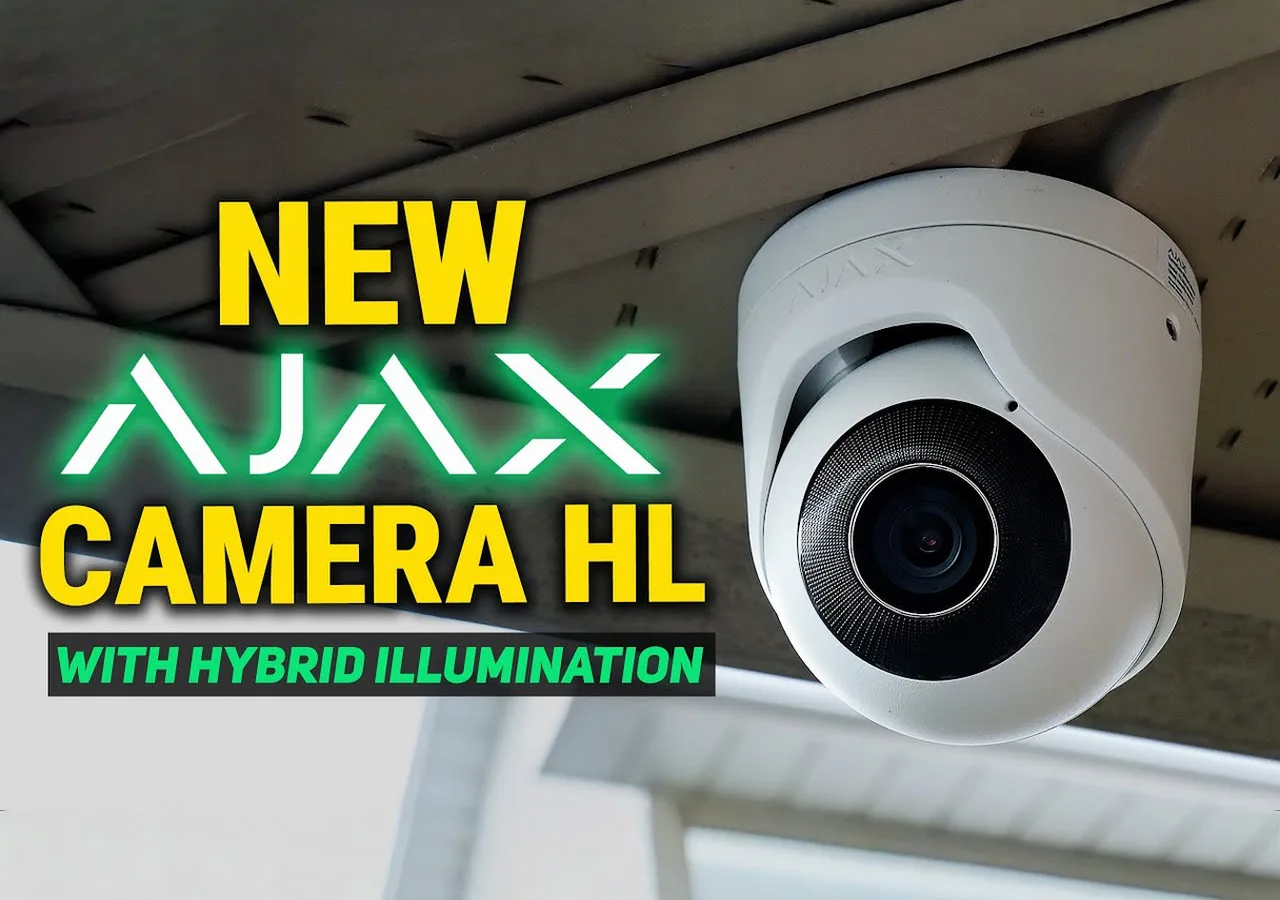
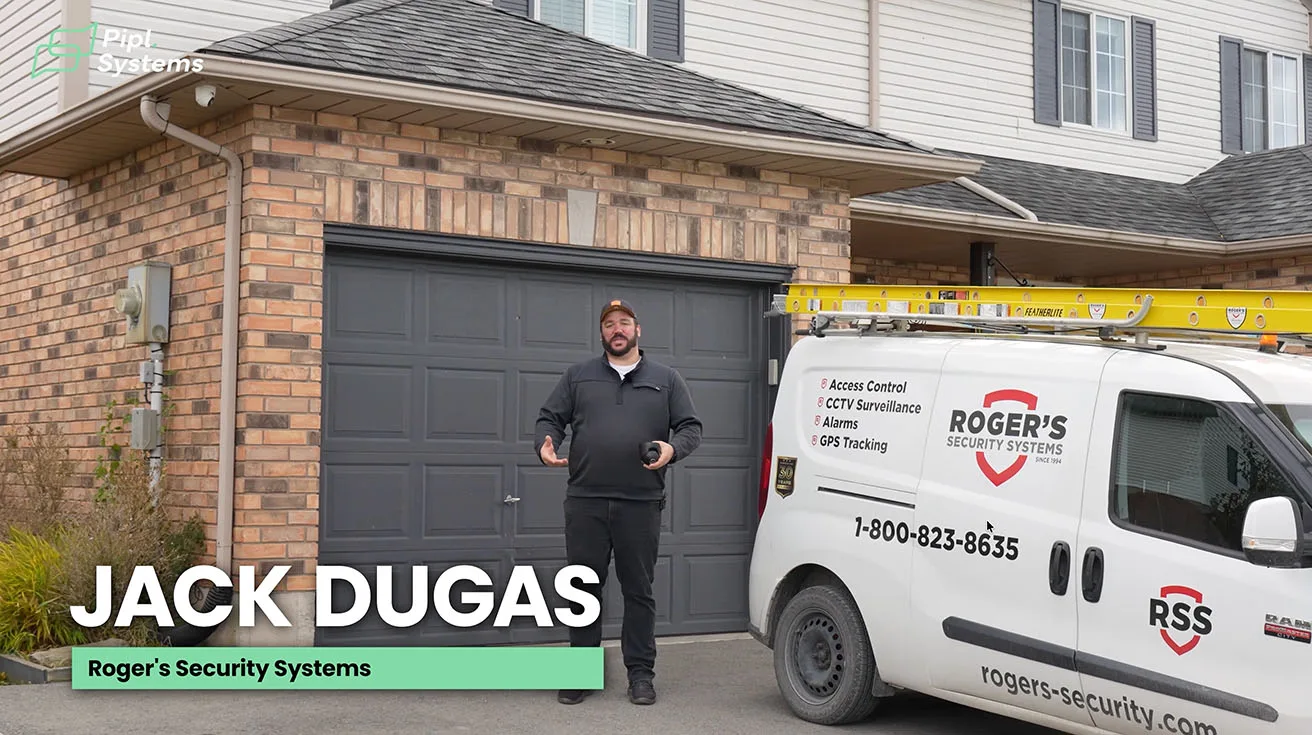
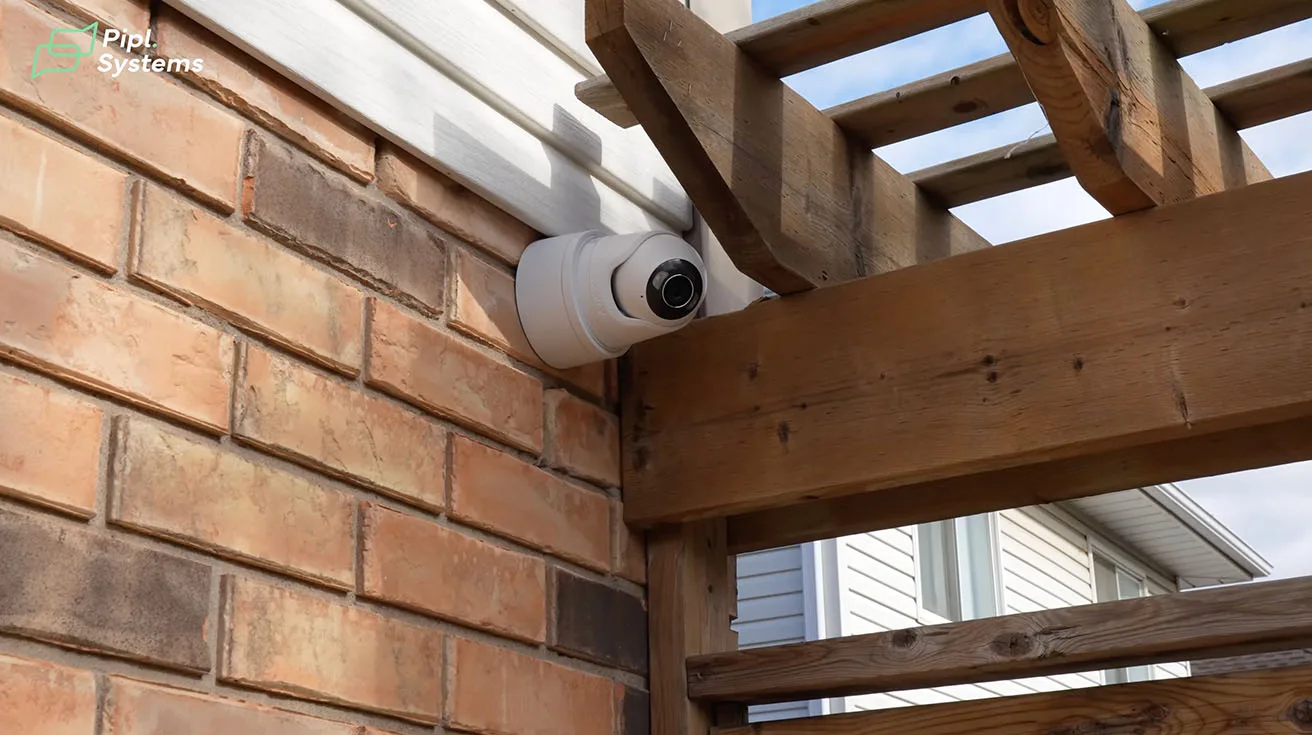
I’m Jack Dugas from Roger’s Security Systems, and we’ve been installing security systems in Southern Ontario for over 32 years. Today, we’re working on a residential project where we’re putting in the new Ajax TurretCam HL - the latest in hybrid illumination technology.
For years, security cameras relied on infrared (IR) night vision, but there’s a big limitation: IR only works in near-darkness. If you’re in a spot with no ambient light at all, like a backyard with no streetlights or a garage entrance in total darkness, IR just doesn’t cut it. You get grainy, low-quality footage that doesn’t show faces, license plates, or even the shape of a person.
The Ajax TurretCam HL changes that. It’s not just another camera - it’s a hybrid illumination system that combines AI-powered detection with active lighting to deliver color video in total darkness. And it’s not just for residential; this tech is game-changing for commercial sites, warehouses, and high-security perimeters where traditional cameras fail.
If you’re curious about how Ajax scales up for large-scale deployments, check out our warehouse case study - it shows how similar principles apply in industrial environments: Ajax Alarm System Installation in Toronto’s Largest Warehouse.
2. What Makes the Ajax TurretCam HL Different?
The HL (Hybrid Illumination) line from Ajax isn’t just an upgrade - it’s a paradigm shift in outdoor video surveillance. Here’s what sets it apart:
2.1. 160-Foot IR Range with Color Video
- Traditional IR cameras struggle in complete darkness - they rely on ambient light or their own IR LEDs, which create black-and-white, low-resolution footage.
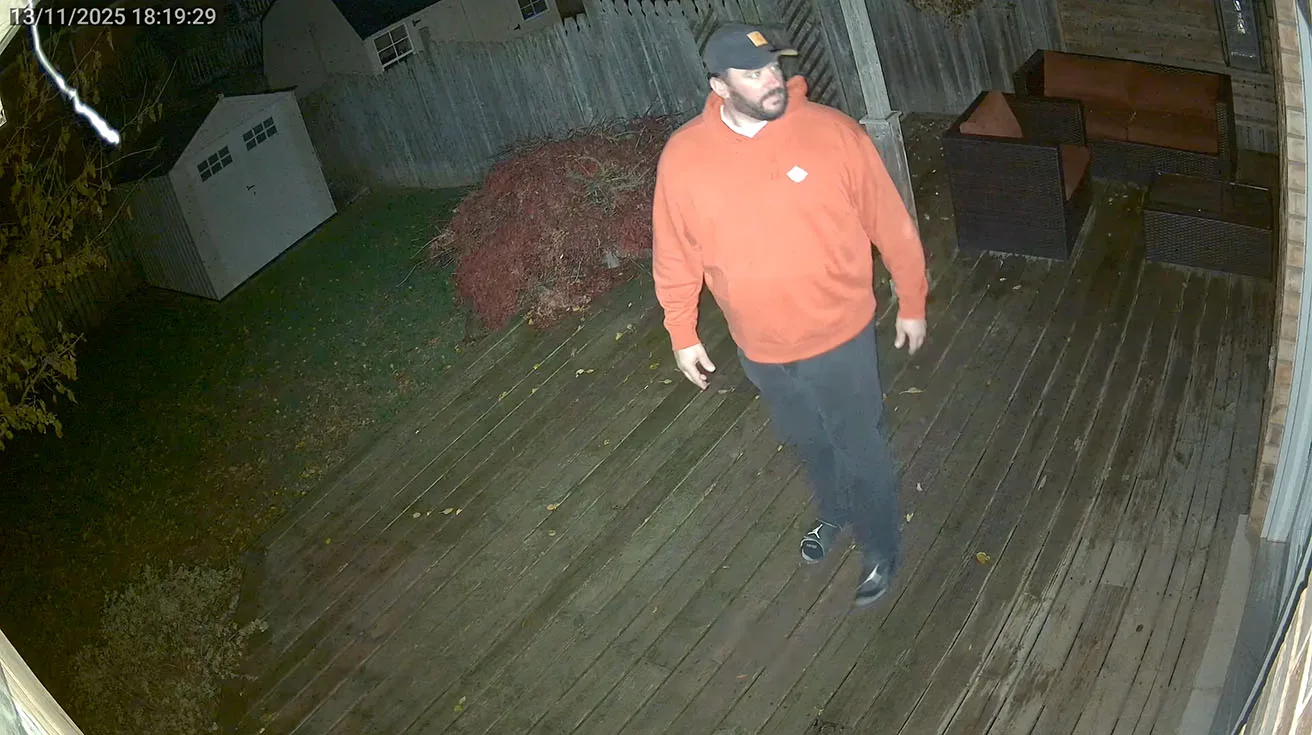
- The TurretCam HL uses active hybrid illumination, meaning it actively lights up the scene while still capturing full-color video at night.
- This gives you clear, detailed images – even in total blackout conditions – where standard cameras would fail.
2.2. Multiple Form Factors, One Unified System
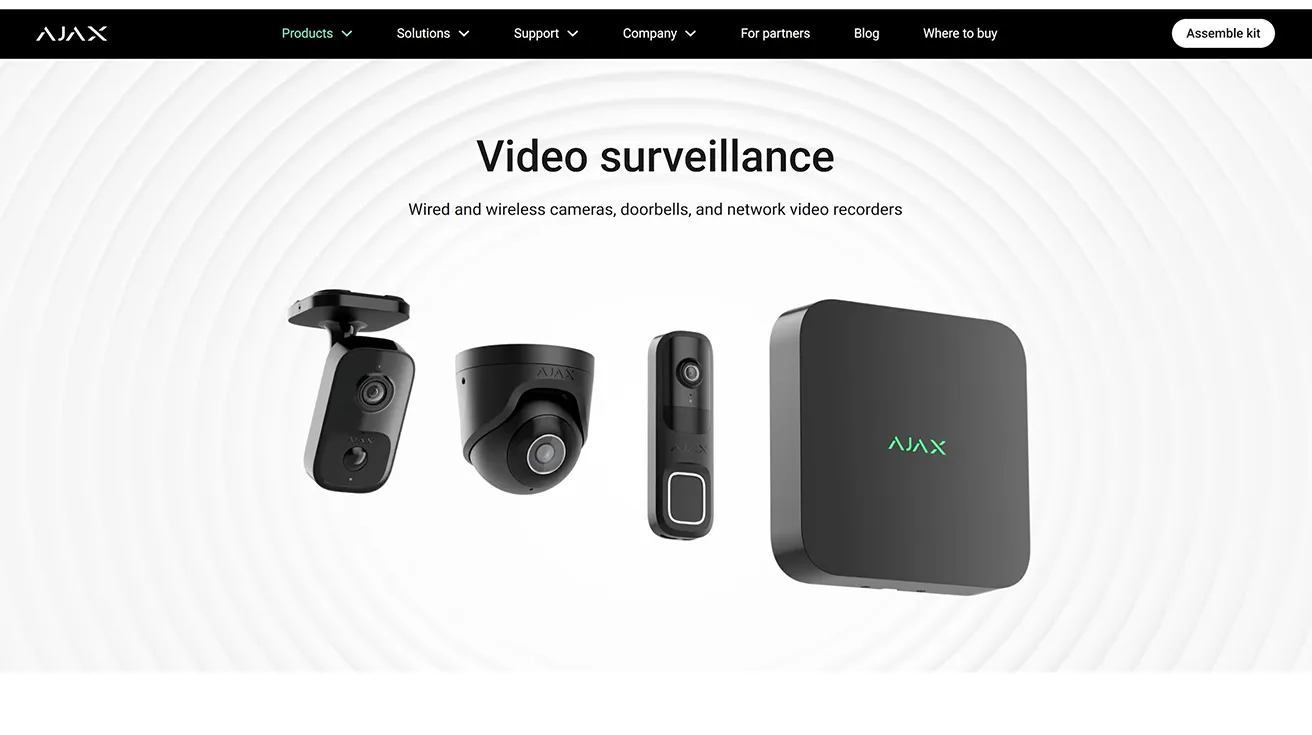
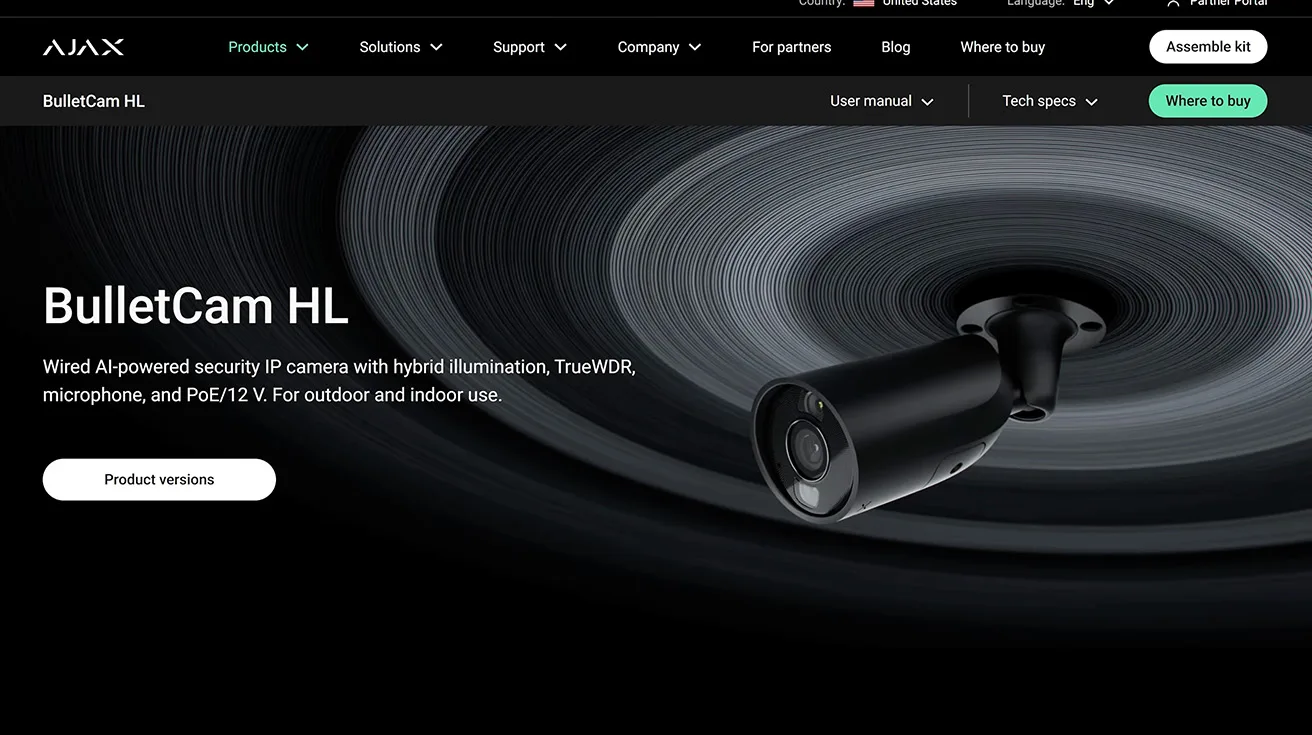
Ajax offers the HL in three styles:
- Turret (for wide-area coverage)
- Bullet (for long-range, narrow fields)
- Mini Dome (for discreet, high-resolution monitoring)
All of them integrate seamlessly with the Ajax ecosystem, meaning you can:
- Arm cameras as motion sensors (triggering alarms before intruders reach doors)
- Link them to automation (e.g., unlocking doors via DoorBell)
- Store footage locally (NVR) or in the cloud





1 / 9
For a deeper look at how Ajax integrates with smart locks, check out our guide: How to Integrate Yale Smart Locks with Ajax Systems.
2.3. Storage Flexibility
Unlike some competitors that lock you into cloud-only or proprietary NVR, Ajax gives you three options:
- NVR (Network Video Recorder) – Local storage, no monthly fees
- SD Card – Portable backup
- Cloud – Remote access
This flexibility is crucial for budget-conscious clients who don’t want to pay for unnecessary cloud storage.
3. Live App Walkthrough: How the HL Camera Works in Practice
Now, let’s dive into the Ajax app - where the real magic happens.
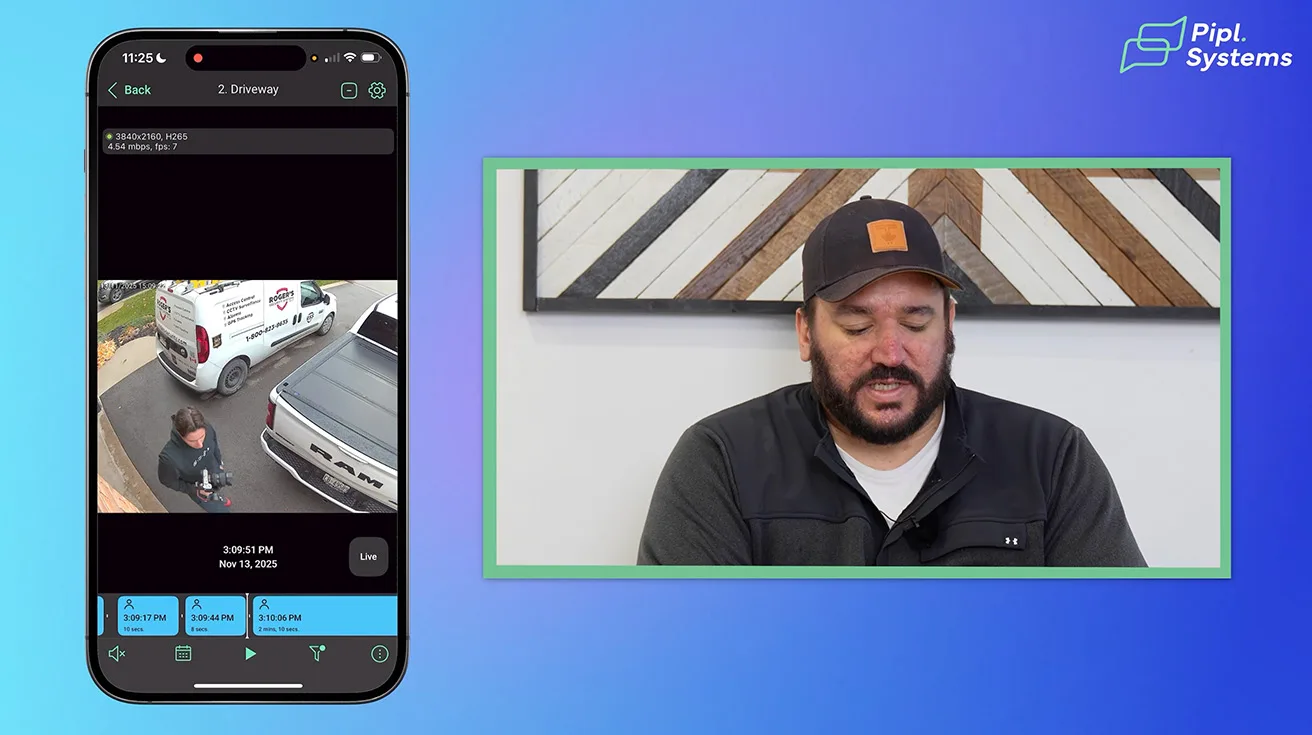
3.1. Event Timeline with AI Color Coding
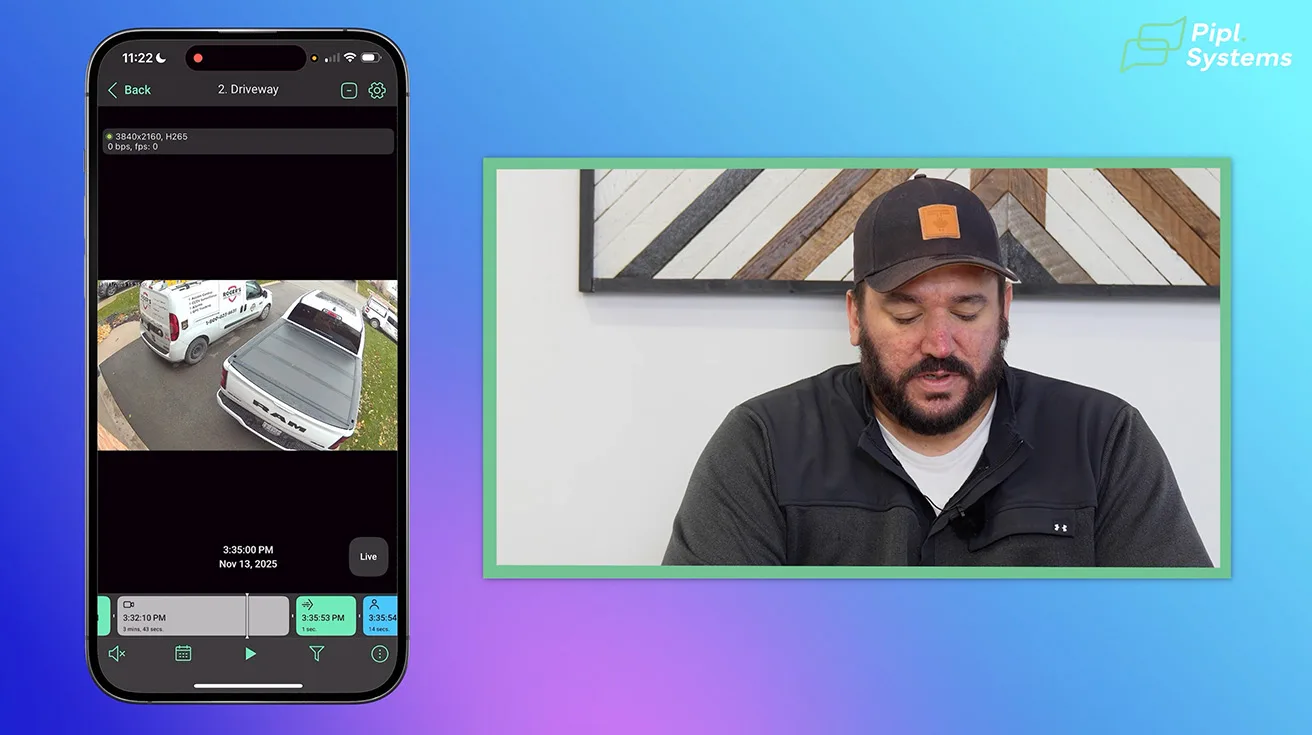
When you open a camera feed, you’ll see a scrubber bar at the bottom with color-coded events:
- Green = General motion (leaves, shadows)
- Blue = Detected humans (most important for security)
- Gray = Continuous recording (no events)
This AI filtering saves you hours of sifting through false alarms.



1 / 5
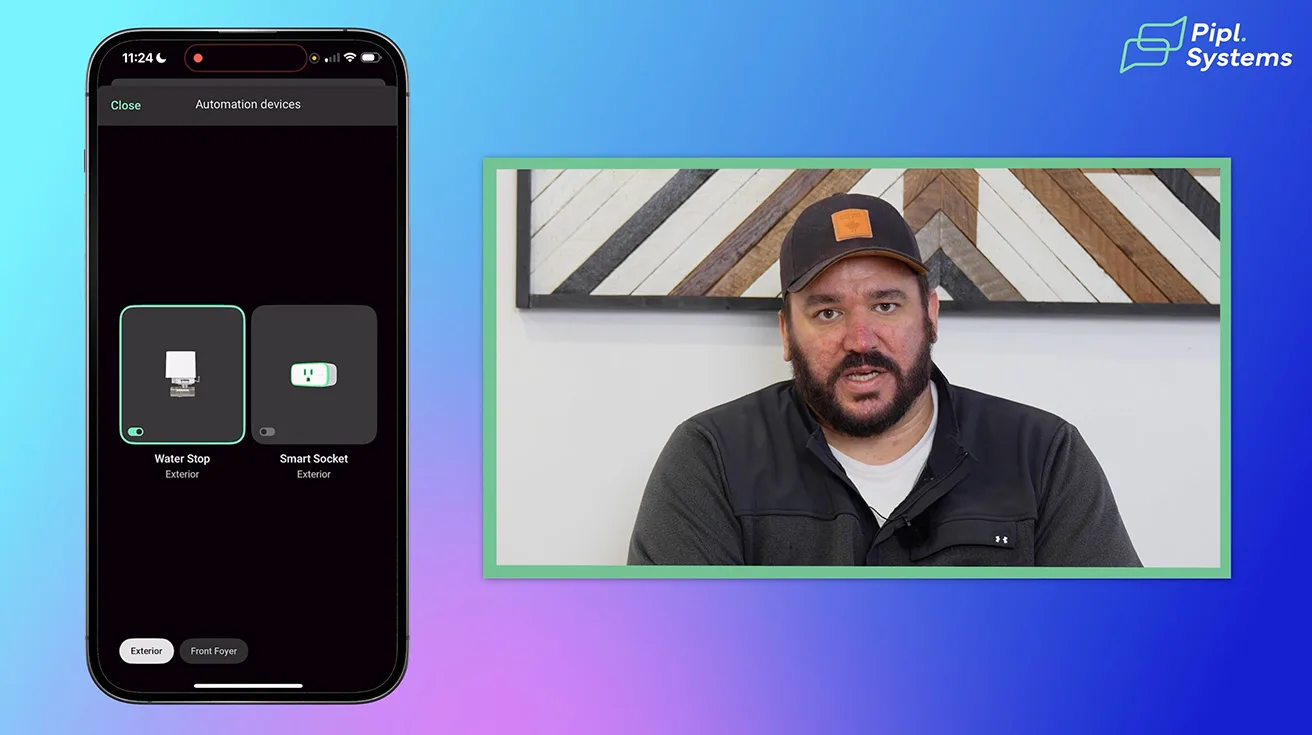
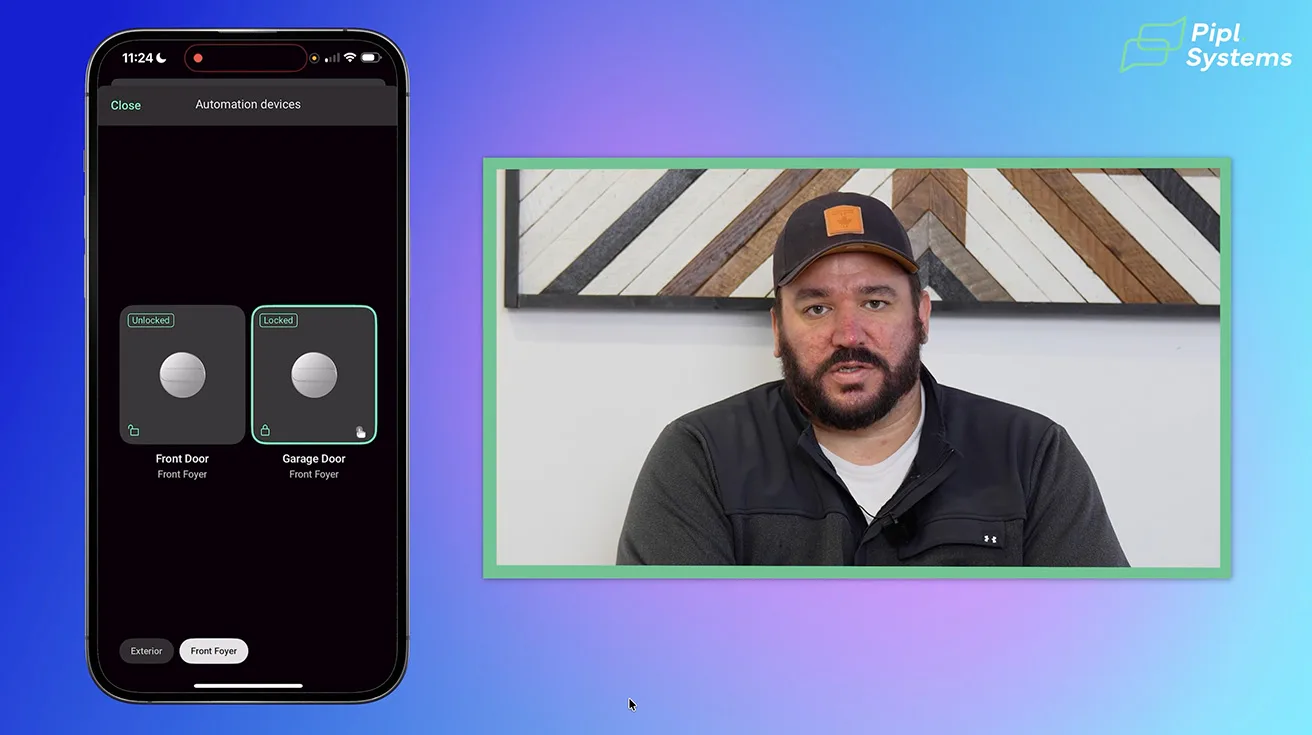
3.2. Smart Home Automation Integration
From the camera view, you can control connected devices, like:
- Smart locks (unlock the front door remotely)
- WaterStop valves (shut off water in case of leaks)
- Garage door relays (open/close via app)
This is real smart home integration, not just separate apps doing their own thing.
1 / 2
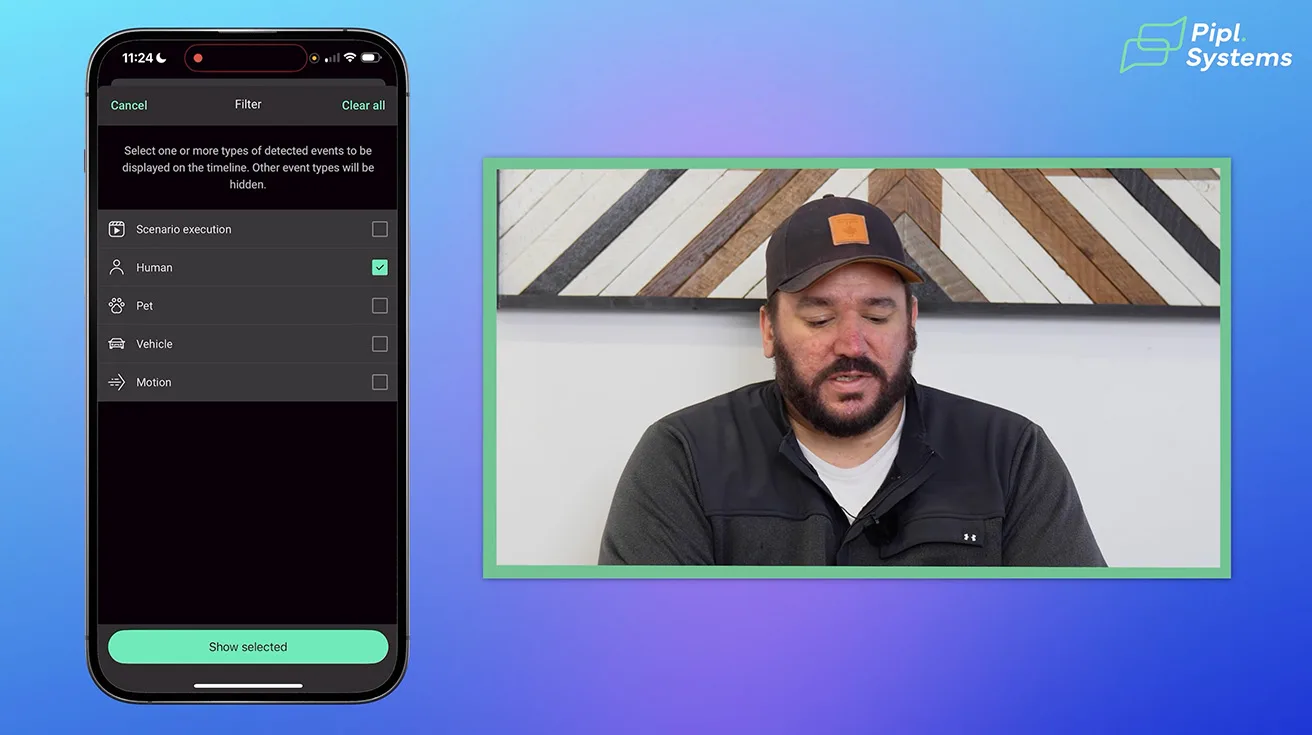
3.3. AI Event Filters: Narrow Down What Matters
Instead of wading through hours of footage, you can filter by event type:
- Humans only (ignore pets, animals, or random motion)
- Vehicles only (useful for driveways)
- Pets only (if you have a dog that triggers false alarms)
1 / 2
This is game-changing for homeowners and businesses who want relevant alerts only.
4. Managing Footage: Photos, Clips, Privacy, and other
4.1. Downloading High-Resolution Clips
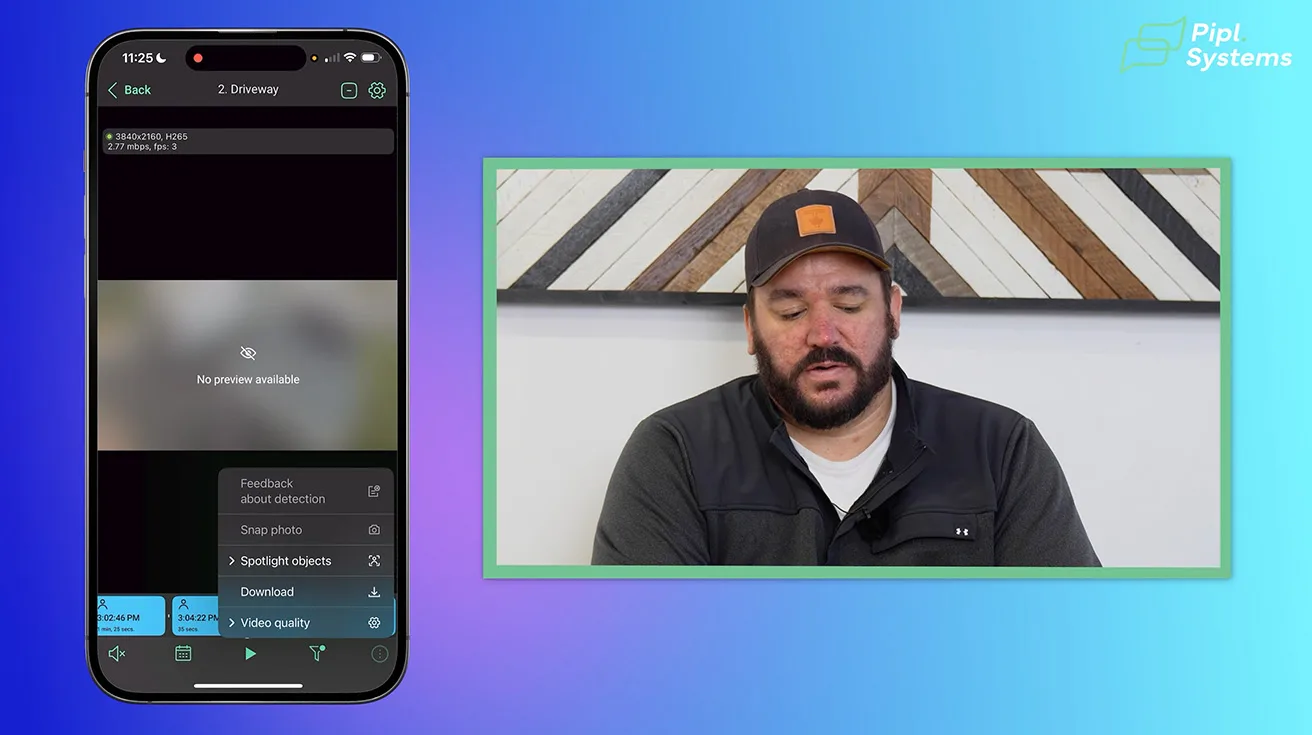
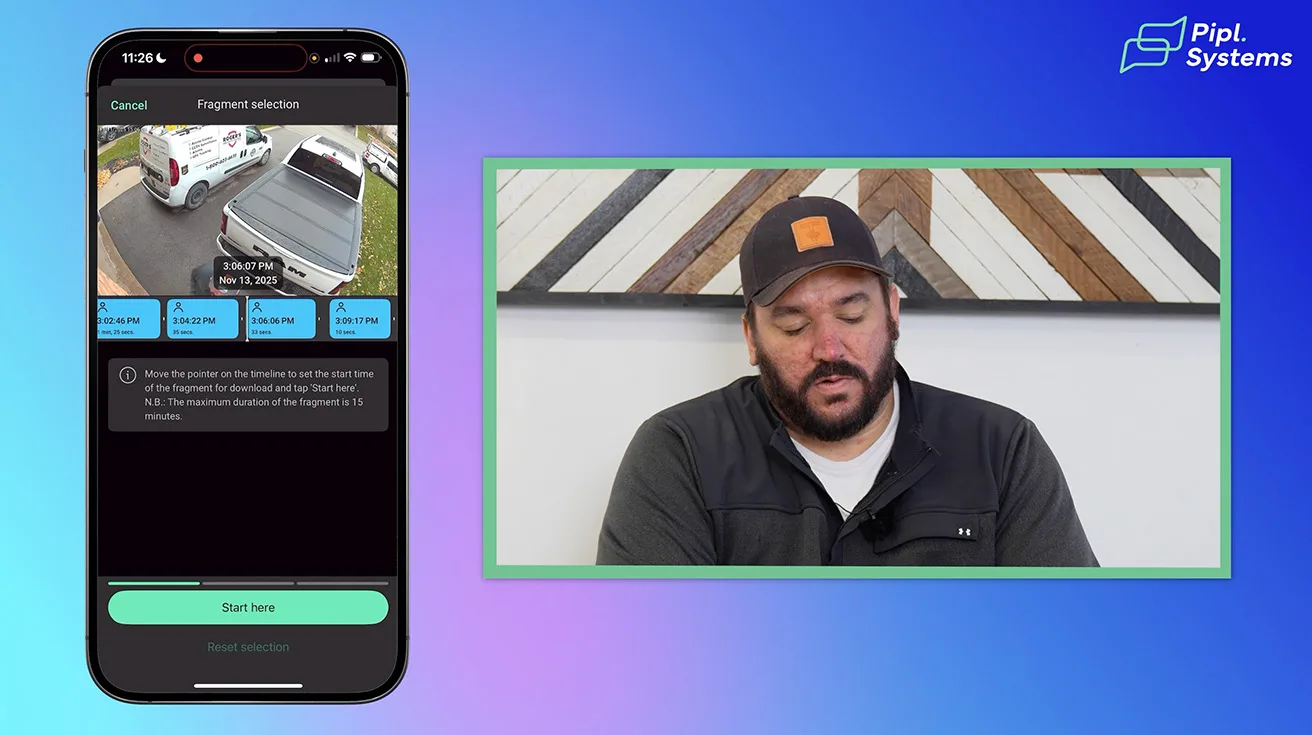
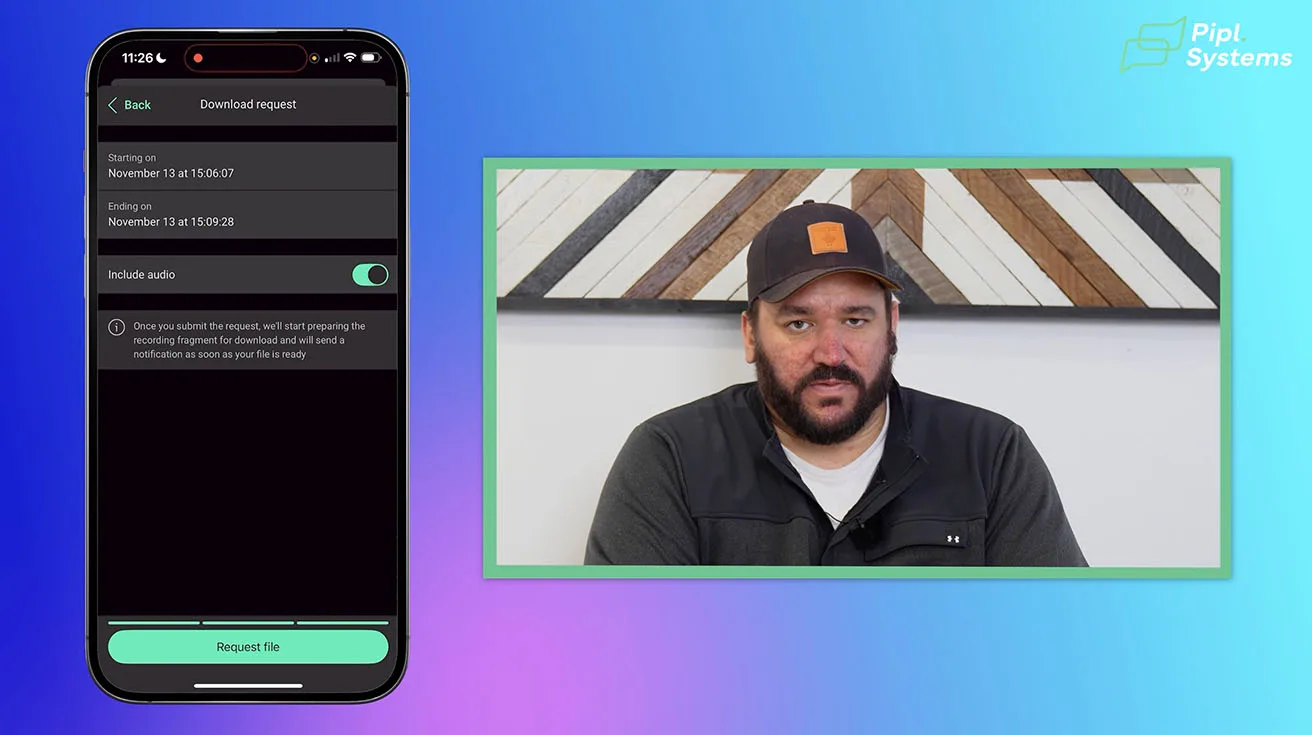
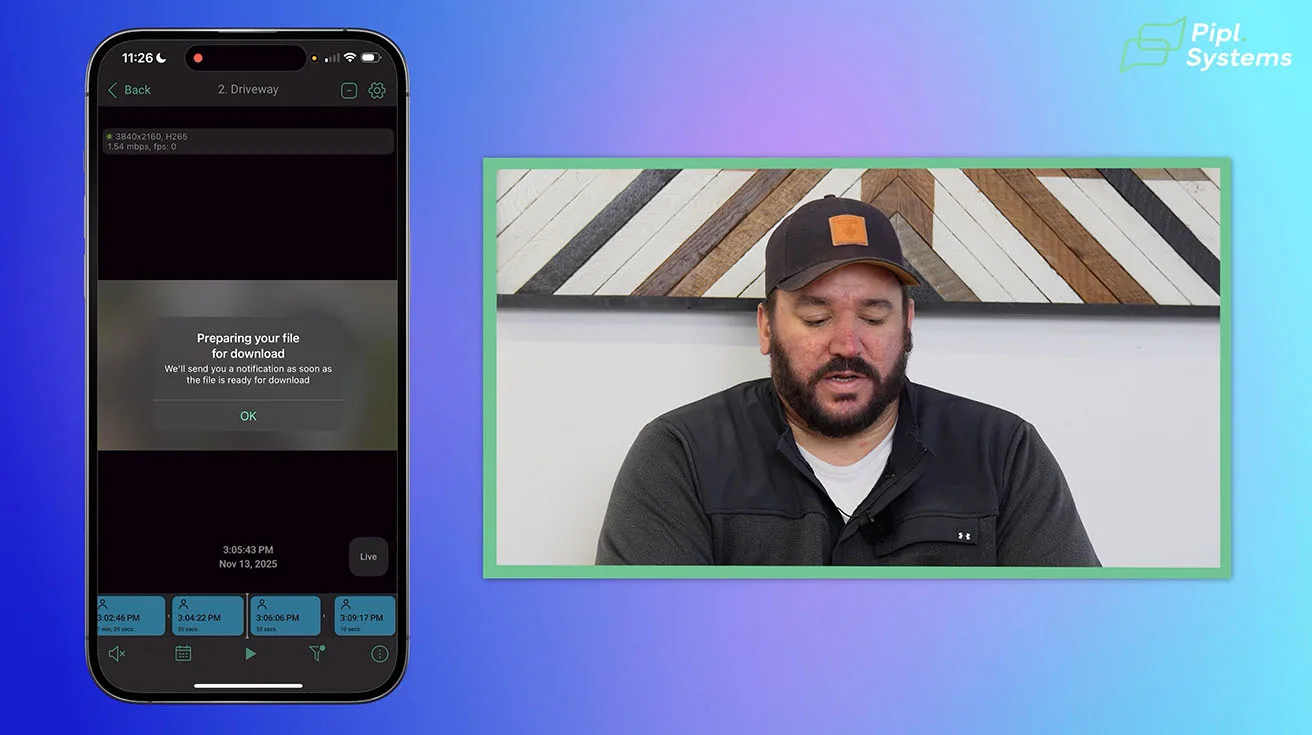
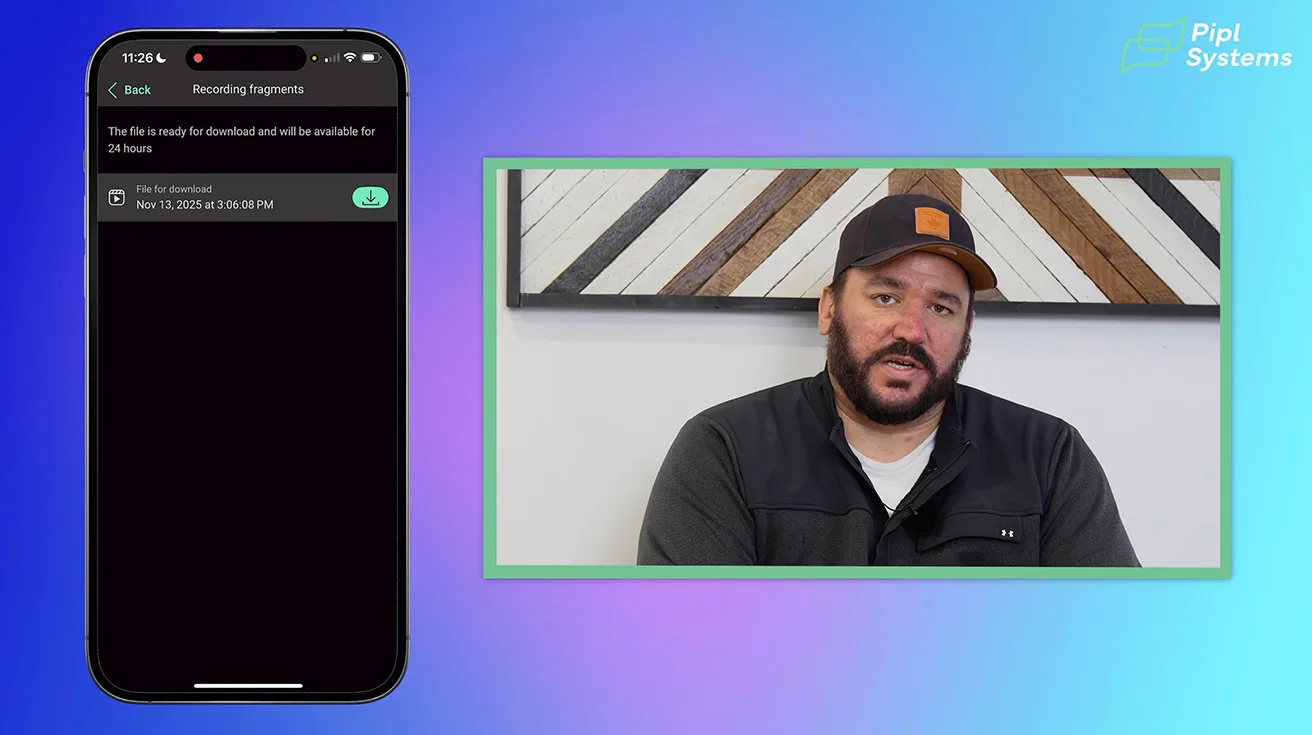
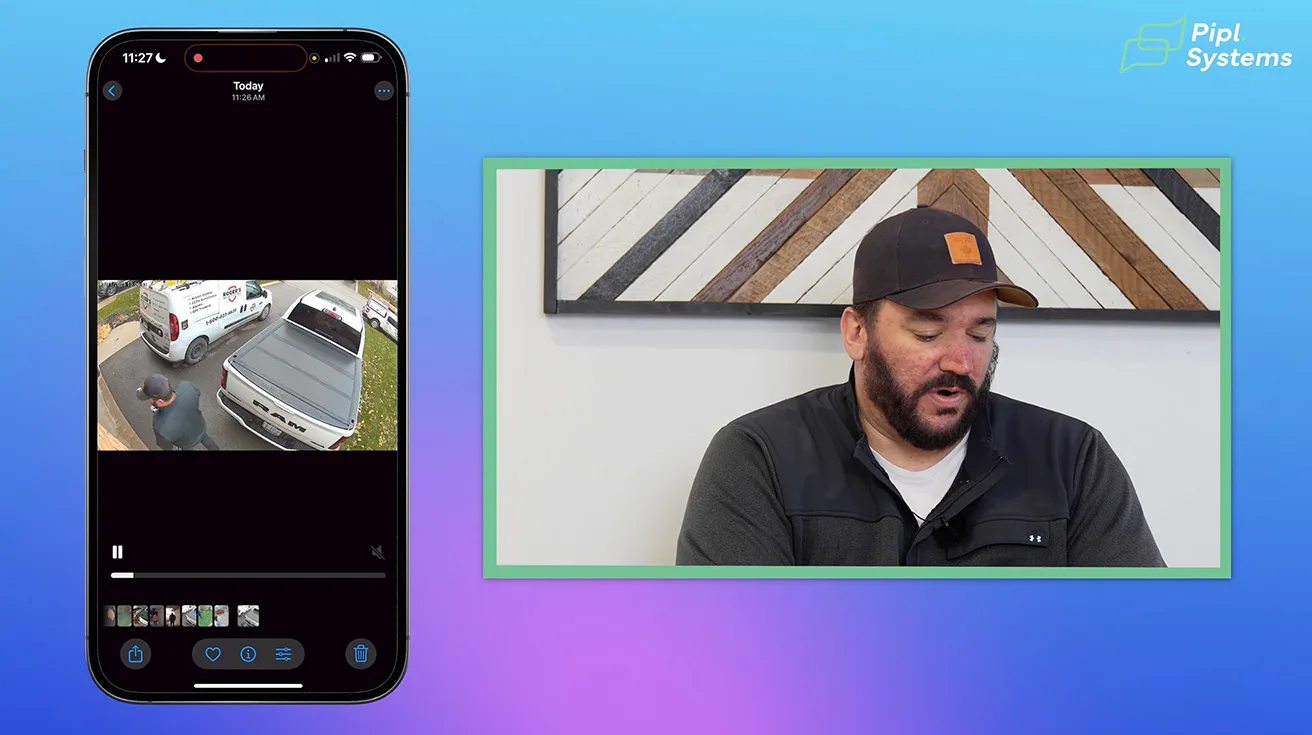
Need proof of an incident? The app lets you:
- Snap a photo (high-res screenshot)
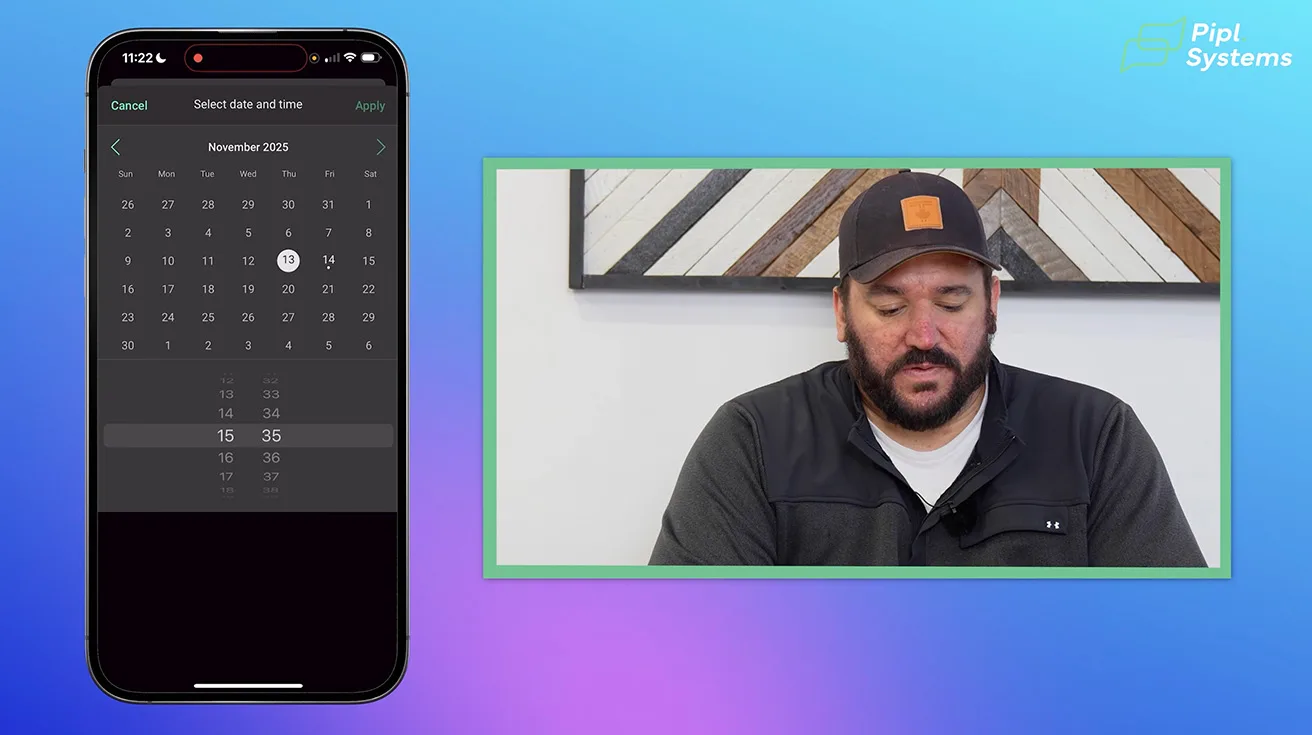
- Download video clips (select start/end times)
- Choose whether to include audio (useful for forensic review)



1 / 9
This is critical for insurance claims, legal disputes, or security audits.
4.2. Recording Preferences
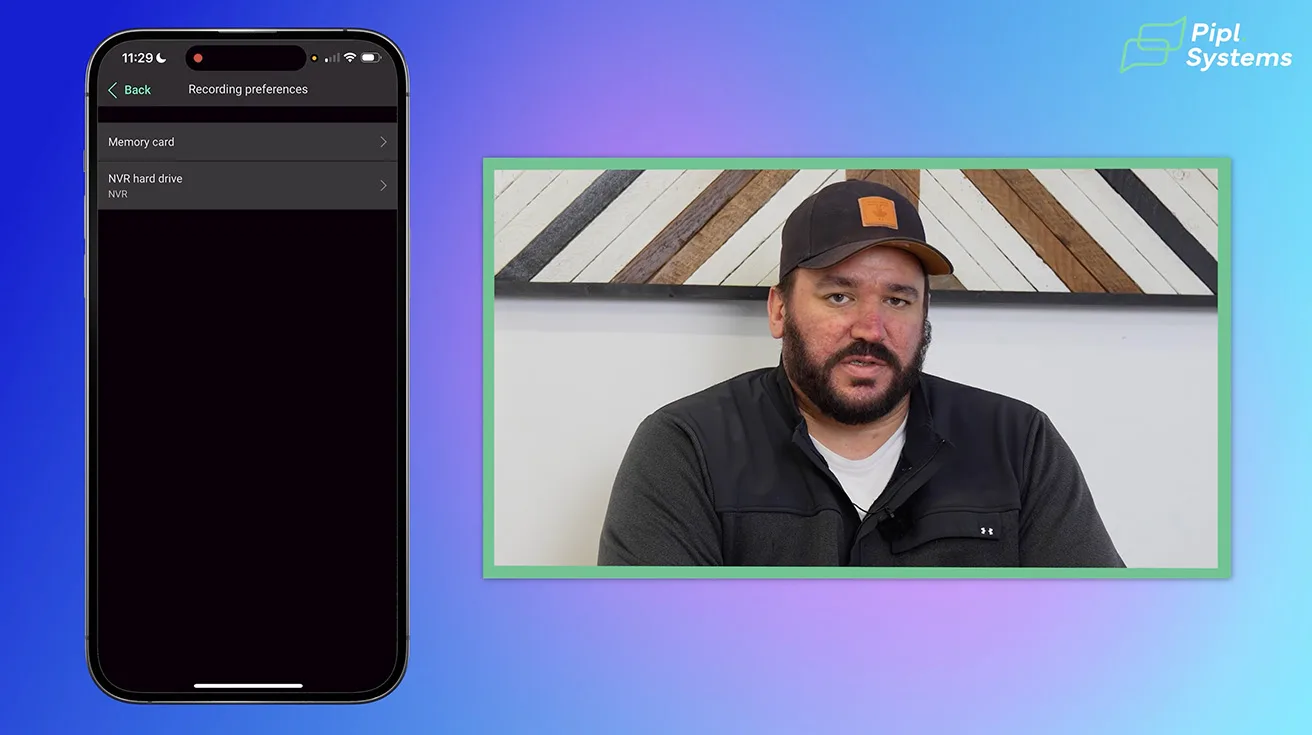
Ajax offers flexible recording options to suit different storage needs and budgets. Within the app, you can choose between three main storage methods:
- NVR (Network Video Recorder): Local continuous recording to a dedicated device, ideal for reliable on-site storage without monthly fees.
- SD Card: Internal camera storage, useful as a backup or for smaller recording needs.
- Cloud Storage: Remote storage accessible from anywhere, providing off-site backup but often with recurring costs.
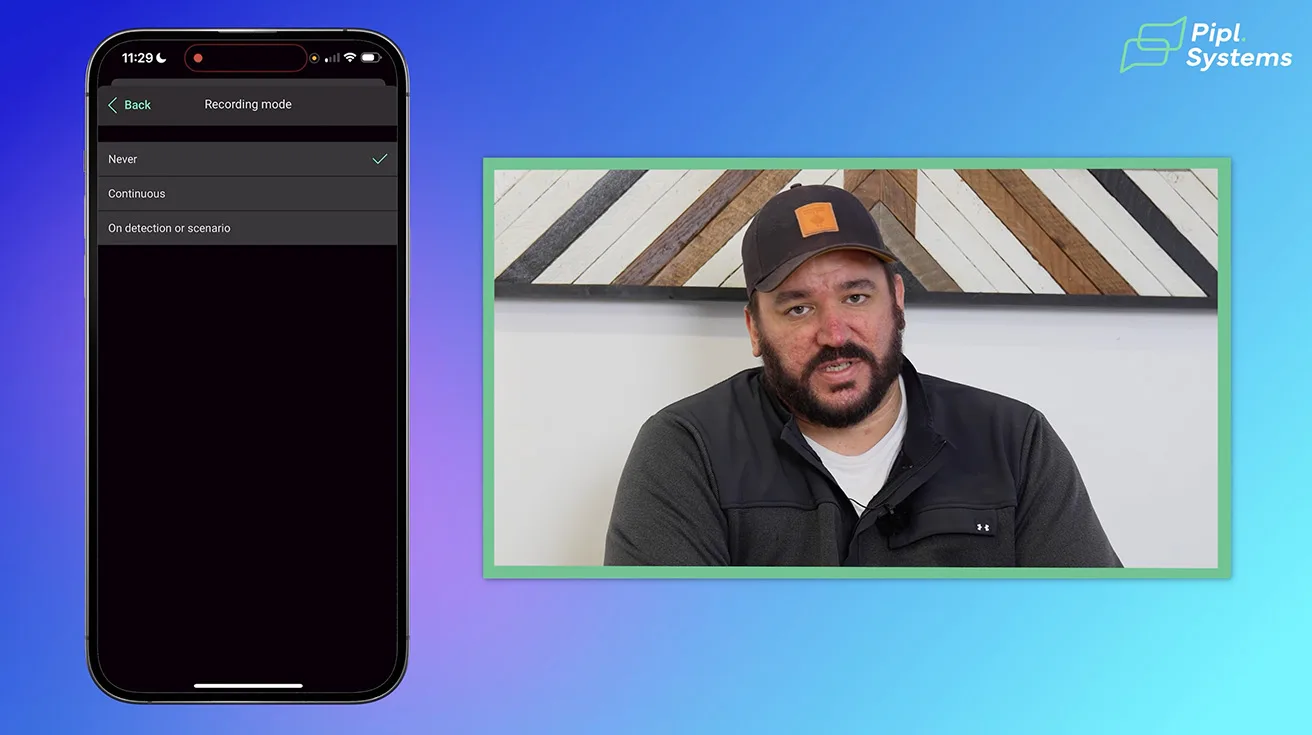
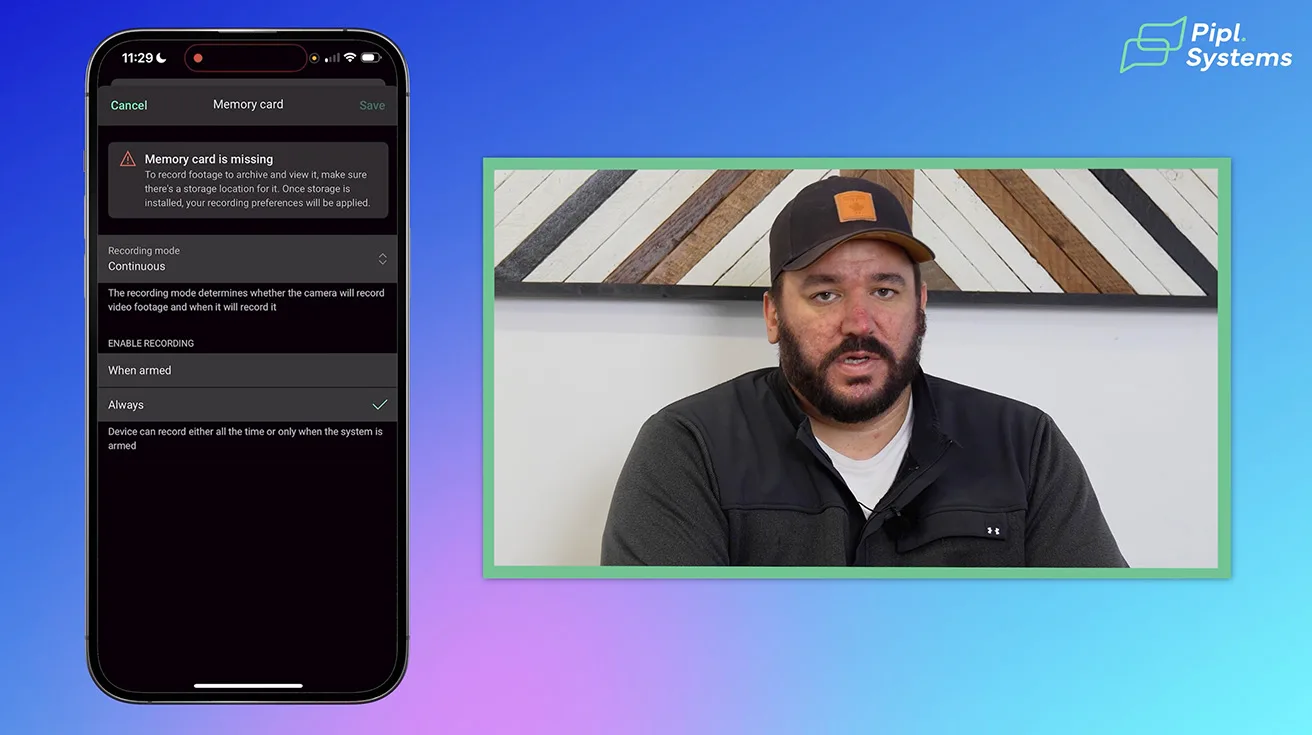
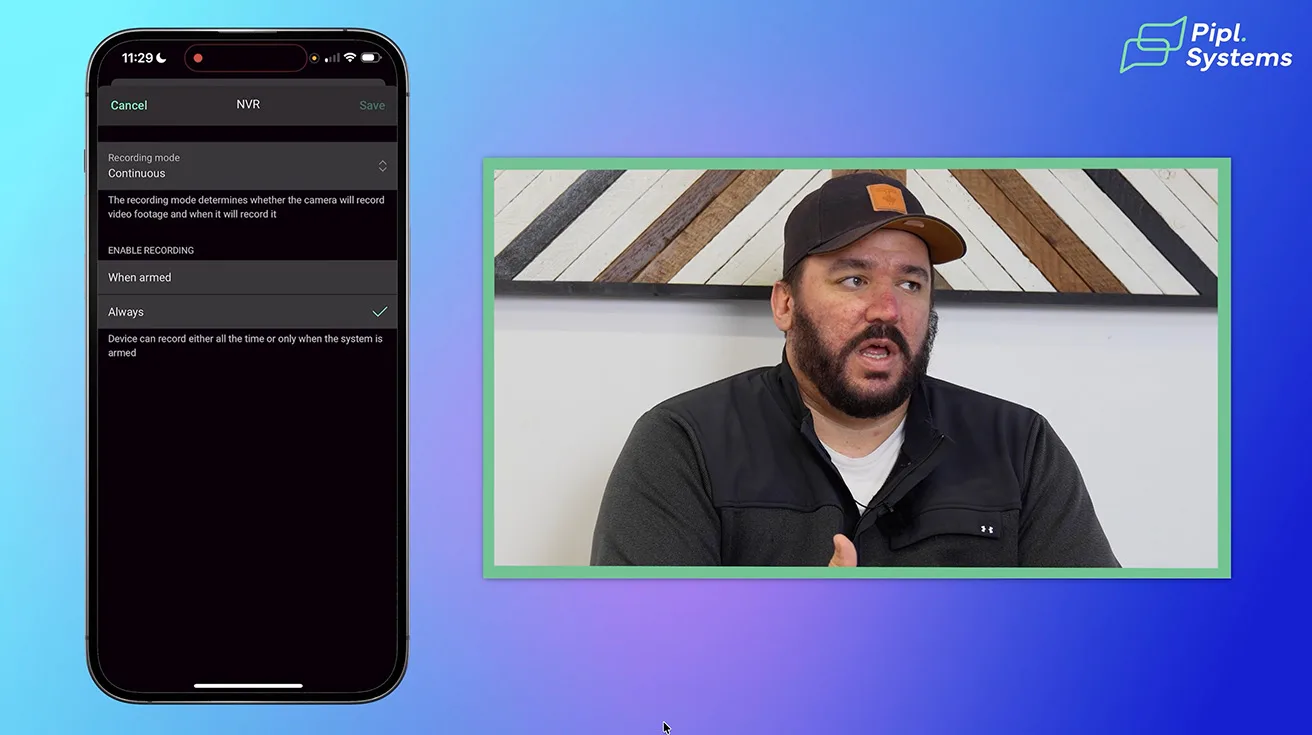
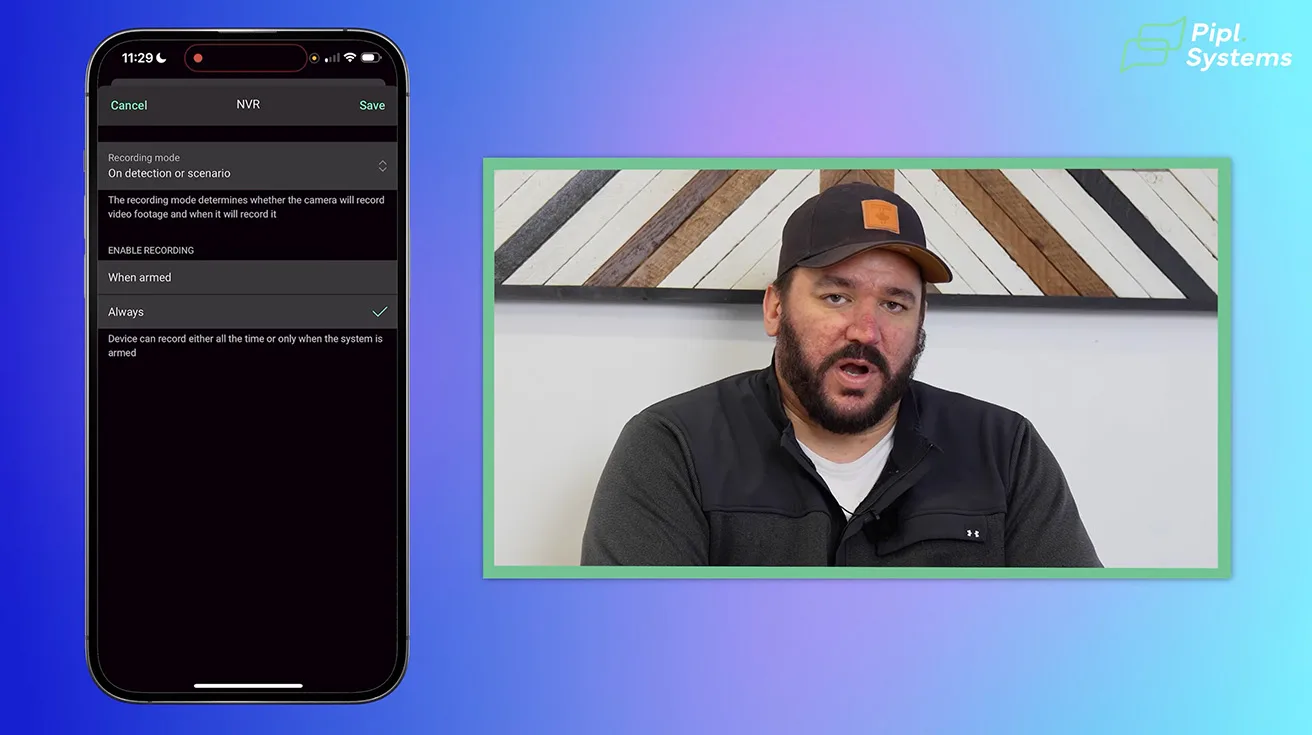
In this installation, we opted to disable SD card recording since no card was installed, preventing unnecessary error alerts. The NVR is set to continuous recording, capturing all footage regardless of motion events. Alternatively, you can configure recording to trigger only on detection or scenario events, which helps conserve storage space by eliminating footage without relevant activity.

1 / 6
You can also specify whether recording happens only when the system is armed or continuously, depending on your security preferences. This level of control ensures that storage and recording align with your operational needs and budget.
4.3. Notifications
The Ajax app allows granular control over notifications, so you only receive alerts that matter. You can configure cameras to notify you based on:
- Human detection
- Pet detection
- Vehicle detection
- Any motion
Even if you disable notifications for certain event types, the system will still record those events, ensuring no loss of footage while reducing unnecessary alerts.
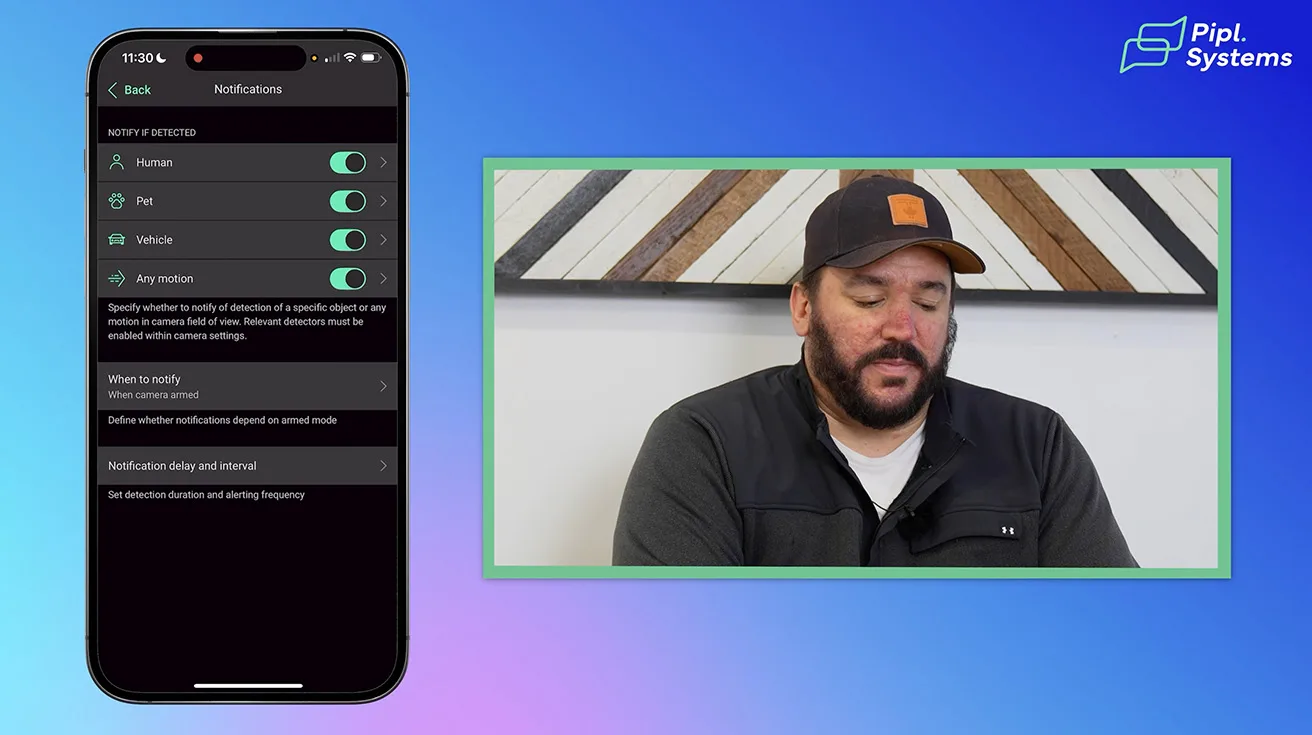
This customization is essential to avoid alert fatigue, especially in busy environments where irrelevant motion (like passing cars or pets) could otherwise trigger constant notifications.
4.4. Detection
Detection zones are a critical feature for minimizing false alarms. Using a grid overlay in the app, you can precisely define the camera’s motion detection area. For example, you can exclude:
- Roads or sidewalks where passersby are irrelevant
- Trees or bushes prone to movement from wind
This ensures the system only alerts you to motion within your property boundaries or other areas of interest.
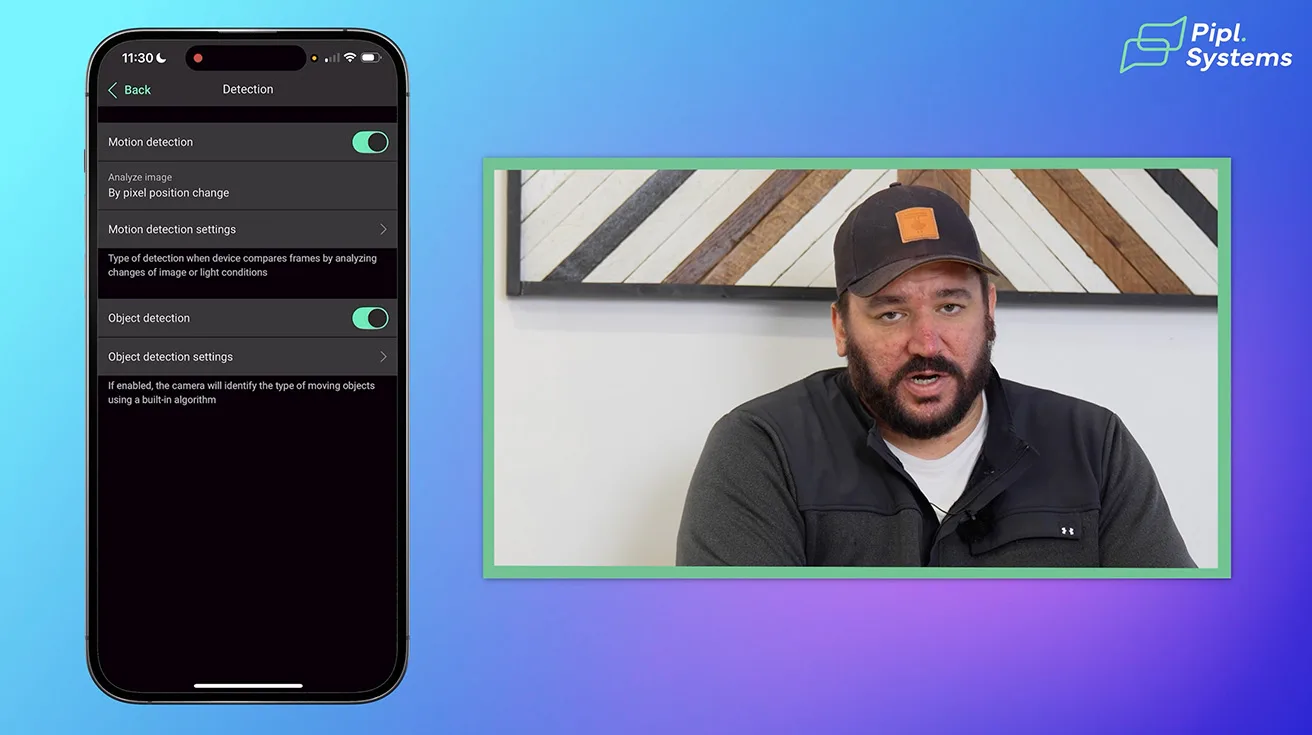
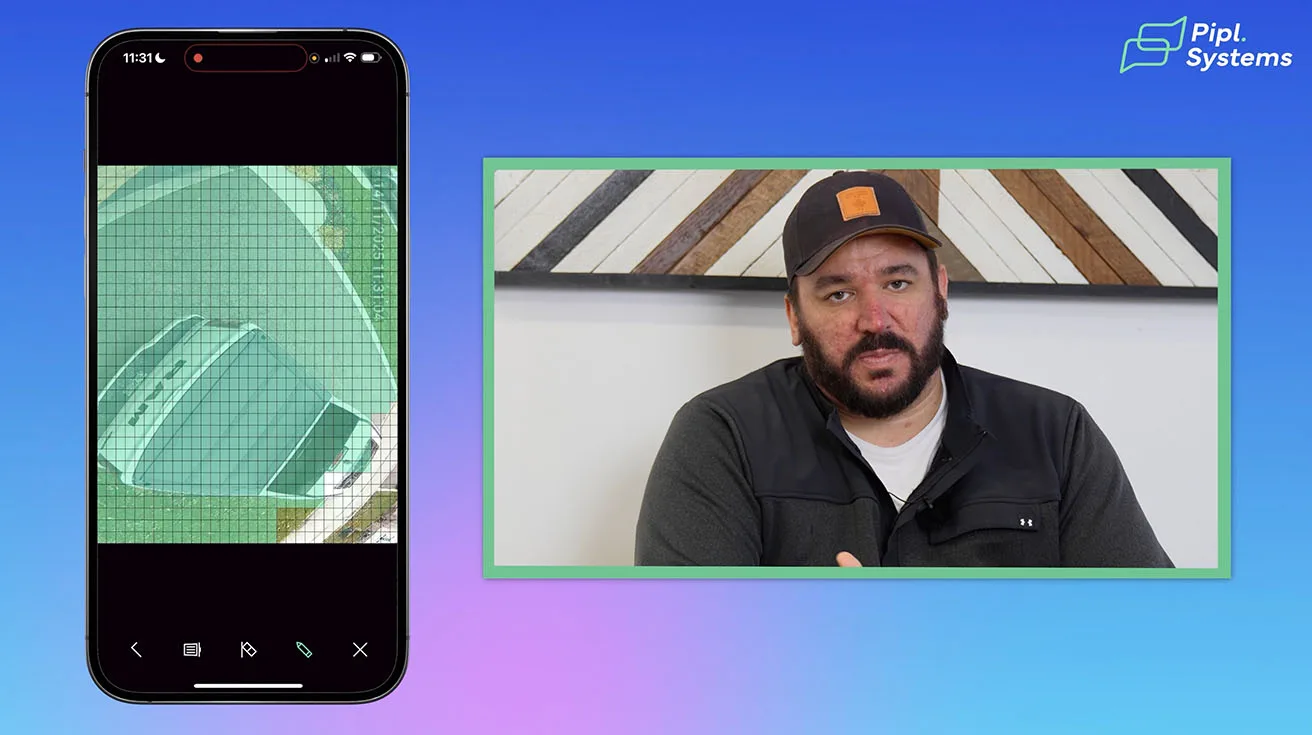
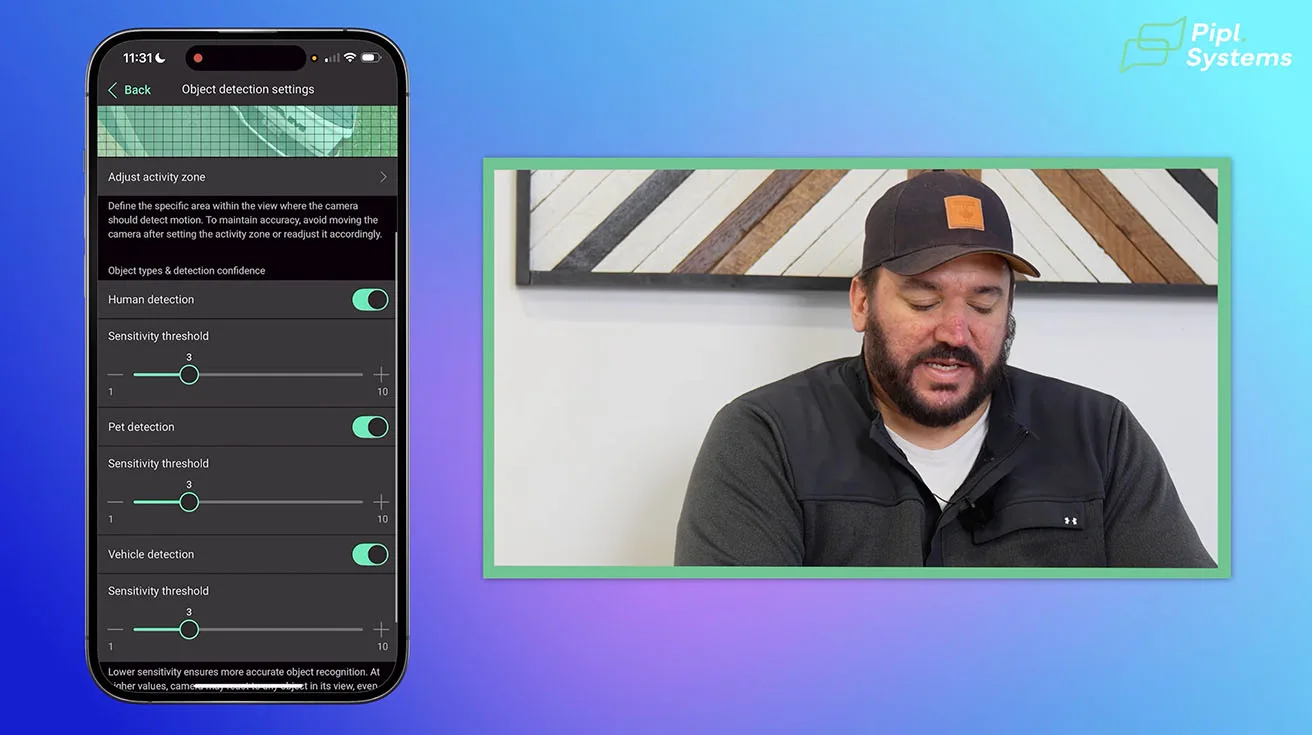
1 / 3
Sensitivity settings can be adjusted per zone and per detection type (human, pet, vehicle), allowing fine-tuning to your environment. Our technicians at Roger’s Security assist clients in optimizing these zones to balance security and convenience.
4.5. Image & Audio
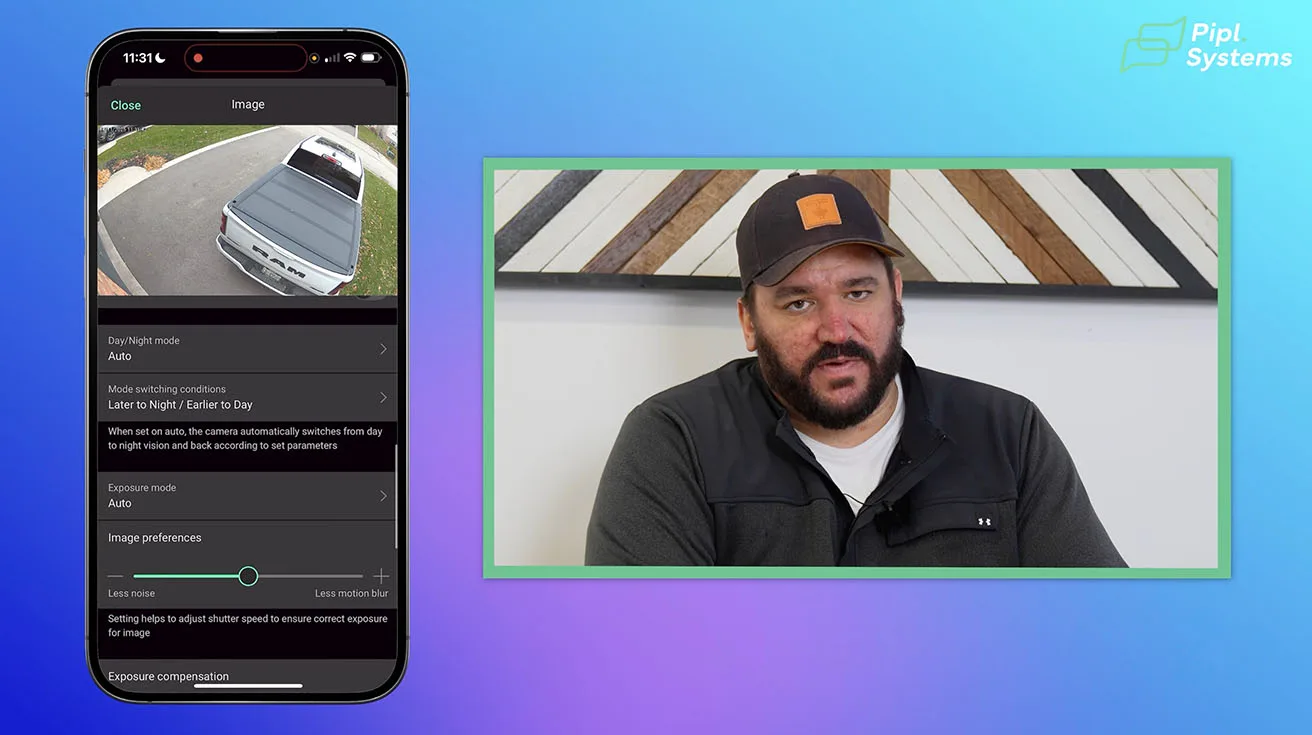
Image quality settings let you adjust parameters like brightness, contrast, and sharpness to suit your lighting conditions. The app also supports enabling or disabling audio recording on a per-camera basis.
By default, audio recording is disabled for privacy and compliance reasons. If enabled, the camera’s microphone captures ambient sound, which can be useful for forensic review or situational awareness. Note that audio must be enabled individually for each camera.
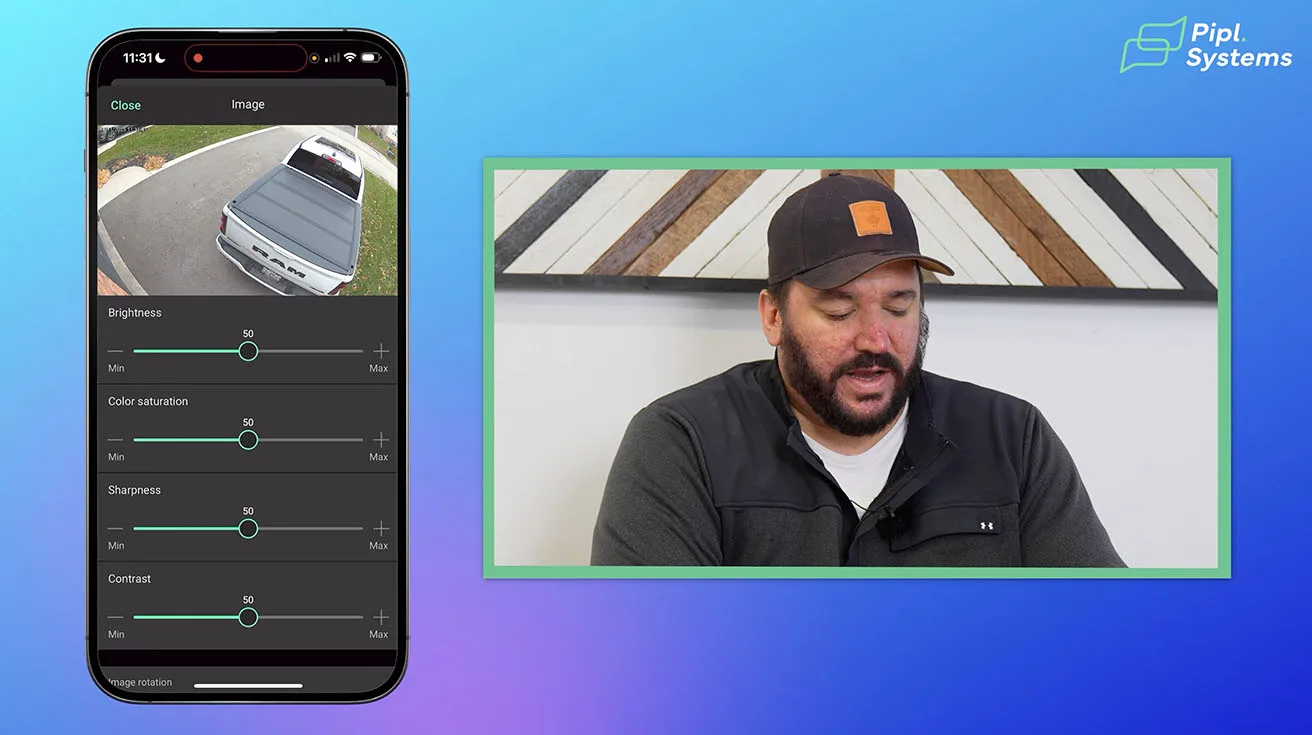


1 / 4
This granular control over image and audio settings helps tailor the system to your specific security and privacy requirements.
4.6. Privacy Zones: Protecting Privacy by Blocking Unwanted Footage
Sometimes your camera’s field of view may extend beyond your property - capturing a neighbor’s yard, a public sidewalk, or other sensitive areas. To address privacy concerns and comply with legal requirements, Ajax allows you to create privacy zones directly within the app.
By simply drawing a blacked-out rectangle over the unwanted area, you effectively block that portion of the video from being recorded or viewed. Importantly, this masked zone is completely inaccessible – not only to you but also to Ajax support or any third parties.
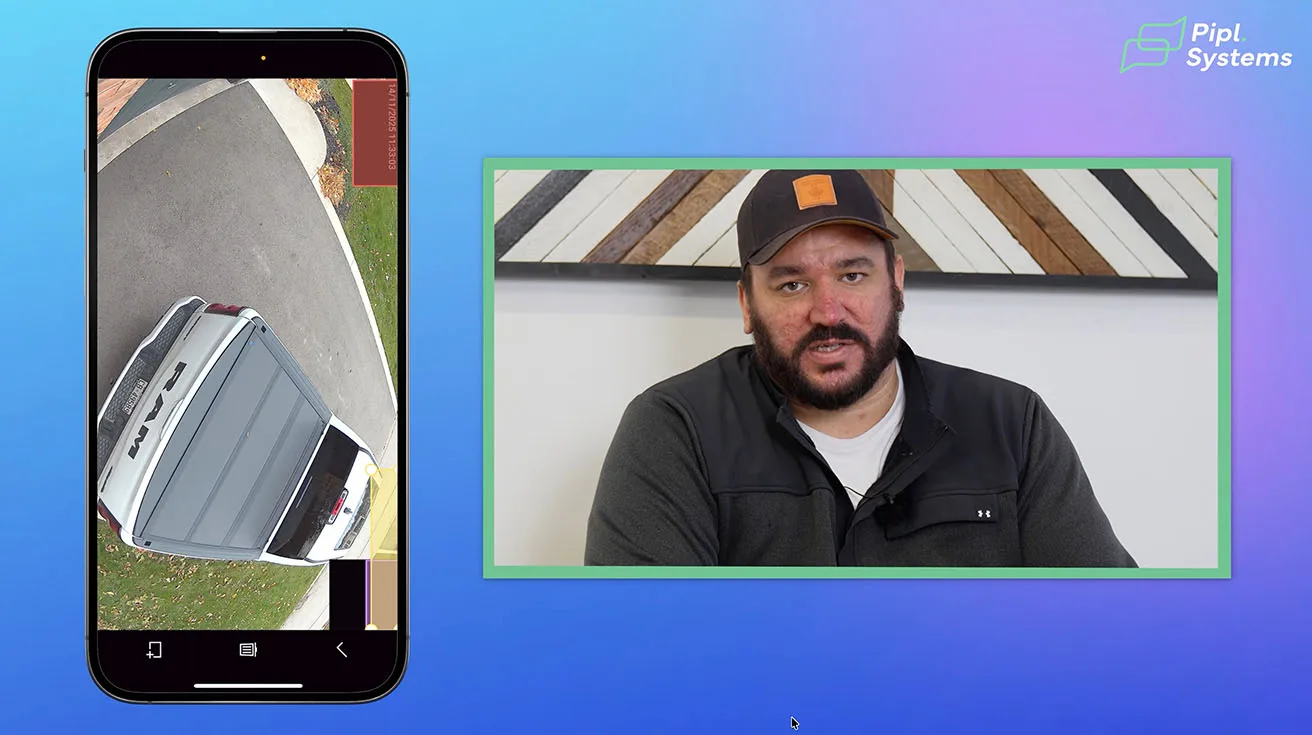
This feature is essential for respecting privacy rights, avoiding disputes, and ensuring your surveillance system operates within local regulations.
4.7. Alarm Response: Using Cameras as Intelligent Motion Sensors
One of the standout features of the Ajax TurretCam HL is its ability to function as a smart outdoor motion detector integrated with your alarm system.
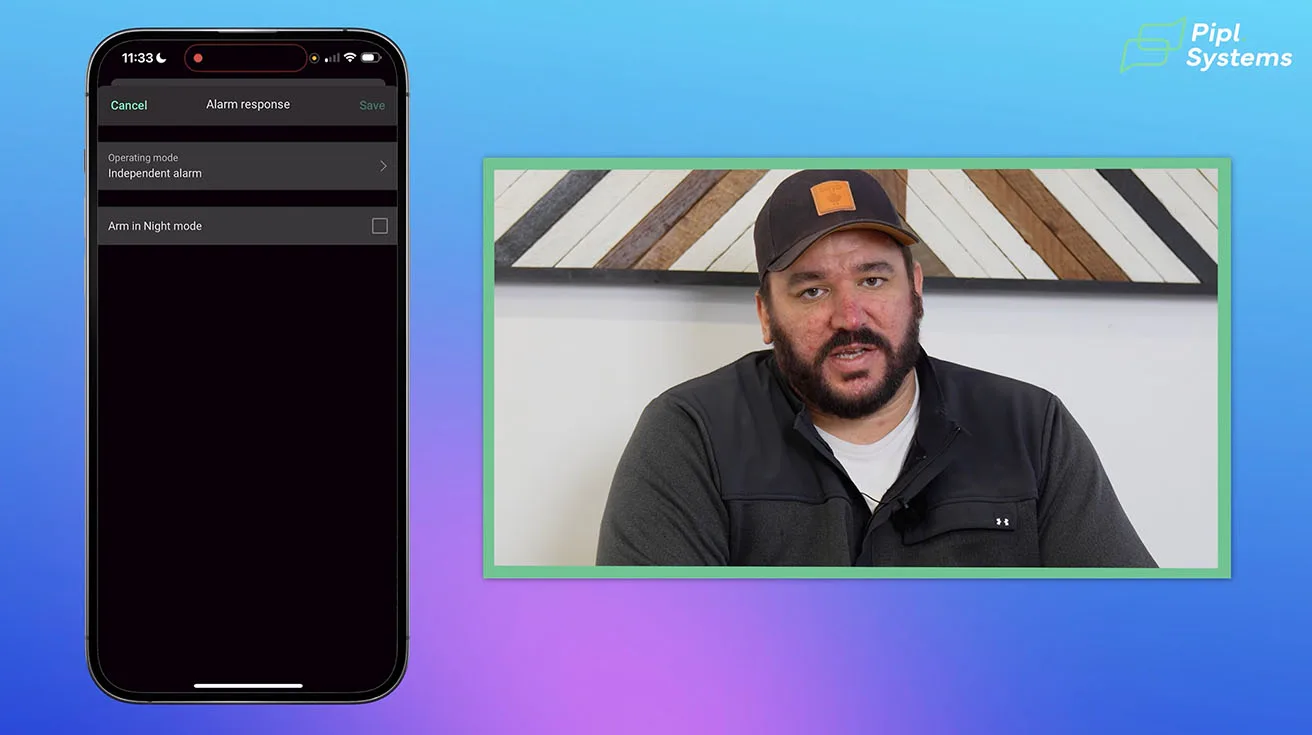
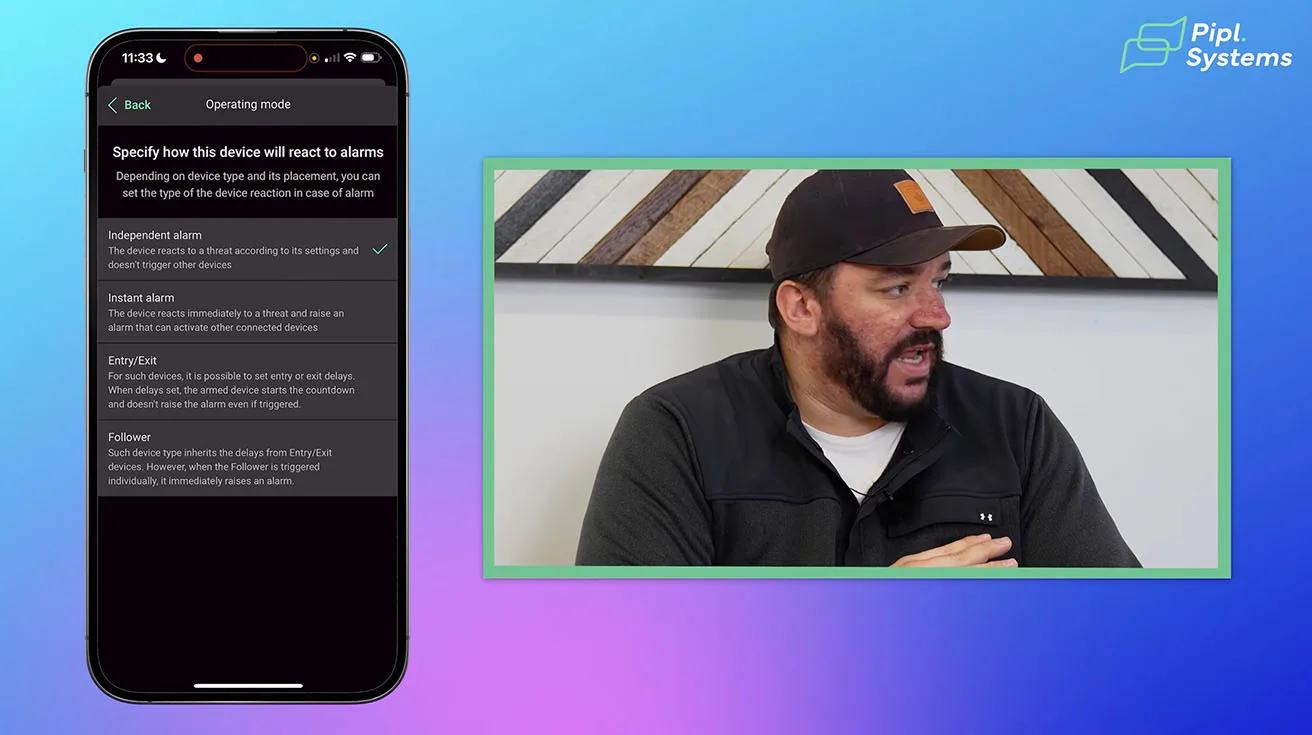
You can configure the camera to trigger an instant alarm whenever it detects a human presence, while ignoring pets, animals, or irrelevant motion. For example, if someone loiters in your backyard after you’ve armed the system, the camera will immediately activate sirens and send alerts through the app – often before the intruder reaches doors or windows.
1 / 2
This capability significantly reduces false alarms caused by environmental factors like wind or wildlife, while providing faster, more reliable intrusion detection. It’s a powerful enhancement that elevates your security system from passive monitoring to proactive protection.
For a broader look at how Ajax is evolving, check out our ISC West coverage: Ajax Alarm System @ ISC West.
4.8. Memory Card & Firmware Update
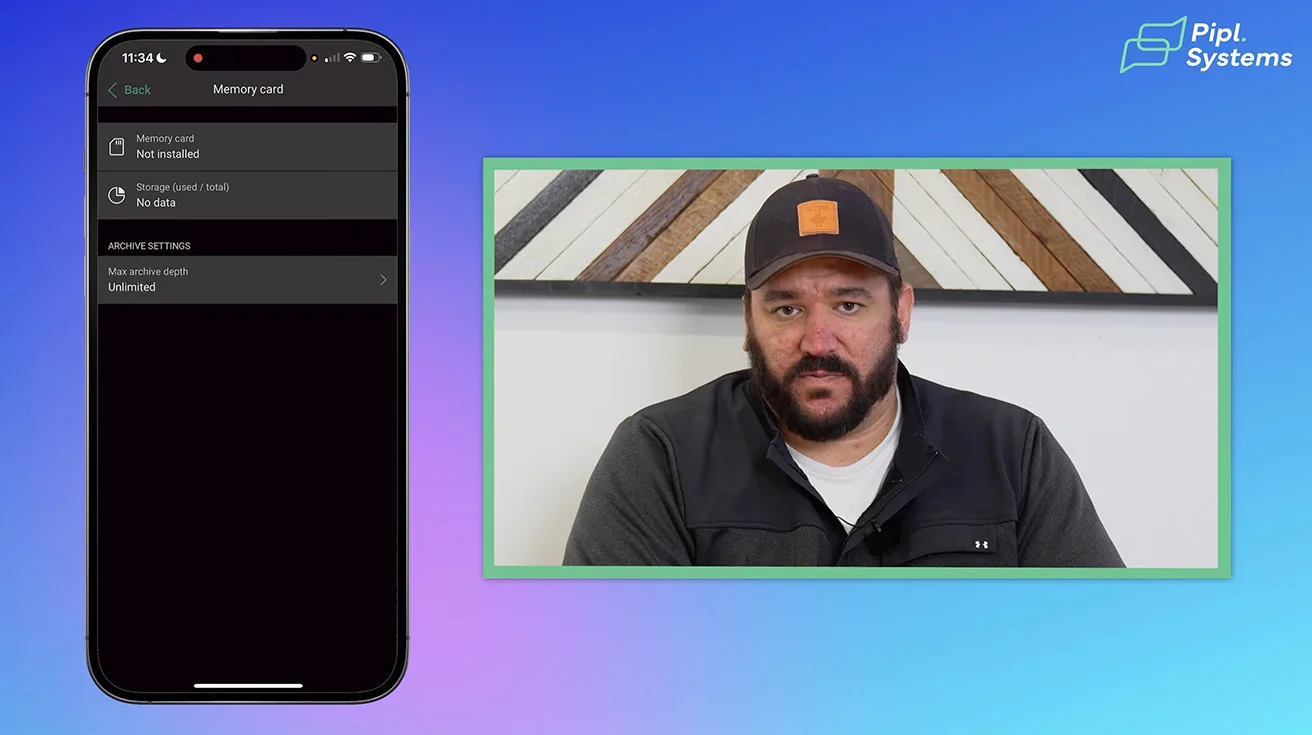
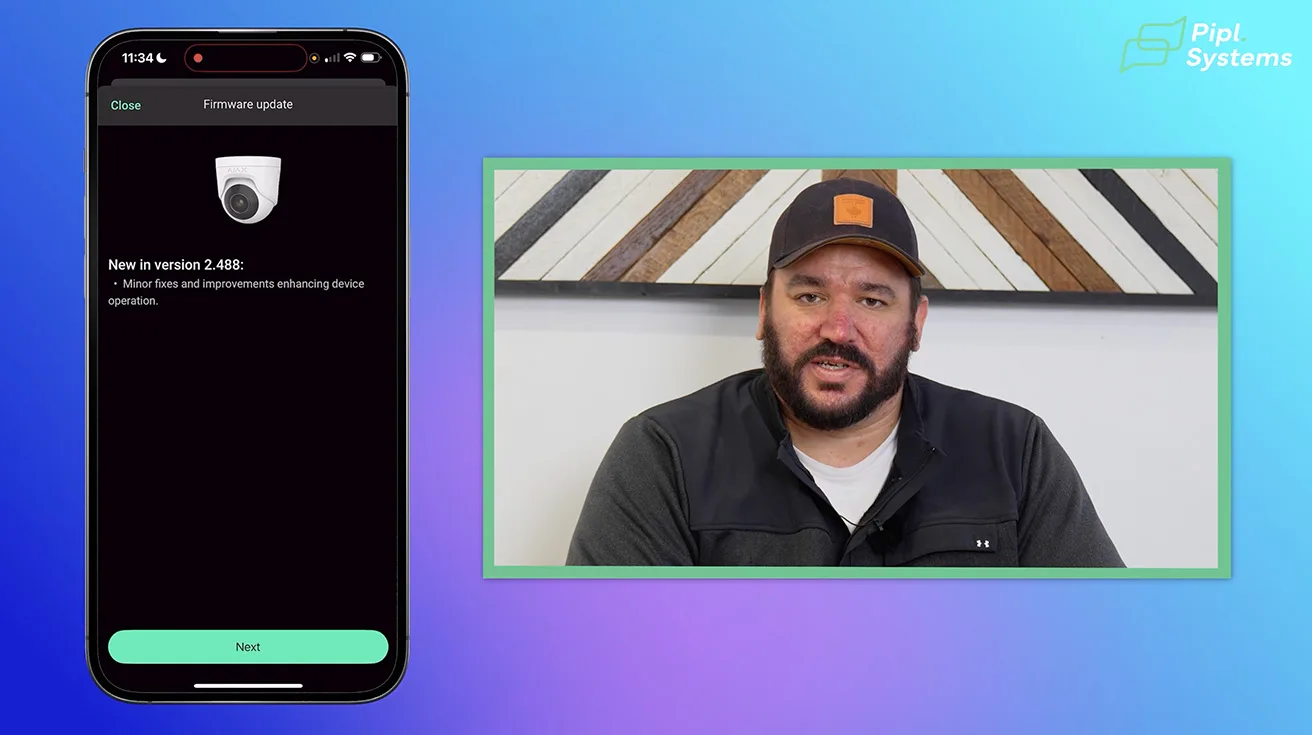
Managing your camera’s memory card and firmware is essential for maintaining optimal performance and reliability. Within the Ajax app, you can easily format the SD card if needed, ensuring that storage is clean and ready for new recordings. The system will also alert you if the memory card is missing or malfunctioning, helping you avoid unexpected recording gaps.
Firmware updates are another critical aspect. Newly installed cameras often require an initial update to bring them up to the latest software version. Keeping firmware current ensures you benefit from the latest features, security patches, and AI improvements. The Ajax app notifies you when updates are available, and applying them is straightforward, helping your system stay secure and efficient over time.
1 / 2
Regularly checking and maintaining both memory card health and firmware versions is a best practice we recommend to all our clients at Roger’s Security to guarantee continuous, high-quality video surveillance.
5. Day vs. Night: The Real Impact of Hybrid Illumination in Total Darkness
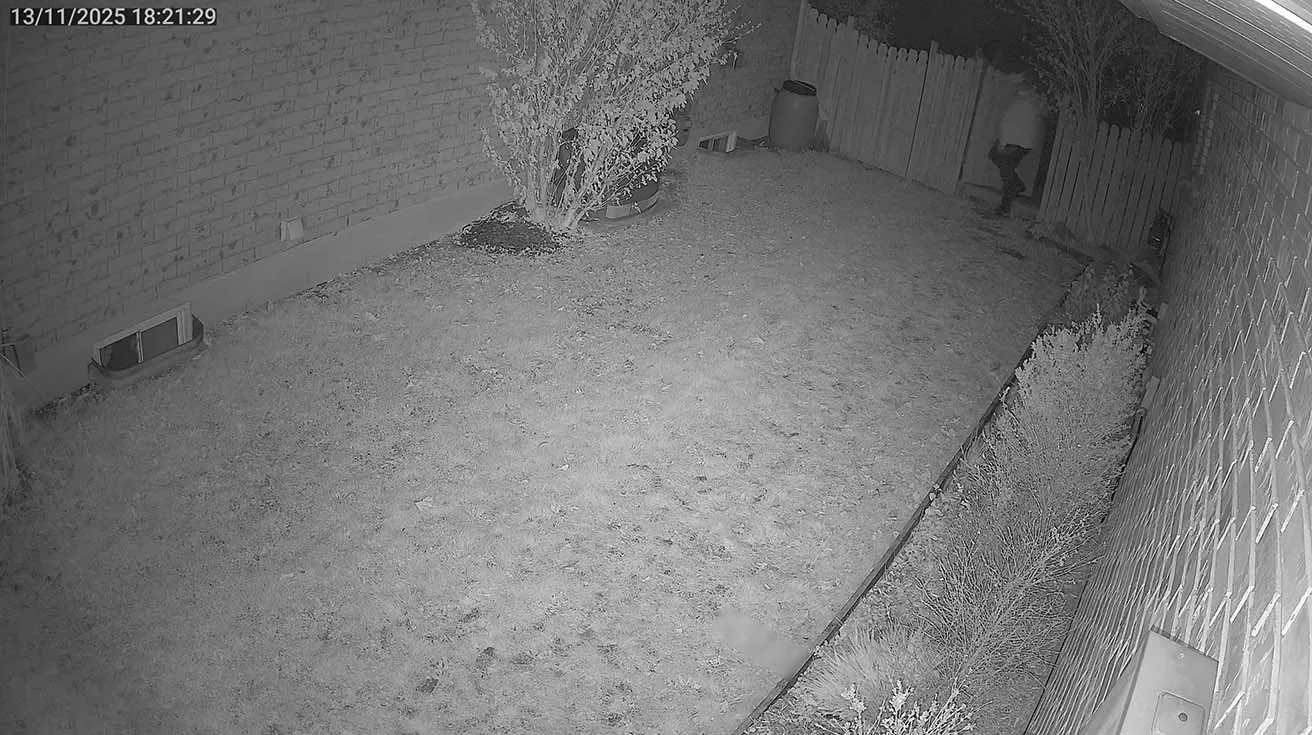
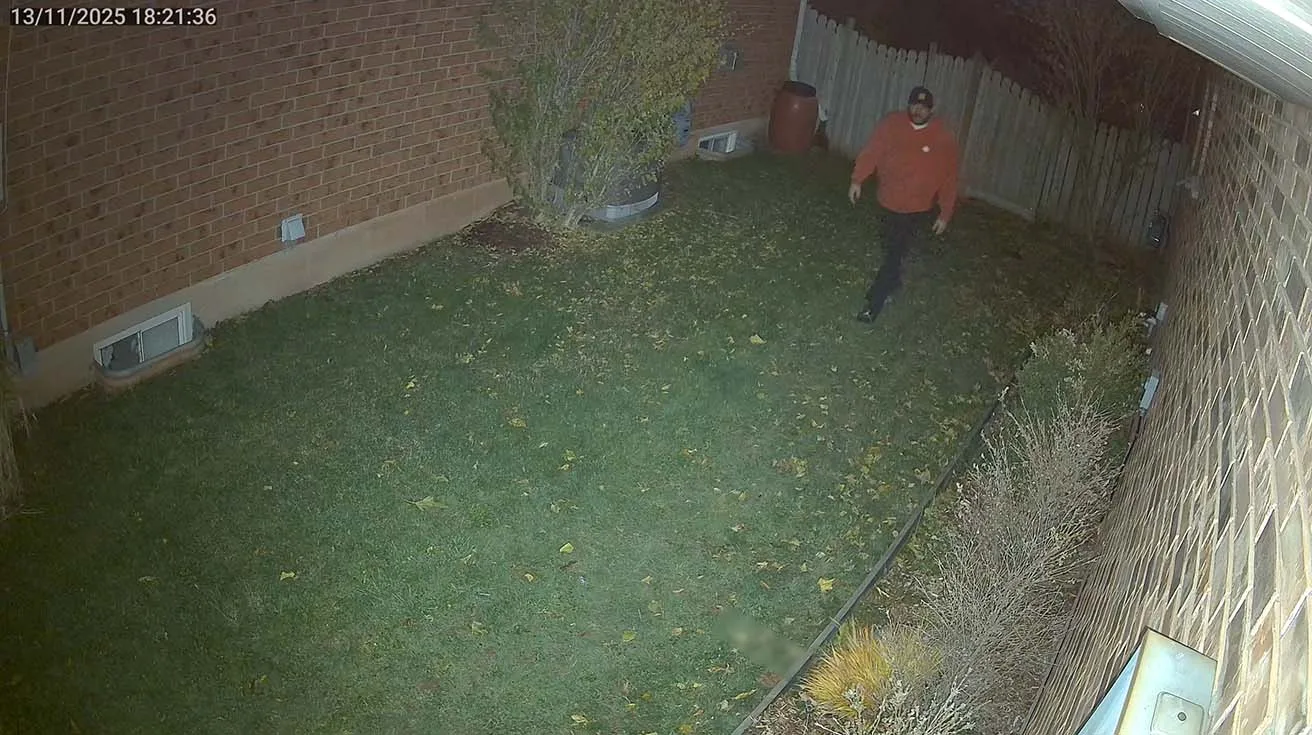
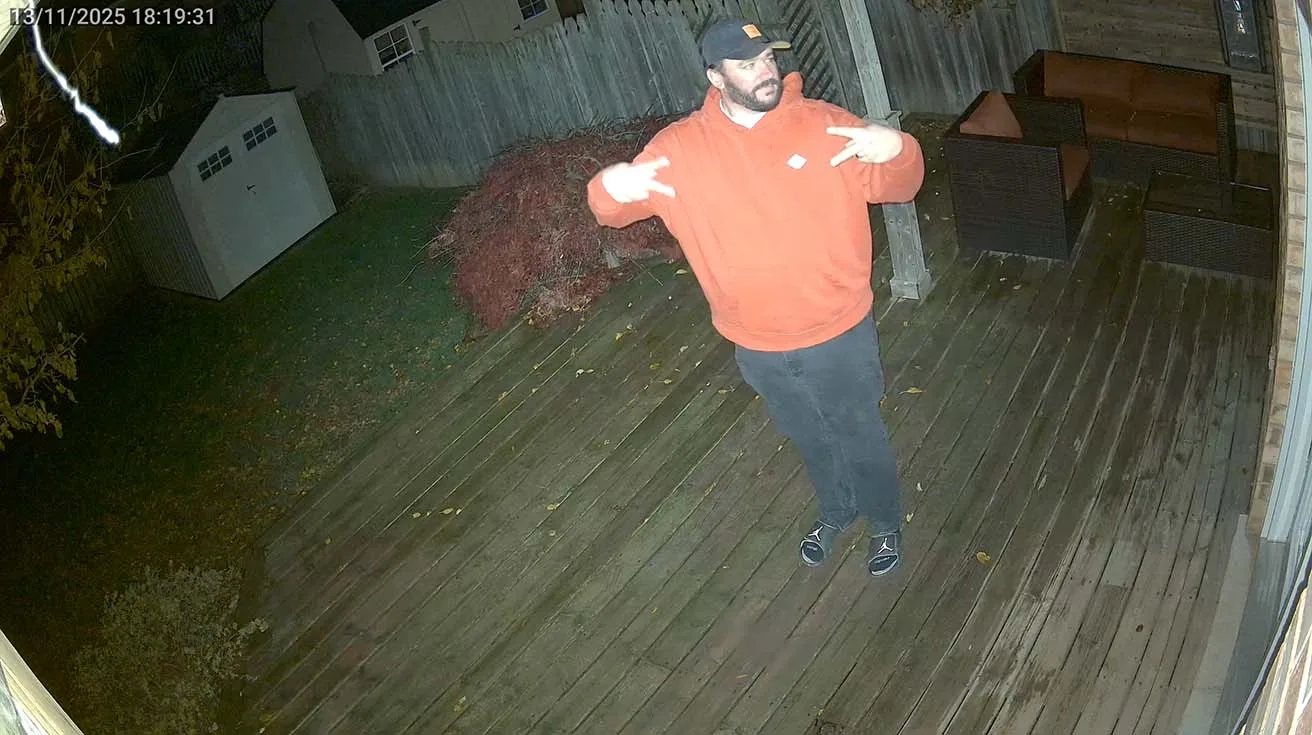
We put the Ajax TurretCam HL cameras to the test in complete darkness – no external lighting, relying solely on the camera’s built-in hybrid illumination.
5.1. Daytime Performance
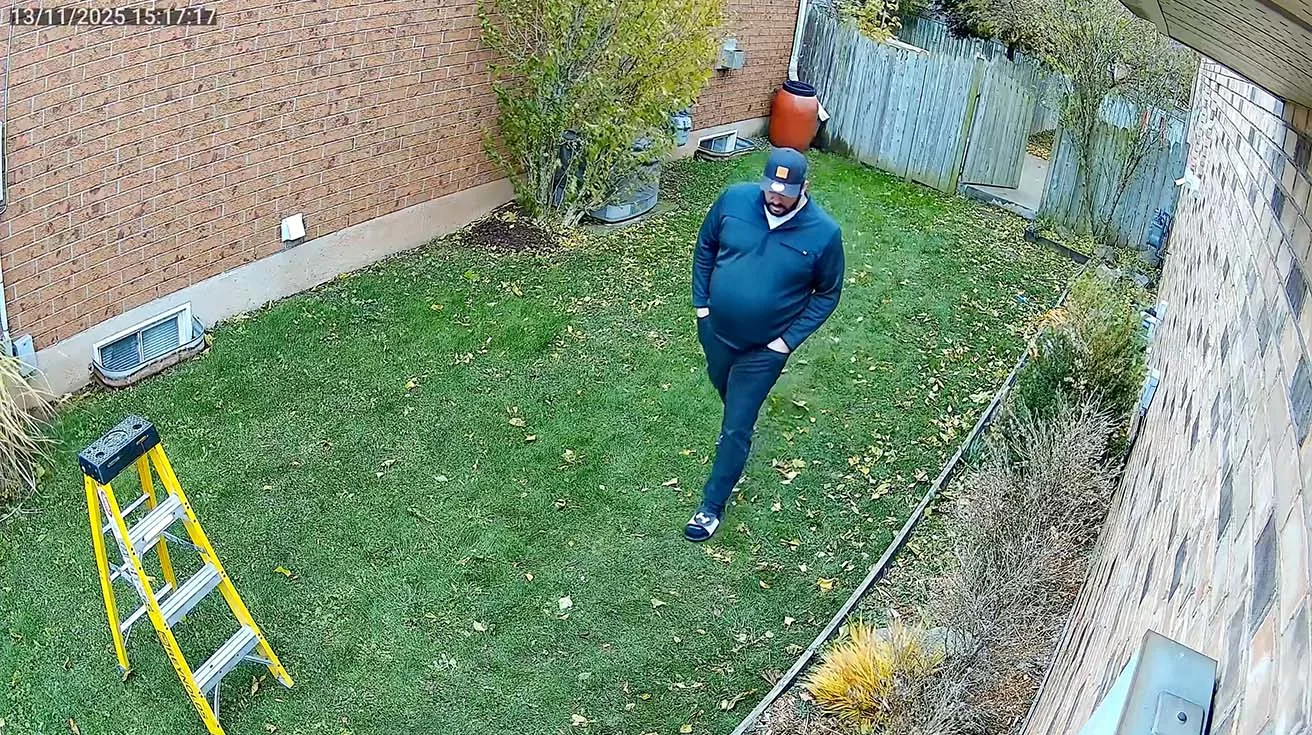
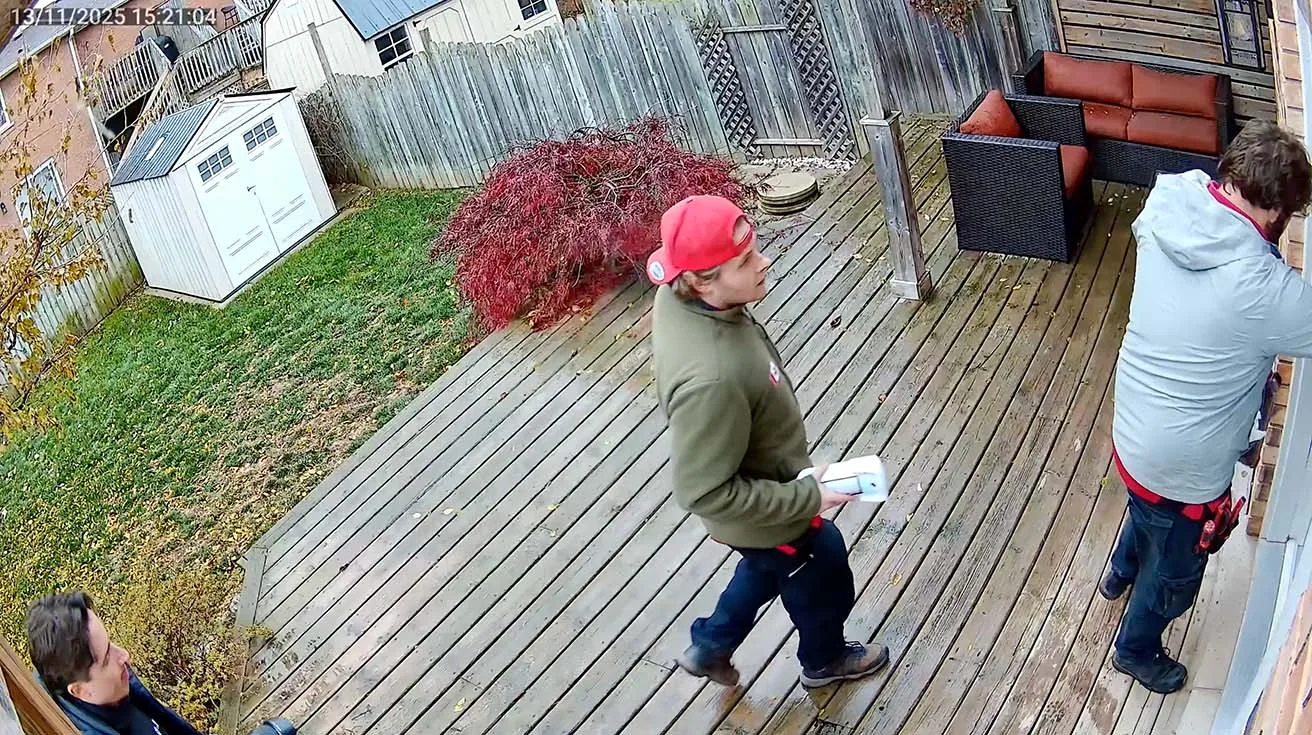
During the day, the cameras deliver crisp, full-color video with excellent detail. You can clearly read license plates, recognize faces, and see fine details - even on overcast days with limited natural light.


1 / 8
5.2. Nighttime Performance (Without Additional Lighting)
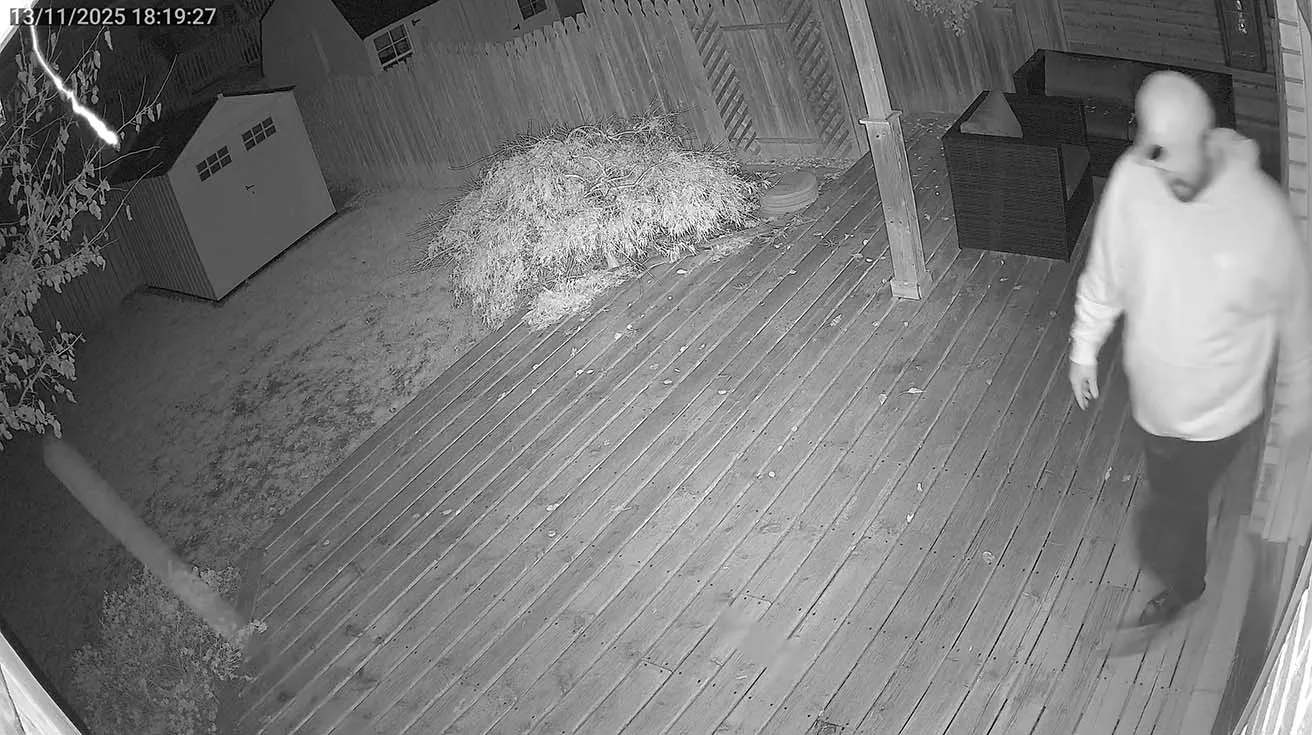
Traditional infrared (IR) cameras typically produce black-and-white, grainy footage in low-light or no-light conditions, making it difficult to identify people or objects.
In contrast, the Ajax HL cameras provide vivid, full-color images at night, with an effective IR illumination range of up to 160 feet. This capability is a genuine breakthrough, not just marketing hype.
This technology is especially valuable for:
- Backyards and outdoor areas with no ambient lighting
- Garages or alleyways that remain pitch dark at night
- Industrial and commercial perimeters requiring reliable night surveillance
The HL cameras ensure you don’t lose critical visual information when it matters most - making them a smart choice for any security setup needing dependable 24/7 coverage.
6. Why Professional Installation Matters
While some clients might think they can DIY this setup, proper installation is key for:✅ Correct detection zones (avoiding false alarms from trees/wind)✅ Optimal camera placement (covering blind spots)✅ Scenario setup (e.g., "If camera detects motion → unlock door")✅ Privacy compliance (avoiding legal issues)
At Roger’s Security, we don’t just sell cameras - we design, install, and optimize systems for real-world use.
7. Collaboration with Pipl Systems: A Word from Oleg Bordiian
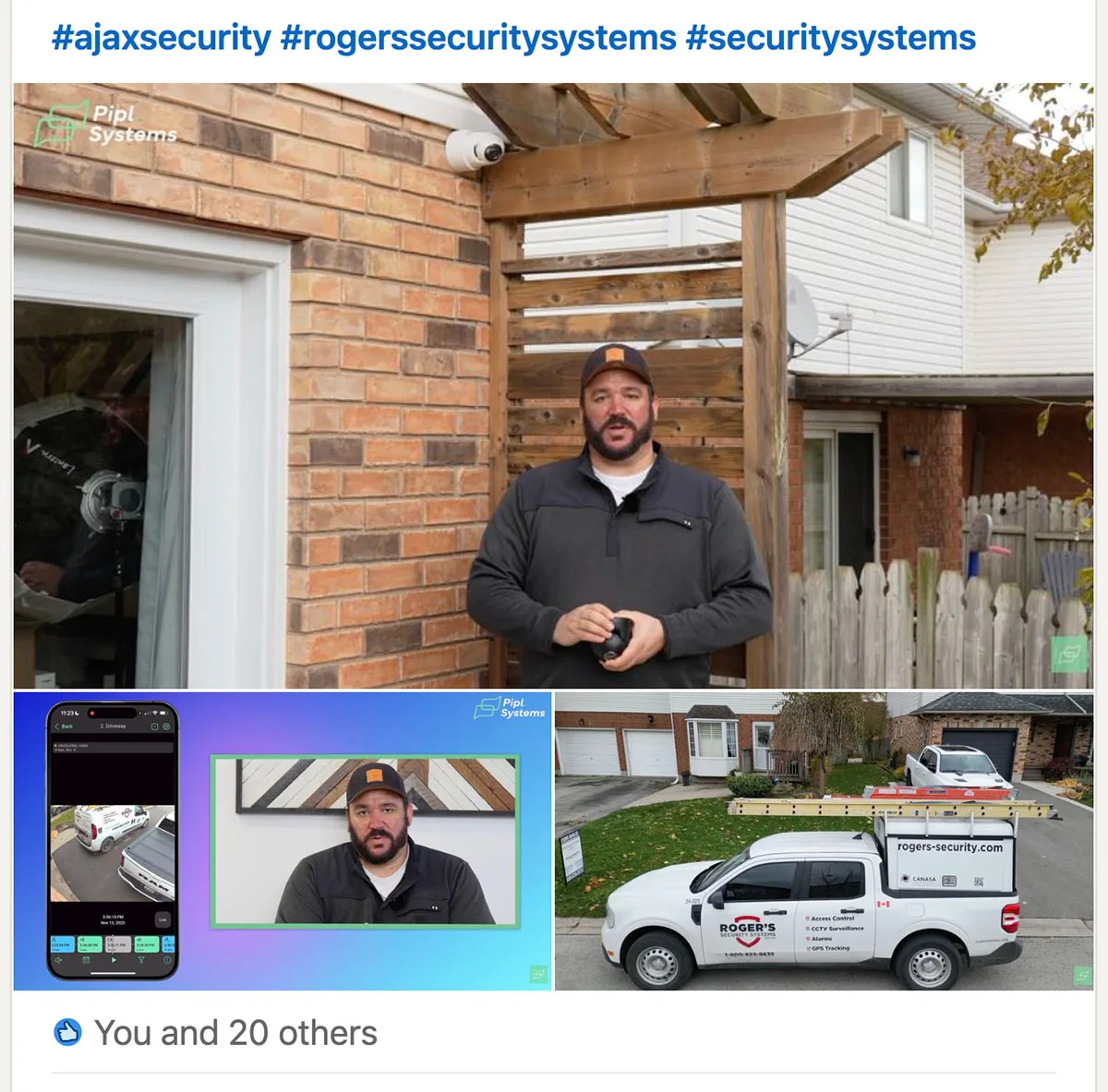
We were thrilled to partner with Pipl Systems again to bring this technology to light. Here is what Oleg Bordiian, founder of Pipl Systems, had to say about our collaboration:
"Today we published a new video that we filmed together with Jack Dugas and the team at Roger's Security Systems. It is a real, practical look at how their team works on an actual residential site and how they deploy AI video surveillance solutions powered by Ajax Systems.
For me, projects like this are the best example of how a company shows its expertise not by talking, but by demonstrating. The security market in North America is becoming more competitive, and in a world where clients research contractors online long before calling them, it is no longer enough to simply say “we do great work.” You need to show it, walk through your process, explain your decisions, and let people see your strengths through real cases.
In this video, Jack walks through the new AI Ajax HL hybrid-illumination camera installed on a live site and shows how video, intrusion and smart automation all work together inside the unified Ajax Systems app." - Oleg Bordiian LinkedIn post
8. Field Experience from an Authorized Ajax Partner
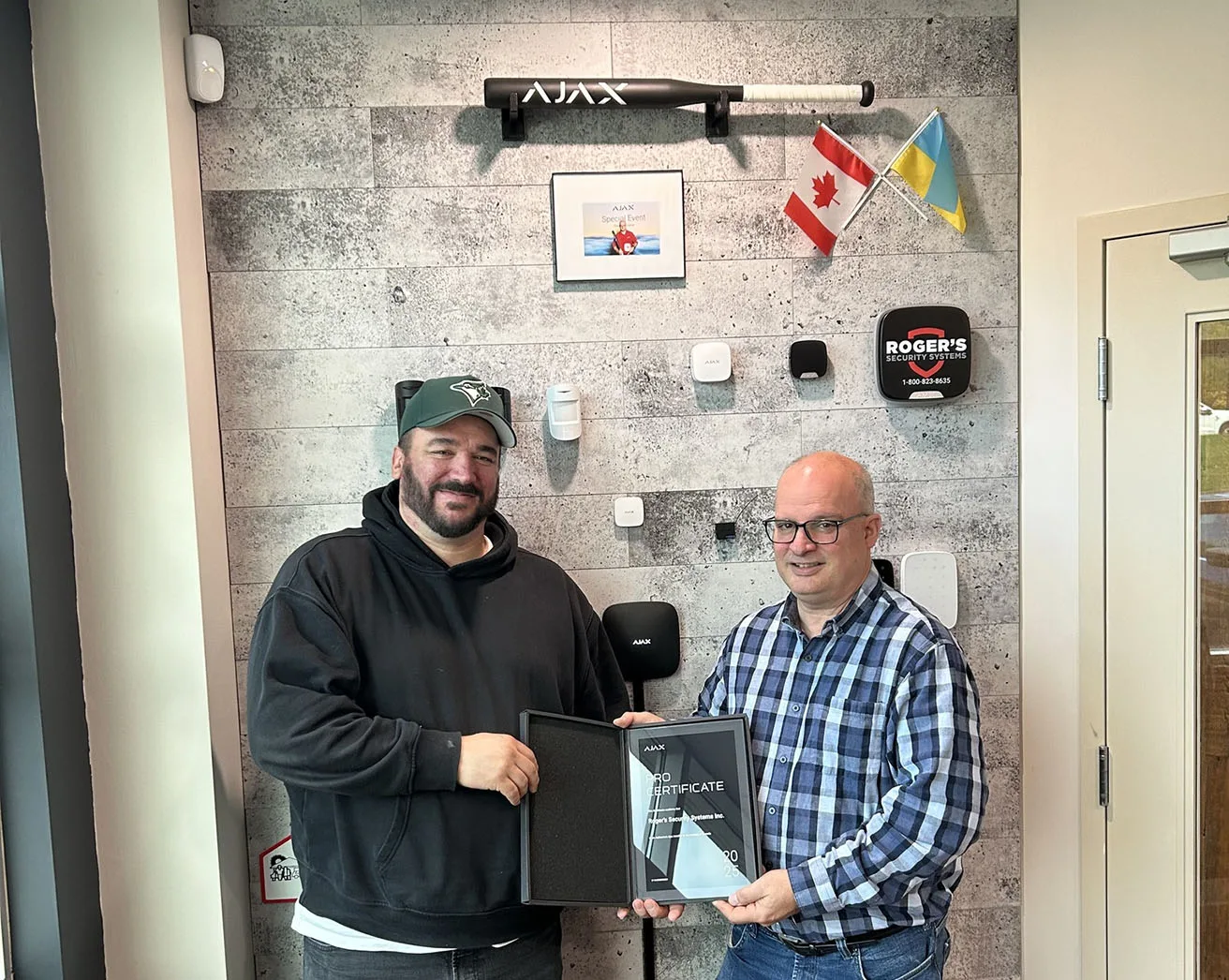
As the lead integrator on this project, I wanted to highlight why Ajax HL cameras are a must-have for modern security.
At Roger’s Security, we’ve worked with Honeywell, DSC, and Ajax for decades. Our multi-vendor experience helps us recommend the right solution for each client, not just push a product.
The Ajax TurretCam HL isn’t just another camera – it’s a smart, integrated security tool that:✔ Sees in total darkness (unlike competitors)✔ Triggers alarms before intruders reach doors✔ Works seamlessly with locks, automation, and monitoring
For a deeper dive into how Ajax DoorBells integrate with the ecosystem, check out our review: Ajax AI Video Doorbell: Honest Review & Real-World Use.
9. Want Help Designing or Installing a System Like This?
I’m Jack with Roger’s Security Systems, and this project was filmed in partnership with Pipl Systems. If you’ve got questions about:
- Camera placement (where to put them for best coverage)
- Scenario setup (how to automate responses)
- Privacy compliance (avoiding legal issues)
- Integration with locks, water valves, and more
Feel free to reach out.
Roger’s Security has been protecting homes and businesses across Southern Ontario for over 30 years. We’re a family-run company based in Burlington, and we’ve grown through word-of-mouth referrals and long-term relationships.
One thing we take seriously is life safety. Roger’s Security received a Life Safety Award (Honeywell First Alert Dealer convention) for a real incident where monitoring response saved lives. We use ULC-listed monitoring stations and focus on real-world reliability.
If you’re in Southern Ontario, we’re local. If you’re elsewhere (Alberta, Saskatchewan, or East Coast), we can still help. We handle everything from assessments to installation to 24/7 monitoring.
Reach us at: 905-319-3244 | rogers-security.com
10. FAQ: Common Questions About Ajax TurretCam HL
Q1. How does the HL camera compare to standard IR cameras?
- Standard IR: Works in near-darkness, but black-and-white, low detail in total darkness.
- Ajax HL: Full-color video even in total blackout (160 ft. IR range).
Q2. Can I install this myself?
While possible, professional installation ensures:✅ Correct detection zones (avoiding false alarms)✅ Optimal camera angles (covering blind spots)✅ Scenario setup (e.g., "If camera detects motion → unlock door")
Q3. How does the alarm response feature work?
- You can set a camera to trigger an alarm if it detects a human (ignoring pets/animals).
- Example: If someone loiters in your backyard at night, the camera instantly sets off a siren before they reach your door.
Q4. What if a camera captures private property?
Ajax allows privacy zones - you can block specific areas in the app so no one (including support) can access that footage.
Q5. How do I decide between 5MP and 8MP?
- 5MP: Good for general monitoring (faces, license plates)
- 8MP: Higher detail (better for forensic review, larger areas)
11. Final Thoughts: Why This Matters for Security Professionals
The Ajax TurretCam HL isn’t just a camera - it’s a revolution in outdoor video surveillance. It solves the biggest weakness of IR cameras: total darkness.
For integrators, this means:✔ Better client outcomes (clear footage, fewer false alarms)✔ New revenue streams (high-security perimeters, industrial sites)✔ Future-proofing (Ajax keeps improving AI and illumination)
For homeowners and businesses, this means:✔ True 24/7 protection (no more blind spots)✔ Smart automation (cameras that work with locks, water valves, and more)✔ Peace of mind (clear evidence in case of incidents)
If you’re looking for real-world expertise, check out our residential case study - it shows how Ajax systems work in practice: Ajax Systems Residential Case Study.