

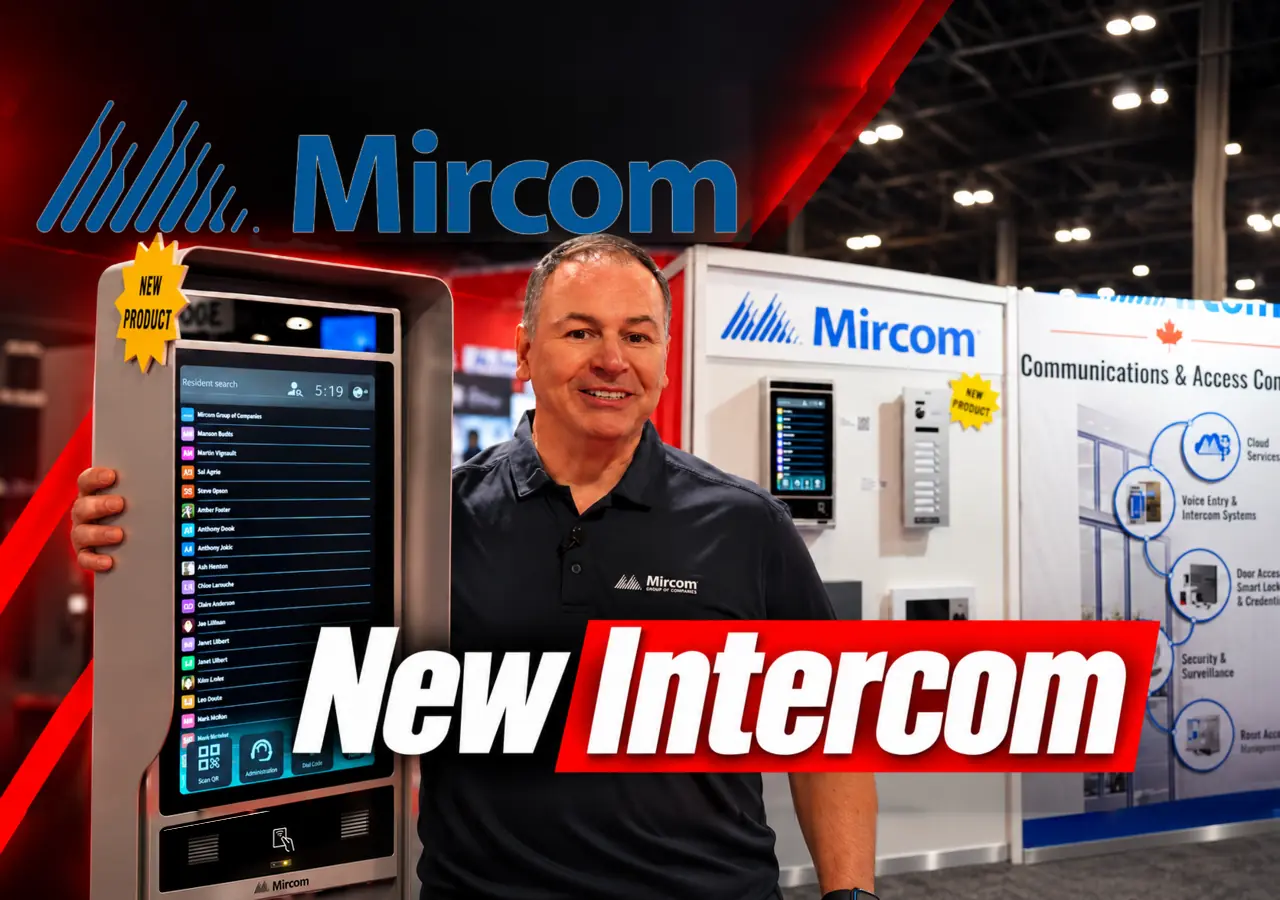
At Security Canada Central 2026 in Toronto, I joined Steve Cigana from Mircom for an early look at two upcoming building-entry products: the Mircom TX3-T22 touchscreen video intercom and a new 2-wire video intercom system for smaller residential properties.
The two products address different entrance needs. The TX3-T22 puts a larger resident directory at the door. The 2-wire system connects an entrance panel to indoor stations without requiring a traditional phone line or an internet connection for local calls. Steve then uses a TX3-T10 to demonstrate MiEntry+ visitor calls and shows how access controllers, cameras, NVRs and MiVision fit into a wider building system.
First-look context: This is a trade-show walkthrough, not a completed-building installation test. Steve identifies the TX3-T22 as a demonstration unit; the live phone-call and unlock sequence later in the video uses the TX3-T10.
Mircom at Security Canada Central 2026 — Pipl Systems. Sponsored by Mircom.
Video chapters · 6:57
Mircom TX3-T22: A Larger Directory with Reachable Controls
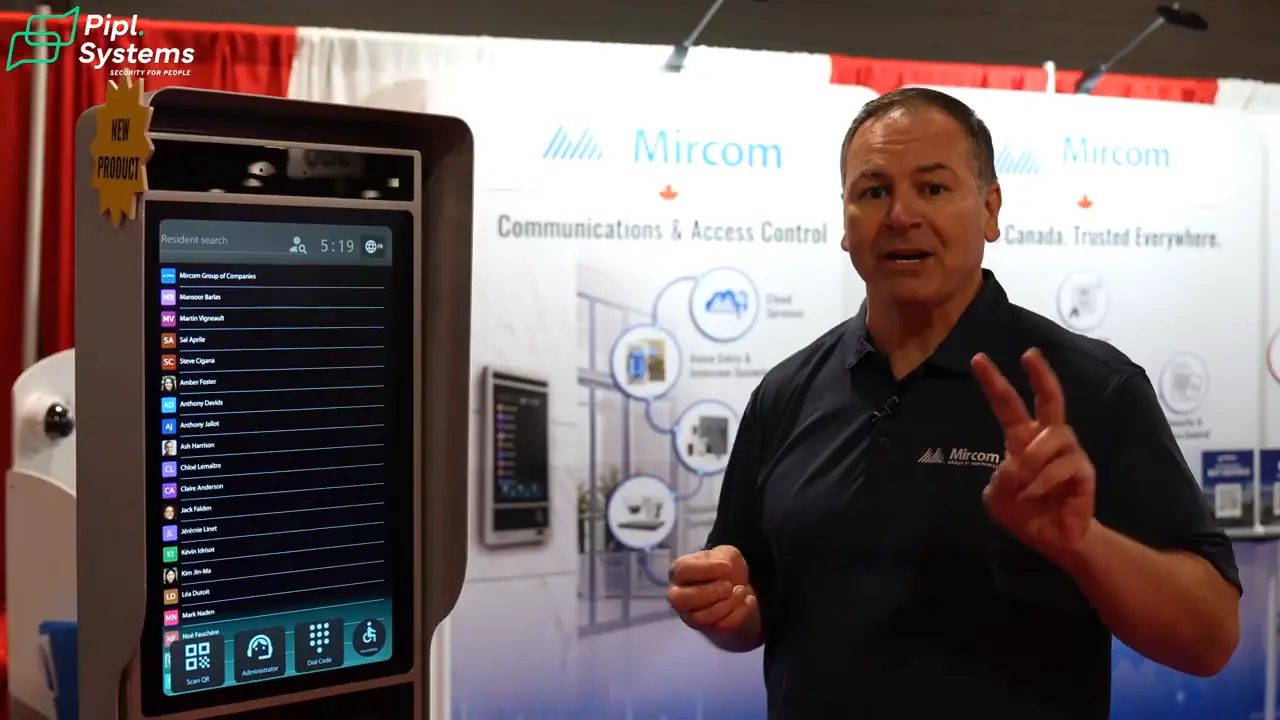
Steve introduces the TX3-T22 as a larger-screen addition to Mircom’s touchscreen intercom lineup. It follows the familiar appearance of the TX3-T10 while giving the directory more screen space. If you have read our earlier Mircom TX3-T10 walkthrough, the family resemblance is clear.
The accessibility demonstration is more useful than a larger screen on its own: activating the mode moves the directory and its controls into the lower part of the display. That can make the interface easier to reach from a seated position. The entrance design still has to account for mounting height, clear approach space and the people who use it.
The Center for Universal Design at North Carolina State University puts that design goal plainly in its Principles of Universal Design, Version 2.0, dated April 1, 1997:
“Make reach to all components comfortable for any seated or standing user.”
That reach guideline is a useful way to evaluate the lower-screen mode. It does not establish that a particular installation meets every applicable accessibility requirement.
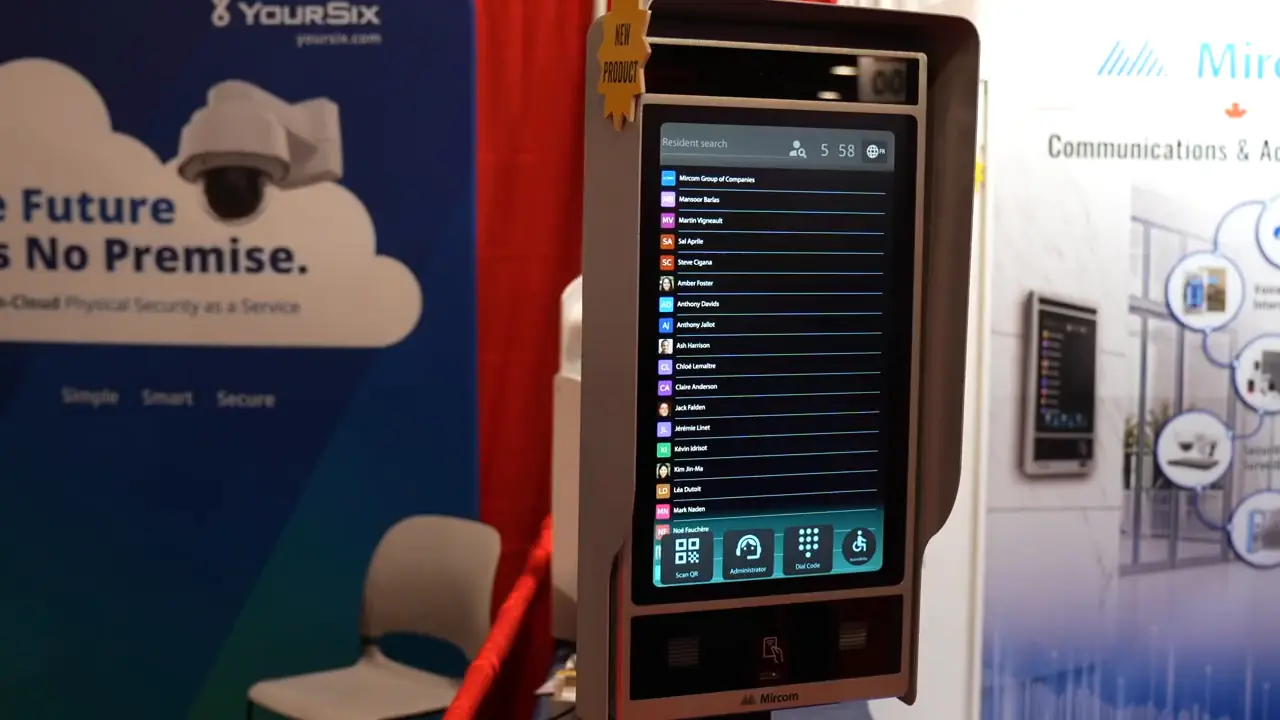
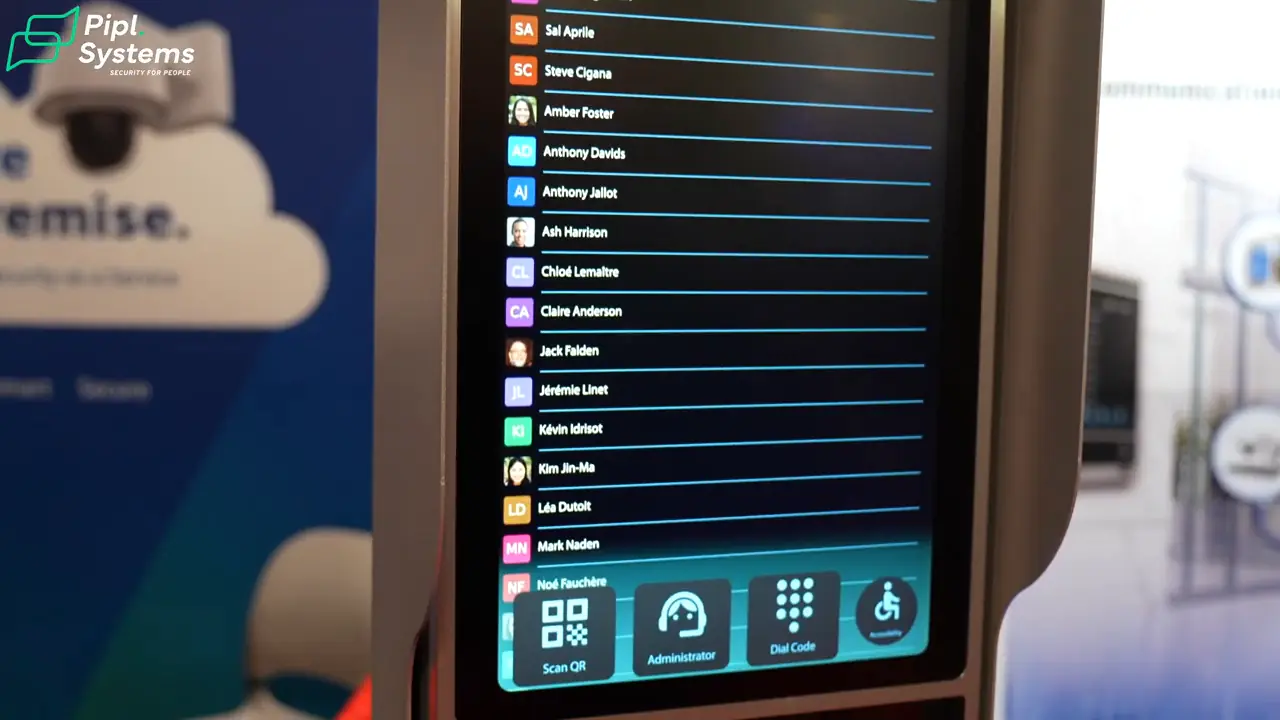
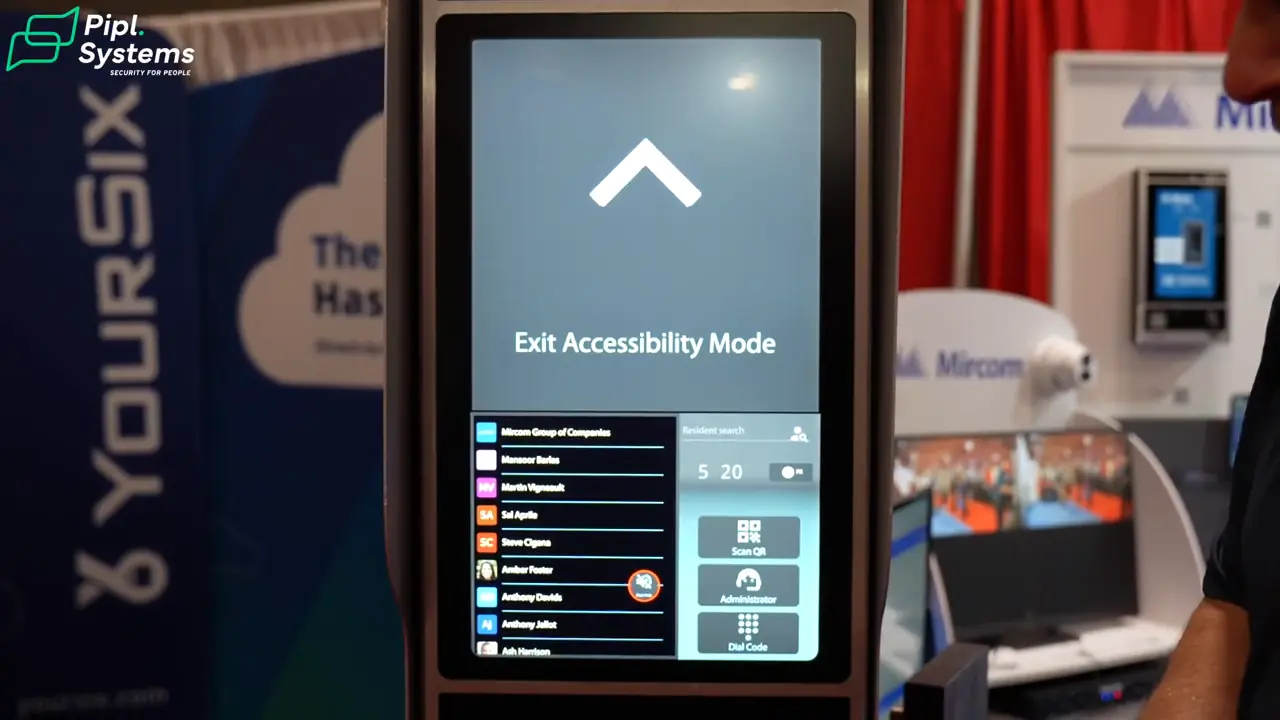
The TX3-T22 preview pairs a larger resident directory with controls along the lower edge of the touchscreen.
1 / 3
Steve also describes an NFC module for mobile credentials, elevator restriction capabilities and a Linux-based platform shared with the TX3-T10. These are different jobs: a resident directory helps a visitor reach someone, a credential identifies an authorized user, and elevator restrictions control access beyond the entrance. The walkthrough does not demonstrate a working NFC credential or an elevator connection, so those details belong in the project’s compatibility discussion.
For the enclosure, Steve describes IP65 protection, ISED/FCC certification and cold-weather operation. I would have the installer confirm the final TX3-T22 specifications and environmental limits for the actual entrance. Mircom’s older TX3-TOUCH-F22 models are separate products; their specifications should not be used as the new TX3-T22’s datasheet.
At the October 2026 event, Steve places the TX3-T22 launch in the new year. That is a preview of the release plan, not confirmation that the panel is shipping. Start with Mircom’s communications lineup and confirm the available model and documentation before ordering.
The New 2-Wire Intercom: Local Calls for Smaller Properties
The second preview targets smaller condos, apartments, duplexes, triplexes and similar properties. Steve presents it as the next step after Mircom’s KVS system. The attraction is straightforward: an entrance panel and indoor stations communicate over two wires, with no traditional telephone service or internet connection required for the local intercom conversation.
That does not mean the system operates without power or that every old cable can be reused. Mircom’s VX documentation describes a non-polarized two-wire bus carrying power, audio, video and control signals. A retrofit still needs the appropriate power supply and distribution components, plus a check of the existing wiring and planned distances.
The hardware choices matter when counting apartments. Mircom identifies the VX-AP8 as the eight-button entrance panel and the VX-AP12 as a 12-button extension. The latter adds call buttons to the base panel; it is not simply an alternative 12-button standalone panel. For residents, the VX-M7 provides a seven-inch touchscreen monitor, while the VX-PH1 is an audio handset. A handset offers an audio answering option, not a second video display.
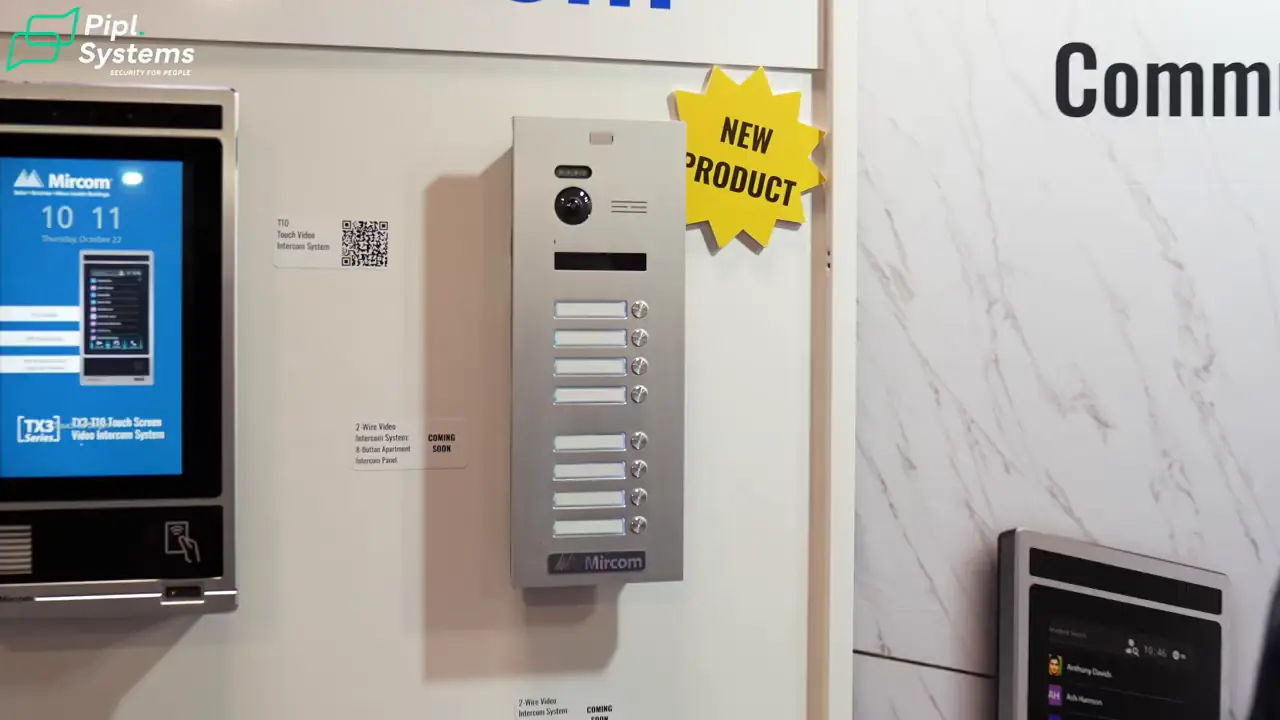
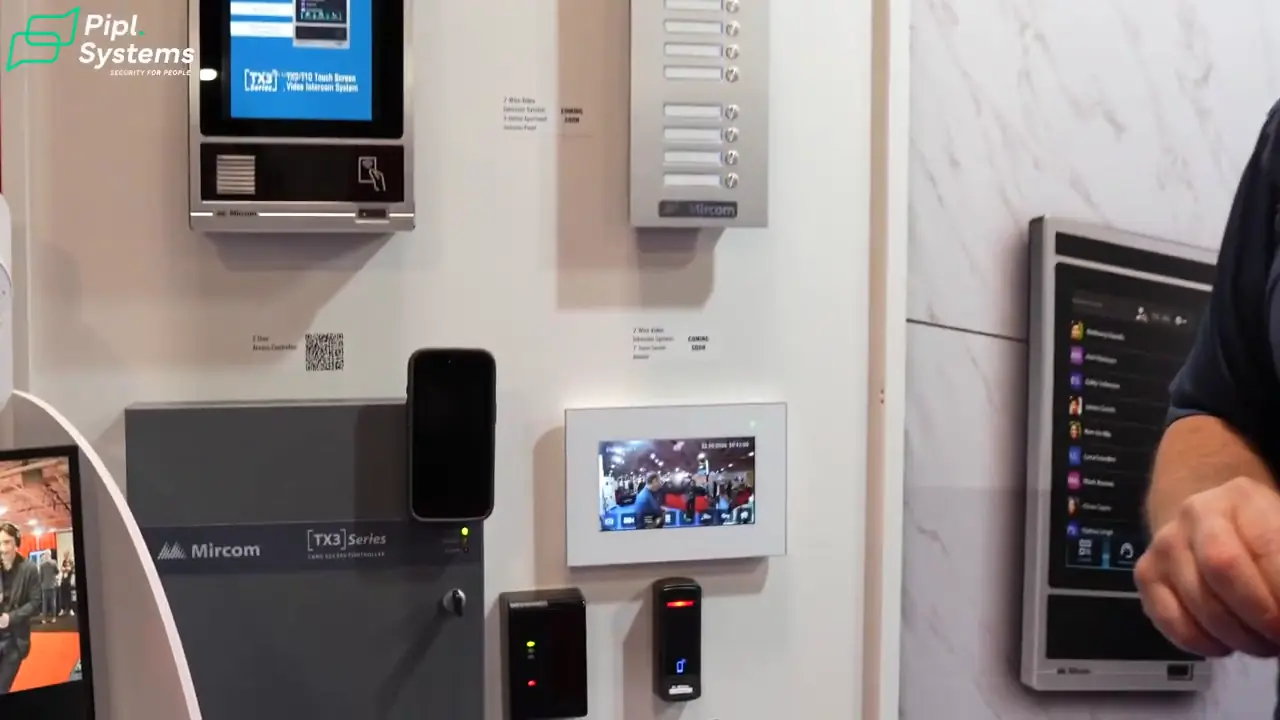
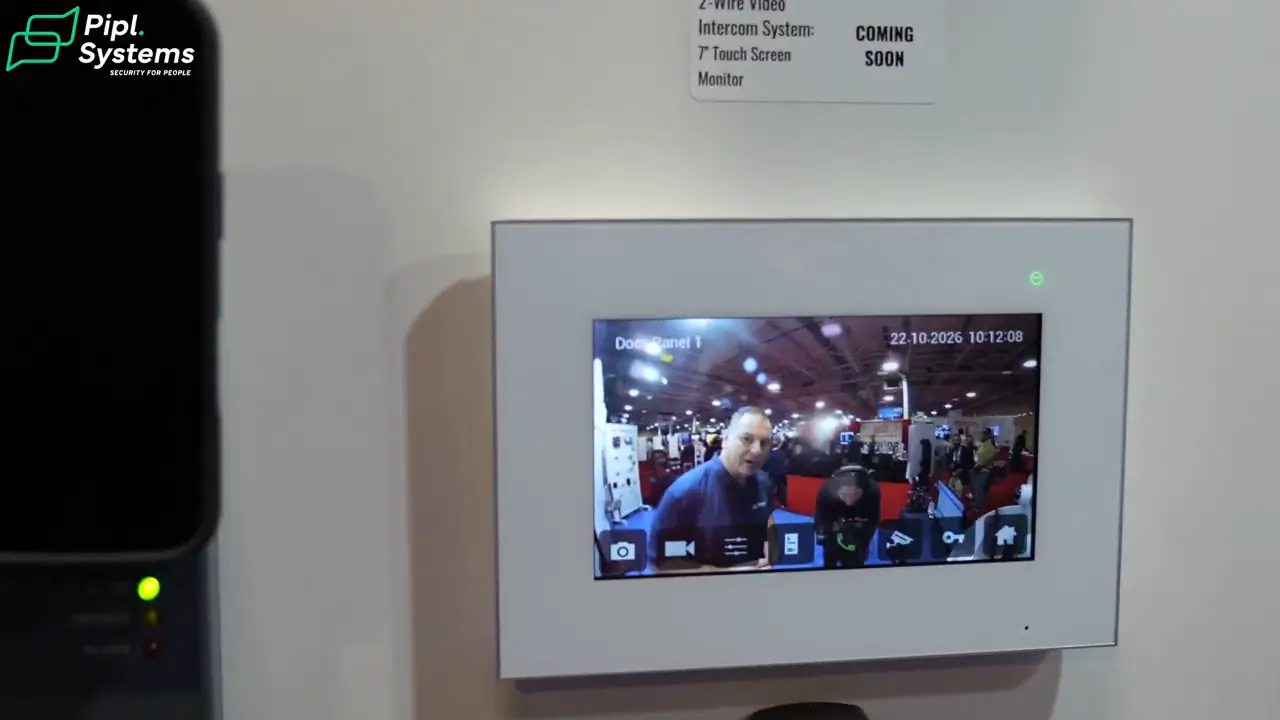
Mircom’s upcoming 2-wire lineup includes an eight-button entrance panel. The current VX-AP12 adds 12 buttons to the VX-AP8 base panel.
1 / 3
In the live demonstration, the indoor monitor receives a call and shows the visitor. Steve also describes inter-suite communication and messages, including a response when someone is away or does not want to answer. Those resident-response functions should be distinguished from a visitor leaving a recorded message.
He discusses viewing compatible ONVIF cameras and connecting a recorder. Those options need a model-specific design: the fact that a device supports ONVIF does not make every camera, profile or recording path interchangeable. ONVIF’s conformance guidance makes the product version, firmware and supported profiles important parts of that check.
Steve expects the full 2-wire launch after the show. At our November 4, 2026 source review, Mircom’s VX product pages still carried a Coming Soon label. Confirm availability and the required components for your property rather than treating the booth display as a shipping commitment.
TX3-T10 and MiEntry+: The Resident Call Demonstration
For the phone demonstration, Steve switches to the TX3-T10. The visitor selects a resident, the resident receives a call through MiEntry+, and answering brings up the visitor’s camera view. The resident can speak with the visitor and use the unlock control.
The sequence ends with Access Granted on the entrance panel. That confirms the command in the booth demonstration; the footage does not show a physical door opening. Mircom describes the TX3-T10 call as one-way video with two-way audio, so the visitor camera view should not be confused with a two-way video call between two phones.
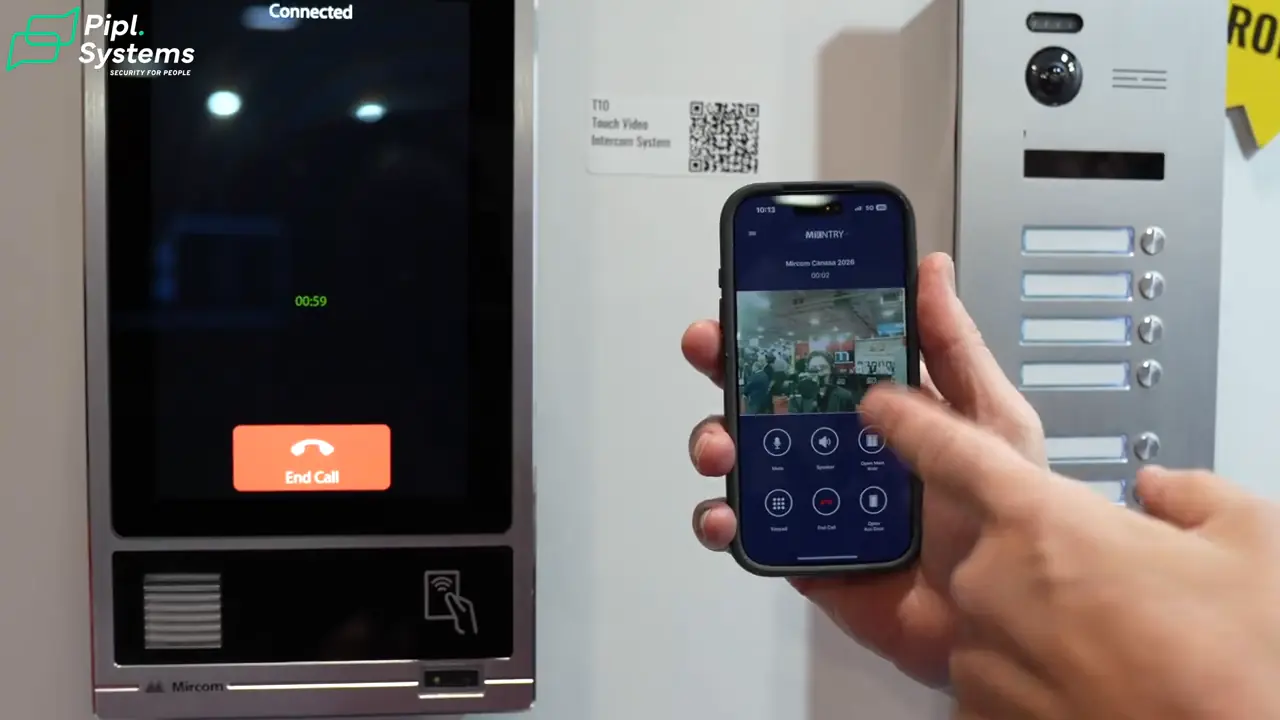
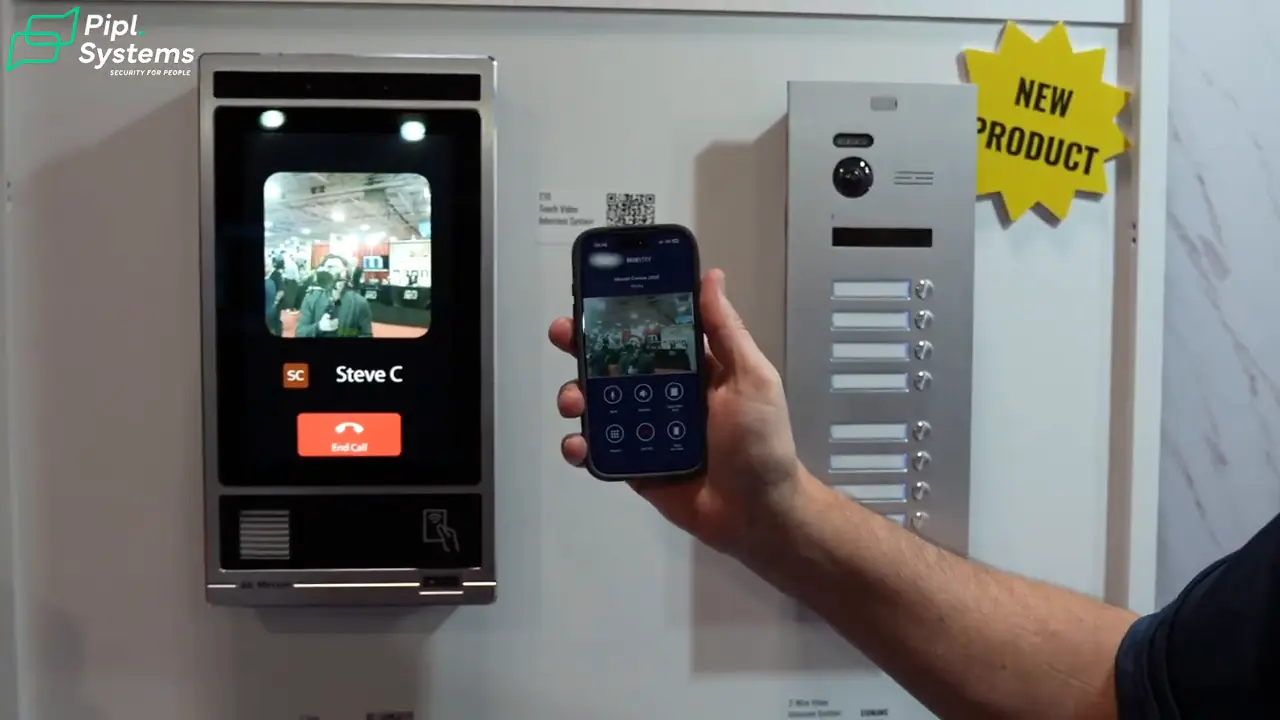
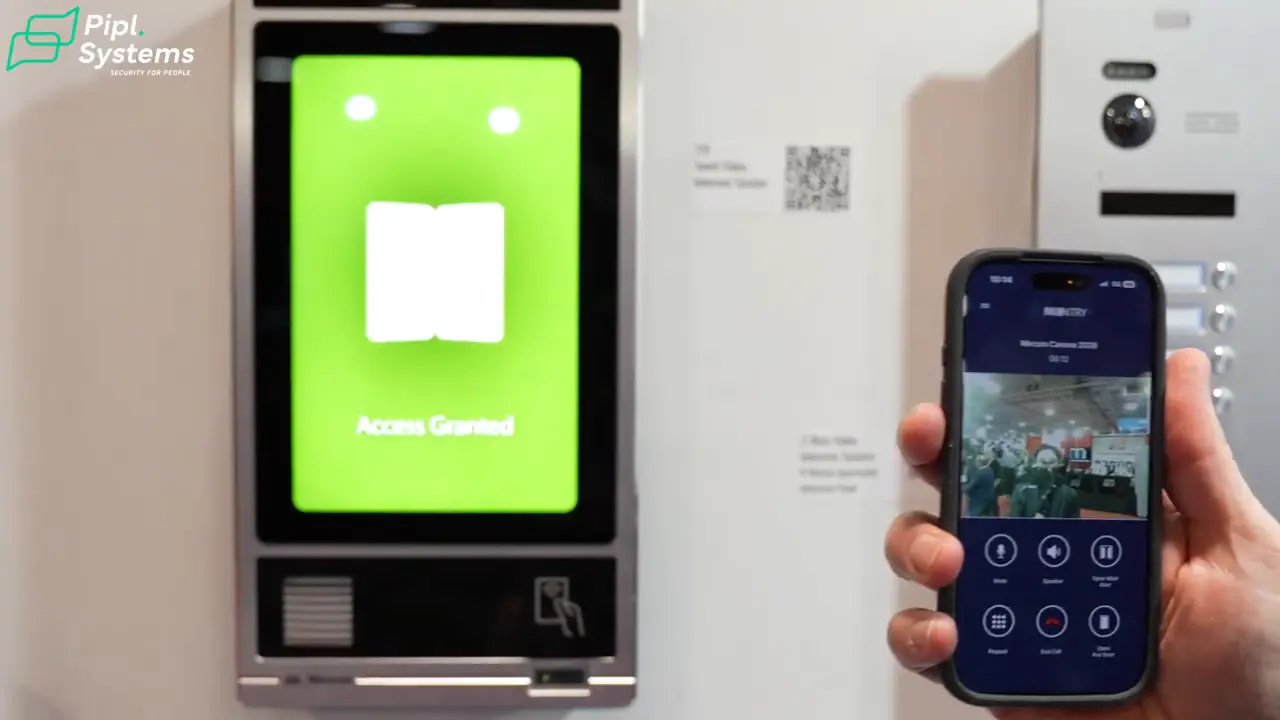
MiEntry+ displays the visitor camera and call controls after Steve answers the TX3-T10 call.
1 / 3
For a resident, this is the everyday workflow that matters: recognize the caller, have a conversation and decide whether to grant entry. For the installer, it adds a separate checklist—supported panel, app setup, connectivity, resident enrollment and the applicable service plan. It also shows why the T22 preview and T10 demonstration need to stay separate: I saw the call workflow on the TX3-T10, not on the new TX3-T22.
Connecting Door Access, TX3 Configurator, Cameras and NVRs
Steve then moves from visitor entry to building access control. He shows a two-door controller managed through TX3 Configurator and a compact single-door controller with a reader built in. The first format centralizes control of two doors; the second combines controller and credential-reading functions at an individual opening.
An integrated reader is not the same thing as every external reader interface. For example, Mircom’s TX3-CX-1 documentation distinguishes its built-in reader from the optional external Wiegand reader connection. That distinction helps an installer choose the right hardware when a building already has readers or credentials in place.
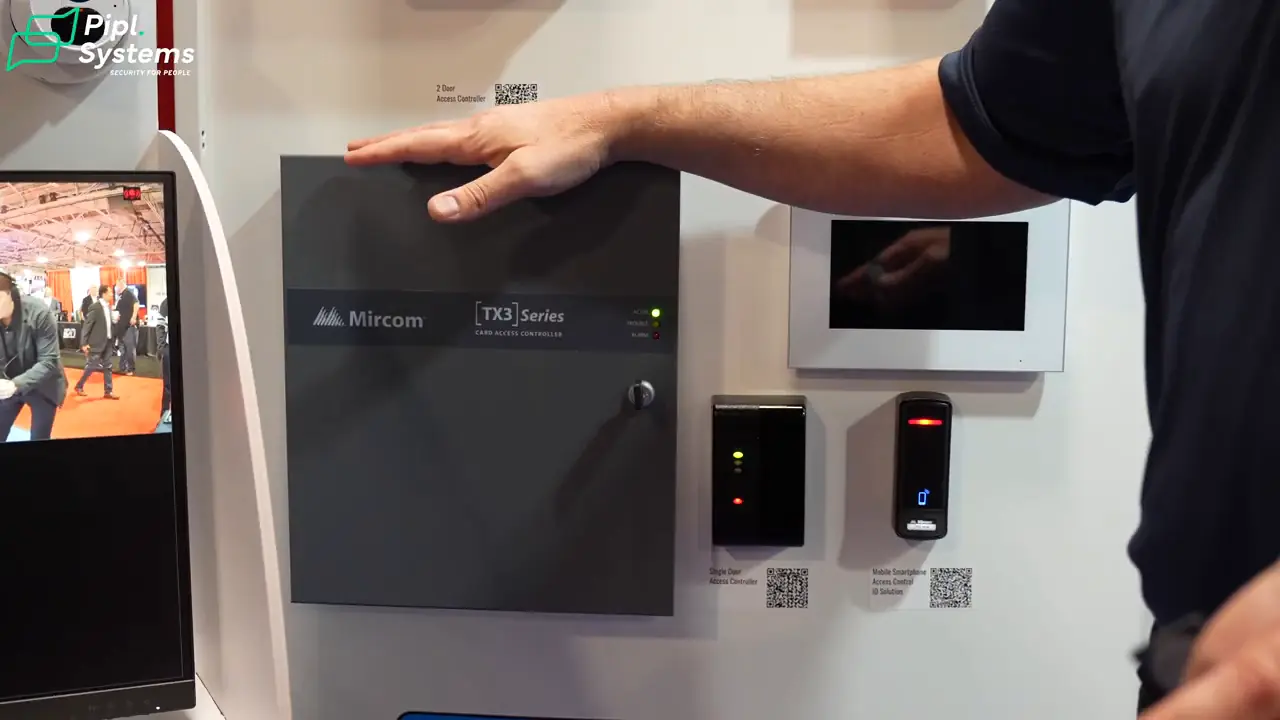
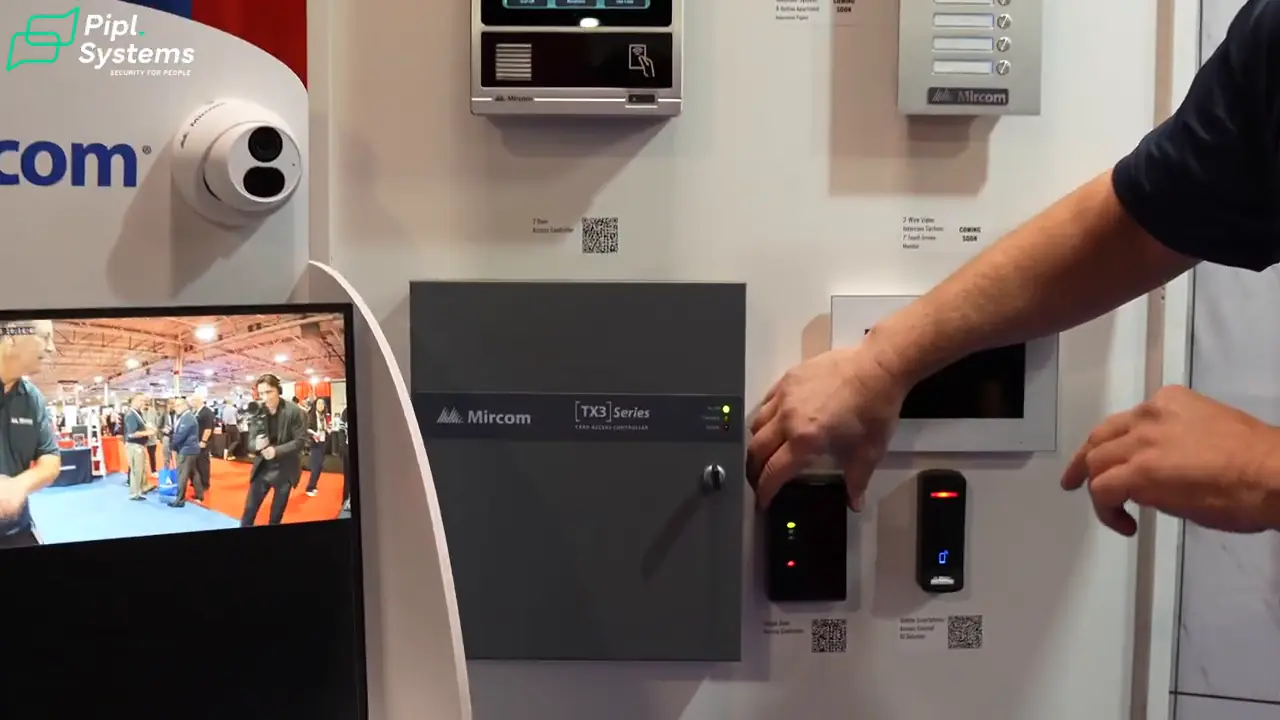
Steve connects the two-door access controller to the wider TX3 configuration workflow.
1 / 2
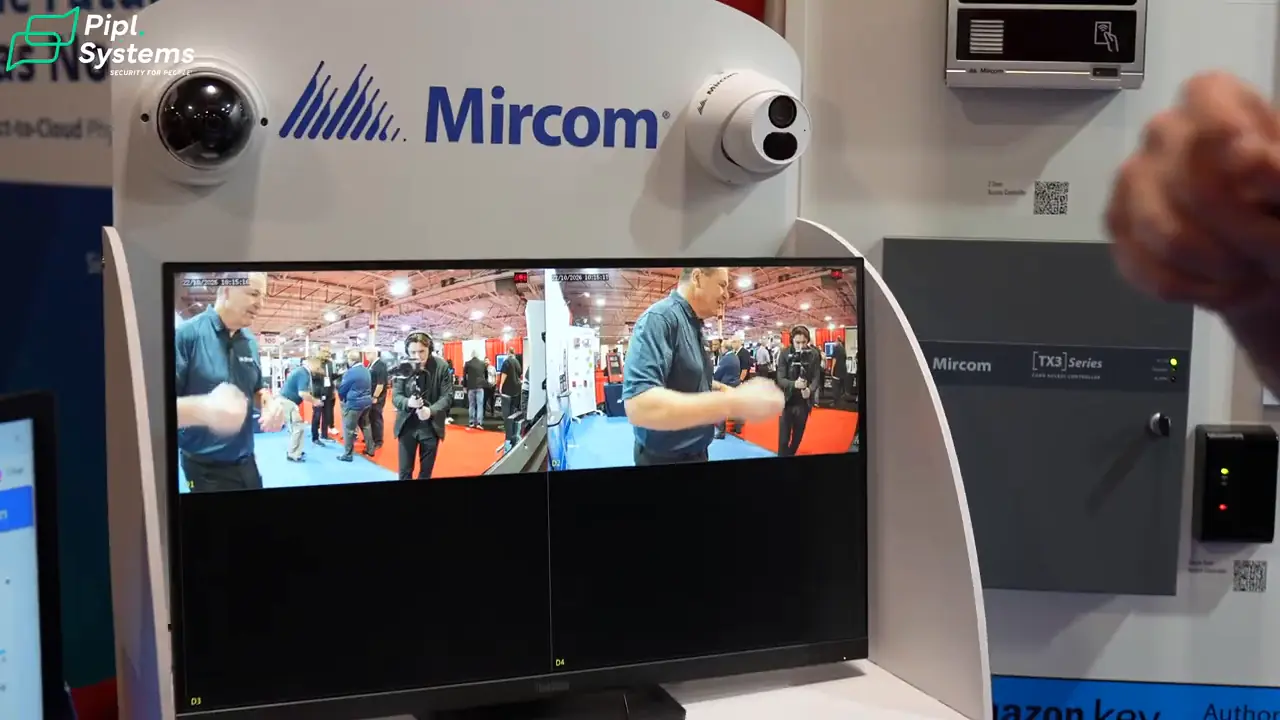
The booth also includes surveillance cameras and NVRs. Together, they show the broader project Mircom is addressing: visitors at the entrance, residents and staff at controlled doors, and video for reviewing activity. The walkthrough does not demonstrate that every camera or NVR function moves into the cloud, so I would specify the recording system and retention requirements separately from remote door management.
MiEntry+, TX3 Configurator and MiVision Have Different Roles
The software names are easier to follow when each is tied to its user. MiEntry+ handles the resident’s visitor call. TX3 Configurator serves the compatible TX3 configuration workflow. MiVision gives authorized operators browser-based access to supported building systems.
Steve shows MiVision on a laptop and describes access from tablets and phones, management of one or multiple buildings, card events, remote door commands, and adding or deleting cards. Those functions support the manager’s daily work; they are different from a resident answering the entrance call.
| Tool | Main user and task | What to plan |
|---|---|---|
| MiEntry+ | Residents: answer visitor calls, see the entrance camera and grant entry. | Compatible panel, app enrollment, connectivity and the applicable service plan. |
| TX3 Configurator | Installers and authorized operators: configure supported TX3 intercom and access-control equipment. | The correct software, device compatibility and project configuration. |
| MiVision | Property managers: monitor supported systems, review access events, manage cards and send remote door commands. | Supported equipment, an on-site TX3-Cloud-Gateway, connectivity and a subscription. |
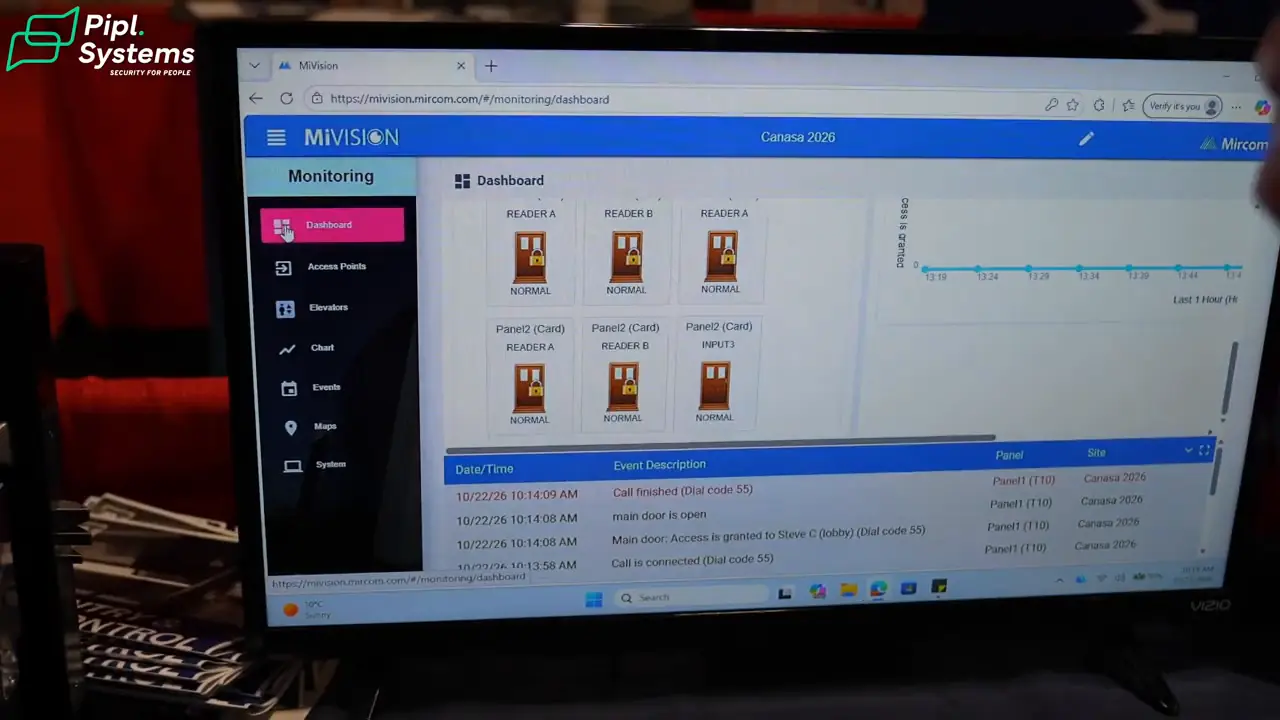
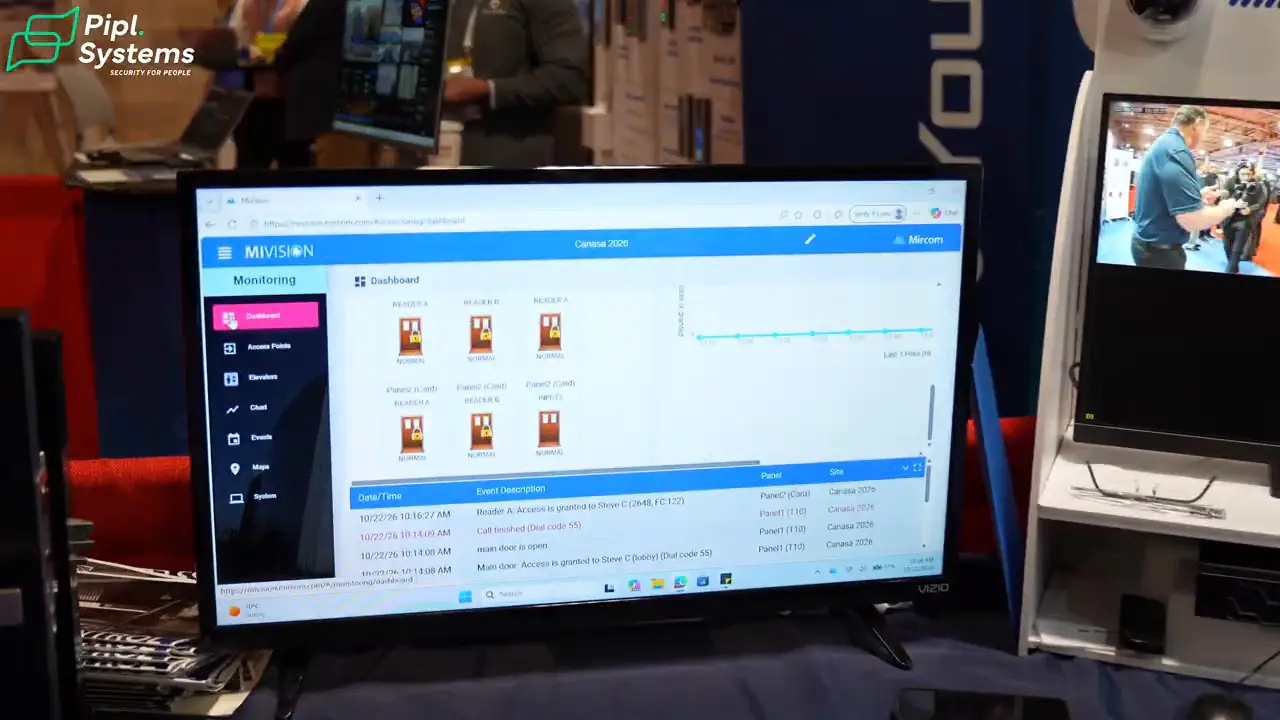
MiVision gives authorized operators a browser-based view of the building’s access-control system.
1 / 2
Mircom’s cloud-services overview separates these services, while its June 4, 2026 TX3-T10 compatibility bulletin explains the MiVision gateway and subscription requirements. This is worth checking during design: cloud management is a configured service with dependencies, not an automatic feature of any Mircom device connected to the internet.
How I Would Plan a Mircom Intercom Project
I would start with how visitors reach residents and how the building team manages access. A large directory, an indoor monitor and a phone app can all be useful, but they solve different parts of the entrance workflow.
| Project priority | Relevant option in this walkthrough | Question for the integrator |
|---|---|---|
| A larger entrance directory | TX3-T22 preview, including the lower-screen accessibility mode. | Is the final model available, and how will the panel, credentials and elevator restrictions be configured? |
| Resident calls on a smartphone | The demonstrated TX3-T10 and MiEntry+ workflow. | Which panel, connectivity, resident accounts and service plan does this building need? |
| Local calls to indoor stations | The upcoming 2-wire system with a video monitor or audio handset. | Can the wiring be reused, and which power, distribution and optional network components are required? |
For the scope of work, I would ask the integrator to document:
- The number of entrances, residents and controlled doors, plus any elevator permissions.
- The panel’s mounting position, accessible approach and environmental requirements.
- Existing cable condition, power, network paths and any need for a traditional phone service.
- Which calls stay local, which functions use an app, and which management services require subscriptions.
- The exact camera and recorder compatibility, access permissions, commissioning and support responsibilities.
Our commercial intercom planning guide can help define that brief, and our security integrator selection guide covers the next step. Steve closes with Mircom’s website and sales contacts, followed by a brief preview of a separate Secutron fire-systems video. The entry systems discussed here should be scoped on their own requirements.
Frequently Asked Questions
Is the Mircom TX3-T22 available now?
It was presented as an upcoming demonstration unit at Security Canada 2026. Steve described a launch in the new year. Confirm the release status, final specifications and supply with Mircom or your integrator before ordering.
Does Mircom’s 2-wire video intercom need internet?
The local entrance-to-indoor-station call does not require internet or a traditional phone line in the walkthrough. Power and the correct system components are still required. Optional network and remote functions have separate requirements.
Was the smartphone unlock demonstration performed on the TX3-T22?
No. Steve used the TX3-T10 with MiEntry+ for the smartphone call and unlock sequence. The panel displayed Access Granted after the command; a physical door opening was not shown.
What is the difference between MiEntry+ and MiVision?
MiEntry+ is the resident-facing app for visitor calls and supported entry functions. MiVision is a browser-based service for authorized operators managing supported building systems, including access events, cards and remote door commands.
Can the 2-wire system use existing cables and cameras?
That requires a site and compatibility check. A two-wire retrofit may reuse suitable cabling, but its condition, distances, power and distribution must be assessed. ONVIF camera integration depends on the supported products, firmware and profiles.
Do residents have to use a smartphone?
Not for the local 2-wire arrangement shown. The indoor touchscreen monitor provides video answering, and the separate handset provides an audio option. The property’s chosen system determines which answering methods are available.
Find the Right Security Integrator for Your Building
Planning a new entrance or replacing an older apartment intercom? Bring the building details and the workflows above to an installer before choosing hardware. Find a security integrator through Pipl Systems or use the project request form below to explain your property, location and installation needs.