


Key Takeaways:
- 💎 A Maturing Ecosystem: The latest UniFi Protect updates signal a major shift from a closed camera environment into a comprehensive video management platform built for commercial security.
- 💎 Cost-Effective Migration: Expanded ONVIF support allows businesses to transition existing hardware step by step, solving the expensive problem of replacing hundreds of working third-party cameras at once.
- 💎 Professional Evidence Handling: Cryptographic video verification, user audit logs, and Chain of Custody protocols ensure that exported footage remains legally sound for police, HR, or insurance investigations.
- 💎 Beyond Basic Recording: With additions like multi-site management, centralized video walls, and API flexibility, UniFi is directly addressing the enterprise gaps that historically pushed buyers toward expensive, license-heavy VMS alternatives.
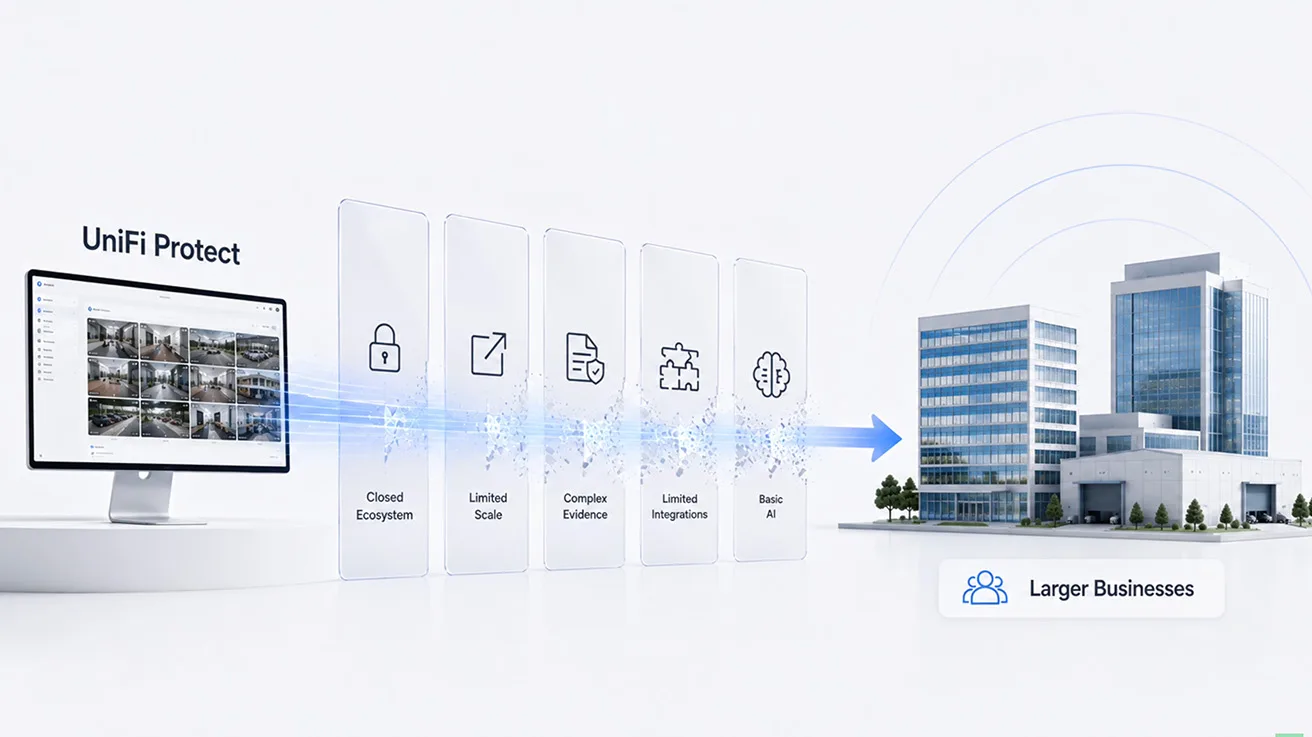
Something important is happening with UniFi Protect. Over the last few years, Ubiquiti has changed Protect a lot. It started as a relatively closed camera ecosystem. Today, however, it looks much more like a complete video management platform for businesses.
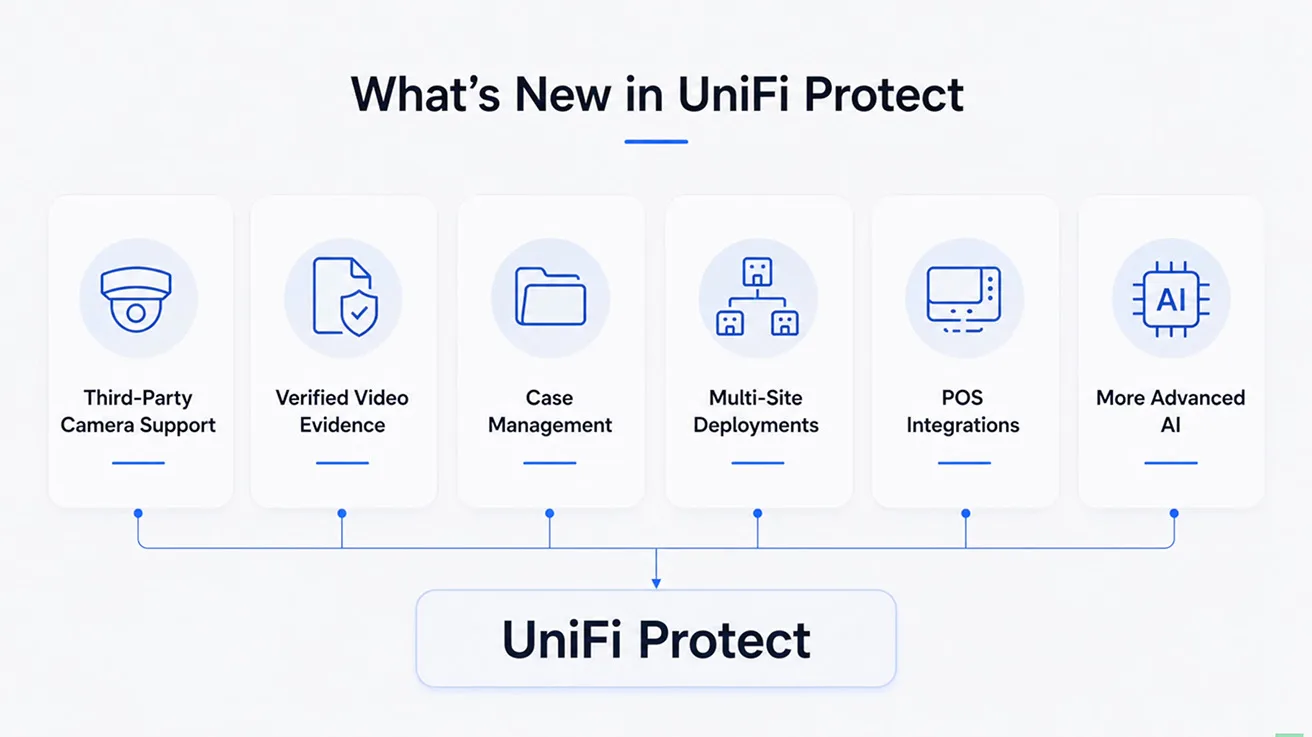
The latest UniFi Protect updates make this direction even clearer. We now have support for third-party cameras. We have verified video evidence and case management. We have multi-site deployments, POS integrations, and more advanced AI. These are not just nice new features. They are actively removing some of the primary reasons why businesses traditionally choose established VMS platforms instead of UniFi.

The bigger question is not just what is new in Protect 7.2. The bigger question is this: Is UniFi Protect becoming a serious VMS competitor? To answer this, we went through Ubiquiti's latest updates, looked at the first feedback from the UniFi community, and discussed these changes with professional security integrators in our network. Let us look at how UniFi Protect works today and what really matters for commercial buyers.
1 / 6
Ubiquiti is Clearly Moving Upmarket
To fully understand what is happening, we should not look only at Protect 7.2. Over the last several major updates, Ubiquiti has added many new features. Many of them make more sense for larger commercial security systems.
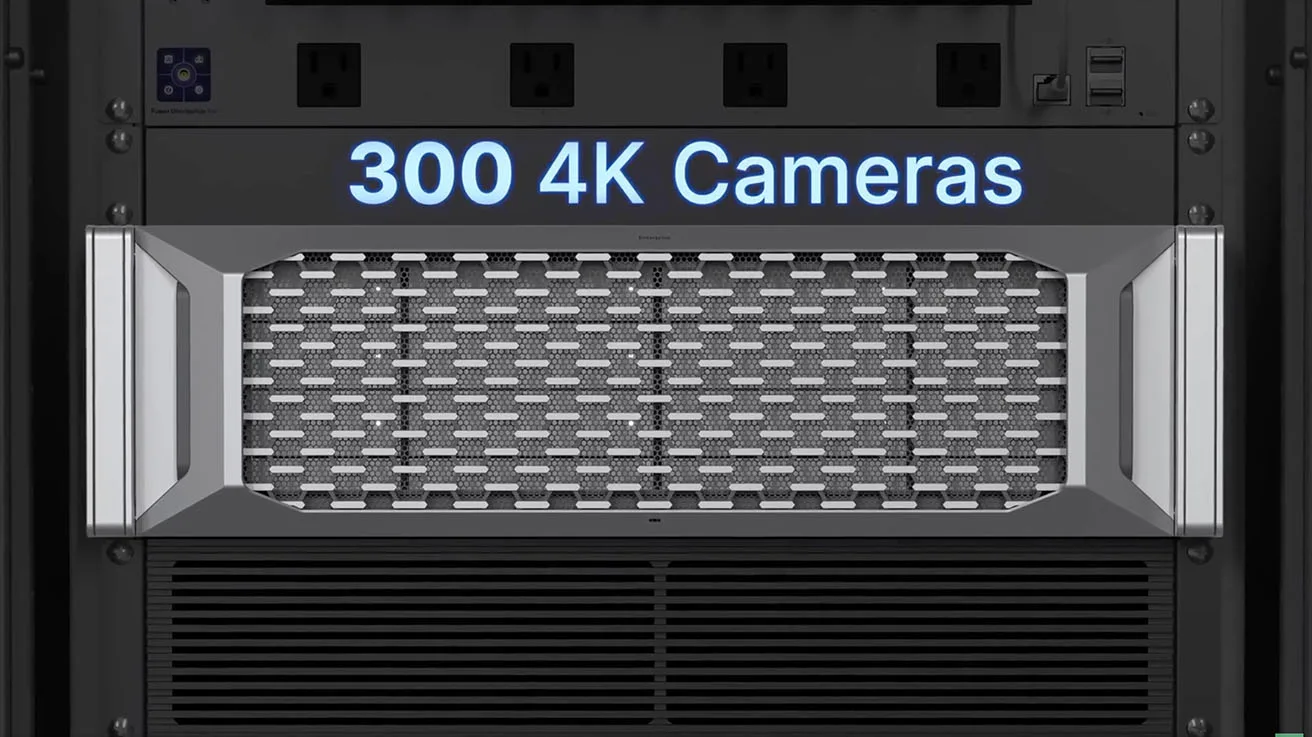
Through recent updates, we got better audit logs. We got Fabrics and centralized management. Ubiquiti also added video walls, Enterprise NVR Core, multi-site capabilities, and support for larger camera deployments.
Now, Ubiquiti is adding another layer:
- Verified Evidence and Chain of Custody.
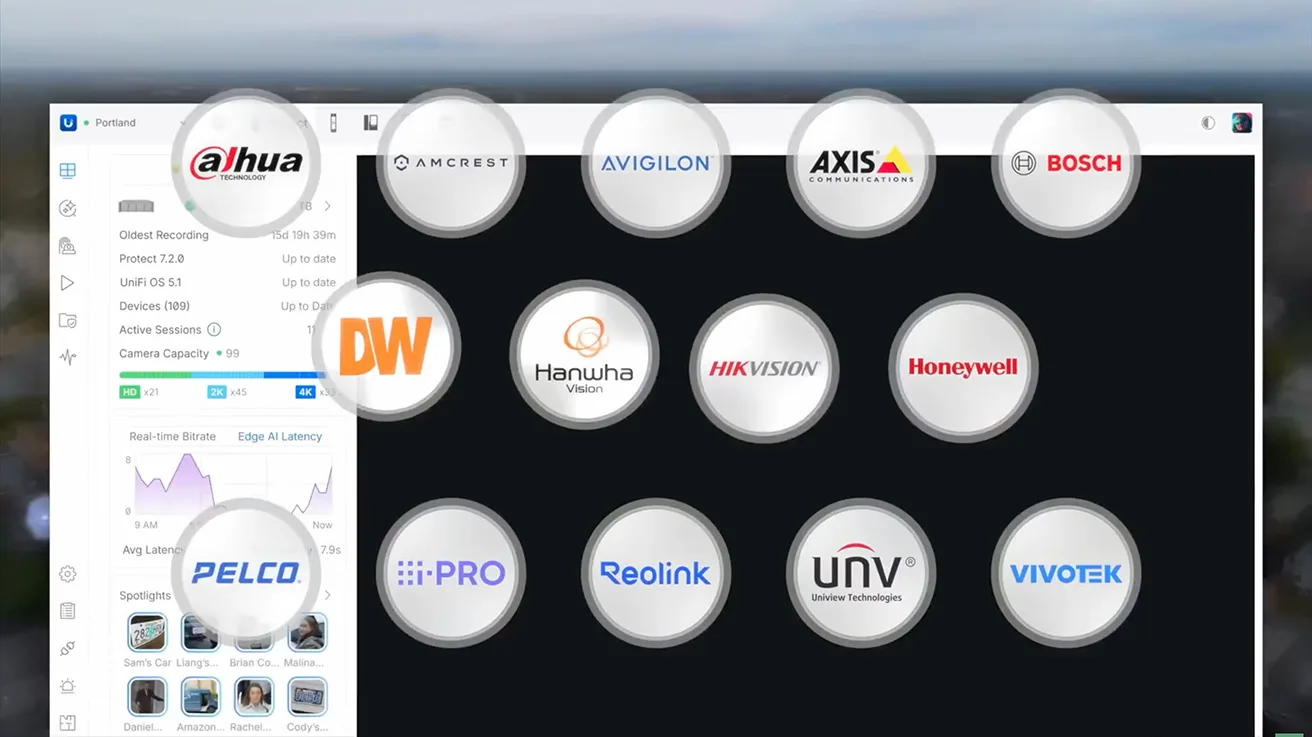
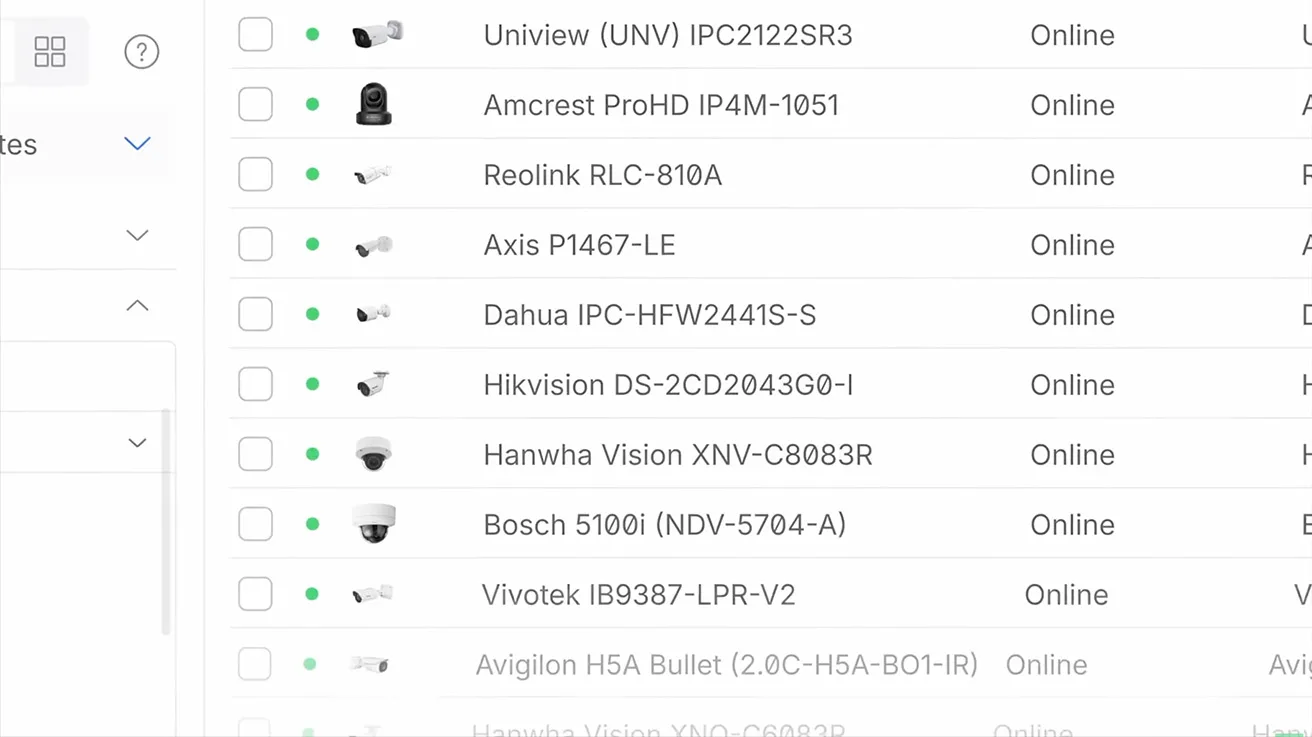
- Better support for third-party cameras.
- POS integrations.
- More advanced AI capabilities.
One feature alone does not turn Protect into an enterprise VMS. When we put all of these changes together, the direction becomes pretty clear. Ubiquiti is gradually removing the limitations that made Protect difficult to use for larger businesses.
This push upmarket goes beyond just video surveillance. Modern access control platforms do more than monitor doors and cameras; they can automate daily operational workflows, such as replacing traditional paper visitor logs. Deploying the UniFi ecosystem allows businesses to leverage advanced features like Kiosk Mode, AI video analytics, and face recognition without recurring monthly software subscription costs. True professional system integrators do not just install out-of-the-box hardware. They analyze specific business processes and engineer custom software dashboards to solve exact operational requirements. You can see this in action by reading our guide on building a visitor system with UniFi Kiosk Mode.
ONVIF Support: Migrating Third-Party Cameras
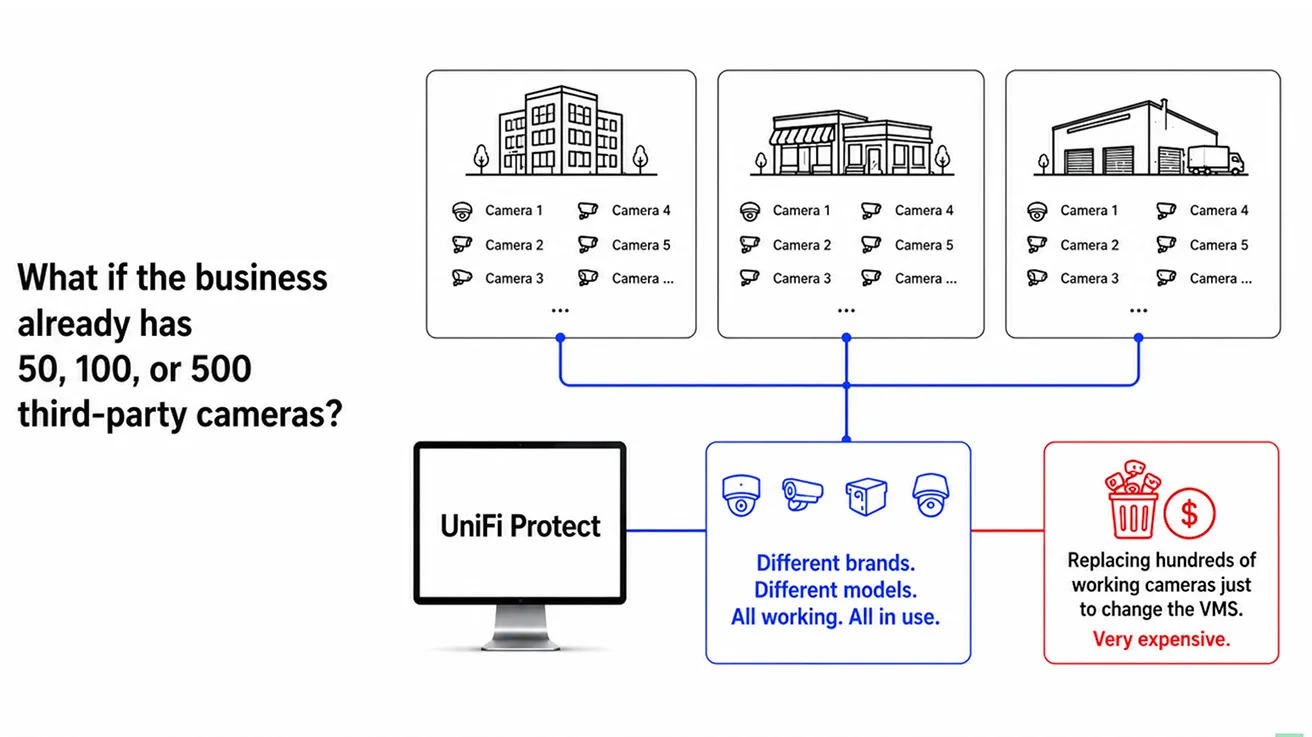
For years, one of the biggest limitations of Protect was its closed ecosystem. If you wanted UniFi Protect, you were basically building your system around UniFi cameras. That is perfectly fine for a brand-new installation. But what happens when a business already has 50, 100, or 500 cameras?
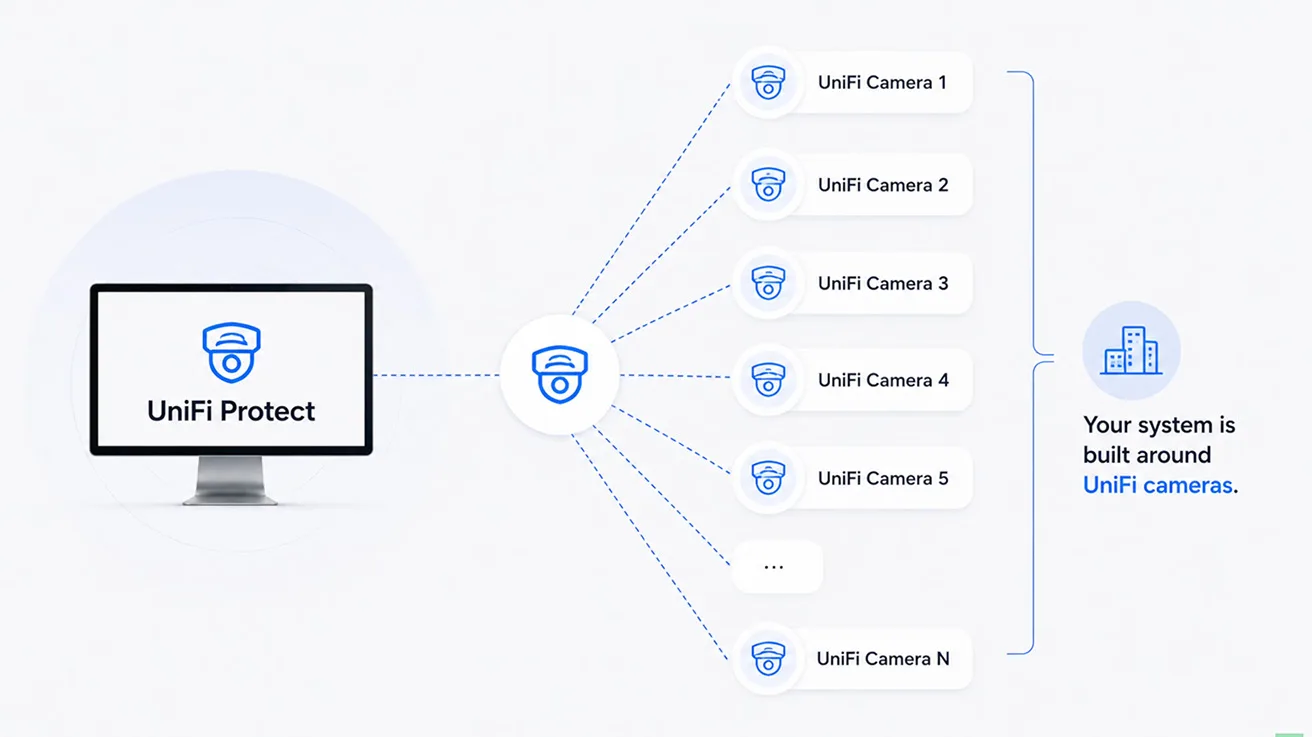
A customer may already have Axis cameras, Hikvision, or Dahua. In many cases, industrial sites have cameras from several different manufacturers. Often, those legacy cameras may still work perfectly well. Replacing hundreds of working cameras just to change the video management platform can be very expensive. In some cases, it can make the entire upgrade project unrealistic.
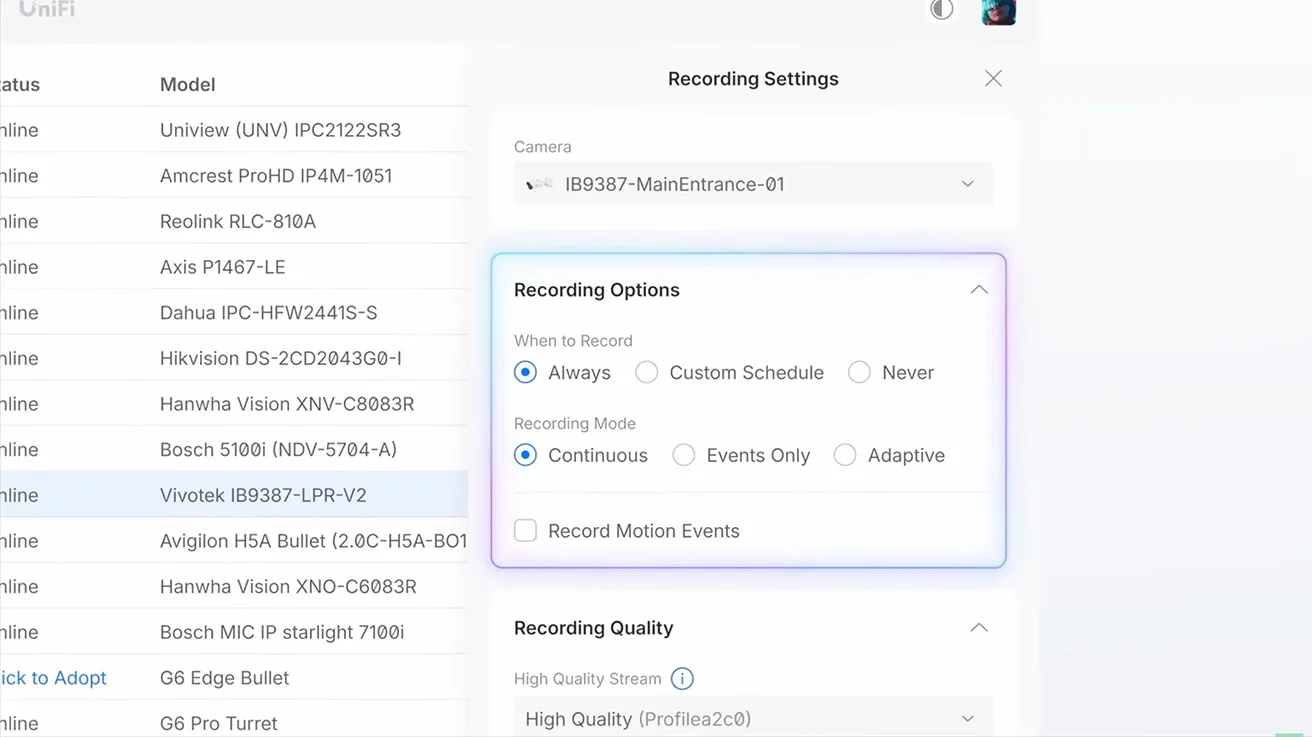
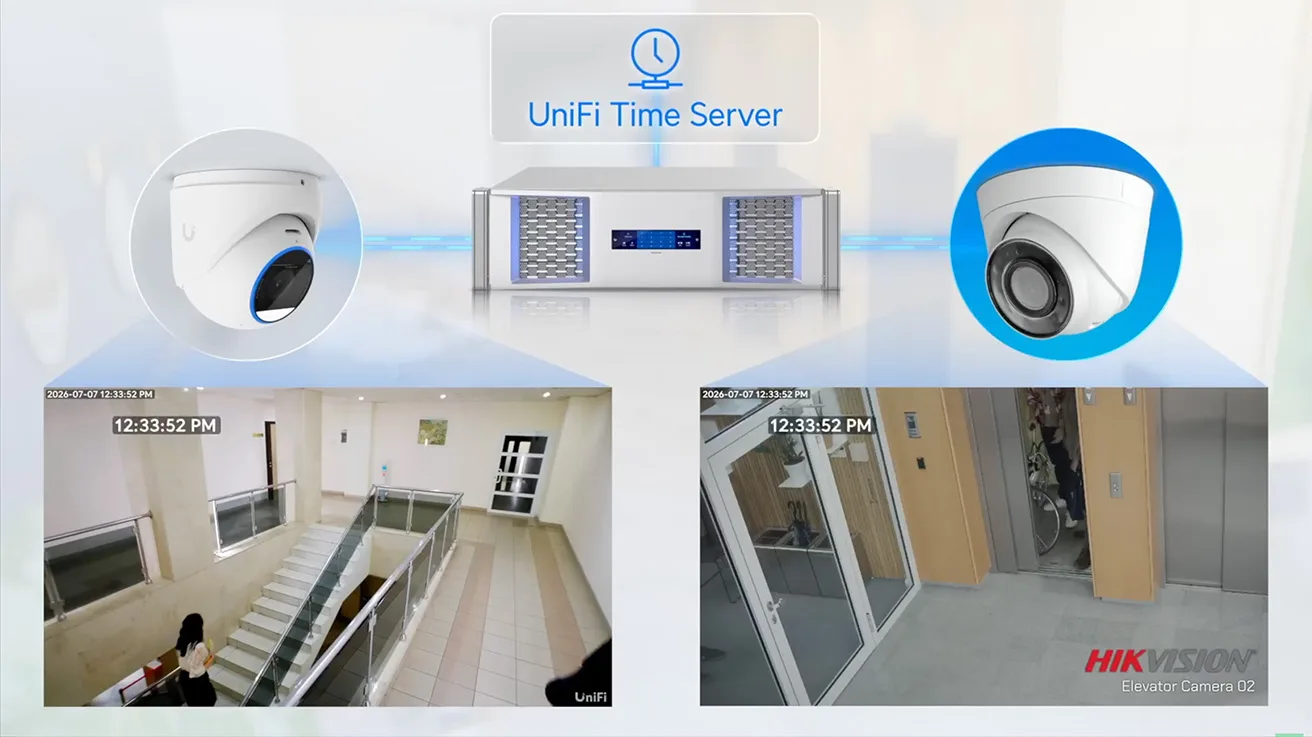
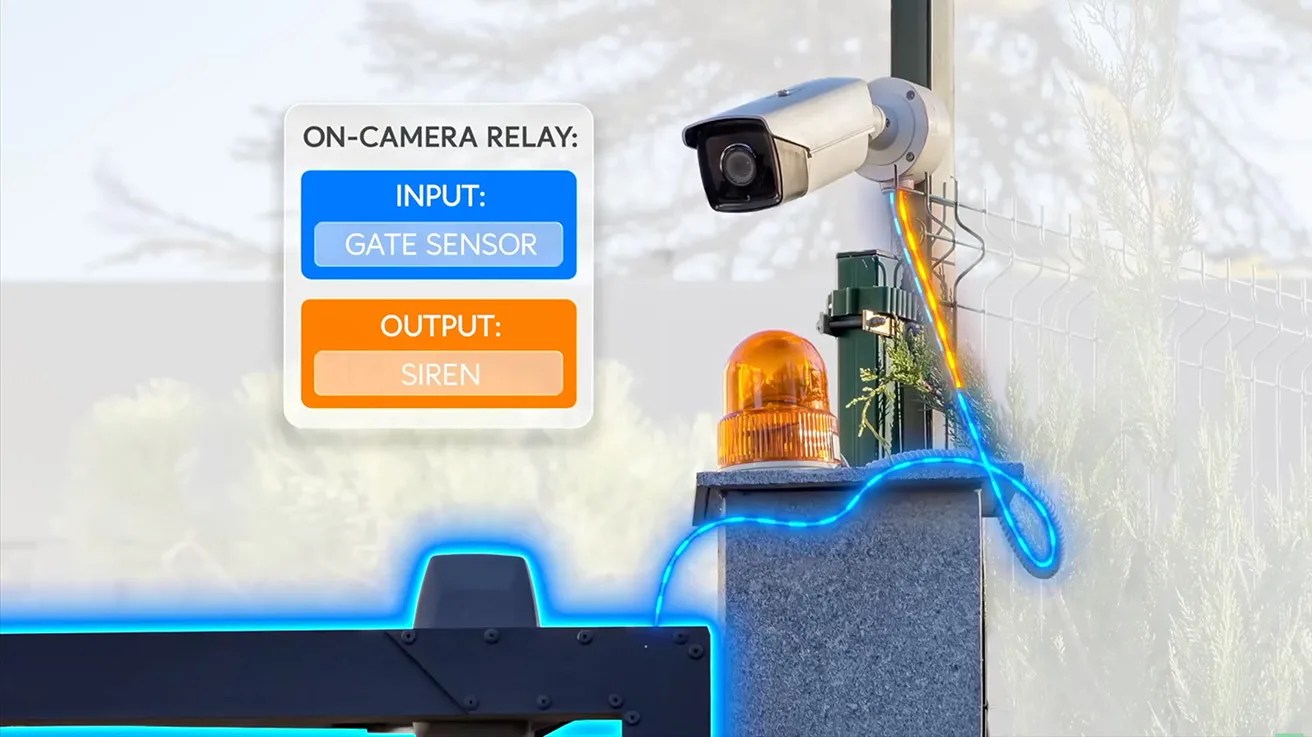
That is exactly why Ubiquiti's continued development of ONVIF support is so important. Protect 7.2 gives users more control over third-party cameras. It expands centralized recording and encoding controls. It also adds time synchronization and camera I/O integration into trigger-and-action workflows.
1 / 2
We can already see why this matters in the UniFi community. One user noted that their company is still running around 70 Hikvision cameras. At the same time, they are gradually upgrading their system to UniFi. For them, better ONVIF support makes this transition much easier.
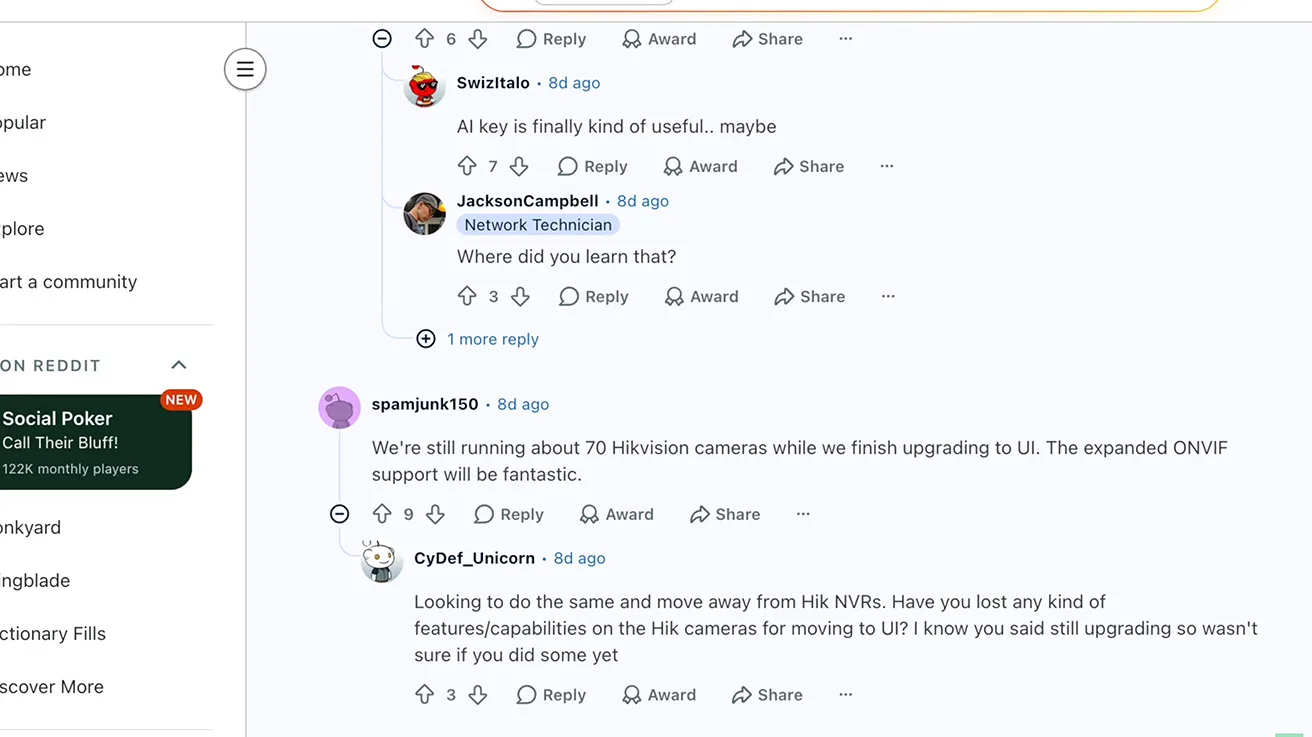
This could be an important part of Ubiquiti's strategy. A business does not have to replace its entire camera system on day one. It can start moving to Protect first, and then it can replace the existing cameras step by step.
However, there is still an important limitation to consider when comparing UniFi Protect vs enterprise VMS setups. Supporting an ONVIF video stream is one thing. Having full integration with everything that a third-party camera can do is another. The community is already discussing these limitations.
- There are questions about smart detections.
- Users are navigating issues with multi-channel devices.
- Challenges exist with some more unusual ONVIF configurations.
Ubiquiti's own compatibility information also shows these differences. Some AI features for third-party cameras require additional hardware, which can include the AI Port and AI Key.



1 / 3
Because of these factors, I would not call Protect a completely open multi-vendor VMS just yet. But as a cost-effective migration platform, it is becoming much more interesting to commercial buyers.
Integrators are also finding ways to expand on this flexibility. Commercial logistics platforms, for example, require tracking non-uniform identifiers like container numbers, USDOT codes, chassis IDs, and Hazmat placards that standard license plate recognition cannot capture. By leveraging the UniFi API and an on-site processing unit, integrators can build custom AI dashboards on top of UniFi Protect without paying recurring software subscription fees. Extracting structured telemetry from video streams turns security cameras into business intelligence tools that streamline internal yard operations, simplify billing, and generate instant Excel reports. Explore how this is achieved in our Ubiquiti case study on custom AI.
Evidence Management & Chain of Custody
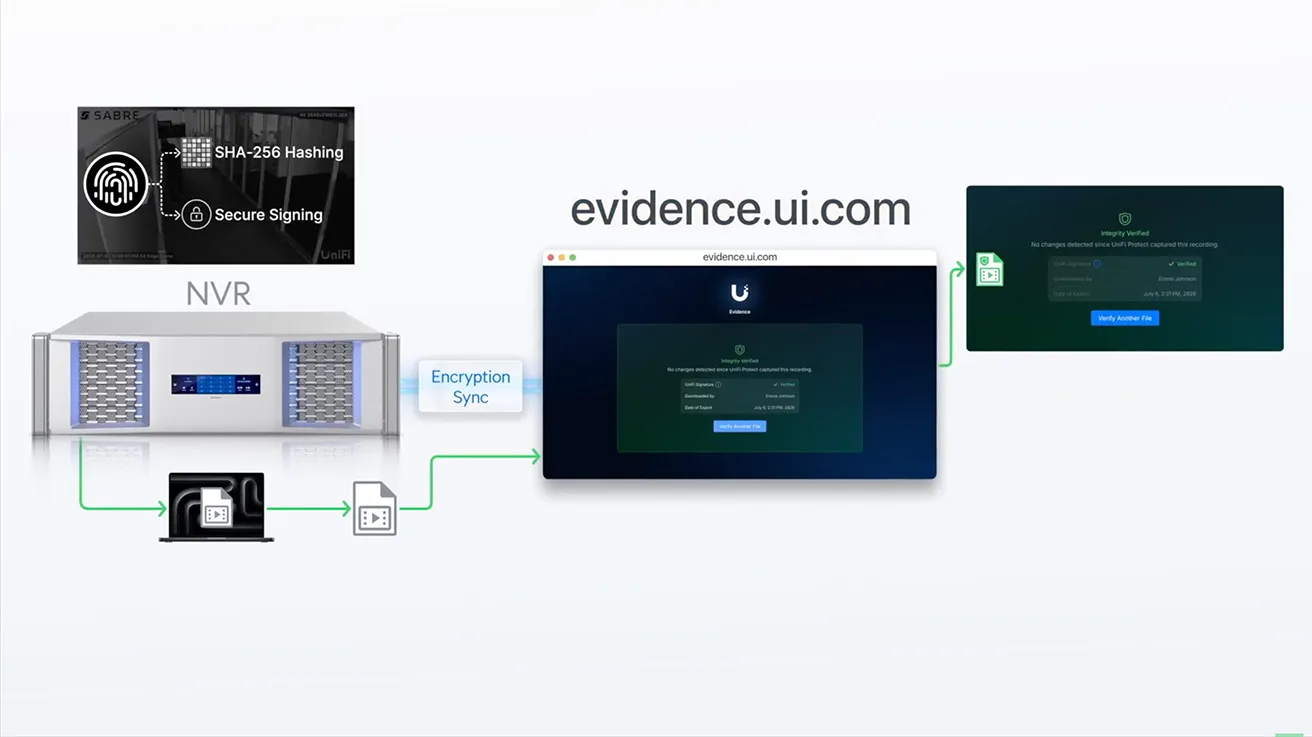
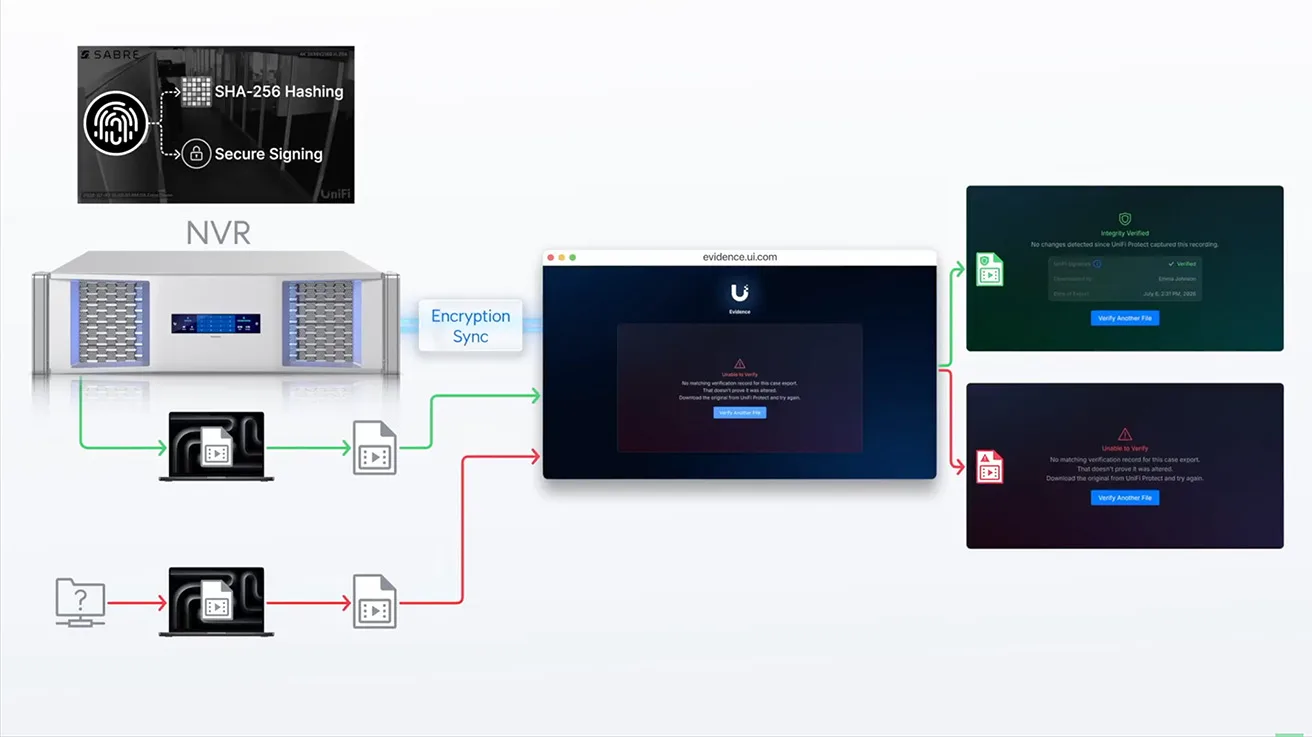
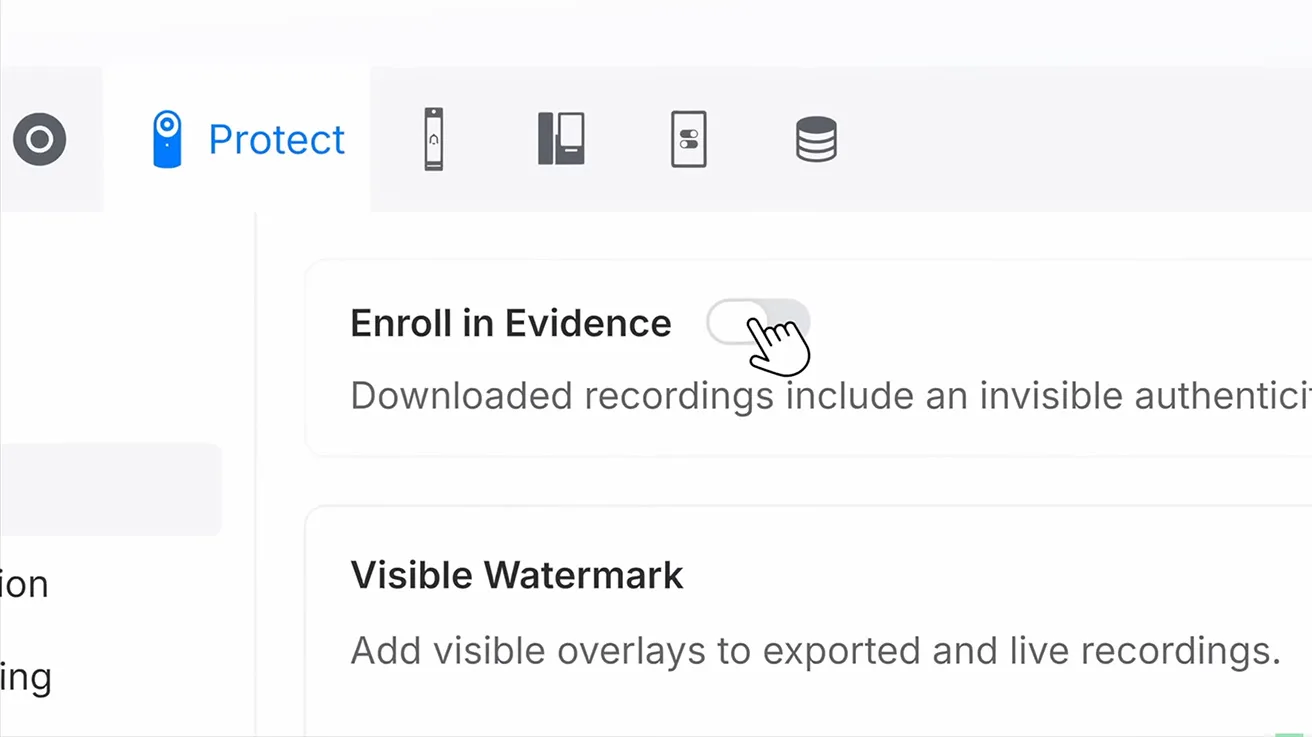
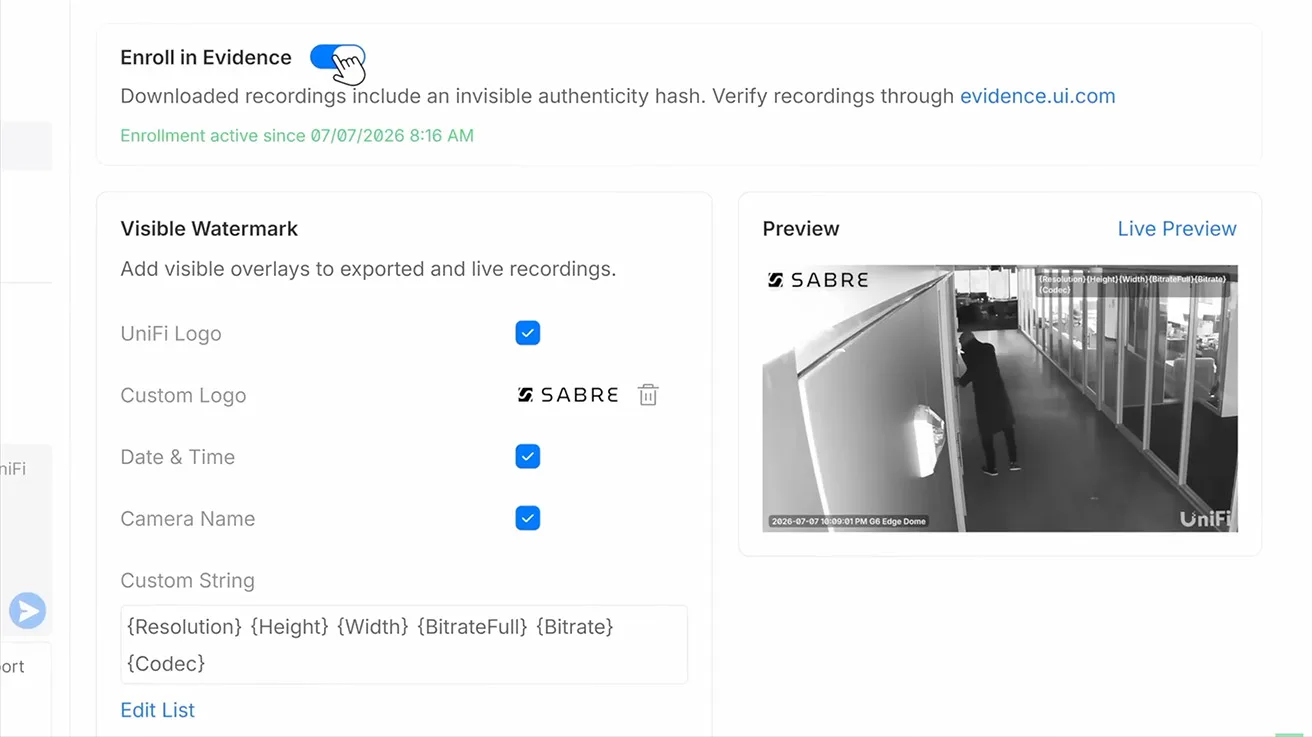
Another important change in recent UniFi Protect updates is how the platform works with video after an incident occurs. Ubiquiti has officially introduced verified Evidence, Case Management, and Chain of Custody.
Protect can now use cryptographic verification for exported video. This helps confirm that the video still matches the original recording. This does not mean that the file cannot be edited. You can still modify the file. But after the file has been changed, the system can verify that it is no longer identical to the original evidence.

For businesses, this level of security can be very important. Imagine a theft in a retail store. Or a critical safety incident in a warehouse. Maybe the video needs to go to the police, an insurance company, human resources, or a legal team. In these scenarios, we need to know more than just what the camera recorded.
- Who accessed the evidence?
- Who downloaded it?
- Was the original file changed in any way?
1 / 4
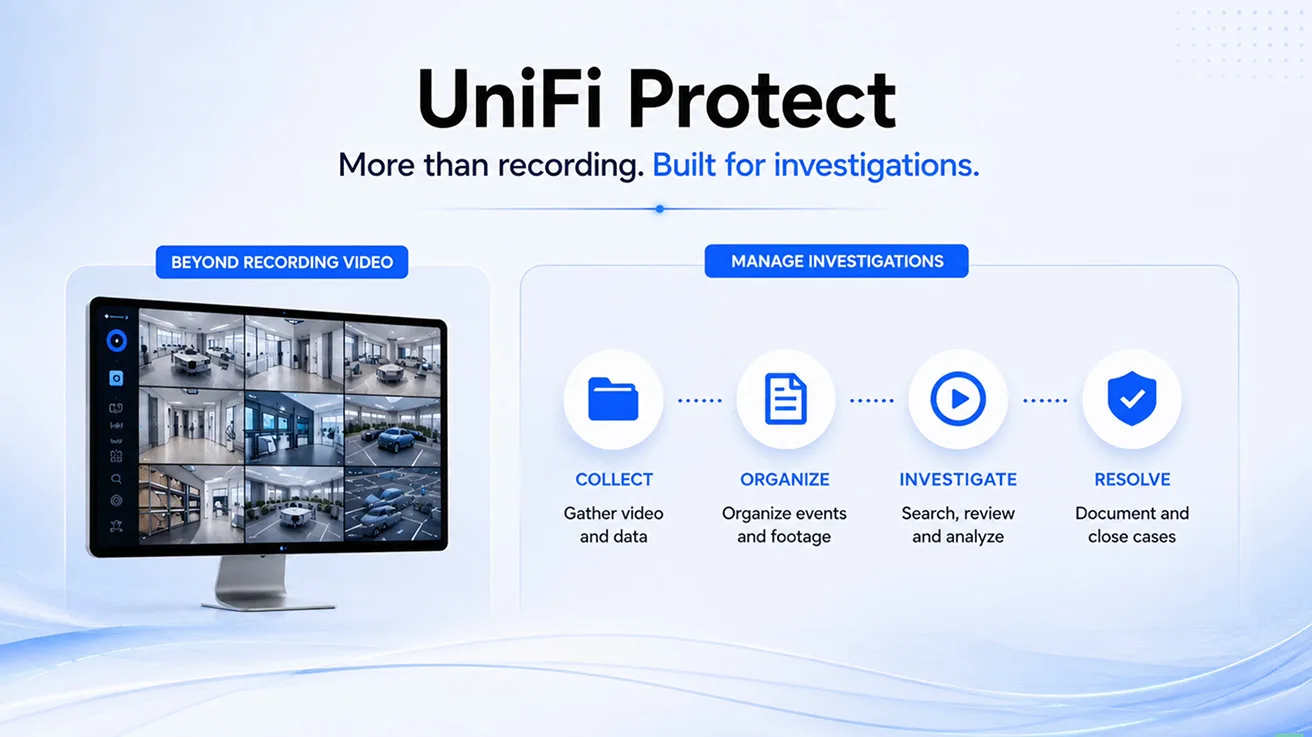
That is precisely why Case Management and Chain of Custody are so important for commercial liability. This focus did not just start with one single update. Ubiquiti has been actively developing audit logging and user activity tracking for several versions.
Ultimately, Protect is moving far beyond simply recording video. It is starting to help businesses securely manage official investigations. That is a highly important step for a professional security platform competing in the commercial space.
Second-Stage AI Verification & AI Key
We are seeing a similar massive development with artificial intelligence capabilities. When Ubiquiti first introduced the AI Key, many people in the industry had a very simple question: Why do I need another AI device if my IP cameras already have AI built into them?
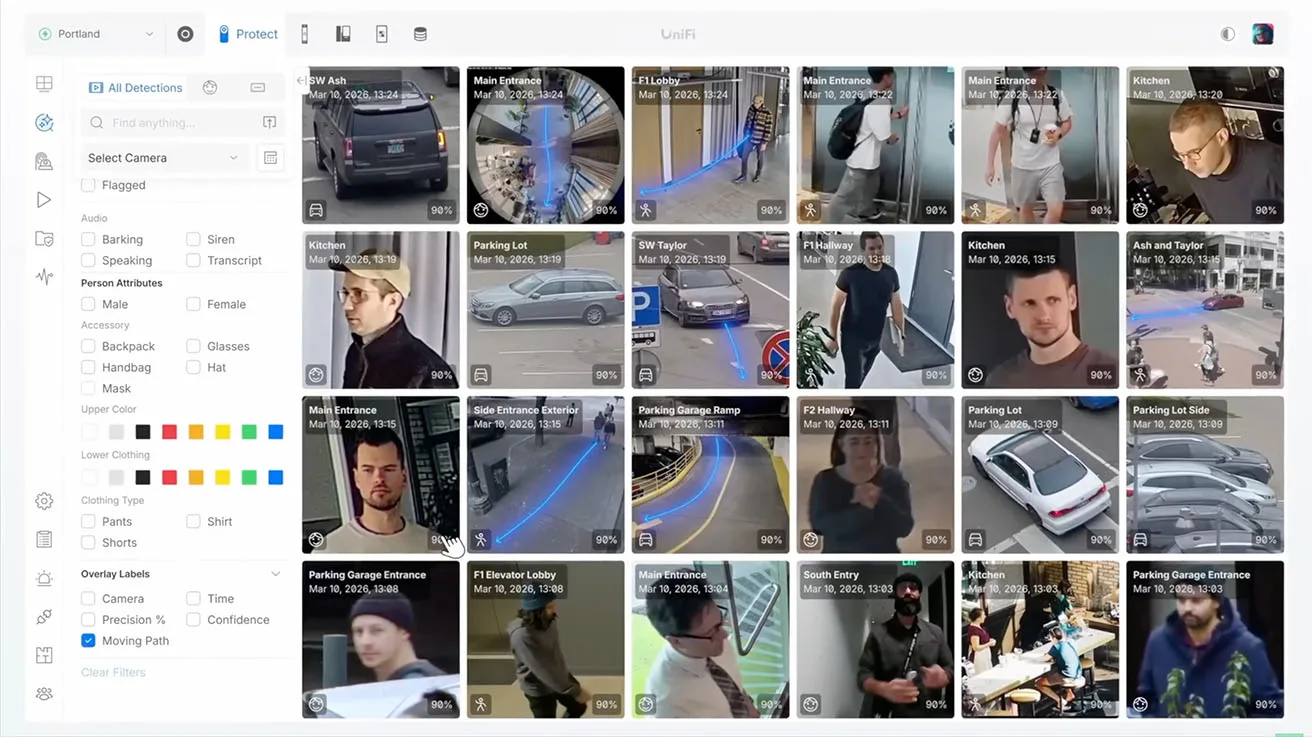
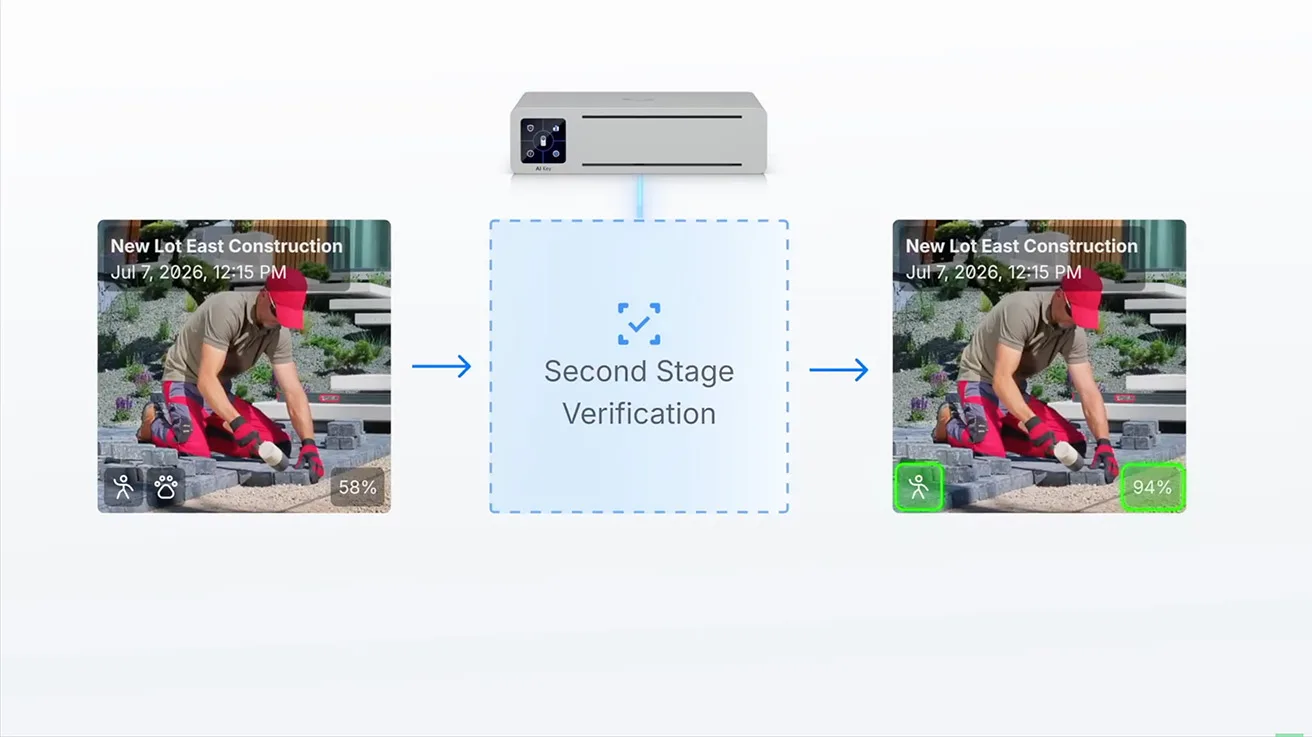
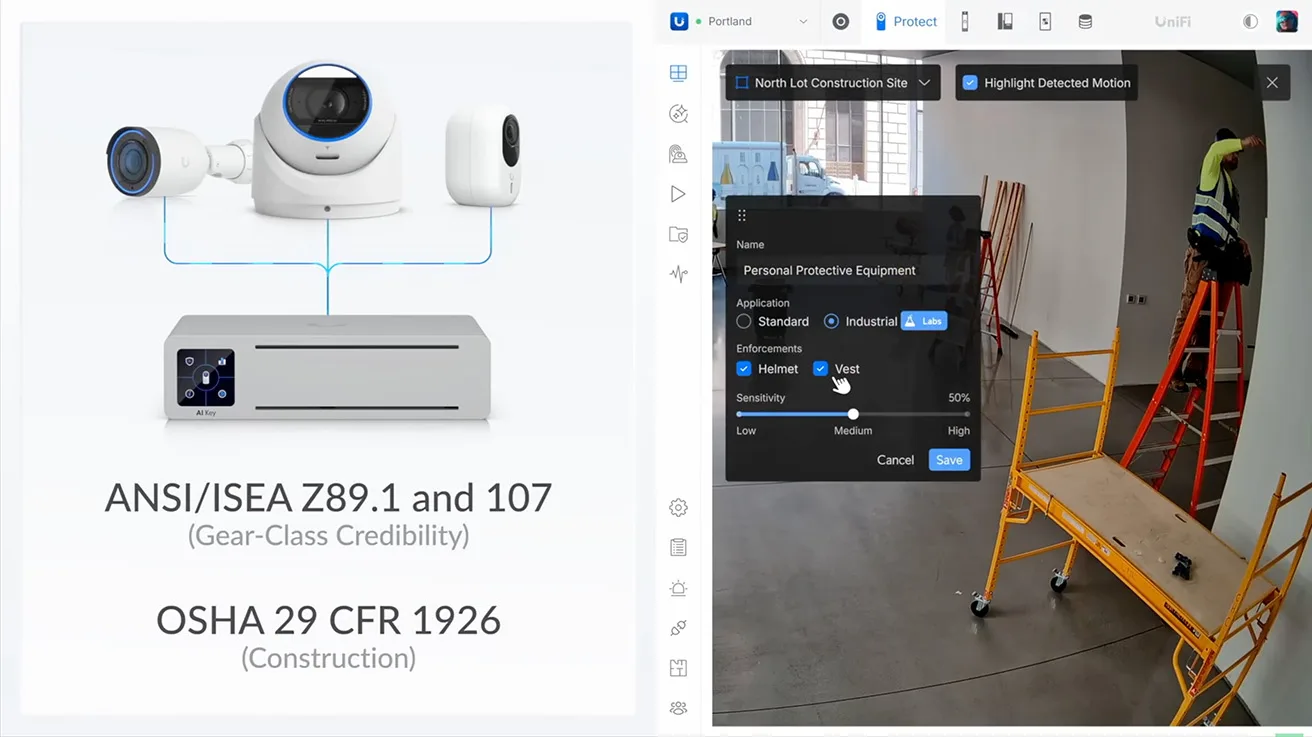
The latest UniFi Protect updates make the answer to that question much clearer. Protect now officially features Second-Stage AI Verification. The security camera can make the initial, first AI detection at the edge. Then, the AI Key can provide an entirely new, secondary level of analysis when an event needs more detailed verification.
We are also seeing much more specialized AI features being deployed. Personal Protective Equipment (PPE) Detection is a prime example of this shift. The system can now automatically detect if workers are wearing crucial safety gear like hard hats, helmets, and high-visibility safety vests. Inside the community, users noted that the AI Key is becoming a separate intelligence layer inside larger Protect systems. The cameras handle one level of rapid AI analysis, and more complex AI processing then moves to the dedicated hardware.
Most people think of security cameras as something you check strictly after a problem occurs. You review the footage, figure out what happened, and move on. A well-designed surveillance system gives a business owner proactive, real-time awareness instead of just a passive recording. It answers operational questions before they ever become serious problems. We recently completed a UniFi Protect installation for a pet boutique in Toronto. It is a compact deployment that beautifully illustrates what a properly built small business security system looks like. The project covered IP security cameras, UPS battery backup, remote access, and UniFi Alarm Manager, providing total situational awareness.
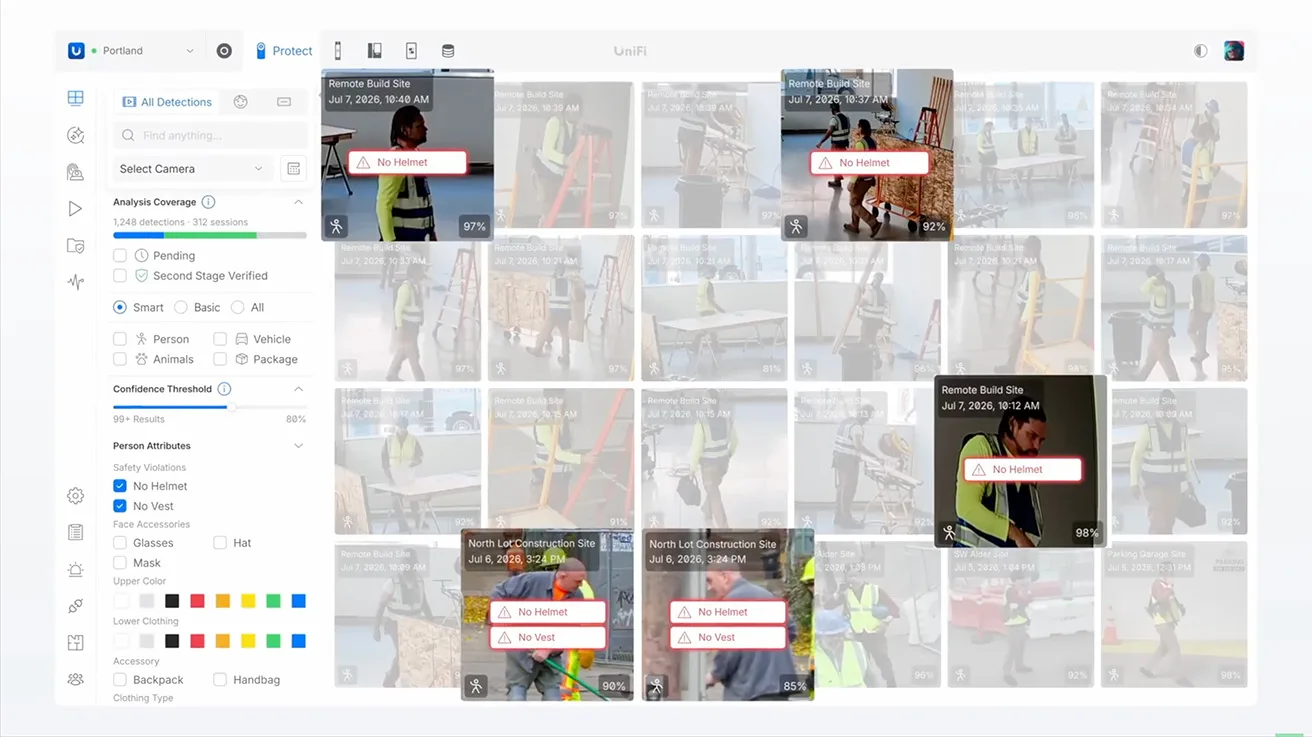
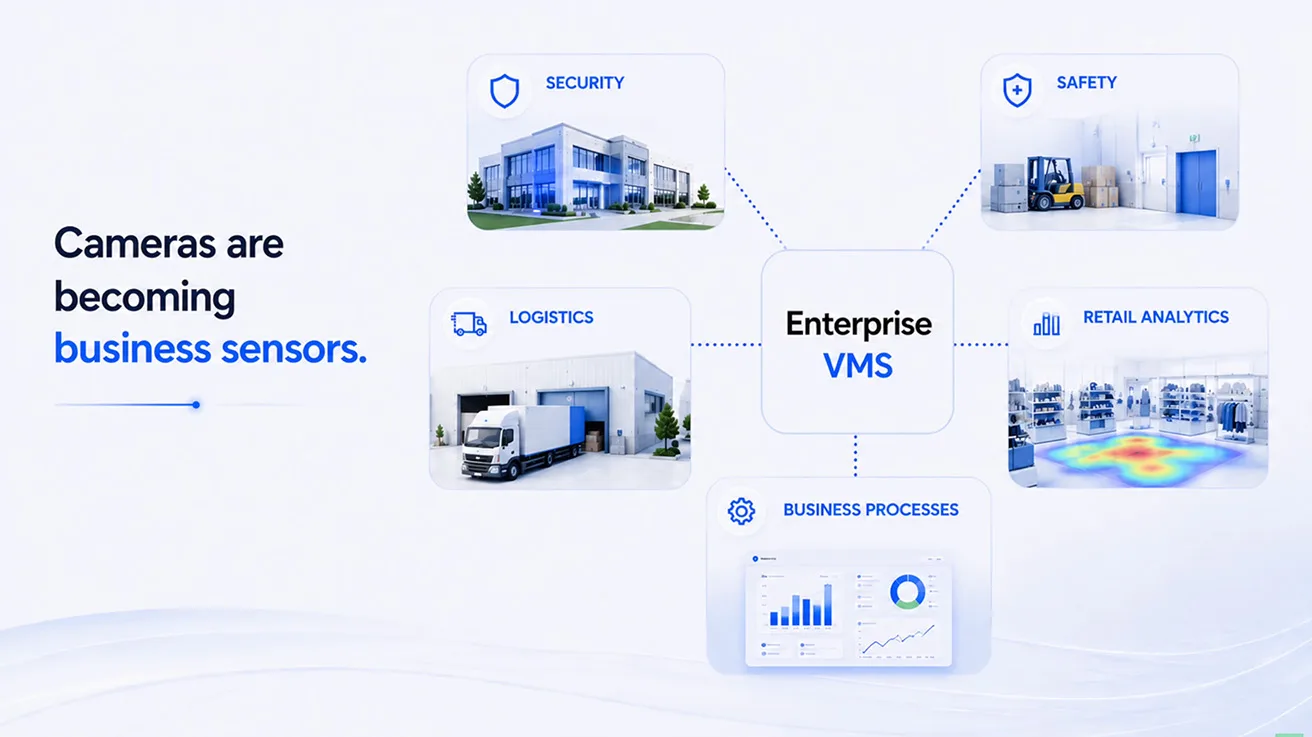
At an enterprise scale, PPE analytics show exactly how the role of security cameras is changing. A camera can now tell us if somebody is violating safety protocols. The camera is not only helping us investigate security incidents anymore. It can also provide critical information about daily business operations. Across the entire physical security industry, cameras are gradually becoming business sensors. They can be used for security, but they can also help with workplace safety, logistics, retail analytics, and other vital business processes. Ubiquiti is clearly moving in this exact direction.
POS Integrations & Multi-Site Management
Some of the new features are not as visually exciting as AI, but they may be even more important for certain businesses. Point of Sale (POS) integration is a perfect example.
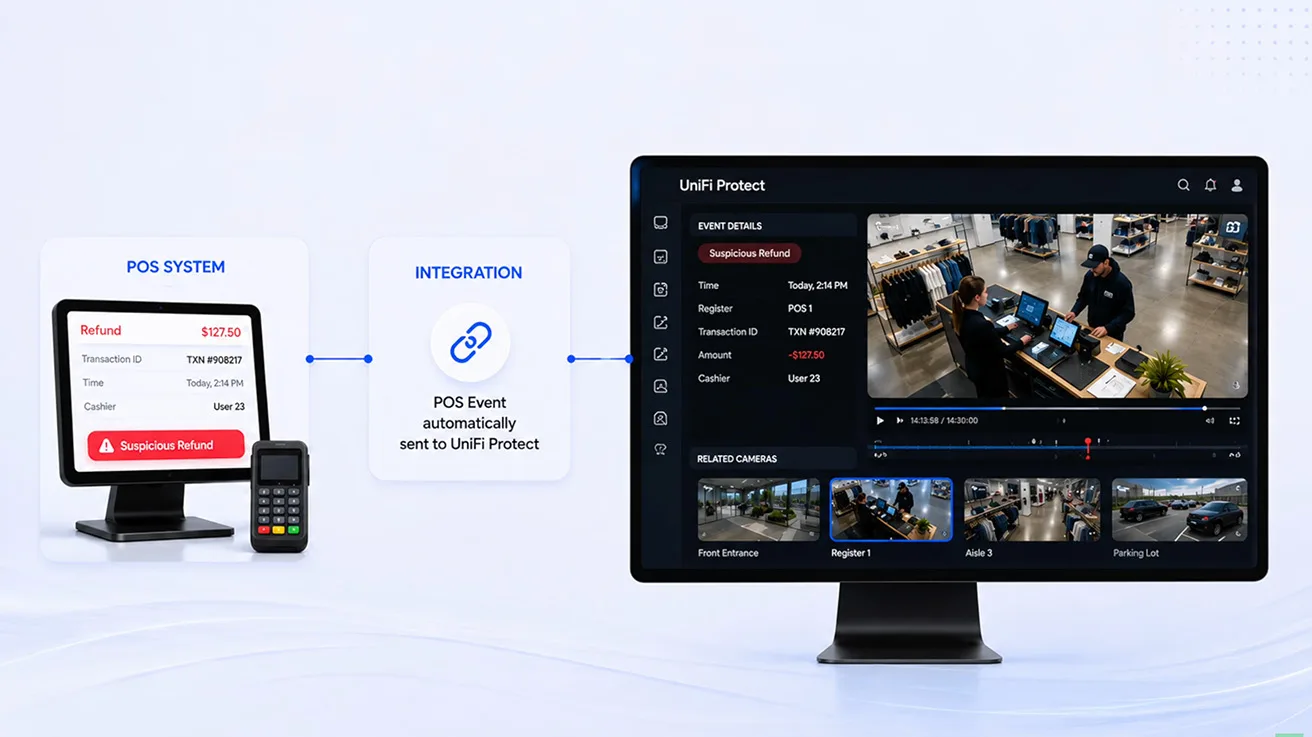
Ubiquiti has been developing POS integrations for quite some time. Protect 7.2 expands this functionality heavily with a dedicated Point of Sale API. This tool can directly connect financial transaction data with live video feeds.
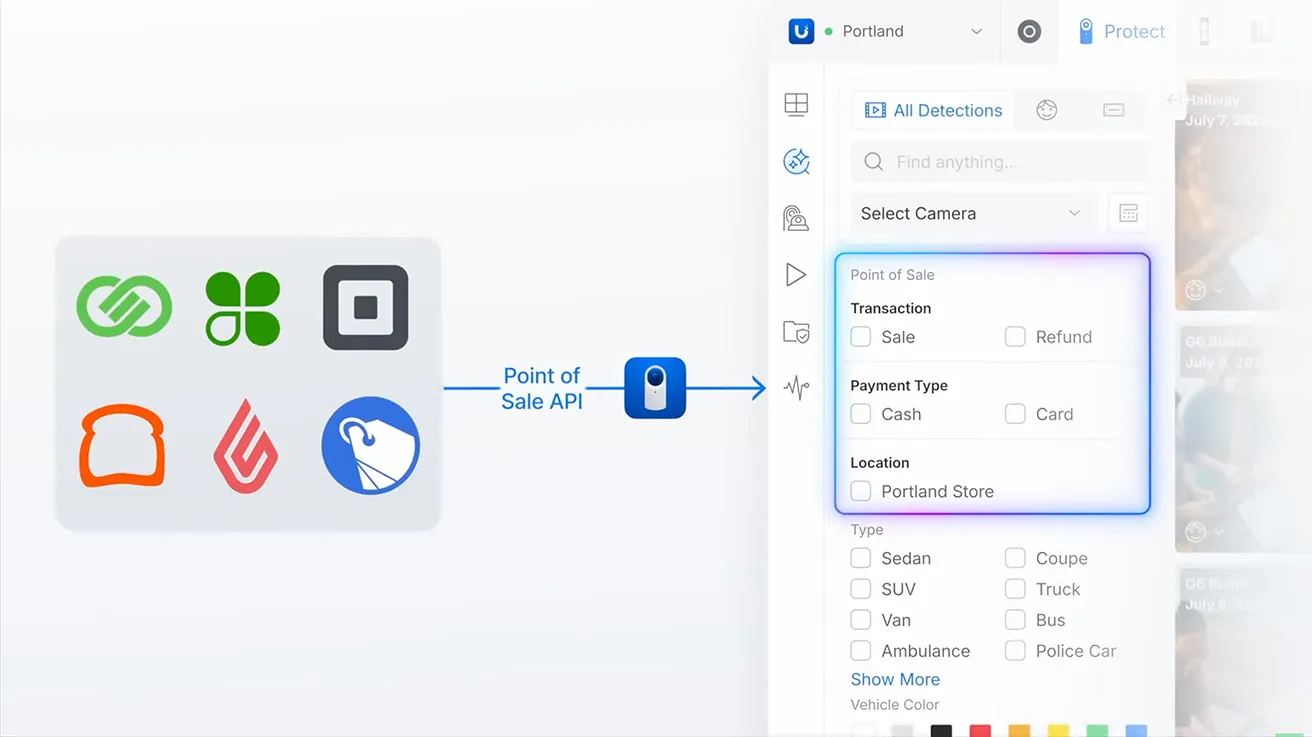
For the retail sector, this integration is incredibly practical. Imagine a suspicious transaction or a fraudulent refund. A loss prevention team can now connect that specific register event with the related video instantly. They do not have to manually search through hours of recorded footage to see how it works. One user in the community shared that the lack of POS integration was a major reason their company initially chose Envysion instead of UniFi. Now, this critical gap is starting to close entirely.
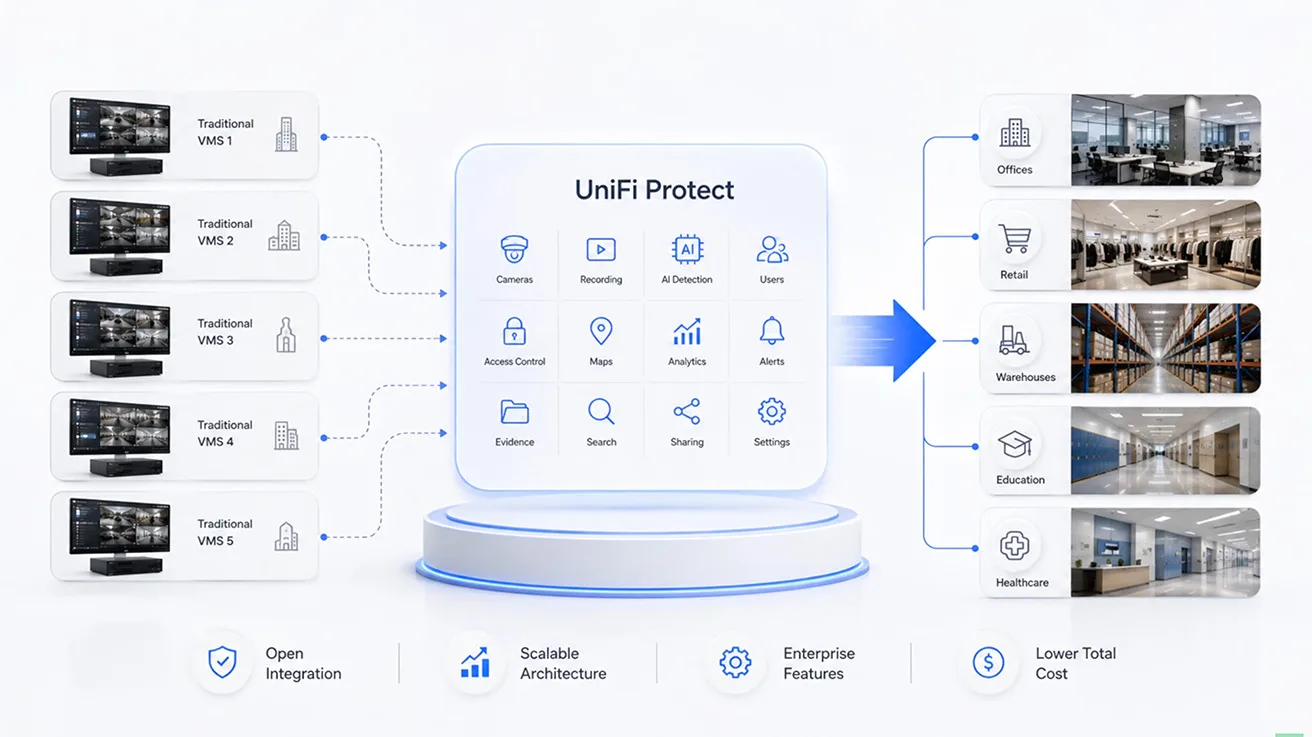
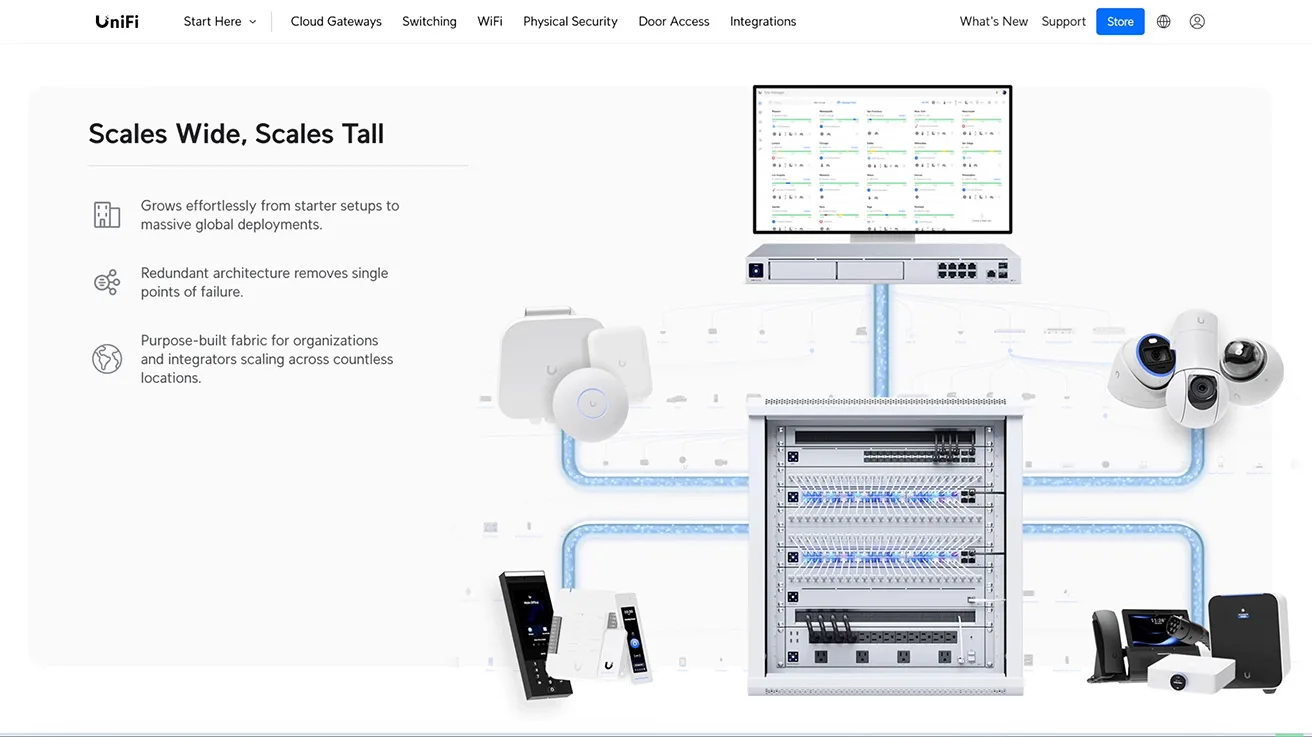
We can see the exact same growth pattern with multi-site management. Fabrics, centralized video walls, Enterprise NVR Core, and seamless multi-location management are incredibly useful for larger businesses. Think about vast retail chains, distribution warehouses, corporate offices, property management companies, or any business managing many locations at once.
When we look at all these updates together, there is a very clear pattern. Ubiquiti seems to be analyzing the core reasons why businesses choose other platforms, and step by step, it is trying to close those specific gaps.
Can Protect Replace Traditional VMS Platforms?
So, in the ultimate battle of UniFi Protect vs enterprise VMS, can Protect replace systems like Milestone, Genetec, or another established VMS on every single enterprise project?
I do not think so, at least not yet. Those older platforms have been developing for many years. They have massive integration ecosystems, they offer highly advanced permissions and specialized operational workflows, and they also support a huge range of third-party hardware. Protect still has some limitations, and we can see this especially when we talk about highly complex multi-vendor systems.
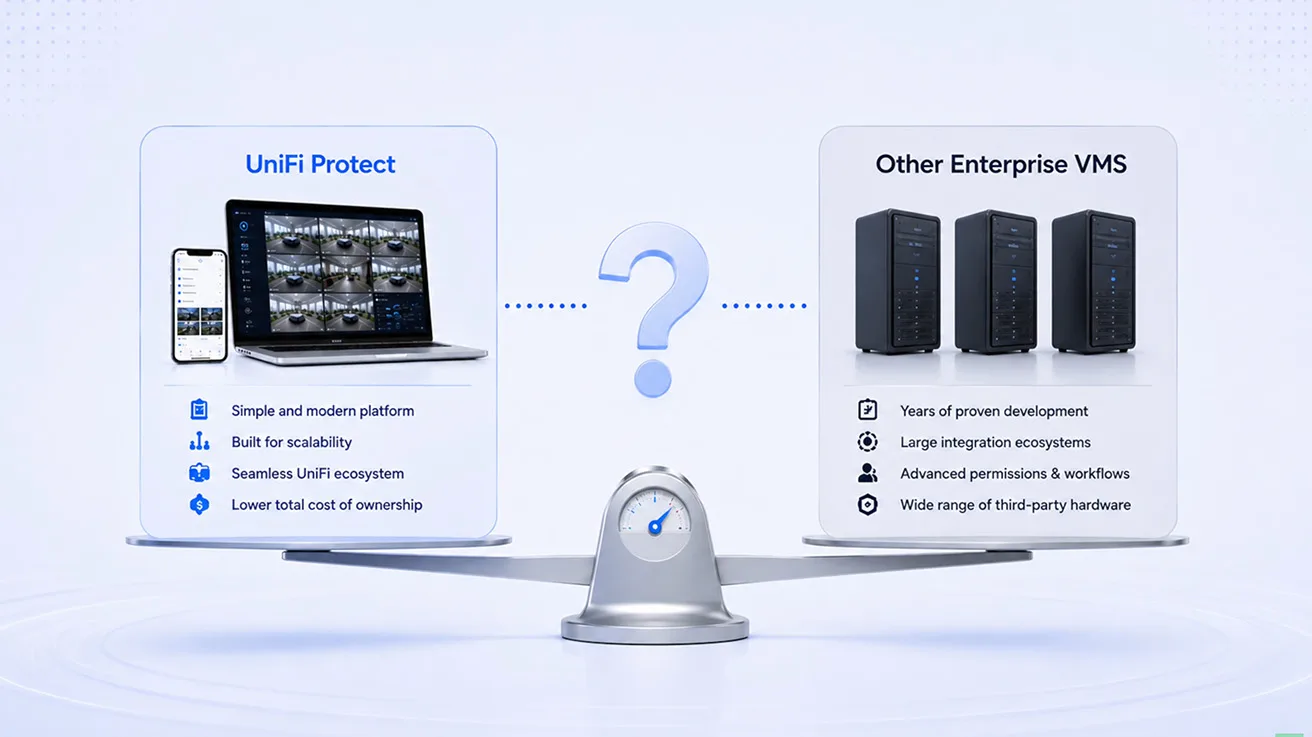
Evaluating whether a networking ecosystem is suitable for commercial use requires examining real-world deployments rather than relying on outdated online forums. Modern UniFi architecture has evolved significantly, offering scalable IT infrastructure that encompasses networking, advanced physical security, and access control within a unified platform. As we detailed in our analysis on whether Ubiquiti is ready for enterprise, the ecosystem easily handles massive 1,000,000 square foot logistics facilities. However, businesses must always evaluate strict government compliance like CMMC before deployment.
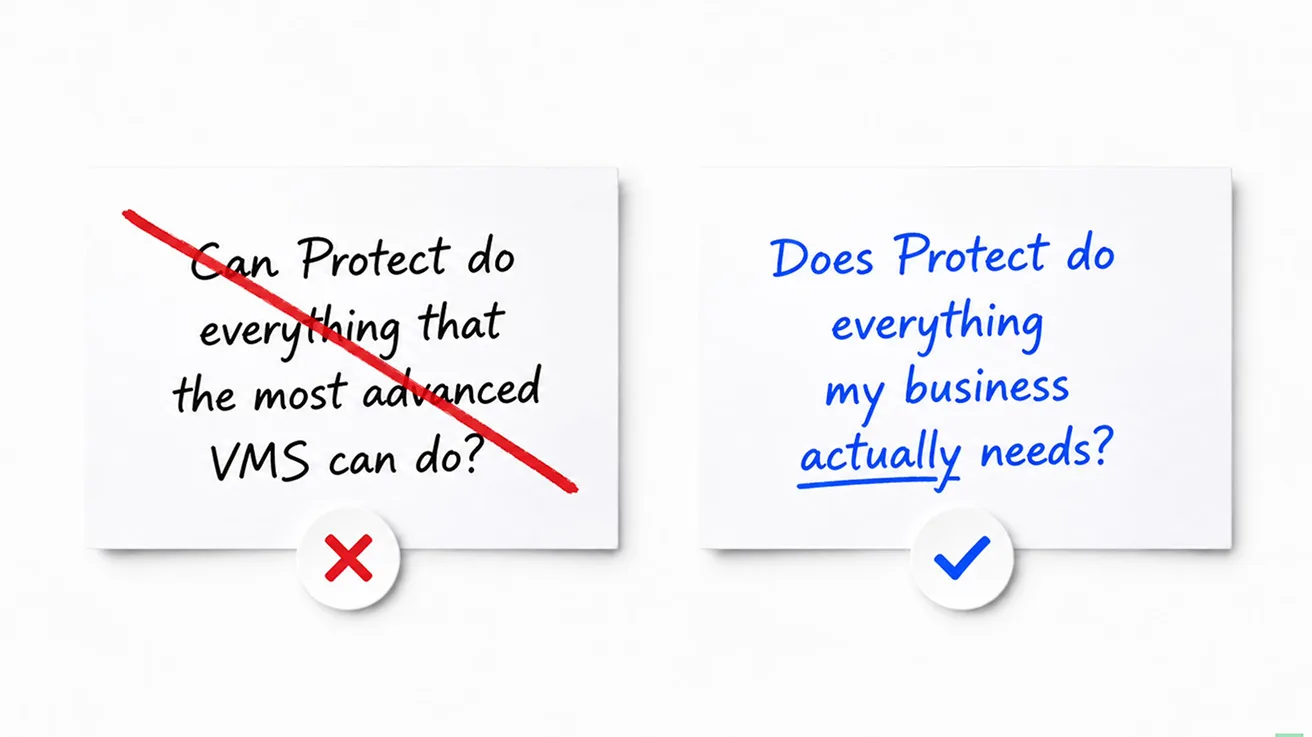
I do not think the traditional comparison is the only one that matters anymore. For many growing businesses, the primary question is not whether Protect can do absolutely everything that the most advanced VMS can do. A much better question may be whether Protect does everything the business actually needs it to do.
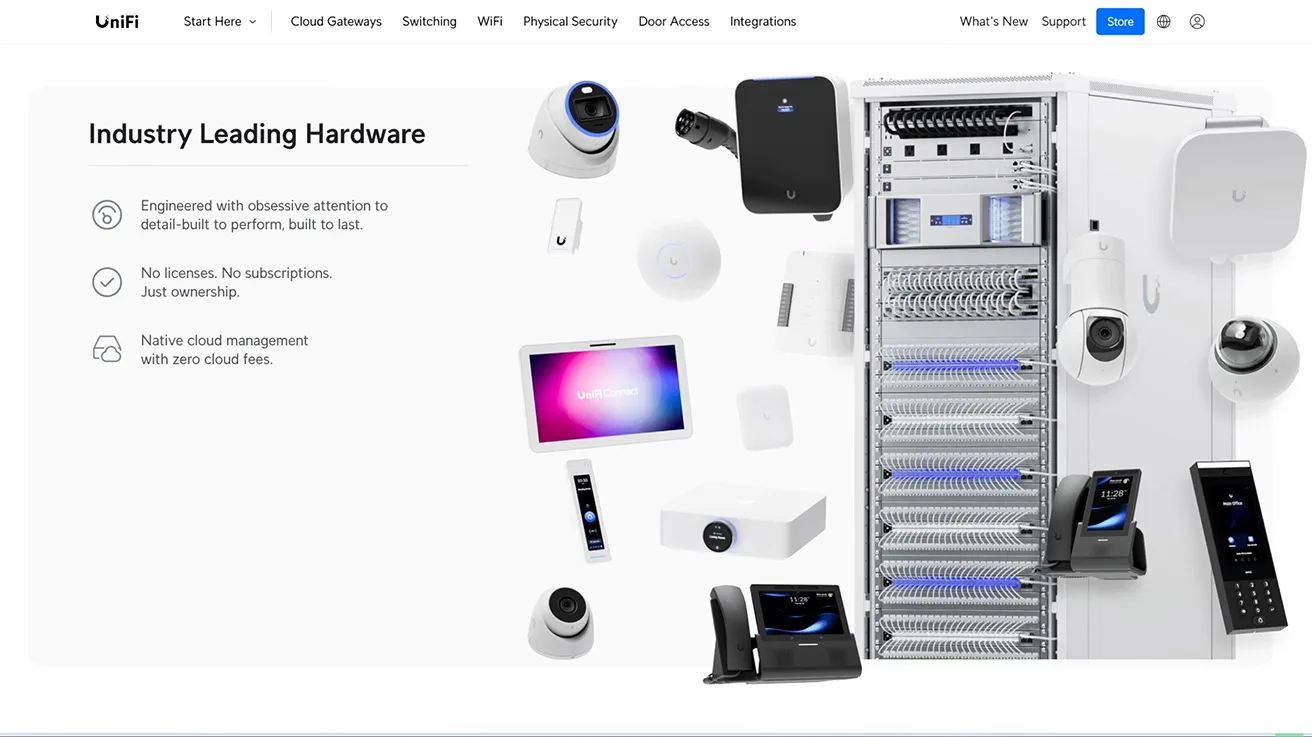
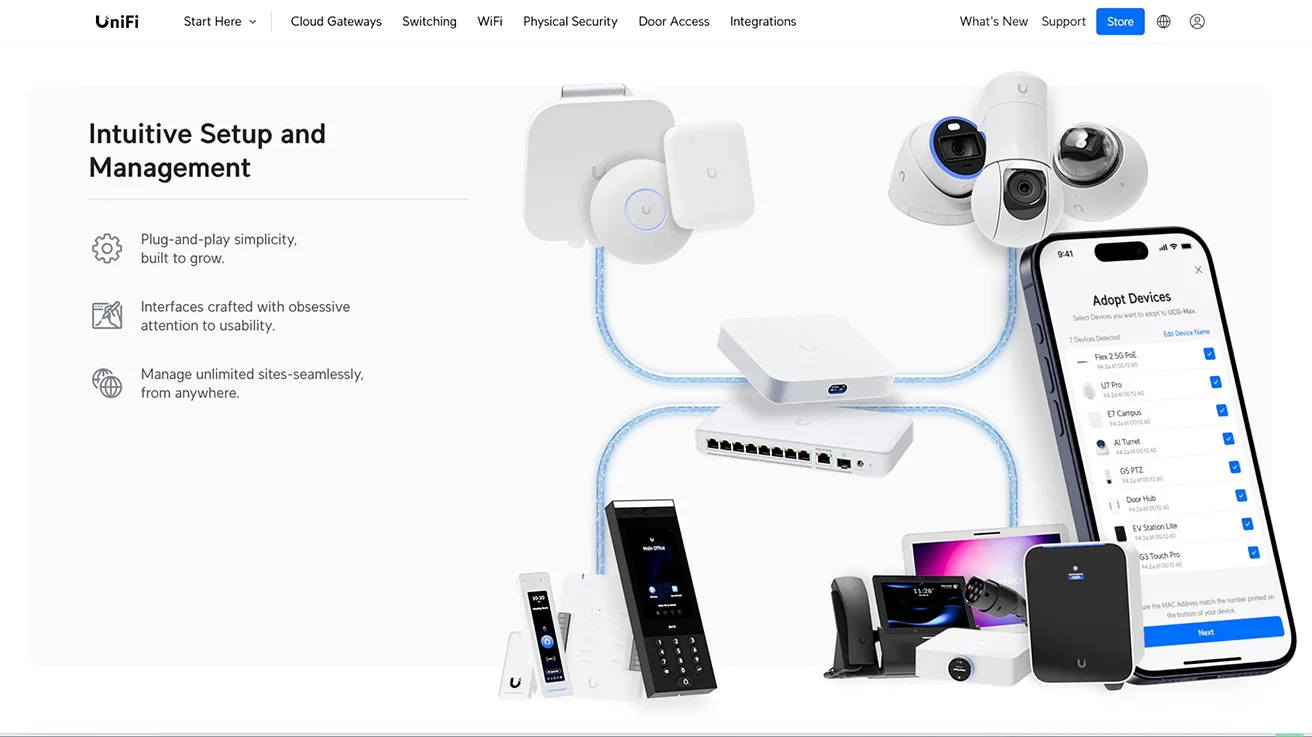
Ubiquiti has another major competitive advantage: its unified ecosystem. Networking, security cameras, access control, smart intercoms, video storage, AI analytics, and centralized management can all work seamlessly inside the exact same environment. Best of all, Ubiquiti does this without the traditional per-camera software licensing model used by many professional security platforms.
That is exactly why I think Protect could become a very serious VMS competitor, especially in the mid-market sector and in less complex enterprise projects. Ubiquiti does not need to copy every single feature from every traditional VMS. It just needs to close the gaps that actually matter to businesses, and that is exactly what we are seeing today.
1 / 3
What We Want to See in Real-World Projects
Of course, the next logical question is how all of this performs in real commercial installations. We are already discussing these changes with professional security integrators in our network. As we continue filming real security projects across North America, we will be watching these new features very closely.
- We want to see how third-party ONVIF cameras actually work during a live system migration.
- We want to see how useful the AI Key truly is on much larger hardware systems.
- We want to know if industrial businesses really use operational features like PPE Detection.
- We want to see how Protect handles data when a company has many scattered geographic locations.
We will definitely talk with the integrators who design and install these systems. But we also want to hear directly from the business owners who use them every day. A feature can look absolutely great in a polished product presentation, but the real question is simple: Does it solve a real problem for the customer?
We will keep following the development of UniFi Protect. As we visit more real installations, we will showcase exactly how these features work outside Ubiquiti's official demos. If you are already using the latest UniFi Protect updates, let us know what you are seeing, especially if you are using ONVIF cameras, the AI Key, or deploying Protect on larger commercial projects.
Find a Verified Security Integrator on Pipl Systems
Need a security system installed? Finding a trusted, highly qualified integrator is not an easy task. Pipl Systems is a dedicated platform designed to help you find verified, professional security integrators. You can easily browse by location, view real-world projects, and choose a partner company you can actually trust. Find your trusted security integrator today.
Summary
The landscape of physical security is undergoing a massive shift. The debate of UniFi Protect vs enterprise VMS is no longer a simple discussion of consumer-grade versus commercial-grade equipment. Through aggressive and highly targeted UniFi Protect updates, Ubiquiti has successfully transformed its video management software into a robust, business-ready platform. By expanding ONVIF integration to allow the seamless migration of legacy third-party cameras, deploying cryptographic video evidence features to maintain the strict Chain of Custody, and introducing API integrations for Retail Point of Sale systems, Ubiquiti is directly solving the daily operational challenges of modern business owners.
The introduction of the AI Key and Second-Stage AI Verification proves that security cameras are evolving from passive recording devices into active business sensors capable of monitoring worker safety and logistics. While massive, highly regulated multi-vendor corporate environments may still require legacy platforms like Genetec or Milestone, Ubiquiti’s license-free ecosystem offers unparalleled value for the mid-market and standard enterprise deployments. When you buy into this architecture, you are investing in a unified system where networking, access control, and video management scale together effortlessly.
Watch the full video breakdown: See exactly how the latest UniFi Protect updates transform the platform into a commercial VMS.
Frequently Asked Questions (FAQ)
What are the most important UniFi Protect updates for businesses?
Recent software releases have introduced vital commercial features, including verified video evidence with cryptographic Chain of Custody, expanded ONVIF support for third-party hardware, API integration for Point of Sale (POS) systems, and multi-site management tools like Fabrics and Enterprise NVR Core.
Can I use third-party cameras with UniFi Protect?
Yes. Ubiquiti has heavily expanded its ONVIF support, allowing businesses to migrate their existing third-party security cameras (like those from Hikvision, Dahua, or Axis) into the UniFi ecosystem. This allows companies to upgrade their video management platform step by step without the massive expense of replacing hundreds of working cameras on day one.
How does the UniFi AI Key work?
The AI Key operates as a dedicated intelligence layer for Second-Stage AI Verification. While the IP cameras handle initial smart detections at the network edge, the AI Key takes over the heavy processing load to verify complex events and analyze specialized operations, such as Personal Protective Equipment (PPE) detection for safety vests and helmets.
Does UniFi Protect require monthly software licenses?
No. One of Ubiquiti's biggest competitive advantages over traditional enterprise VMS platforms is its pricing structure. The UniFi ecosystem provides centralized management, advanced AI analytics, and unlimited camera connections without the recurring, per-camera software licensing fees commonly found in the commercial security industry.
How does UniFi handle Point of Sale (POS) integration?
Protect 7.2 introduced a dedicated Point of Sale API designed to directly connect financial transaction data with live video feeds. This allows retail loss prevention teams to instantly match suspicious transactions or cash refunds with the corresponding security footage without having to manually scrub through hours of video.