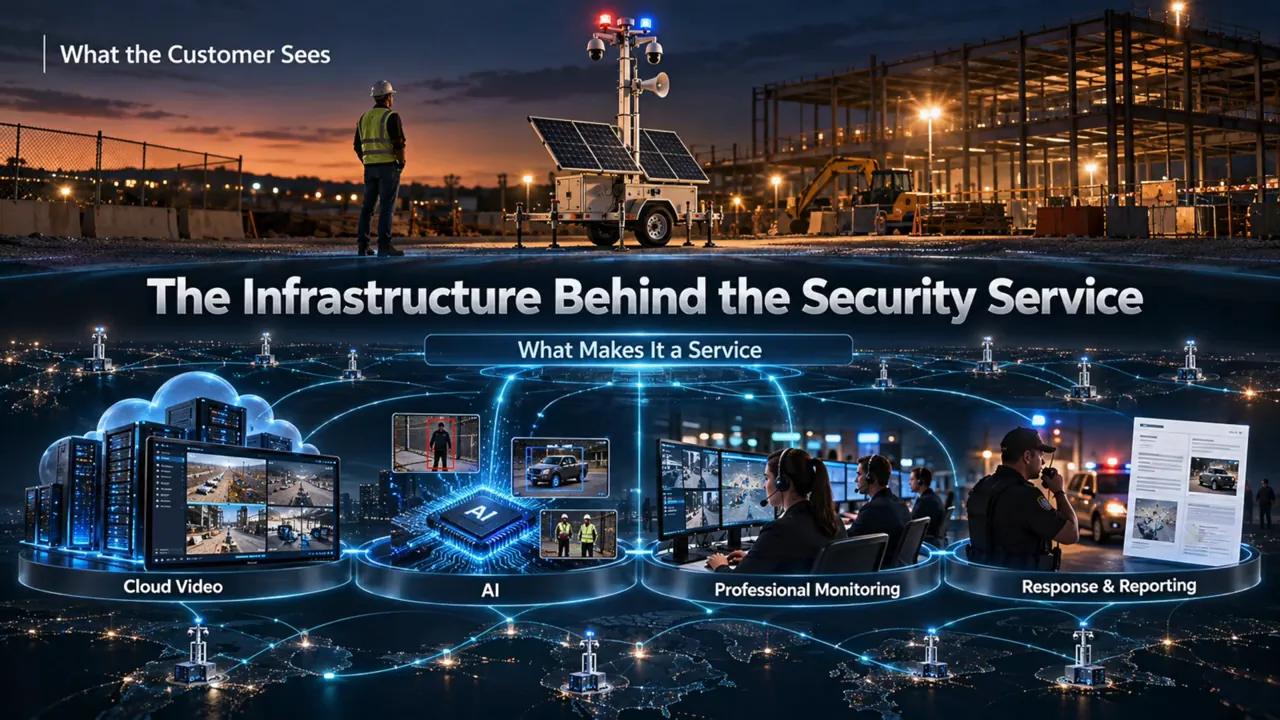

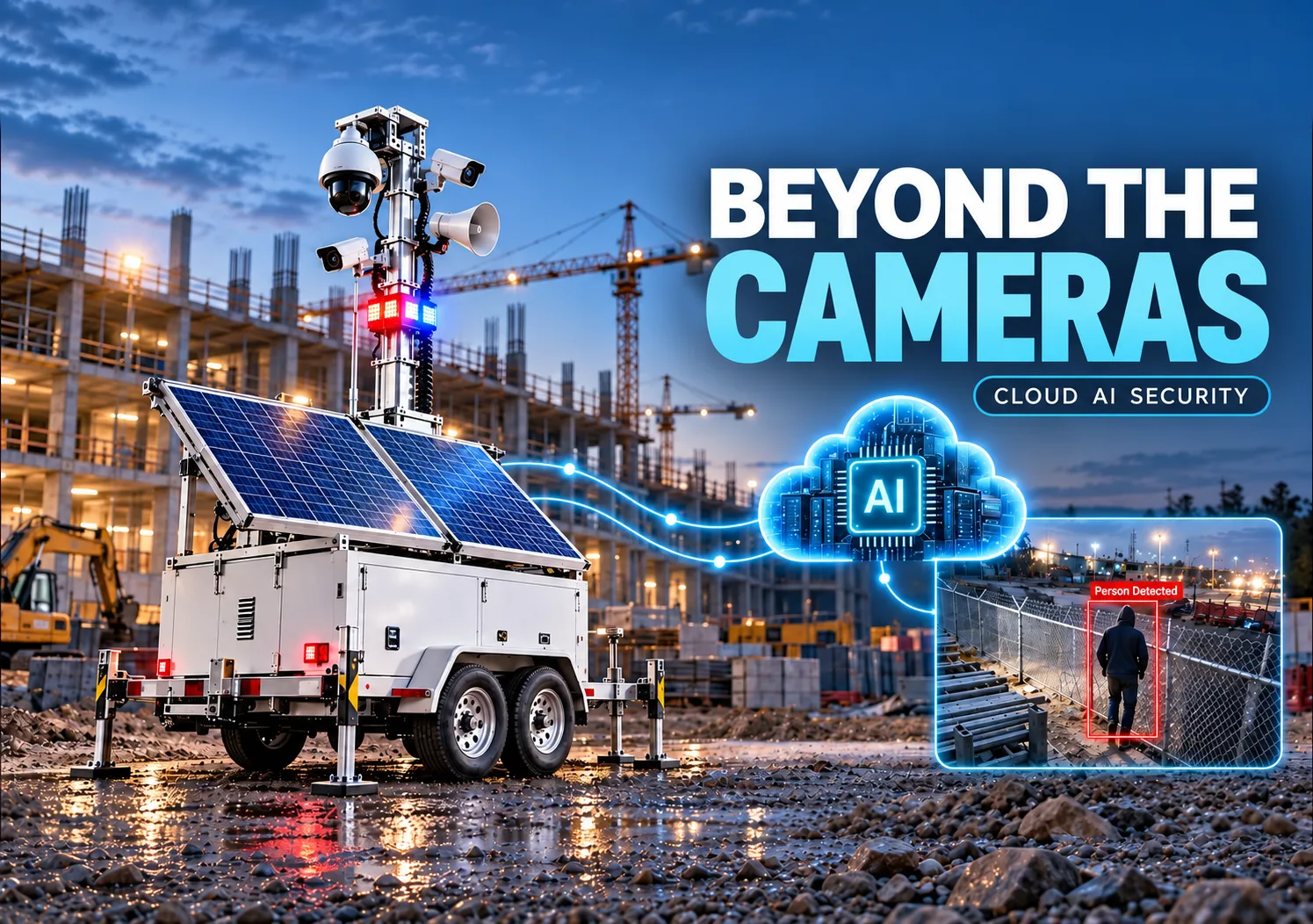
A camera detects someone inside a closed construction site at 2 a.m. That leaves several decisions: is the activity expected, who reviews the video, and who responds? When I look at mobile surveillance trailers, those questions tell me as much about the service as the camera specifications.
Mobile surveillance trailer software connects compatible cameras, manages video and customer access, analyzes events, and supports an operator’s response. A cloud video management system, or cloud VMS, provides the video layer. Monitoring workflows turn selected events into tasks that someone can investigate and resolve.
For this walkthrough, I worked with the 3dEYE team to explore that software layer. The focus is manufacturers, trailer operators and security providers building a service, with practical questions for businesses buying that service. Our separate mobile surveillance trailer guide covers the hardware foundations.
Pipl Systems: mobile surveillance trailers, cloud AI and monitoring. Sponsored by 3dEYE.
Video chapters · 15:59
What the Software Must Do Beyond Live Video
One trailer is a manageable collection of cameras, power equipment, connectivity and possibly speakers. A fleet adds moving sites, different customers, changing camera views and events arriving around the clock. The operating challenge becomes keeping those pieces organized.
In the video, I use an illustrative fleet of 1,000 trailers with four cameras each: 4,000 camera streams. That calculation is a workload example, not a measured deployment. A monitoring team needs a way to prioritize events instead of expecting people to continuously watch every view.
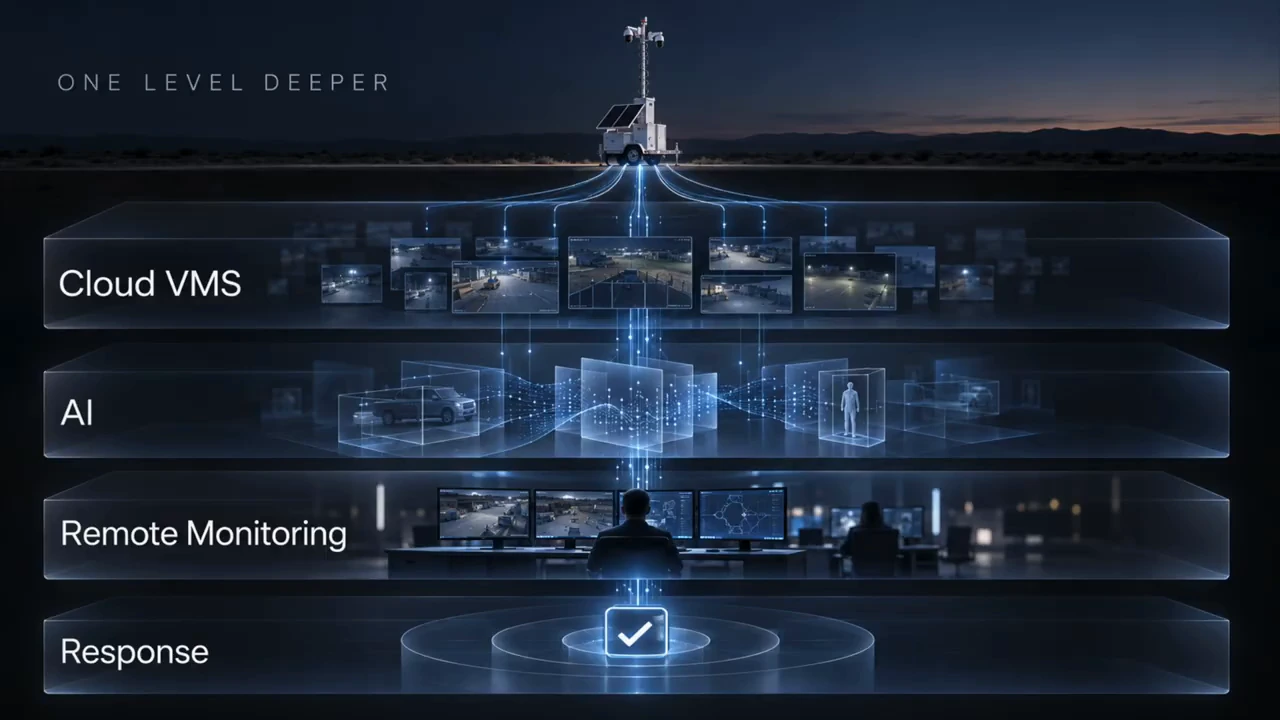
| Layer | What it does | What the buyer should establish |
|---|---|---|
| Trailer hardware | Provides camera coverage, power, network connectivity and any deterrent devices. | Coverage, runtime, maintenance and connection reliability at the actual site. |
| Cloud platform | Organizes video, accounts, analytics, events and supported integrations. | Camera compatibility, retention, permissions, licenses and connectivity requirements. |
| Monitoring and response | People review escalations, follow site instructions and document actions. | Who staffs the service, when it operates and what response is included. |
Where 3dEYE Fits in a Trailer Business
3dEYE provides the camera-agnostic Pure Cloud platform used as the example here. Its role is to bring compatible video sources into a shared management environment, with cloud analytics and tools for professional monitoring.
The team shared a customer example involving approximately 2,000 mobile surveillance trailers, 1,500 other mobile units and more than 10,000 cameras. These are 3dEYE’s reported customer figures, not a fleet that Pipl Systems independently audited. They illustrate the type of operation being discussed; they do not establish a guaranteed capacity or response time for a proposed project.
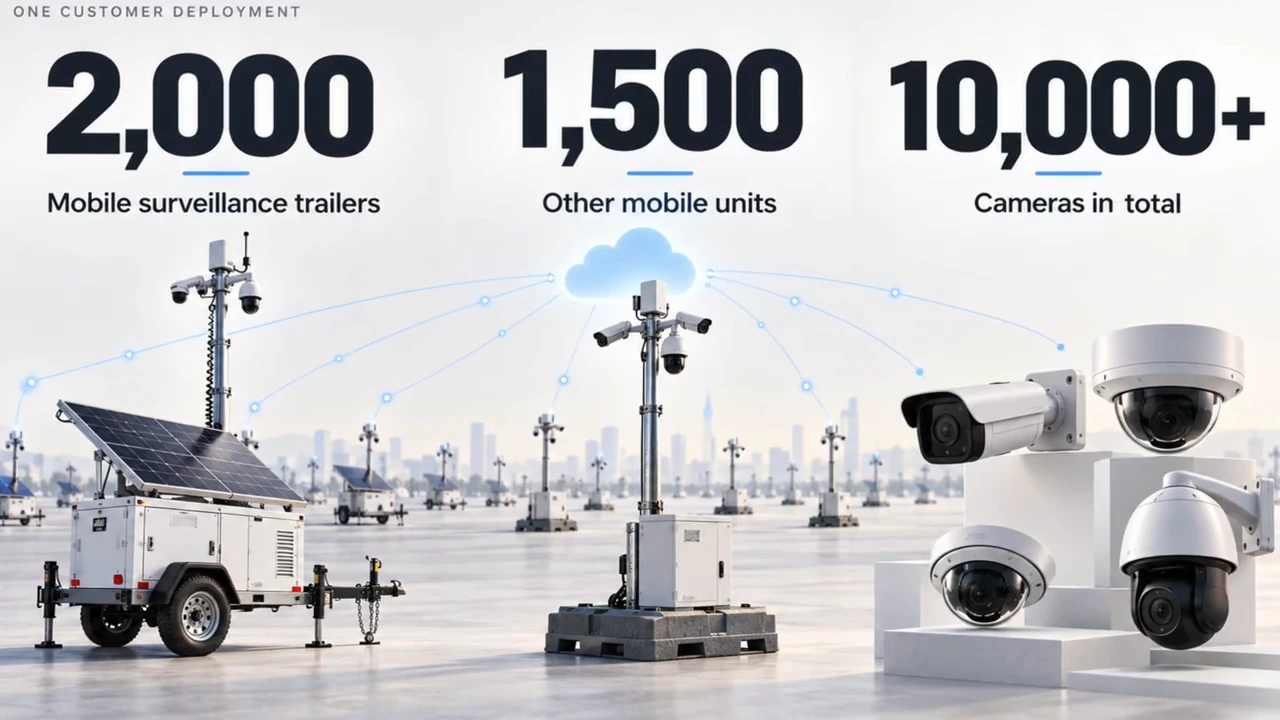
3dEYE shared these figures for one customer deployment. They are vendor-reported scale figures, not a Pipl Systems performance test.
1 / 2
For a manufacturer, the opportunity is to deliver hardware that is ready for an ongoing service. For a monitoring company or integrator, it is to organize equipment from different projects without rebuilding the operating process each time. White-label and co-branding options can support the provider’s own customer-facing service; the selected 3dEYE plan and branding terms determine what is included.
One documented hardware route is 3dEYE’s Jetstream case study. Jetstream supplies plug-and-play Milesight cameras to integrators and trailer manufacturers for direct cloud connectivity. That is a specific deployment approach, separate from the unnamed large-customer example in our video.
Keeping the Service When the Site Changes
Construction sites make the value of a shared platform easy to understand. Equipment moves, new entrances open, and the areas needing protection change as buildings take shape. Moving a trailer should trigger a review of camera views, detection areas, schedules and operator instructions.
Later, permanent cameras can join the monitoring environment while trailers move to other jobs. The provider can continue serving the finished property, provided the new cameras and service arrangement fit the platform. The recurring relationship does not have to end when the trailer leaves.
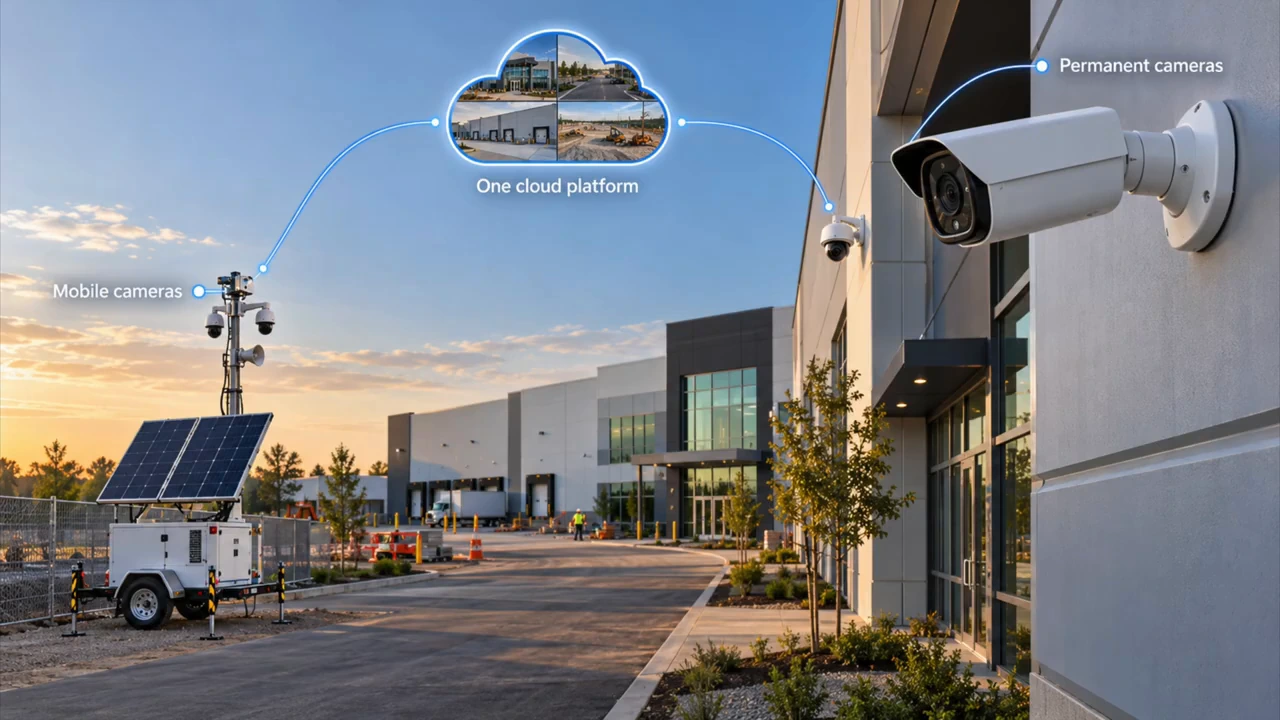
The same planning principle applies to logistics yards, parking areas and remote infrastructure. A customer needs suitable coverage and an agreed response. The supplier needs a repeatable way to configure, support and hand over each deployment.
Camera-Agnostic Does Not Mean Every Feature Works Automatically
One project may need optical zoom from a PTZ camera. Another may prioritize cost, thermal imaging or existing edge analytics. The video discusses equipment from Axis Communications, Bosch Security, Hanwha Vision, Uniview, Hikvision and Dahua Technology as examples of a mixed-camera environment.
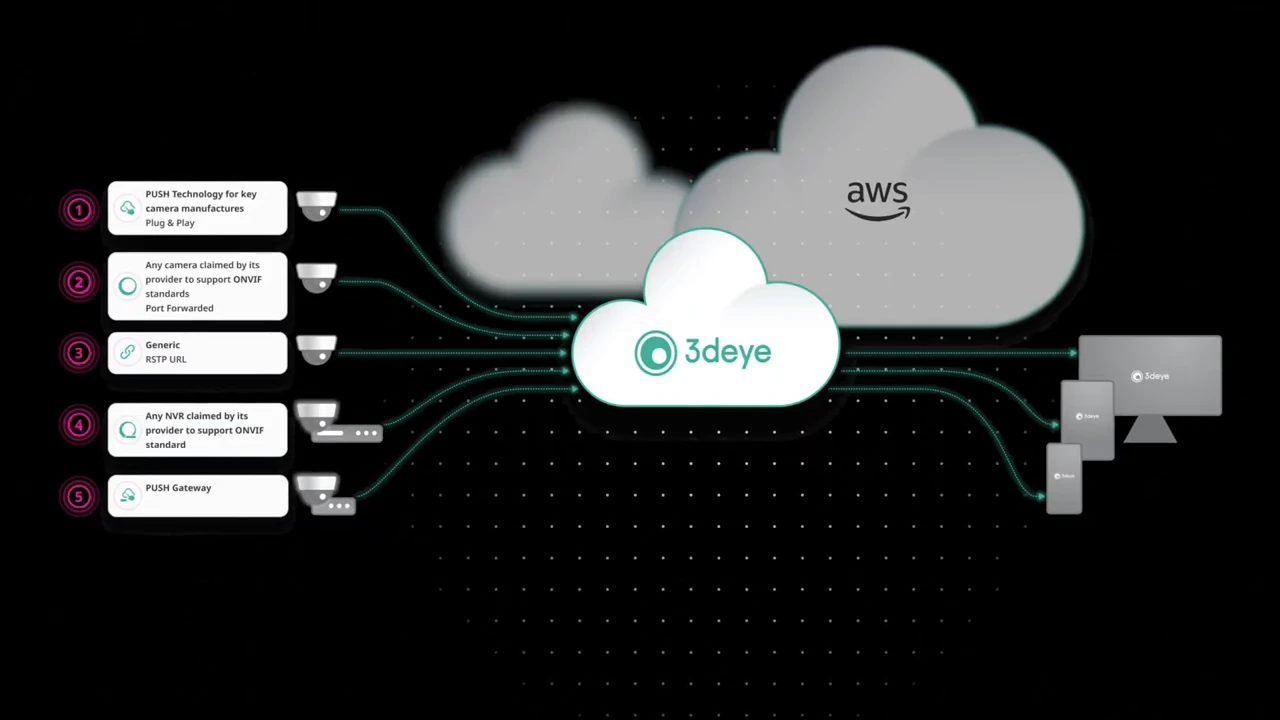
The practical starting point is compatibility with the specific model, firmware and connection method. ONVIF and RTSP help connect supported video sources, but receiving a stream does not establish that PTZ, two-way audio, events or every camera analytic will work through the same connection.
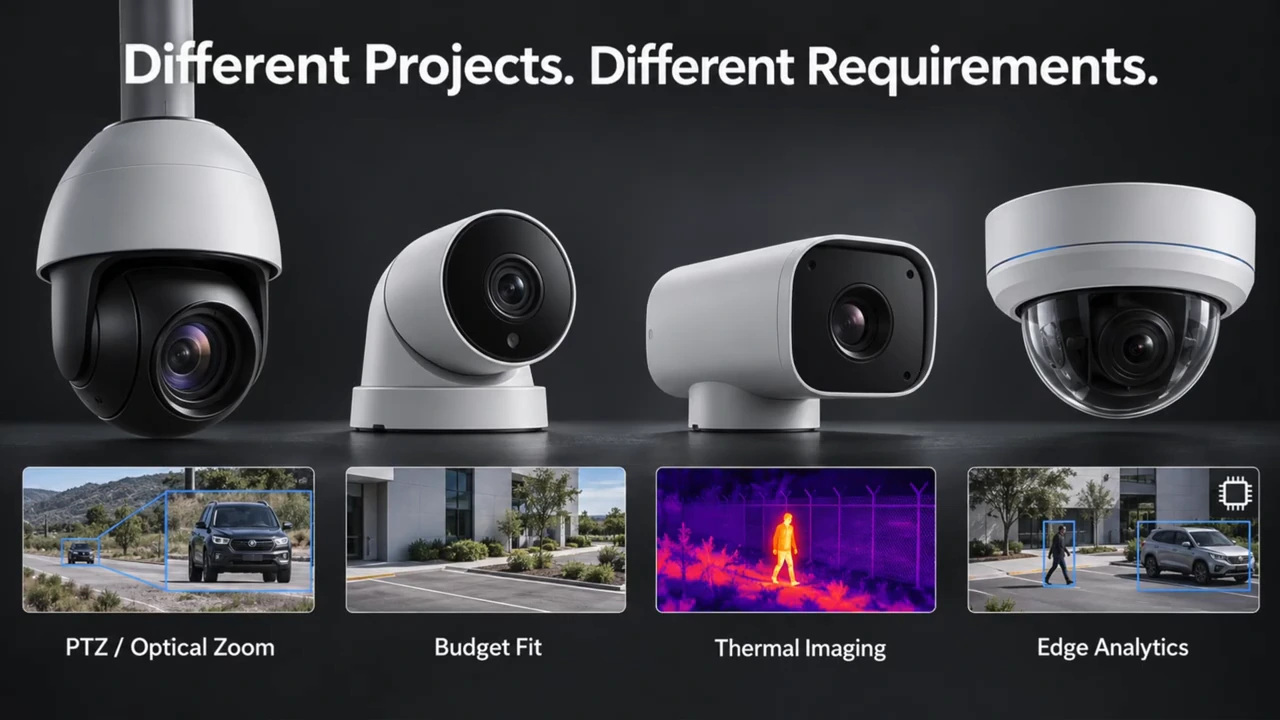
Different projects can require different camera capabilities. Verify each selected model and the functions you need.
1 / 2
ONVIF ties conformance to specific product and firmware versions. For background, our ONVIF interview and explainer examines what interoperability means in practice.
“We encourage instead the use of Profile T, which better supports the needs of video surveillance applications.”
Leo Levit, Chairman of the ONVIF Steering Committee, October 9, 2025.
That recommendation accompanied ONVIF’s announcement about ending Profile S support. It is a useful procurement reminder: assess the actual supported profiles and security configuration, rather than accepting an “ONVIF” label as a complete integration test.
3dEYE’s integration documentation distinguishes direct ONVIF/RTSP connections, 3dEYE Push and a Gateway. Push and Gateway connections avoid inbound port forwarding; a Gateway connects local devices to the cloud. “Pure Cloud” therefore does not mean every installation has no equipment beyond its cameras.
From a Camera Event to an Operator’s Decision
A VMS lets someone watch live video, search recordings and export clips. Remote video monitoring adds an operational process: deciding which events need attention, supplying site instructions, recording a decision and supporting escalation.
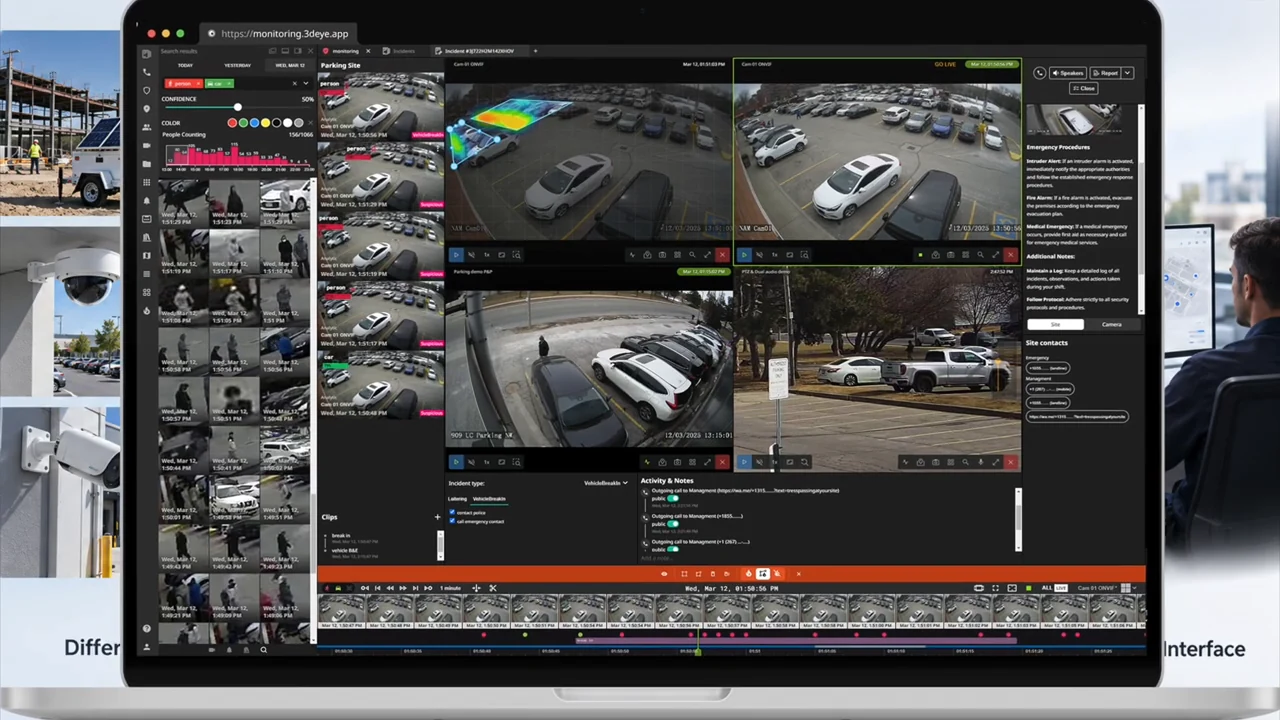
In the workflow described by the 3dEYE team, cloud analysis checks an event against the site’s rules. Matching events go to an available operator. The operator reviews the activity, distinguishes normal from suspicious behavior, and can create an incident for further response.
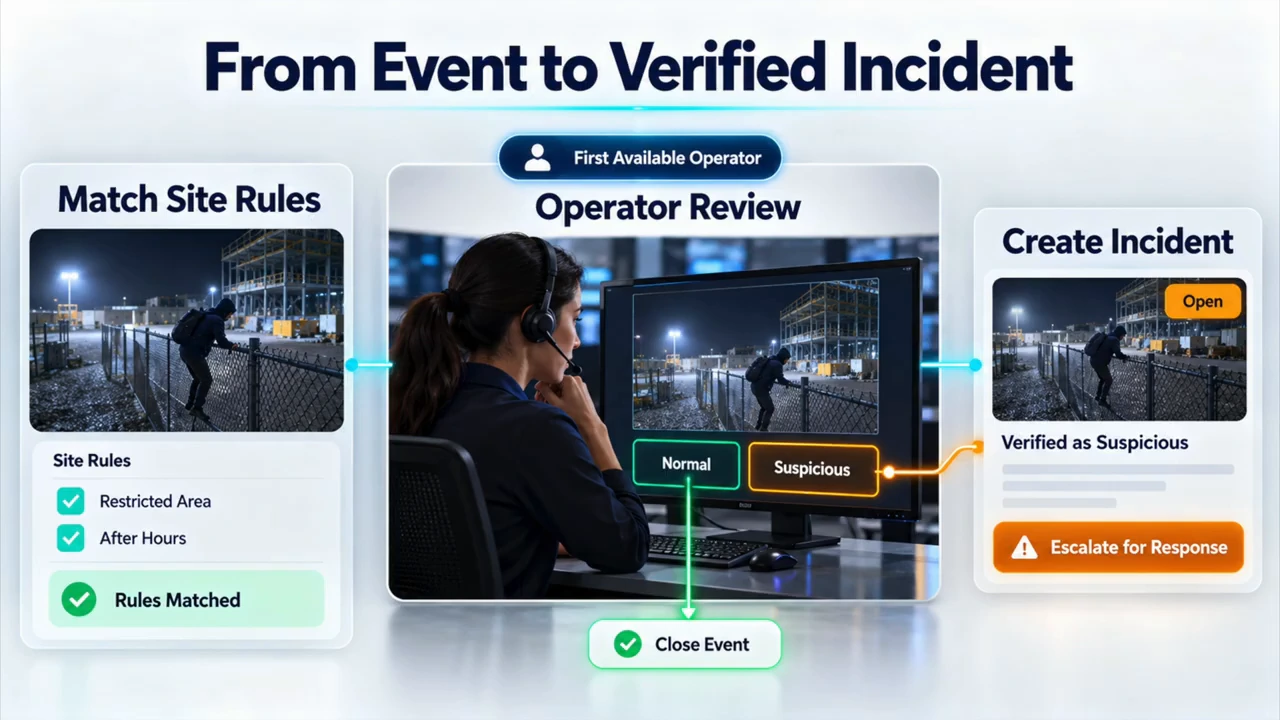
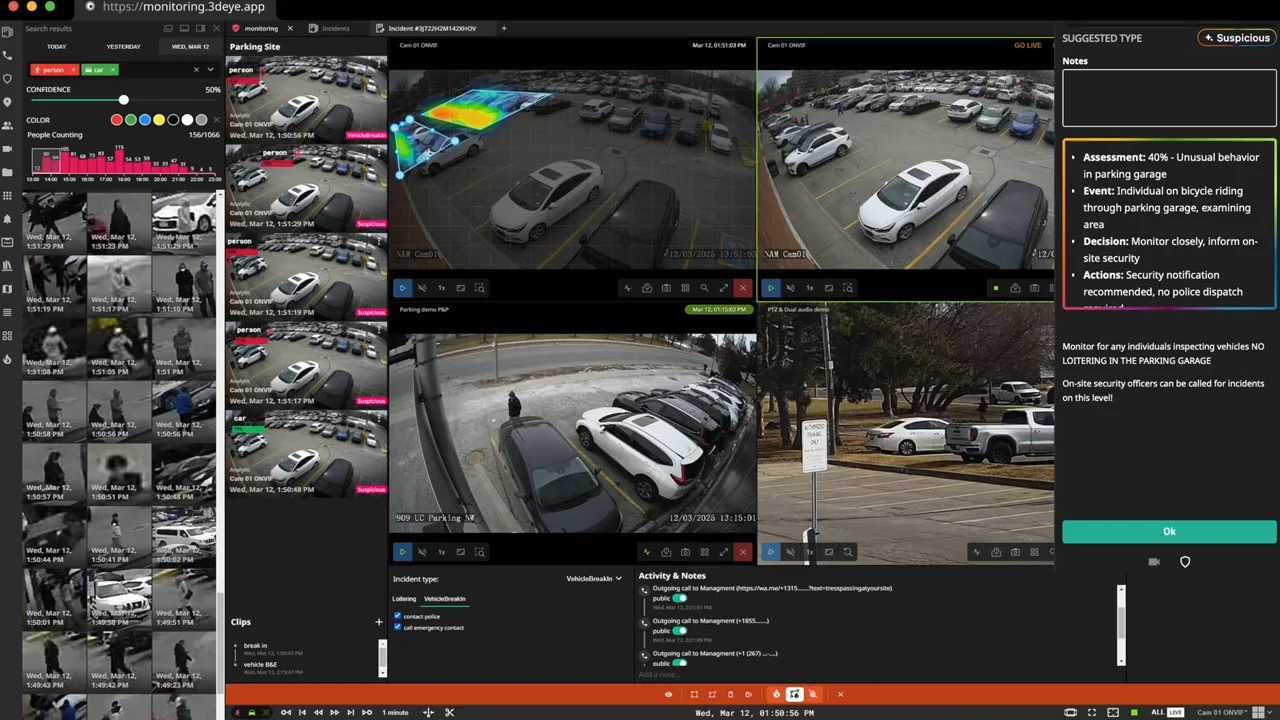
The illustrated workflow separates an initial event from a reviewed incident. This is an explanatory graphic, not an incident-response measurement.
1 / 2
Site, camera and event-specific instructions reduce the need to remember every customer’s procedures. The walkthrough includes live and recorded video, supported PTZ and two-way audio, maps, other cameras at the site, and incident reporting. These tools help connect the observation to a documented action. Our 3dEYE monitoring walkthrough from ISC West 2026 provides related platform context.
The software does not, by itself, supply a staffed monitoring center or guarantee a guard or police response. Those responsibilities belong in the agreement with the service provider.
AI Needs Context, Clear Instructions and Human Oversight
The value of AI filtering is reducing the number of irrelevant events an operator must investigate. A box around a person or vehicle is useful, but it does not explain the whole situation.
In an example shared by 3dEYE, one person unloads groceries from a car while another approaches a parked vehicle to steal from it. Both scenes contain a person and a car. Understanding the sequence and applying site instructions matters more than the object labels alone. This is an illustrative comparison, not an independently measured theft-detection test.
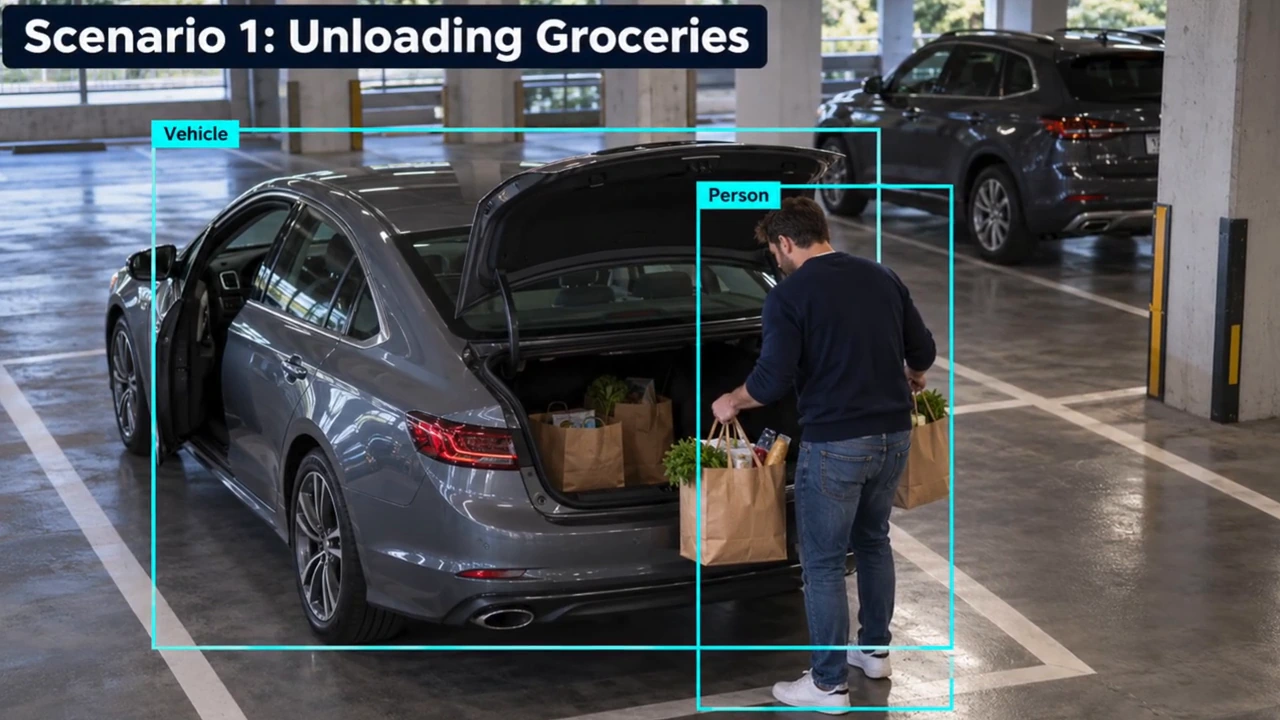
In the video, I discuss AI Vision Agent in connection with contextual understanding. 3dEYE’s current product explanation makes a more specific distinction: AI Vision Agent analyzes site risk over time and produces prioritized recommendations in scheduled reports. AI Workflows handle individual events, with the AI Operator assessing clips against site instructions. These functions are related, but they are not interchangeable.
The current documentation also places people in control of escalation and dispatch. For your project, confirm which modules are enabled and where automation stops. An assessment can help an operator investigate; it cannot establish ownership, intent or guilt simply because a person appears beside a vehicle.
“It offers a new way to integrate responsible practices and actionable guidance to operationalize trustworthy and responsible AI.”
Laurie E. Locascio, then NIST Director, on the AI Risk Management Framework, January 26, 2023.
That framework is not a product endorsement. For a monitoring pilot, I would apply the principle through representative day and night scenes, authorized activity, nuisance events and missed-event review. Measure what operators receive and how they respond, rather than assuming fewer alerts automatically mean better protection.
An After-Hours Construction-Site Response, Step by Step
Consider the hypothetical 1:25 a.m. construction-site example in the video. A camera detects movement inside a restricted area. The useful sequence is:
- Check the event: configured analytics and site rules determine whether it should reach an operator.
- Review the context: the operator examines the event clip, including preceding footage when available, and checks live video or nearby cameras.
- Follow the instructions: normal activity can be closed; suspicious activity can become an incident. Available actions may include an audio warning, customer contact or escalation to a security team.
- Record the outcome: incident reporting captures the event, actions and timing so the customer can understand what happened.
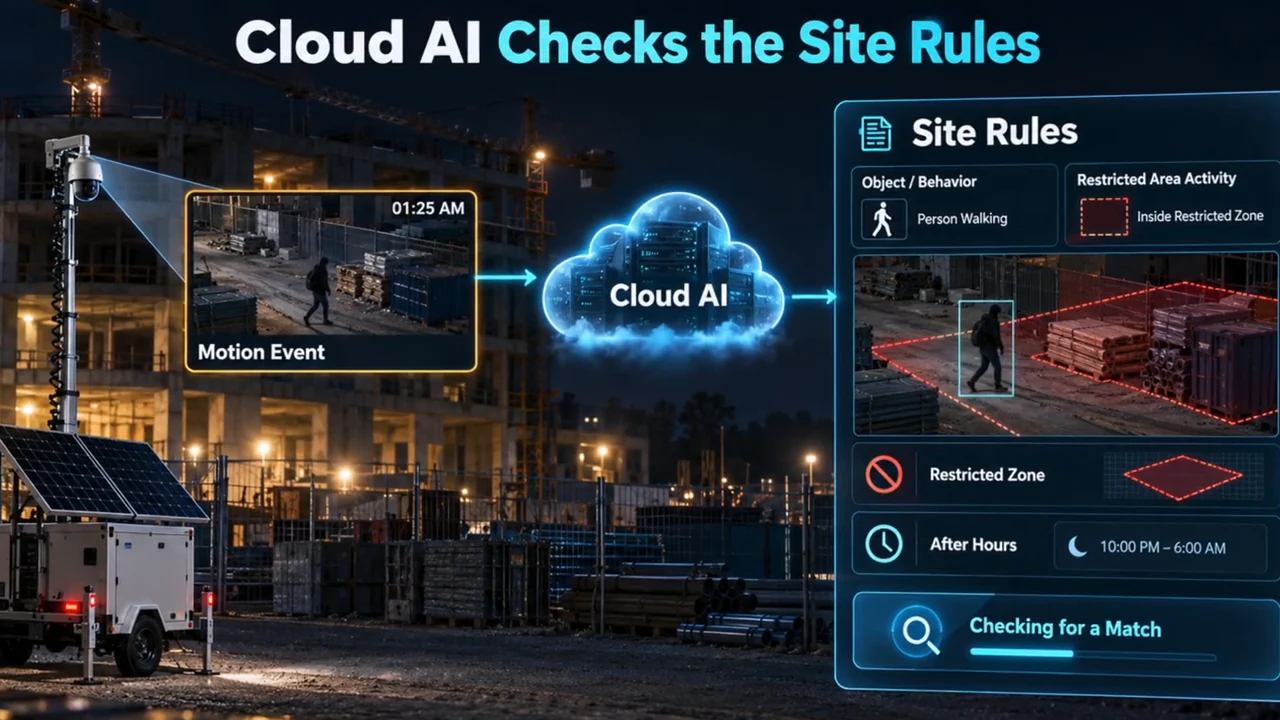
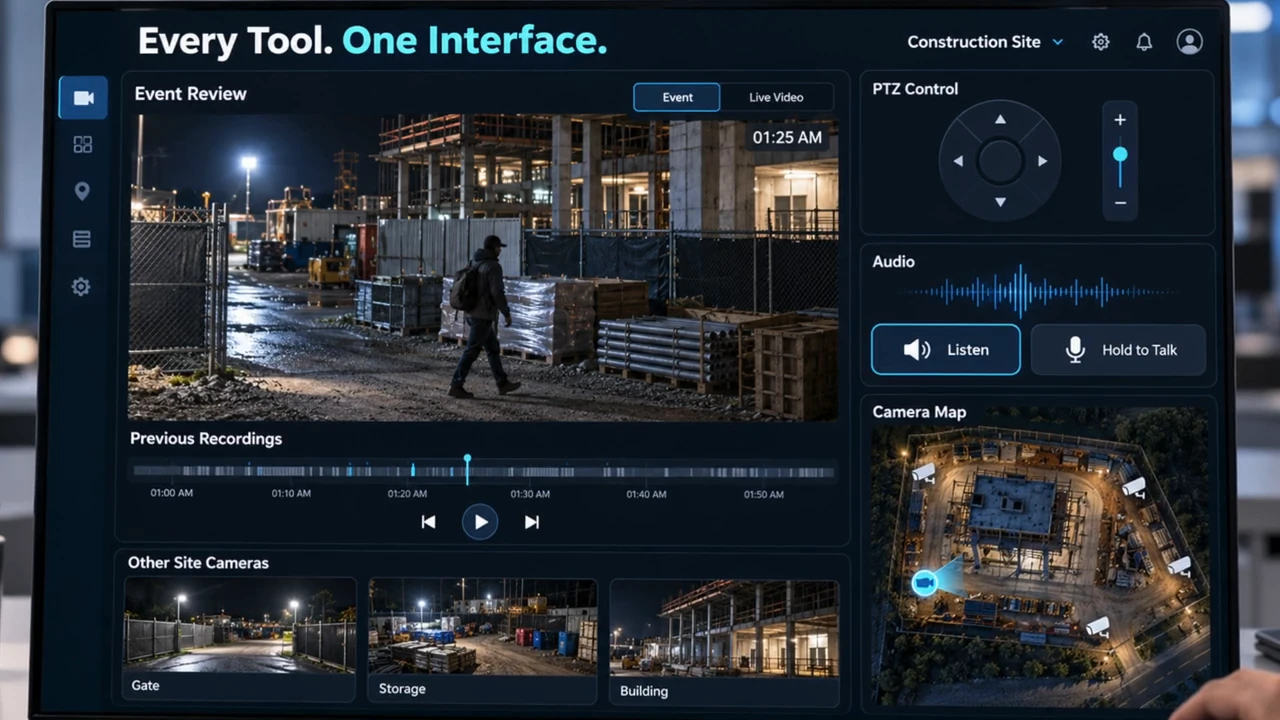
The hypothetical construction-site example starts with a camera event and configured rules, rather than an automatic assumption of intrusion.
1 / 2
Those steps depend on the installed devices, configured permissions and response arrangement. An audio warning requires suitable connected audio equipment. A camera view is useful only while the camera and network are available. The example explains the workflow; it does not promise a particular detection accuracy or response time.
What to Validate Before Scaling the Fleet
The business may manufacture its own trailers, buy them, operate an internal monitoring center or use an external station. It may also support cameras already installed at customer sites. Each model needs clear ownership of configuration, maintenance, monitoring and customer support.
3dEYE’s multi-account structure and API capabilities can support that organization. Establish customer permissions, provider access and integration scope before scaling. A fleet overview should not give one customer access to another customer’s footage.
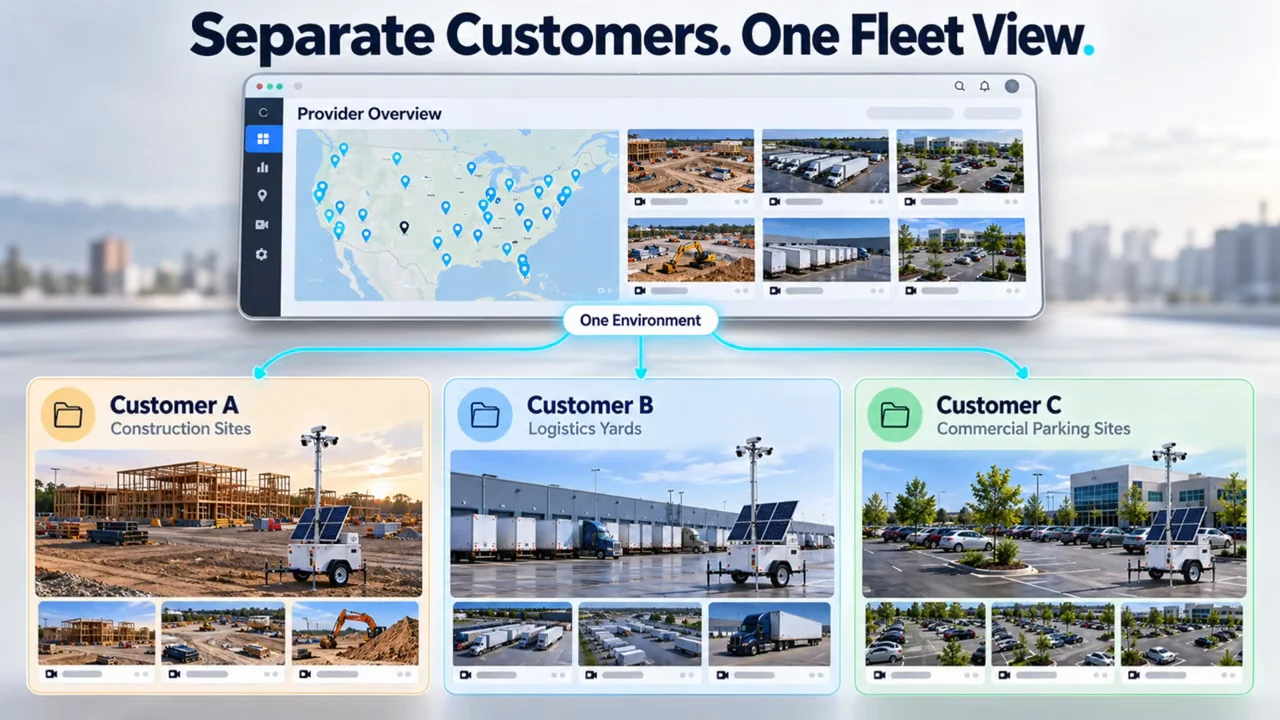
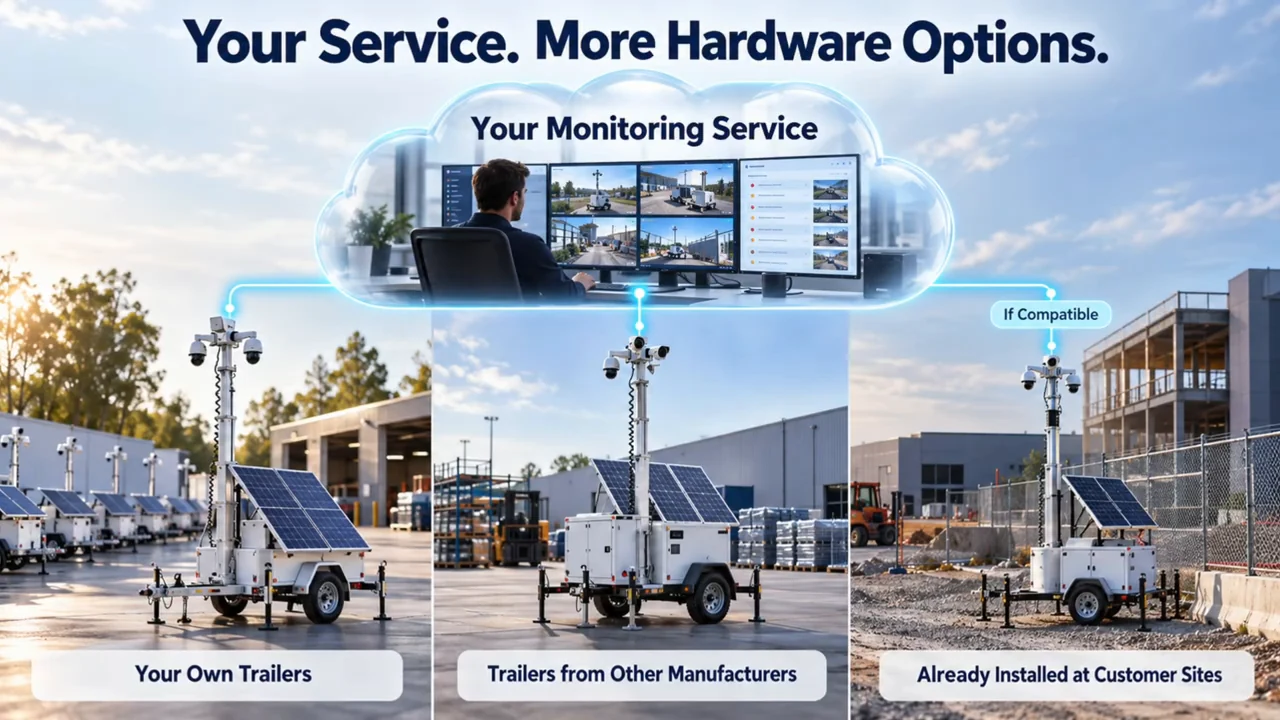
The provider needs operational visibility across the fleet while keeping each customer’s access appropriately separated. Concept illustration.
1 / 2
| Decision | Ask 3dEYE or your provider | Verify in the pilot |
|---|---|---|
| Cameras and controls | Which exact models and functions are supported? | Live video, playback, PTZ, audio and events on representative devices. |
| Connectivity and recovery | What happens when the uplink drops? | Outage detection, reconnection and any supported archive synchronization. |
| AI and operators | Which events escalate, and who decides the response? | Nuisance events, missed events, review time and the site’s escalation procedure. |
| Customers and branding | Which account, API and branding options are included? | Customer separation, onboarding and the customer-facing experience. |
| Commercial scope | What is charged for software, storage, AI and support? | A complete cost per active trailer, including connectivity and monitoring labor. |
Connectivity and storage: 3dEYE documents reconnection after an internet outage and archive synchronization for supported ONVIF Profile G devices. Local SD or NVR recording can add redundancy, but cloud-dependent live monitoring cannot continue across a disconnected link. Confirm the actual recovery behavior on your equipment.
Power and data: cameras and network equipment still need a suitable power system. Check upload capacity, bitrate, retention and the cellular allowance together. A cloud processing architecture does not remove those site requirements.
Economics: compare the current platform plan with AI and storage options, cellular service, operator workload, maintenance and support. More trailers can create recurring revenue, but this video does not establish a margin or a guaranteed reduction in staffing. Start with a representative pilot and agreed success criteria.
Building or Operating a Trailer Fleet?
Bring your camera list, expected fleet size, connectivity plan and monitoring workflow to a 3dEYE discussion. Ask for a demonstration covering customer accounts, integrations, branding and the AI functions you intend to use.
Questions Buyers Ask About Trailer Software
What is mobile surveillance trailer software?
It is the management and monitoring layer connecting supported trailer cameras to video access, accounts, analytics, events and response workflows. It works alongside the trailer’s power, networking and physical equipment.
Can one cloud VMS manage different camera brands?
Yes, when the specific cameras and required functions are compatible with the platform and connection method. Validate more than basic streaming: test the controls, audio, events and recording features your service needs.
Does a cloud platform include 24/7 monitoring personnel?
Do not assume that it does. Software provides tools; the service agreement must identify who reviews alerts, the monitoring hours and the escalation or dispatch responsibilities.
Can temporary trailers and permanent cameras share a platform?
Compatible devices can be managed together. That can support construction sites as permanent systems are installed and trailers move to other projects, with permissions and monitoring rules updated for each stage.
How should I compare the cost of trailer software?
Compare the complete service cost: platform licensing, selected AI and storage, connectivity, monitoring labor, maintenance, onboarding and support. Use a pilot to establish the workload and technical fit before projecting fleet economics.
Choosing the Next Step for Your Project
For manufacturers and security providers, the important question is whether the software supports the service you want to deliver across changing hardware, sites and customers. For a business protecting a location, it is whether someone can explain the complete path from detection to response.
If you need help planning a construction-site, logistics or other business security project, use the integrator request form below. Describe the location, coverage needs, project duration and monitoring expectations. Pipl Systems can help you work through the requirements and connect with an appropriate security professional. Our guide to choosing a security integrator gives you additional questions for that conversation.